pip is the default package manager for Python, allowing you to install and manage additional libraries and dependencies not included in the standard Python library. By default, it installs packages from the Python Package Index (PyPI), giving you access to a vast repository of Python software.
While Ubuntu’s default package manager, apt, can install Python packages, it may not always have the most recent versions or a comprehensive selection. Using pip ensures you have the latest packages and a broader range to choose from.
Installing Pip on Ubuntu
Ctrl + Alt + T or by searching for “Terminal” in the applications menu.sudo apt updatesudo apt install python3-pipNote: If you need pip for Python 2, use the command:
sudo apt install python-pipFor Ubuntu versions older than 14.04, replace apt with apt-get in the commands above.
pip3 --versionThis command should display the version of pip installed on your system.
Ubuntu’s repositories might not always have the latest version of pip. To upgrade pip to the newest version, execute the following commands:
# For Python 3
sudo pip3 install --upgrade pip

# For Python 2
sudo pip install --upgrade pip
📝 Important Note on pip and pip3:
The command pip is associated with Python 2 packages, while pip3 is used for Python 3 packages. In the examples below, we’ll use pip3. If you’re working with Python 2, substitute pip3 with pip.
Managing Python Packages with Pip
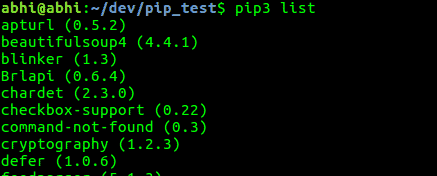
pip3 listThis will display all installed packages along with their versions.
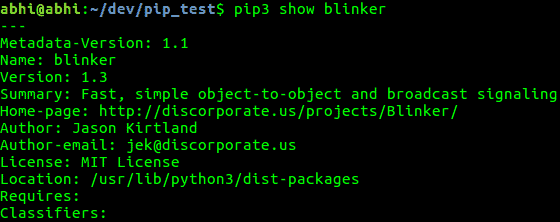
pip3 show package_nameReplace package_name with the name of the package you’re interested in.
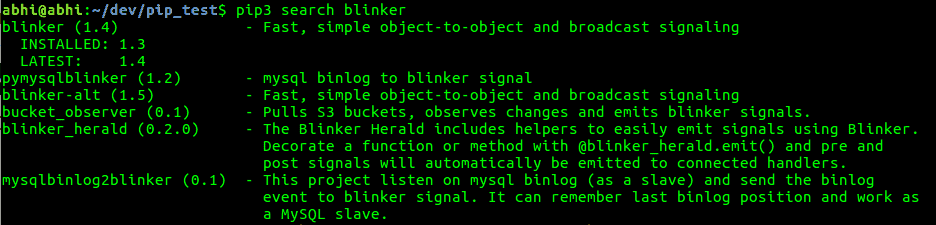
pip3 search <keyword>Replace <keyword> with the term you’re searching for. This will list all packages that match the keyword.
For example, searching for “blinker” would produce results like this:
Installing and Upgrading Packages with Pip
pip3 install package_nameReplace package_name with the name of the package you want to install.

pip3 install --upgrade package_nameThis command will also update any dependencies associated with the package. Make sure to replace package_name with the actual name of the package you wish to upgrade.
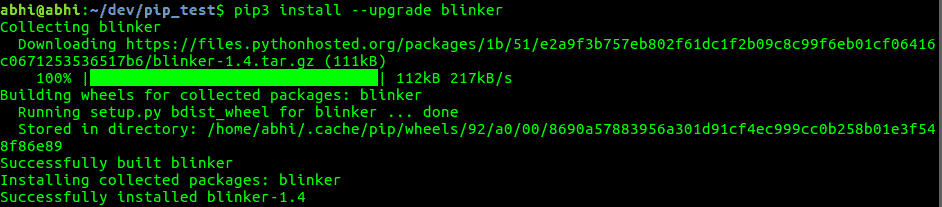
Uninstalling Packages with Pip
pip3 uninstall package_nameAgain, replace package_name with the name of the package you wish to uninstall.
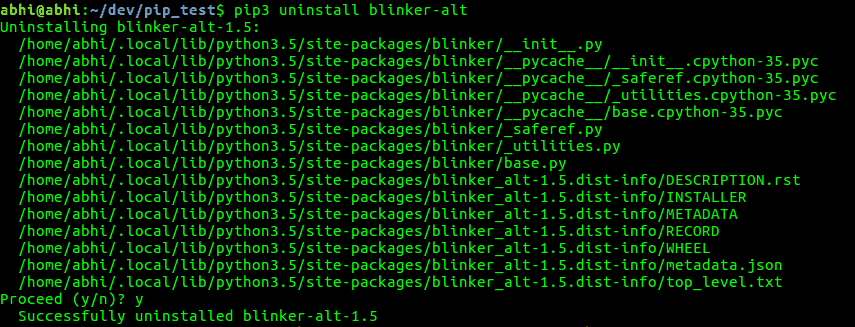
pip3 uninstall -y package_nameBy mastering these pip commands, you can efficiently manage Python packages on your Ubuntu system, ensuring you have the tools you need for your projects.