

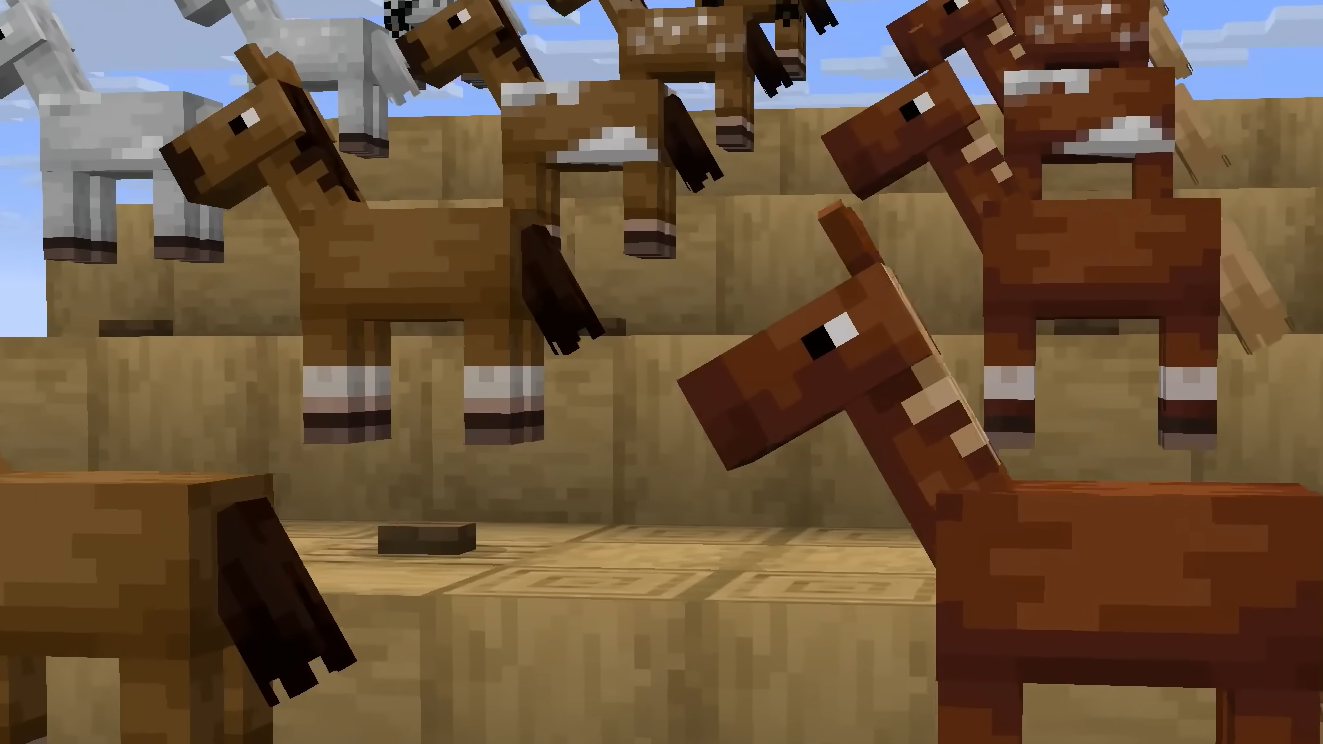
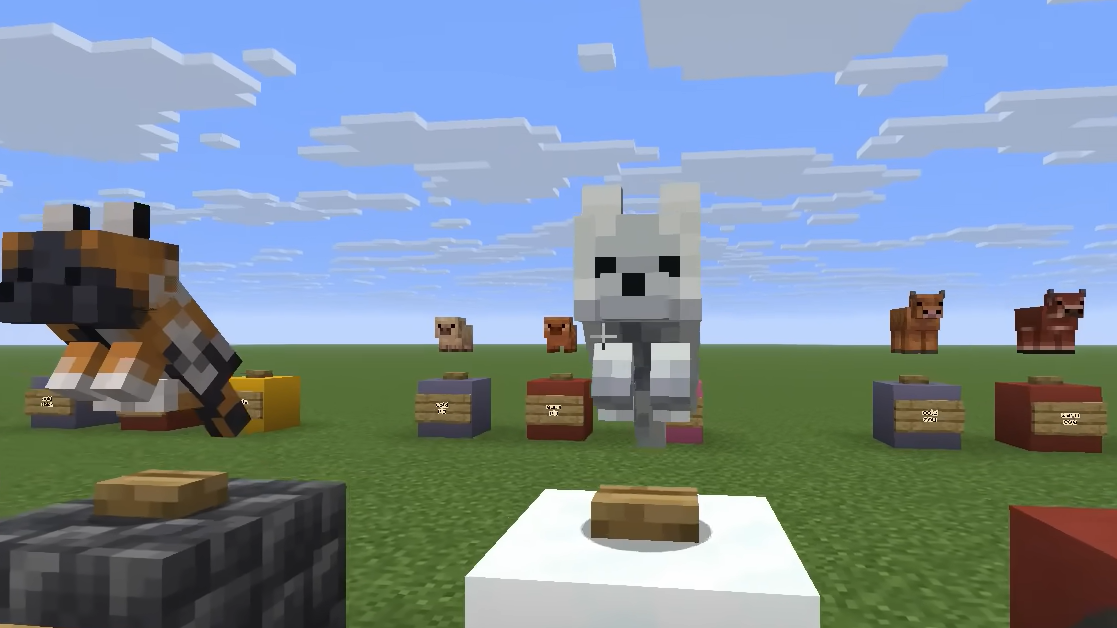
Minecraft 26.1 Snapshot 6 overhauls the appearance and behavior of baby mobs across the game. Seven creatures—bees, foxes, goats, camels, armadillos, polar bears, and llamas—receive new models and textures that give them individual character instead of looking like scaled-down adults. Baby polar bears no longer attack foxes, baby axolotls gain a play-dead animation, and baby chickens have corrected wing animations.
Quick answer: Baby bees, foxes, goats, camels, armadillos, polar bears, and llamas have new models and textures. Baby camels no longer render saddles, and baby polar bears won't attack baby foxes.
Visual and behavioral changes
The redesigned baby mobs feature distinct pupils and proportions rather than miniaturized versions of their adult counterparts. Each creature now has its own visual identity, making them recognizable at a glance. Baby camels no longer display saddles on their backs, and camel husks no longer have a separate baby model—they grow directly into their adult form.
Baby polar bears have been adjusted to no longer attack baby foxes, reducing conflict in snowy biomes and creating more natural interactions between the two species. Baby axolotls now perform a play-dead animation when threatened, adding realism to their behavior. Baby chicken wing animations have been fixed to eliminate visual glitches during movement.
World data format restructuring
This snapshot introduces significant changes to how world data is organized and stored. All default dimensions—the Overworld, Nether, and End—are now stored in a dedicated dimensions subfolder rather than scattered across the root directory. Overworld data moves to dimensions/minecraft/overworld, Nether data to dimensions/minecraft/the_nether, and End data to dimensions/minecraft/the_end.
Player data has been reorganized into a players subdirectory, consolidating advancements, player data files, and statistics in one location. The world resource pack (resources.zip) moves to a resourcepacks subfolder. Data files in the data folder are now namespaced, meaning they're stored in namespace-specific subfolders—for example, data/scoreboard.dat becomes data/minecraft/scoreboard.dat.
Command storage is restructured to use namespace subfolders instead of namespace suffixes. Map data now lives in data/minecraft/maps, with individual map files renamed to just their number (map_1.dat becomes 1.dat). The chunks.dat file is renamed to chunk_tickets.dat, and the special raids_end.dat file is removed—the End now uses the standard raids.dat file like other dimensions.
Level.dat and game data changes
The level.dat file structure has been overhauled. The Player tag is replaced with a singleplayer_uuid tag that references the player data file. Difficulty settings are moved into a difficulty_settings tag, with the difficulty value now stored as a string (peaceful, easy, normal, or hard) instead of an integer.
Ender Dragon fight data is moved out of level.dat and stored separately at dimensions/minecraft/the_end/data/minecraft/ender_dragon_fight.dat. The respawn sequence now uses a respawn_stage value with states like start, preparing_to_summon_pillars, summoning_pillars, summoning_dragon, and end. New fields track respawn_time and respawn_crystals.
Wandering Trader data, custom boss events, weather data, scheduled events, game rules, world generation settings, and world clocks are all moved to the data folder and organized by namespace. These changes consolidate world metadata into a more structured hierarchy.
World generation updates
Rule-based block state providers now support optional fallbacks that can be empty. When an empty fallback is invoked, features using it place nothing. The forest_rock feature is renamed to block_blob and now accepts parameters for the block type and placement conditions. The ice_spike feature is renamed to spike with similar configuration options.
Huge red and brown mushroom features gain a can_place_on parameter to define valid placement blocks. Tree features replace force_dirt and dirt_provider parameters with a single below_trunk_provider that uses rule-based block state logic, allowing more granular control over what blocks appear beneath tree trunks.
Block and item tag reorganization
The #dirt tag is split into multiple tags for finer control. The #dirt tag now contains only Dirt, Coarse Dirt, and Rooted Dirt. New tags include #mud (Mud and Muddy Mangrove Roots), #moss_blocks (Moss Block and Pale Moss Block), and #grass_blocks (Grass Block, Mycelium, and Podzol). A new #substrate_overworld tag combines all four for world generation conditions.
New tags define which blocks can be replaced with podzol beneath trees and bamboo, and which blocks features like forest rocks and mushrooms can be placed on. Item tags mirror their block tag equivalents for consistency.
Technical version updates
Data Pack version increments to 99, and Resource Pack version increments to 80. New entity textures are added for all redesigned baby mobs, with separate files for variants like snow foxes and different llama colors. A new sound event for baby chicken steps is added to the resource pack.
Shader changes remove the core/rendertype_item_entity_translucent_cull shader in favor of core/entity. The core/rendertype_entity_alpha and core/rendertype_entity_decal shaders are replaced by a DISSOLVE flag in core/entity. Item rendering is split from entity rendering into new core/item shaders.
Important upgrade considerations
When loading a world in this snapshot for the first time, a backup is automatically created due to the structural changes to world data. After upgrading, worlds cannot be loaded in older versions of Minecraft. The UI displays an "Upgrade and Play" option for worlds that need conversion, with a progress screen showing the upgrade status.
The Edit World and Re-Create World buttons are disabled until the world finishes upgrading. Review the full changelog before upgrading existing worlds to understand how your world structure will change.