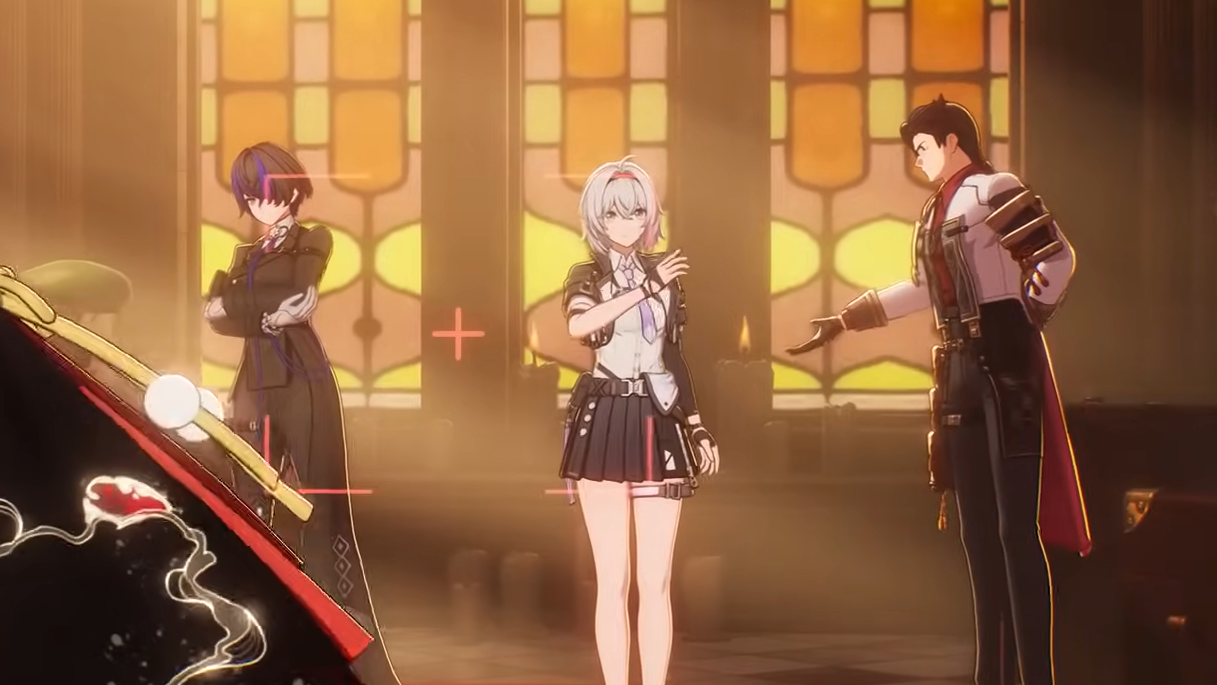
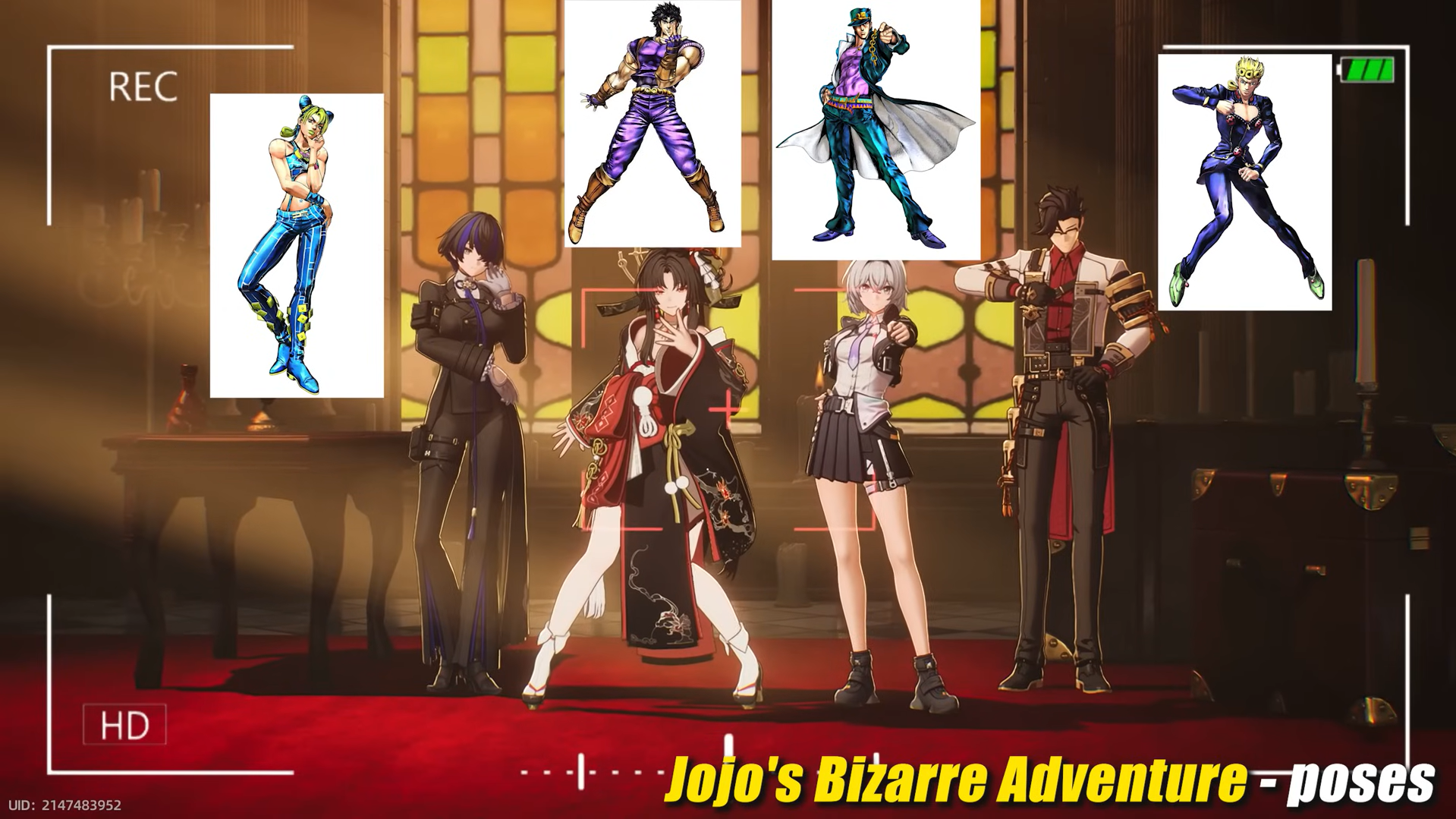
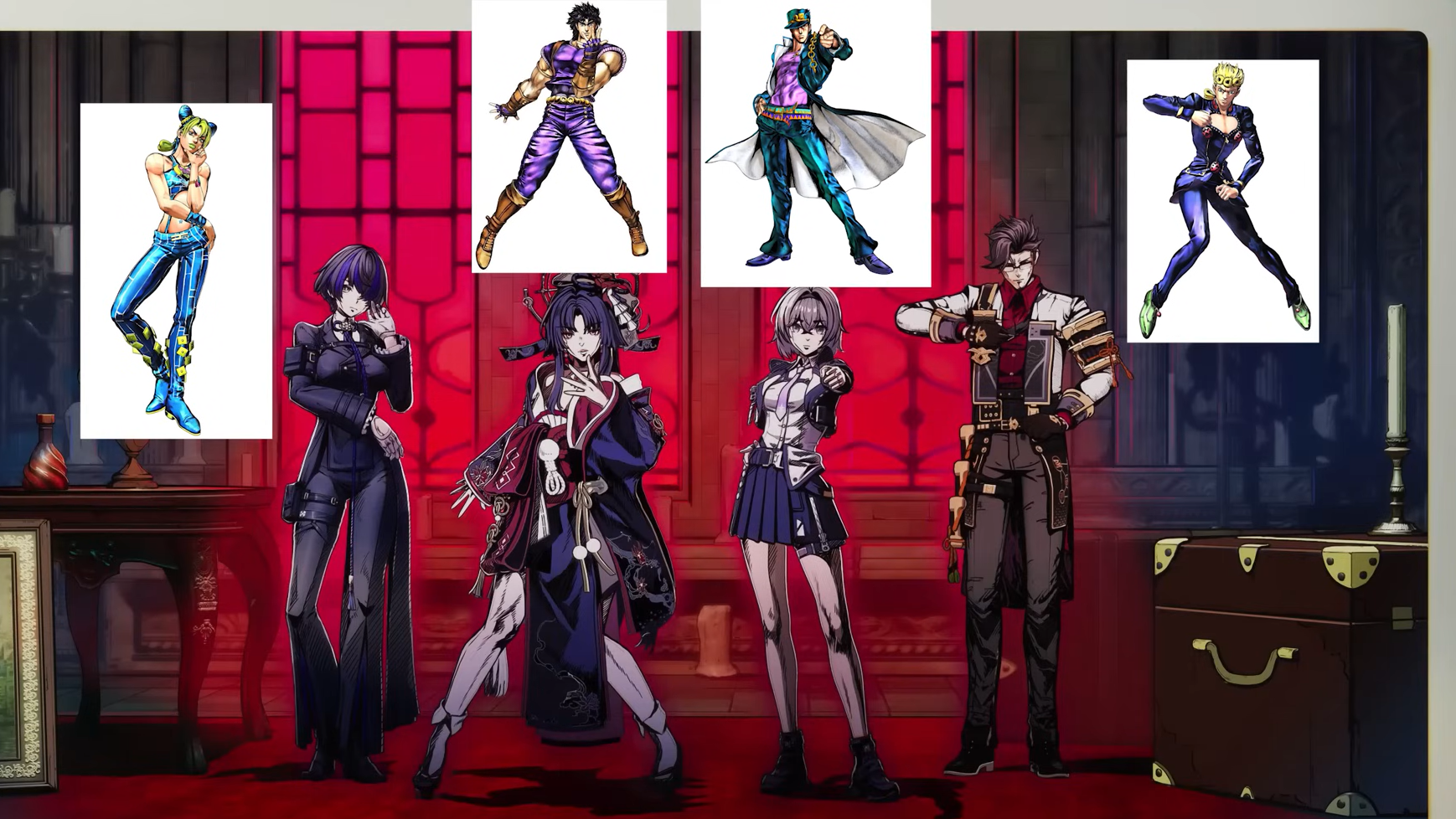
The JoJo pose moment in Neverness to Everness is a hidden photo-style swap tucked inside the game’s in-city photograph studio. When triggered, your character snapshot is rendered in the bold, manga-inflected look associated with JoJo’s Bizarre Adventure, complete with the franchise’s signature contorted poses and high-contrast inking. It is an Easter egg, not a permanent unlock, so it surfaces only when you interact with the studio in the right way.
Quick answer: Visit the photo studio NPC in the city and use the studio’s photo session option. The art style flips to a JoJo-inspired filter, and the model strikes one of the iconic poses for the still.
What the JoJo pose Easter egg actually is
Inside Neverness to Everness, the photo studio is run by an NPC the community has nicknamed Kodak. The studio normally produces standard in-game portraits, but it carries a small set of hidden style swaps as references to popular anime and manga. The JoJo entry is one of those swaps. Instead of the game’s default rendering, the resulting image uses the heavy linework, dramatic lighting, and exaggerated stance silhouettes pulled from JoJo’s Bizarre Adventure.
It is purely a visual gag for screenshots. It does not give items, currency, or progression credit, and it does not unlock a permanent emote on your character outside the studio interaction.
Where to find the photo studio in NTE
The photo studio sits in the city hub area of Neverness to Everness, the same explorable district where you handle daily errands and side activities as an Appraiser. It is marked on the city map with a camera-style icon once you have passed it during normal exploration or completed the early city introduction. The owner stands behind the counter and offers a photo session prompt when you interact.
How to trigger the JoJo art style
How to know it worked
You will see two clear signals. First, the live preview inside the studio swaps from the default rendering to the JoJo-style filter before you confirm. Second, after taking the picture, the saved image in your gallery keeps the JoJo art style and pose rather than the standard in-game portrait look. If the photo in your gallery looks like a normal NTE screenshot, the filter was not active when you confirmed the shot.
Common reasons the pose does not appear
| Cause | Fix |
|---|---|
| Used the open-world camera instead of the studio | Return to the photo studio NPC and start a proper photo session from the counter. |
| Did not change the studio style before confirming | Cycle through the style options until the JoJo filter is selected, then take the shot. |
| Confirmed the shot before the preview finished swapping | Wait for the preview to fully render the JoJo style, then confirm. |
| Photo studio not yet introduced in your save | Progress the early city content until the studio location is unlocked on the map. |
Notes on what the Easter egg is not
The JoJo pose in NTE is a photo studio filter, not a character emote, not a combat animation, and not a gacha reward. It does not change how your character moves in the field, and there is no separate quest tied to it. Treat it as a screenshot tool, similar to the studio’s other anime-reference styles such as the recurring photo-frame nods to other popular series.
If you want to capture the cleanest result, pose the character toward the camera before confirming and avoid background clutter, since the JoJo filter exaggerates outlines and contrast and can make busy scenes harder to read. Beyond that, the Easter egg is a one-tap novelty meant to be enjoyed in the gallery and shared as a screenshot.