Where Winds Meet is built as a single-player wuxia open world that opens up to small-group co-op for specific activities. You can finish the main story by yourself from start to end, while bosses, dungeons, and select side content let a host pull in up to three more players. Knowing where the line sits between solo and group play prevents broken quest steps and missed rewards.
Quick answer: Play main story chapters in Solo Mode. Switch to Co-Op Mode for Campaign Challenge bosses, world bosses, dungeons, and most side activities. The host can invite up to three other players (four total), and shared progression with Adventure Slips triggers only inside co-op-enabled activities.
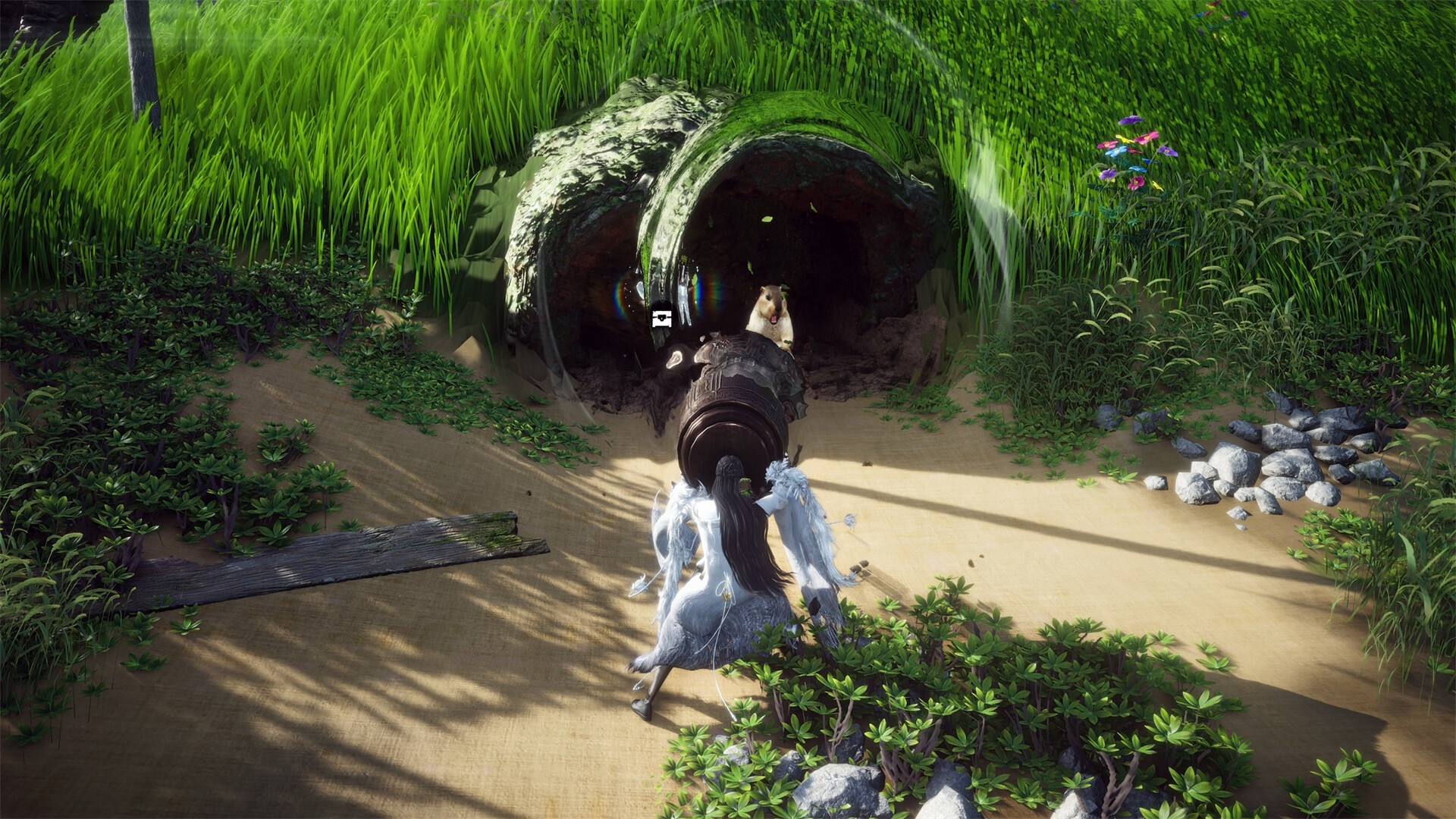
Solo mode coverage
Solo play covers the entire critical path. Every main chapter, the young master’s narrative beats, and story-locked cutscenes are designed to be completed alone. You can also tackle world exploration, side quests, gathering, housing, fishing, and most Wandering Tales without ever forming a party.
Some boss-style activities that normally allow co-op can also be cleared solo with reduced rewards or AI companions filling empty slots. Path Trials, in particular, are role-based solo proving grounds for healer, DPS, or tank, with no co-op option at all.
Co-op mode coverage
Co-op is the host’s world. One player opens a room, and others join through the friend list or a co-op code. The party size caps at four players, and the social Jianghu hub is a separate shared space focused on leisure activities rather than meaningful combat.
Activities that support co-op include Campaign Challenge boss fights, Mighty Foes open-world bosses, four-player dungeons, Hero Realms ten-player raids, Outpost Challenges, Scourges, Dream Walker Odyssey daily runs, and most exploration outside story missions. Bosses inside co-op scale to the host’s current level, which can make a fight easier for higher-leveled guests or punishing for lower-leveled ones.

What changes between modes
| Aspect | Solo Mode | Co-Op Mode |
|---|---|---|
| Main story chapters | Fully playable | Not supported |
| Party size | 1 (AI companions allowed for some content) | Up to 4 players |
| Boss scaling | Based on your level | Scales to host’s level |
| Shared progression | N/A | Auto-enabled in supported activities |
| Adventure Slips | Not awarded | Awarded to all party members |
| Reward claim | You only | Each player claims individually |
| Hero Realms (raids) | Cannot start | 10-player team required |
| Dungeons | Solo with AI for reduced rewards | Up to 4 players |
How to form a co-op room
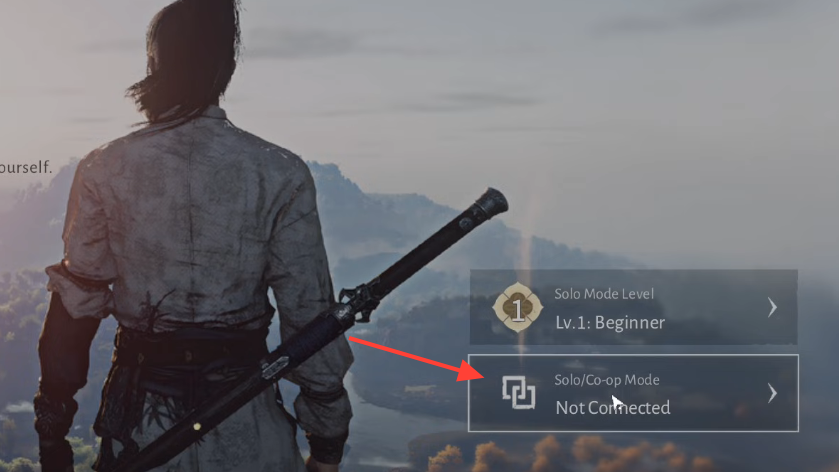
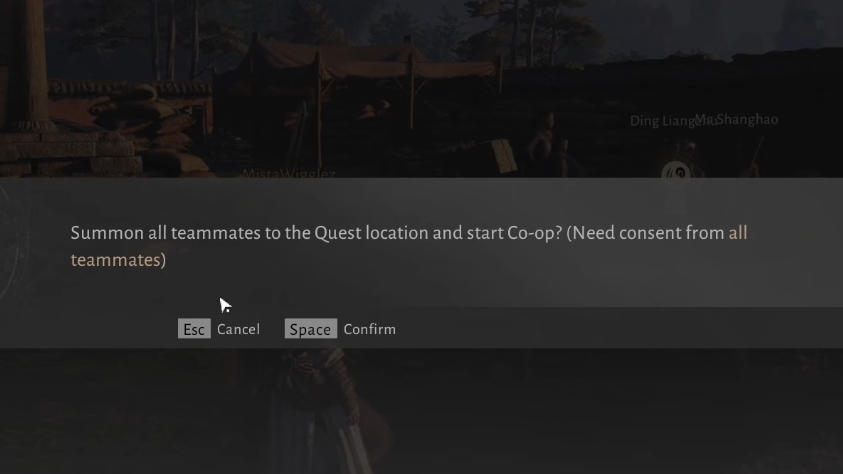
How to leave co-op
Rewards and shared progression
Shared progression flips on automatically the moment a party enters an activity that supports it. Defeating a Campaign Boss credits the kill and loot rolls to every party member, and each player must open their own chest or claim window after the fight.
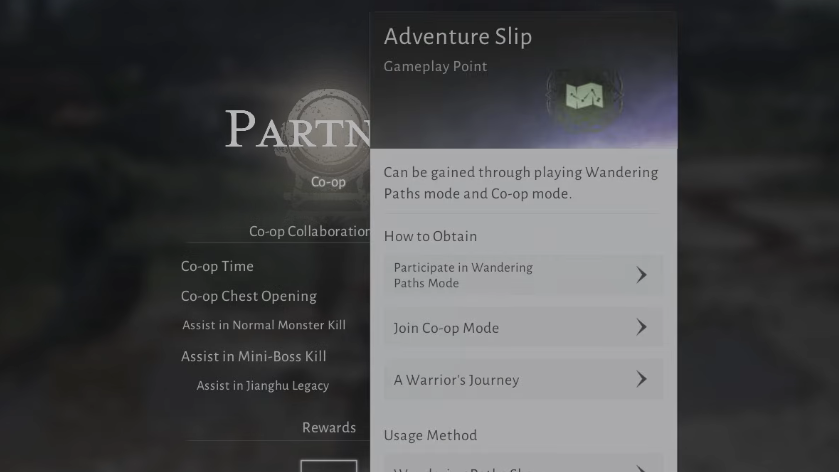
Adventure Slips drop from completed co-op activities and stack across the party. These slips are the currency for the Fellowship Shop, where they convert into cosmetics and consumables tied to multiplayer participation. Solo runs of the same activities do not award Adventure Slips, which is the main material reason to pull in friends for repeatable content.
Common pitfalls during Campaigns
Story sections inside Campaign content can desync if you remain in co-op the whole time. The safer pattern is to clear narrative beats in Solo Mode, then form the party right before the boss fight to lock in shared progression and group rewards.
Level-scaled bosses are the other recurring trap. A high-level host carrying a low-level friend will see the boss inflate to the host’s threshold, which can wipe undergeared guests in a few hits. Match levels or run the activity with the lower-leveled player as host when the gap is large.
When to choose solo
Solo is the right pick for the main storyline, Path Trials, exploration, housing projects, and any Wandering Tale that gates dialogue or cutscenes behind the player character. It also remains the most reliable way to learn boss mechanics before bringing a party, since you control pacing without scaling penalties from a higher-leveled host.
Co-op shines when the goal is Adventure Slips, raid clears, or chipping through a Mighty Foe quickly. Treat the two modes as overlapping rather than exclusive, since the bamboo hat menu lets you swap between them on demand whenever you are not mid-story.