Neverness to Everness runs on regional servers (Asia, America, Europe) with scheduled downtimes for version updates, plus daily and weekly resets that do not take the servers offline. The next confirmed maintenance window lands on May 13, 2026, when Version 1.0 rolls into its second phase, and the Hotori “Misty Tipsy Style” banner goes live.
Quick answer: Servers are currently online. The next planned maintenance is on May 13, 2026 (server time) to deliver the Phase 2 update; an exact start time and downtime length have not been officially posted yet. Check the in-game announcement banner or the official NTE site for the final window before that date.
NTE maintenance schedule (May 13, 2026)
The May 13 maintenance is the first major patch window since the global launch on April 29, 2026. It closes out Phase 1 of Version 1.0 and starts Phase 2, swapping the featured limited banner from Nanally to Hotori. The Tiger Style arc banner also rotates on the same date.
Hotta Studio has not published the exact start hour or expected duration on the official site as of the current date. For comparable Hoyo-style and Perfect World titles, similar version-phase maintenance usually runs a few hours during low-traffic windows in each region. Treat any specific minute-by-minute timing not posted on nte.perfectworld.com or the official social channels, as unconfirmed.
| Event | Date | Notes |
|---|---|---|
| Phase 1 banners end (Nanally, Tiger Style) | May 13, 2026, 05:59 server time | Last chance to pull before maintenance |
| Version 1.0 Phase 2 maintenance | May 13, 2026 (server time) | Exact start time not officially posted |
| Hotori “Misty Tipsy Style” banner starts | May 13, 2026 (post-maintenance) | Runs until June 3, 2026, 05:59 server time |
| Letter from Hethereau reward (10 Fabricated Dice) | After May 13 maintenance | Sent via in-game mail; requires character + Mail unlocked before V1.0 ends |
| Prime Circle (Beyond the Rails) ends | June 4, 2026, 04:00 (UTC+8) | Limited-time route |
NTE server status: how to check if servers are down
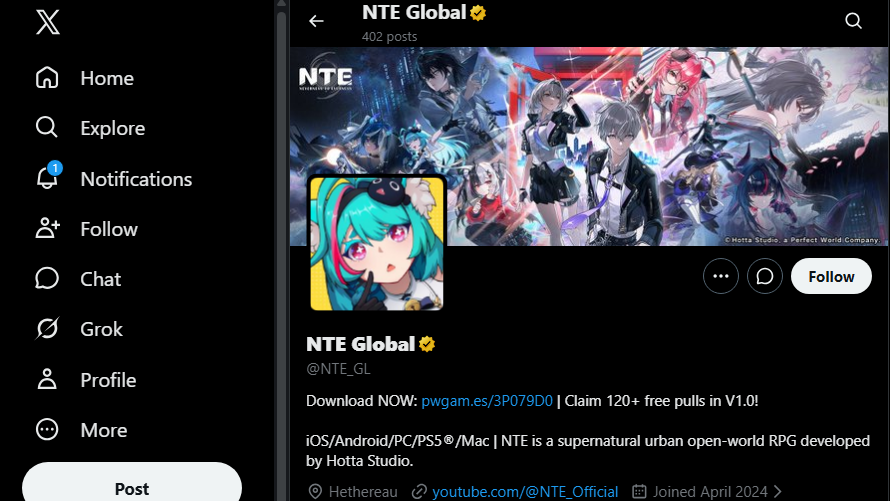
NTE does not currently publish a live status dashboard. The fastest reliable signals are the official channels and community reports.
NTE daily and weekly server reset times
Daily and weekly resets do not take servers offline. They refresh stamina, daily tasks, weekly rewards, and shop rotations at 5:00 AM server time. The clock follows the region your account is on.
| Server | UTC offset | Daily reset (local) | Weekly reset |
|---|---|---|---|
| Asia | UTC+8 | 5:00 AM | Monday 5:00 AM |
| America | UTC-5 | 5:00 AM | Monday 5:00 AM |
| Europe | UTC+1 (CET) / UTC+2 (CEST) | 5:00 AM | Monday 5:00 AM |
You can verify a reset has happened by checking City Stamina. If it has refreshed to its full value, the reset has already passed for your server.

Common NTE connection problems during and around maintenance
Most issues immediately before a maintenance window or right after servers come back are server-side and resolve on their own. The ones below appear consistently in the launch period.
- Login timeout or “connection failed”: The client cannot reach the login server. Common right before a scheduled downtime as the server prepares to shut down, and during the first minutes after it comes back.
- Stuck loading screen: Usually a sign that the patch has not finished downloading or that a region-specific server is still being brought online after maintenance.
- Co-op or matchmaking errors: Often appears when one regional service is restarted while others are already live.
- Rubberbanding and skill delay: Indicates high latency rather than downtime. Try a different server region in the launcher to confirm.
How to confirm the issue is not on your end
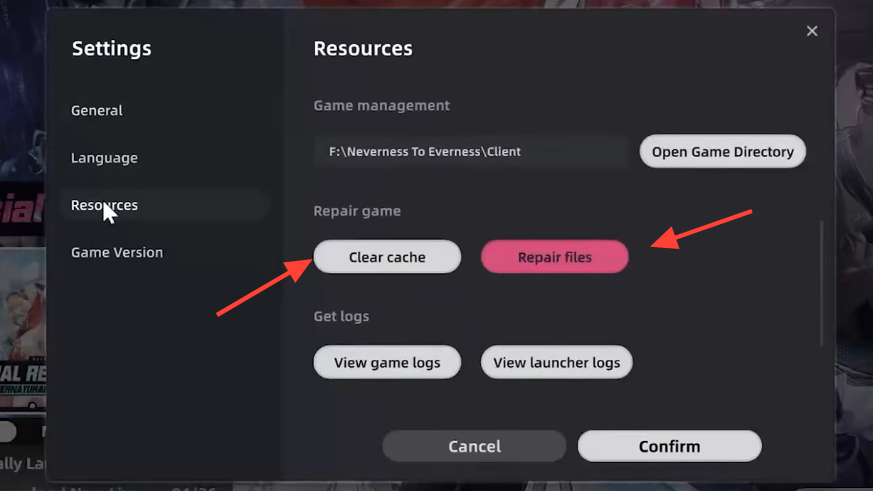
If the official channels show no active maintenance, but you still cannot log in, work through the steps below before assuming an outage.
ipconfig /flushdns
ipconfig /release
ipconfig /renew
netsh winsock reset
netsh int ip reset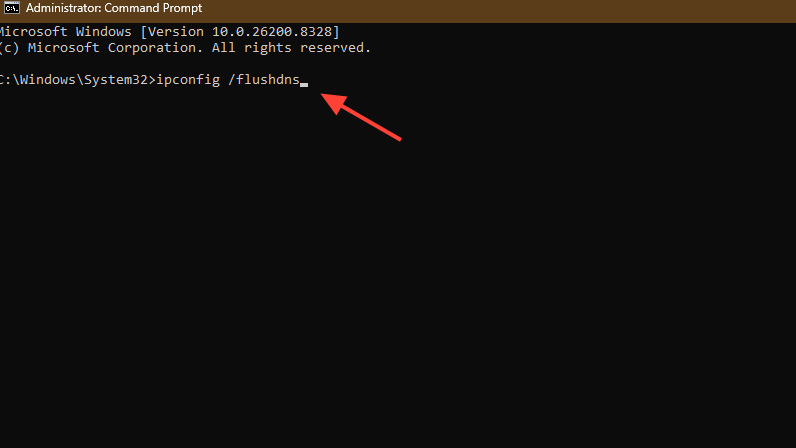
1.1.1.1 / 1.0.0.1 or 8.8.8.8 / 8.8.4.4.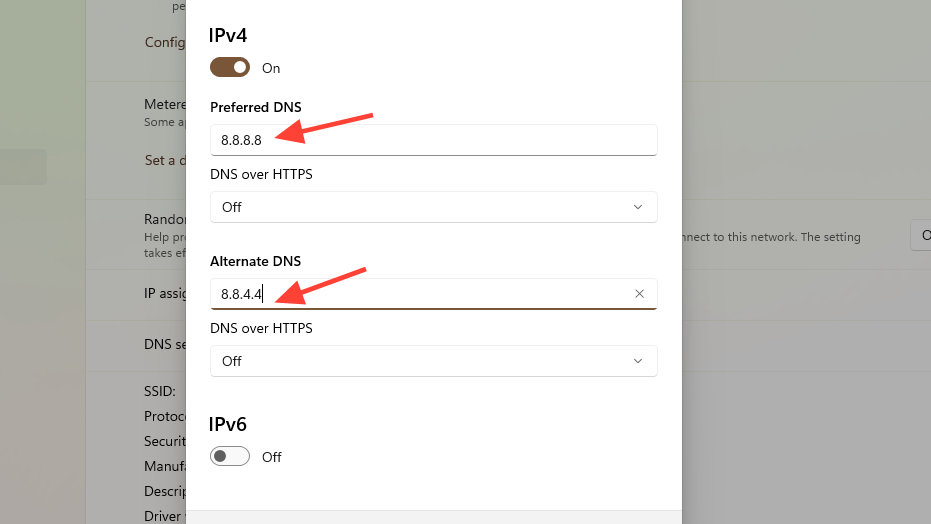
You know it worked when the client passes the login screen, downloads any remaining hotfix, and loads you back into Hethereau with City Stamina and daily tasks correctly reflecting your server’s reset state.
Post-maintenance compensation and Letter from Hethereau reward
For the May 13 maintenance, the official NTE Global X account has confirmed a Letter from Hethereau reward of 10 Fabricated Dice, delivered through in-game mail after maintenance ends. To qualify, your account must have a created character with the Mail feature unlocked before Version 1.0 concludes.
No additional Annulith compensation has been confirmed for this specific downtime. Any maintenance-compensation mail, if issued, will appear in the in-game mailbox once servers are back online and must be claimed manually before its expiry.