To use iMessage with your phone number on your iPhone, you need to activate it properly to avoid encountering errors during activation. While the process is straightforward, certain prerequisites must be met to ensure a smooth setup.
Prerequisites for activating iMessage with phone number
Before activating iMessage with your phone number, ensure that your iPhone has an active SIM card inserted for the number you intend to use. Unlike other messaging apps, iMessage requires the SIM card to be physically present in the device for activation.
Additionally, confirm that your phone can send SMS messages. During the activation process, iMessage may send a text message to Apple’s servers, which could incur charges depending on your carrier’s policies. It’s advisable to check with your carrier and ensure you have sufficient credits or a plan that supports sending standard SMS messages.
Lastly, make sure your iPhone is connected to Wi-Fi or has an active cellular data connection, as internet access is necessary for iMessage activation.
Activating iMessage with phone number
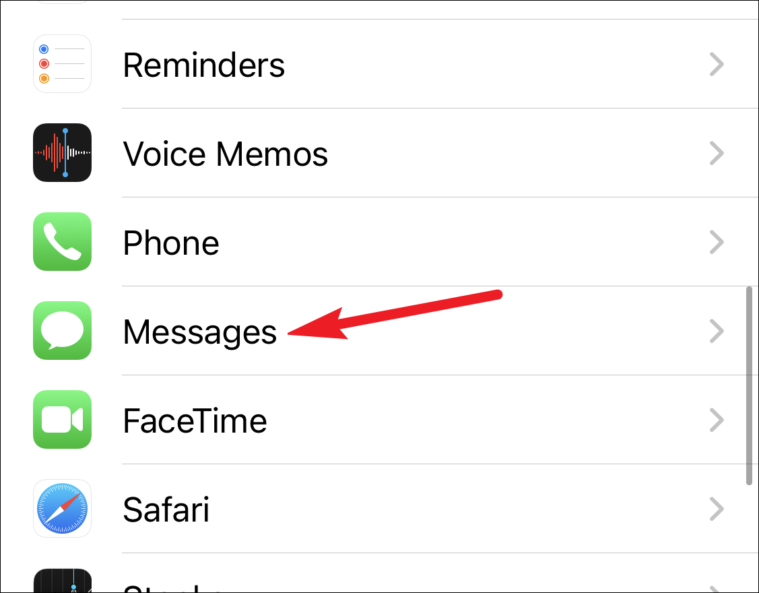
iMessage. A prompt may appear indicating that your carrier may charge for SMS messages used to activate iMessage. Tap OK to proceed.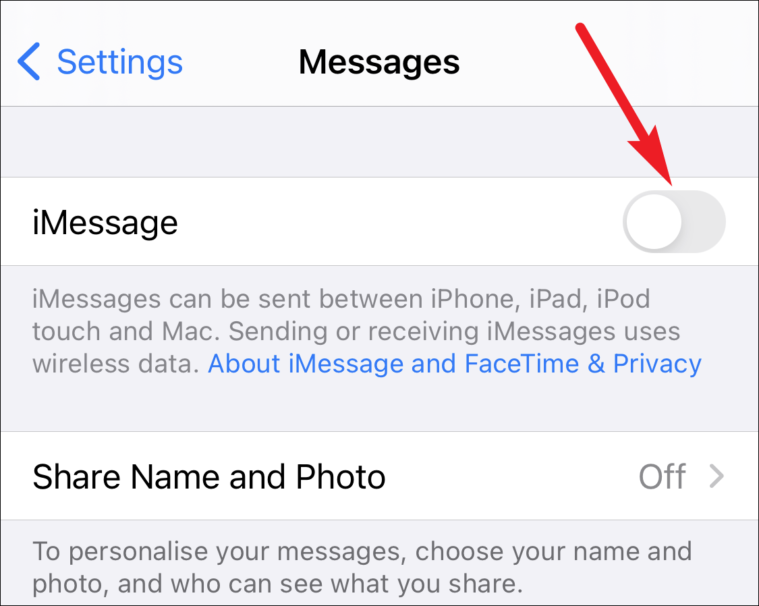
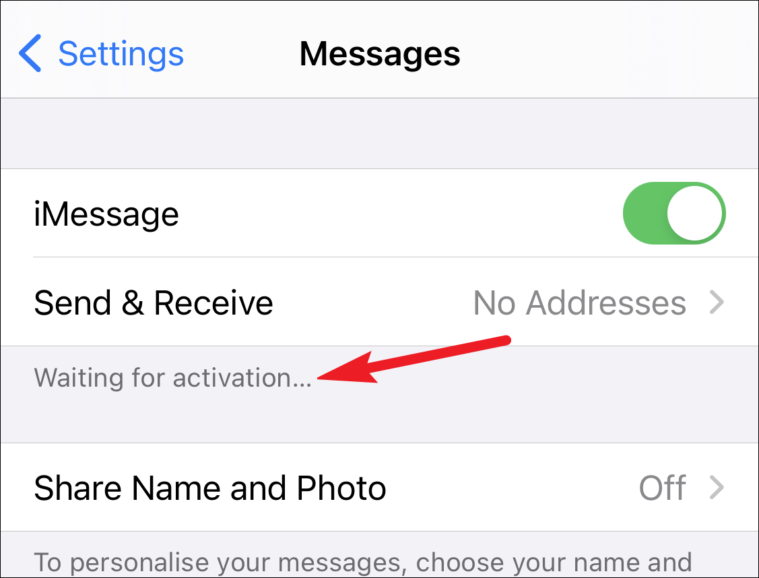
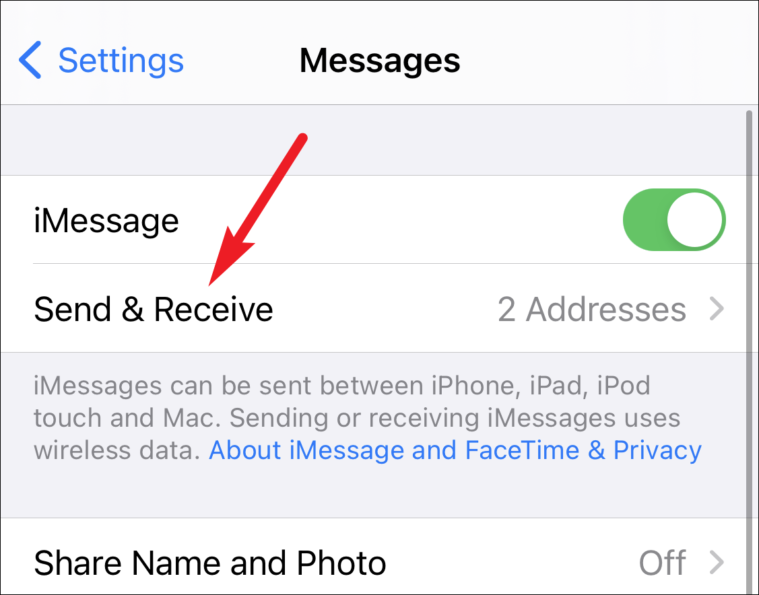
Use your Apple ID for iMessage, tap it and sign in with your Apple ID credentials.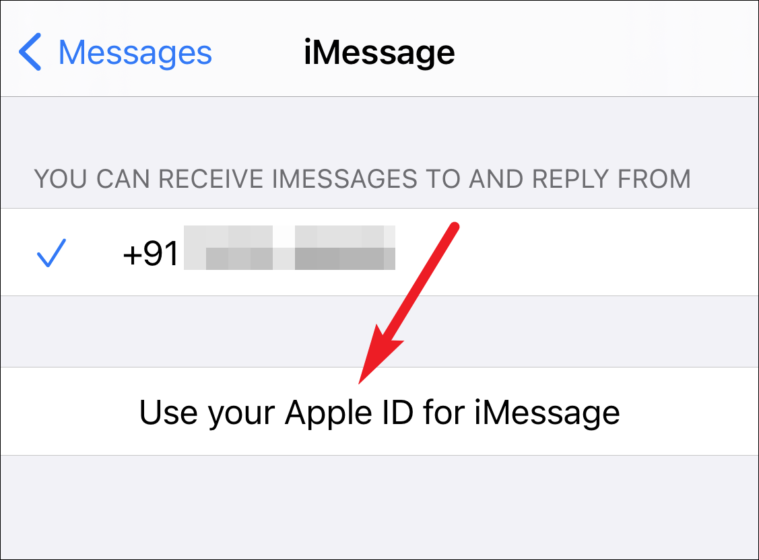
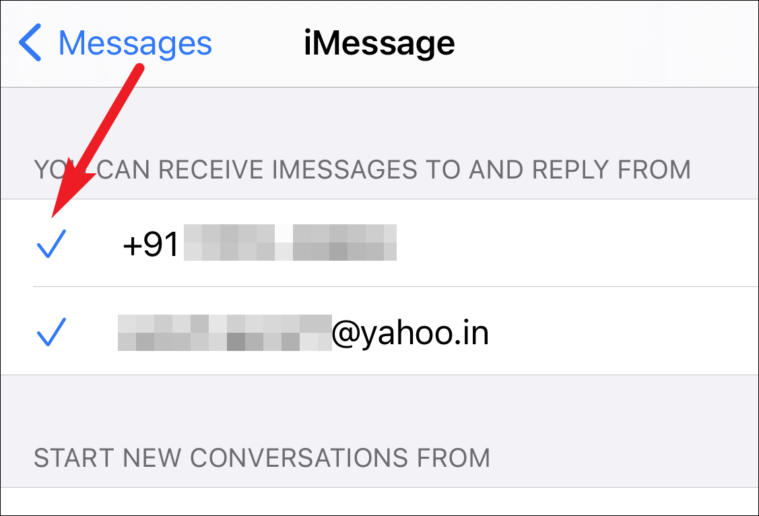
Now, you can send and receive iMessages using your phone number seamlessly.
Properly activating iMessage with your phone number allows you to communicate effortlessly with other Apple users across your devices. By following these steps, you can ensure a smooth activation process without encountering errors.