Switching from an iPhone to another smartphone can lead to missed messages if iMessage isn’t properly deactivated on your phone number. This happens because your number remains registered with Apple’s iMessage service, causing messages from other iPhone users to be sent as iMessages that you can’t receive on your new device.
How to Deregister iMessage
If you no longer have your iPhone or if turning off iMessage on your device didn’t resolve the issue, you can deregister your phone number from iMessage using Apple’s online tool.
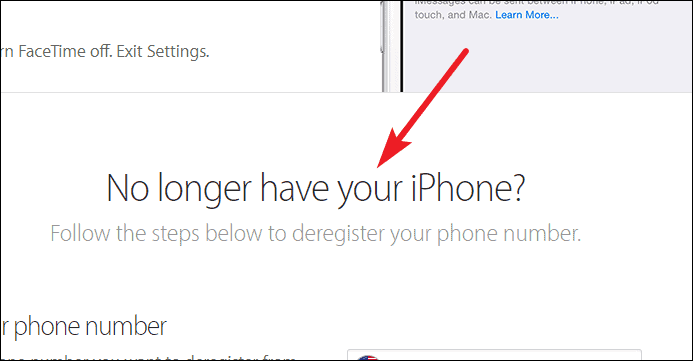
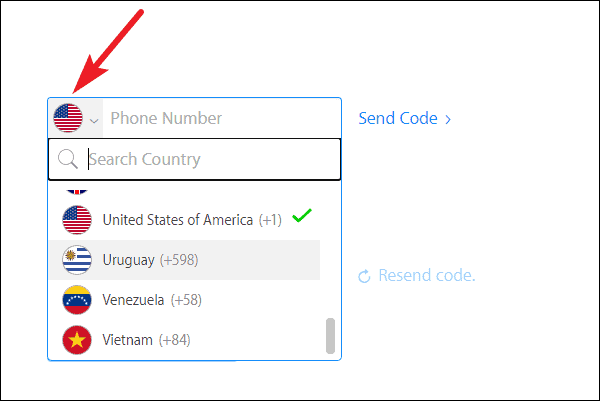
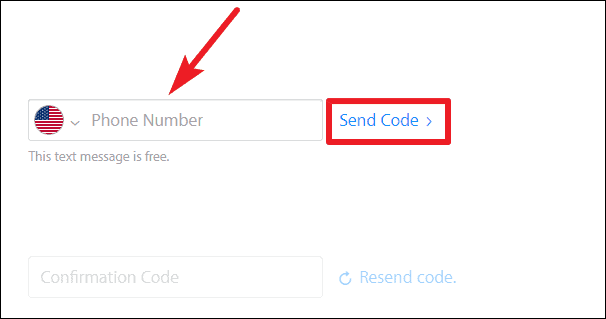
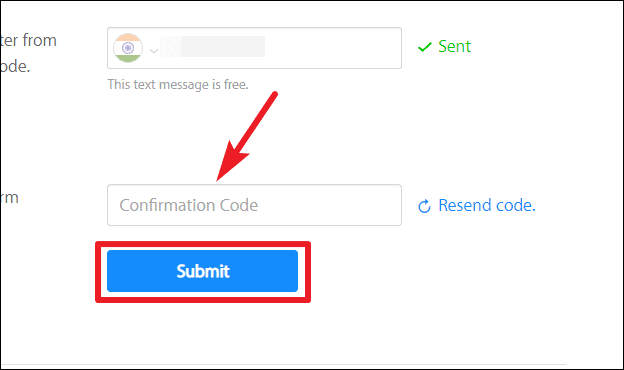
Once submitted, your number will be removed from the iMessage service. It may take a few hours for the deregistration process to complete. After that, messages sent to your number will arrive as standard SMS or MMS messages on your new device.
How to Turn Off iMessage on Your iPhone
If you still have your iPhone and the SIM card associated with your number, you can disable iMessage directly from your device.
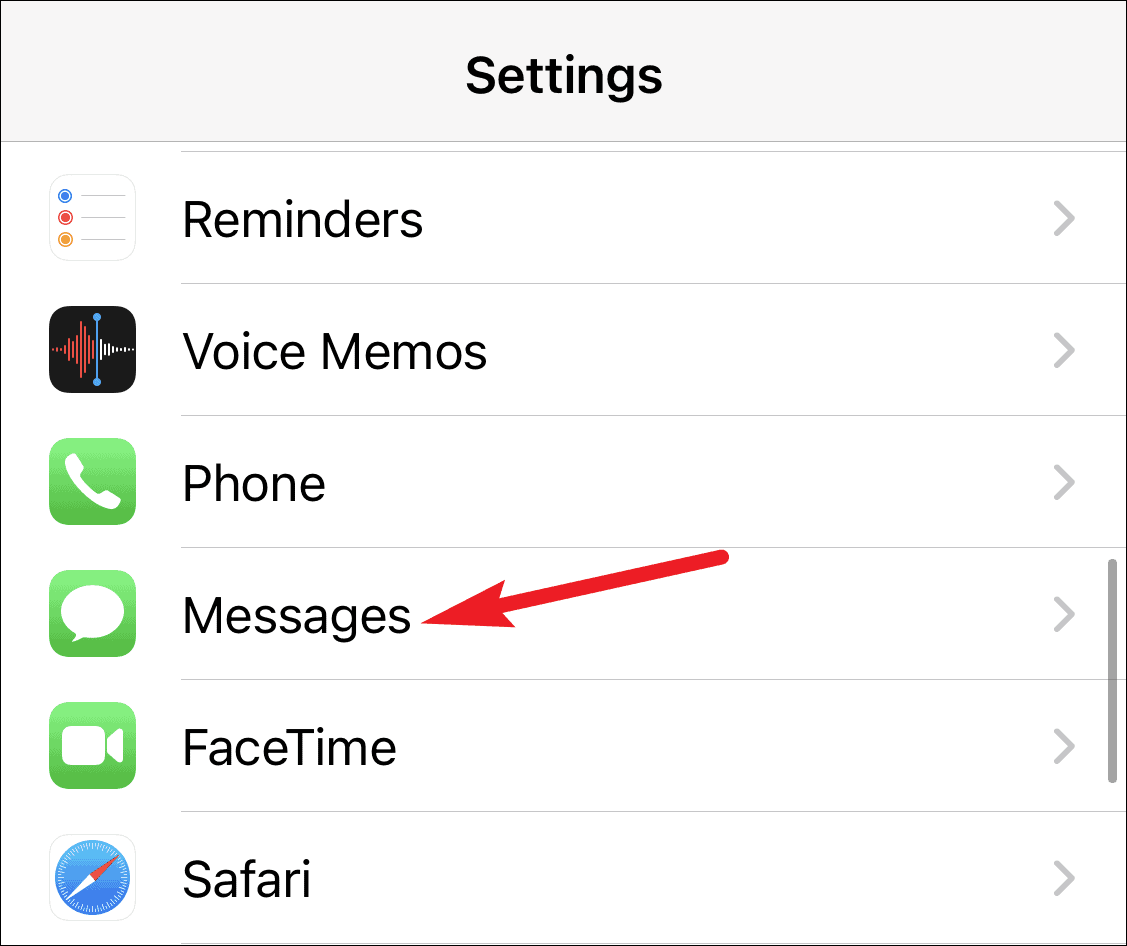
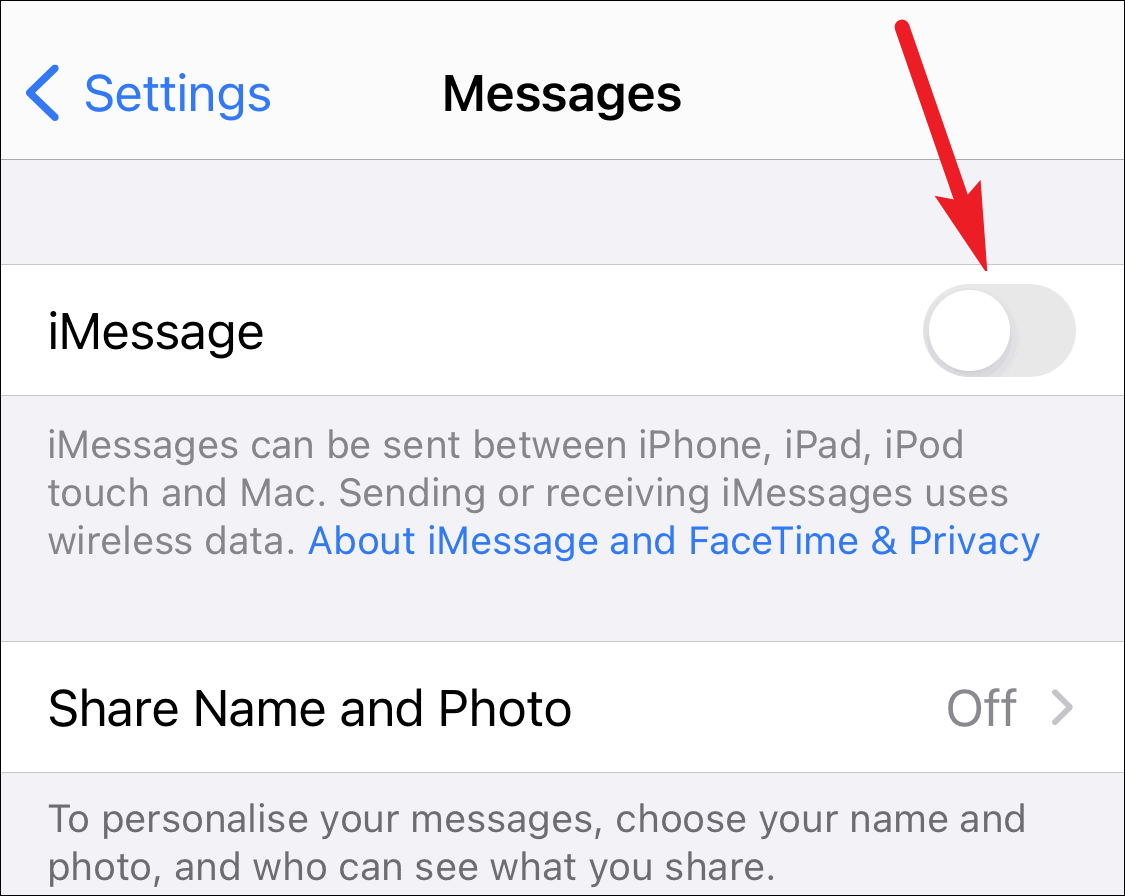
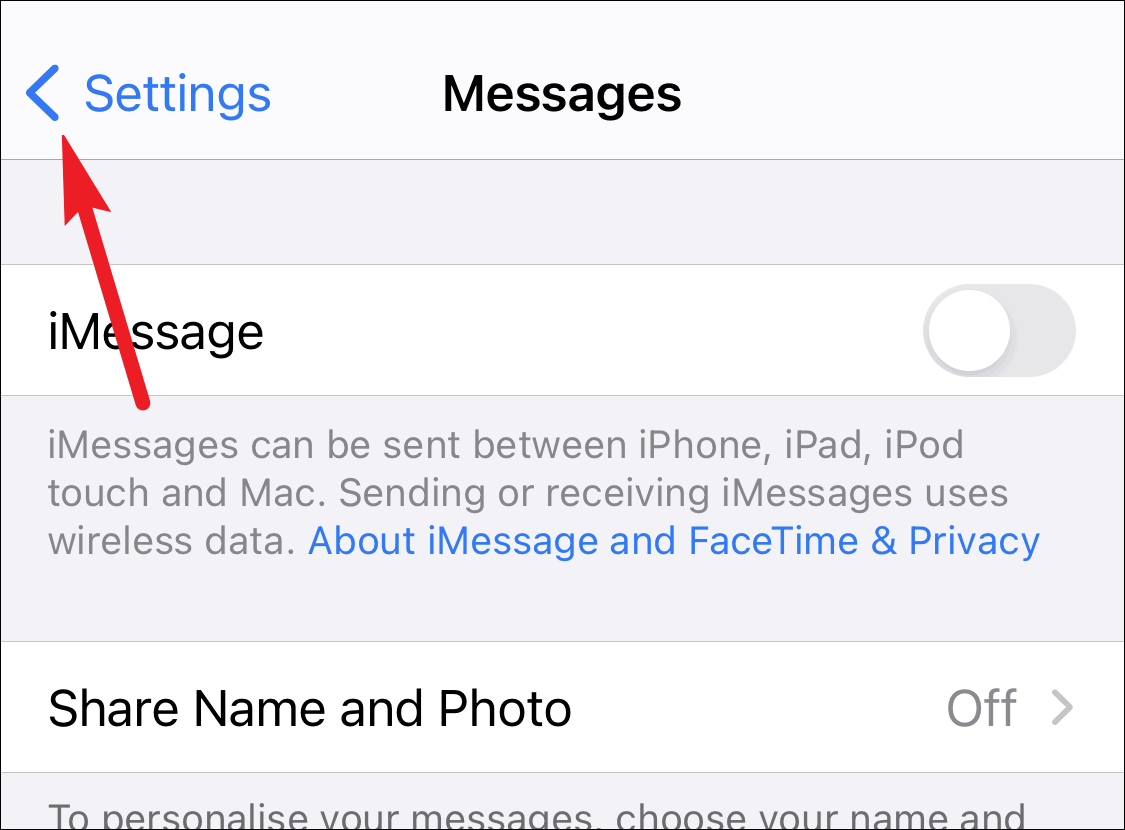
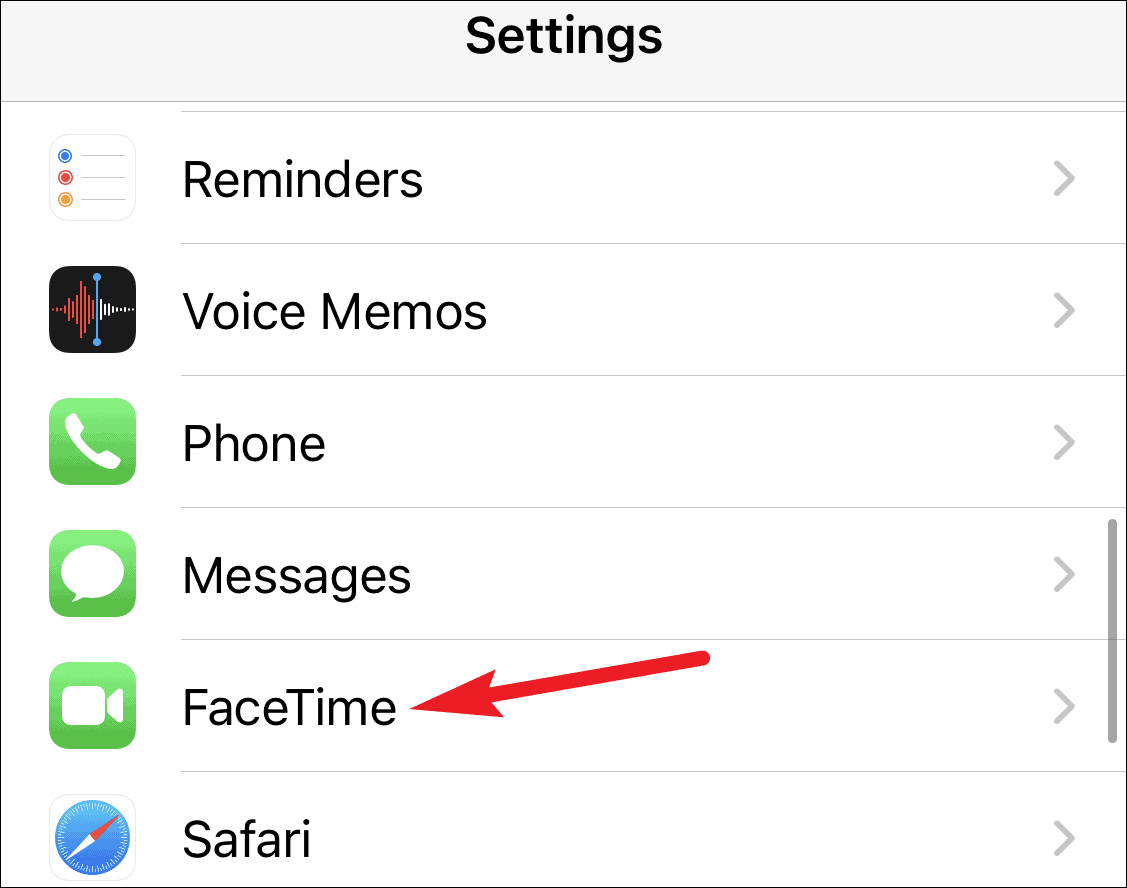
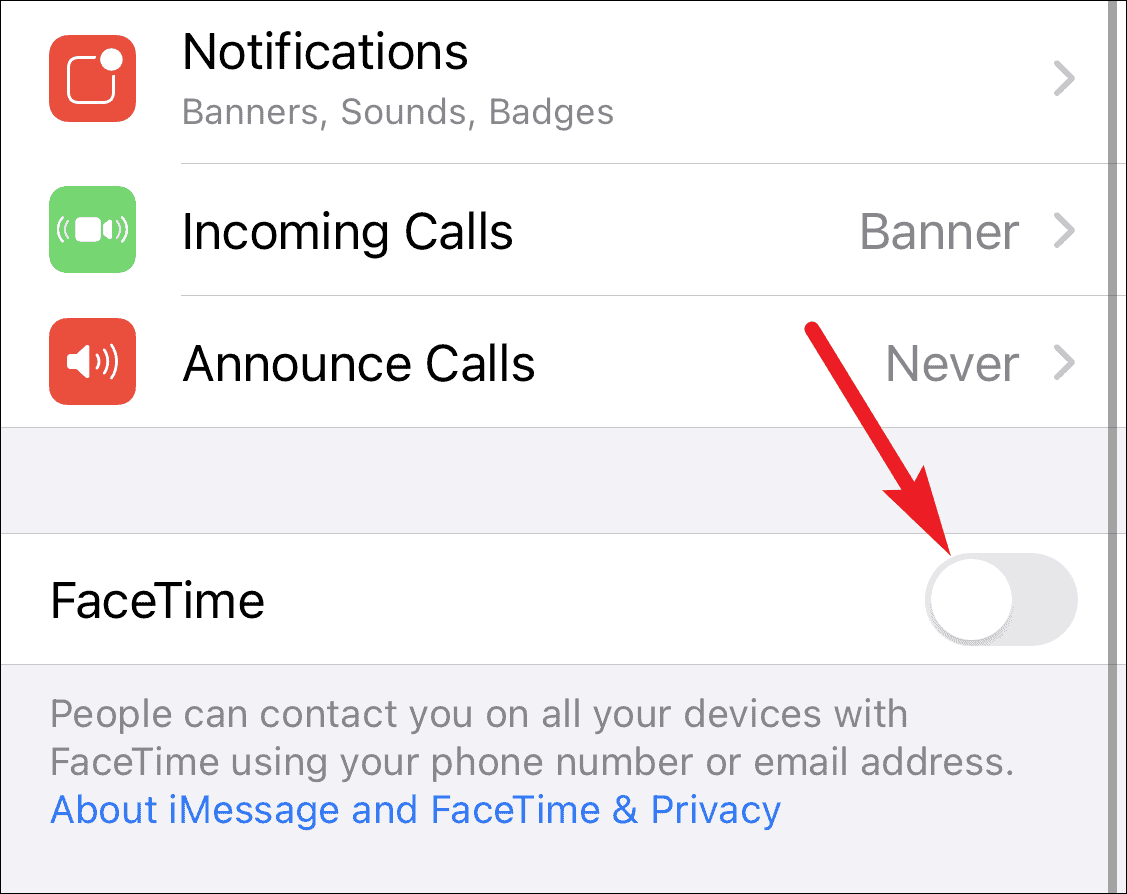
After disabling iMessage and FaceTime, try sending a text message to someone you usually communicate with via iMessage. If your messages appear in green bubbles, they are being sent as standard SMS messages. It might take a few hours for the changes to take full effect.
Ensuring that iMessage is properly deactivated prevents any disruption in your messaging when you switch to a non-Apple device. Whether you deregister online or turn off iMessage directly on your iPhone, these steps will help you receive all your messages seamlessly on your new phone.