

Moon Animator 2 is the animation plugin many Roblox creators reach for when the built-in animation editor runs out of room. The free route works by importing a local .rbxm file into Roblox Studio and saving it as a local plugin, instead of buying the paid version from the Creator Store. The catch is small but important: the file has an internal version number that has to line up with the current build, or the plugin will not run.
Quick answer: Download the MoonAnimatorFree.rbxm file, drag it into Roblox Studio, open the init script and confirm _g.ver = 36000, then save it as a local plugin named “Moon Animator 2.” It appears in the Plugins tab once Studio reloads.
What you need before installing
The whole process runs inside Roblox Studio on a PC or laptop and takes only a few minutes. You need three things ready before you start.
| Requirement | Detail |
|---|---|
| Roblox Studio | Open on a desktop, free to download and use. |
| The free plugin file | A local .rbxm file named MoonAnimatorFree.rbxm. |
| Correct version value | The file’s _g.ver must match the current build, currently 36000. |
Install Moon Animator 2 as a local plugin
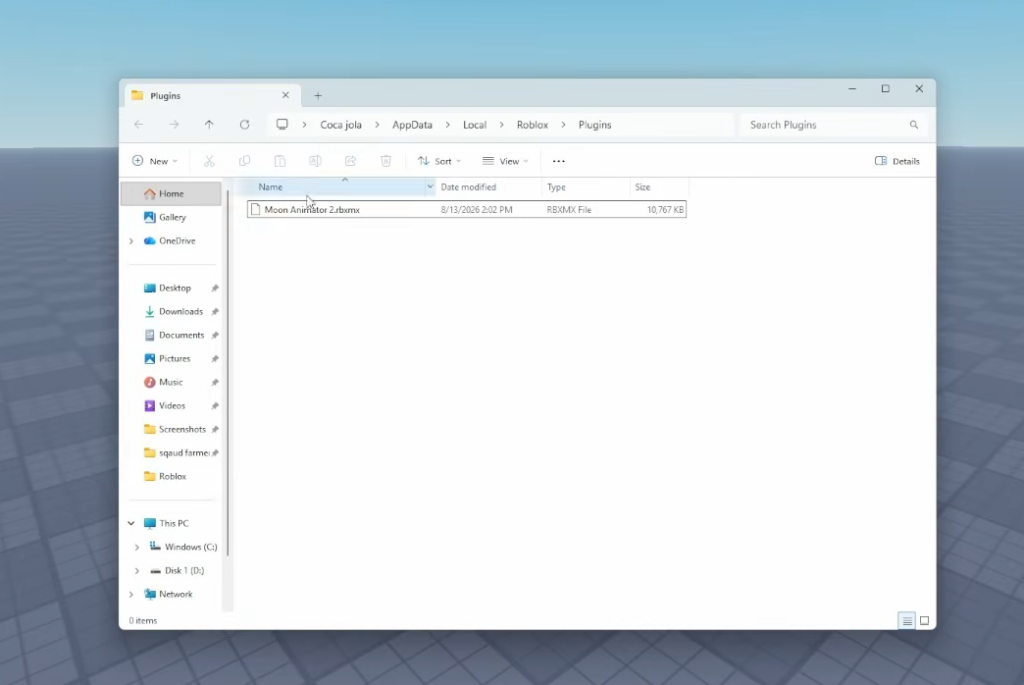
MoonAnimatorFree.rbxm file to your computer. Keep the folder window from Step 1 open so you can find it again in a moment..rbxm file directly into the Roblox Studio window to import it into your place. It will show up in the Explorer with an init script inside.init script and find the version line. It should read _g.ver = 36000. If the number is lower than the current build, change it to match so the plugin will load._g.ver = 36000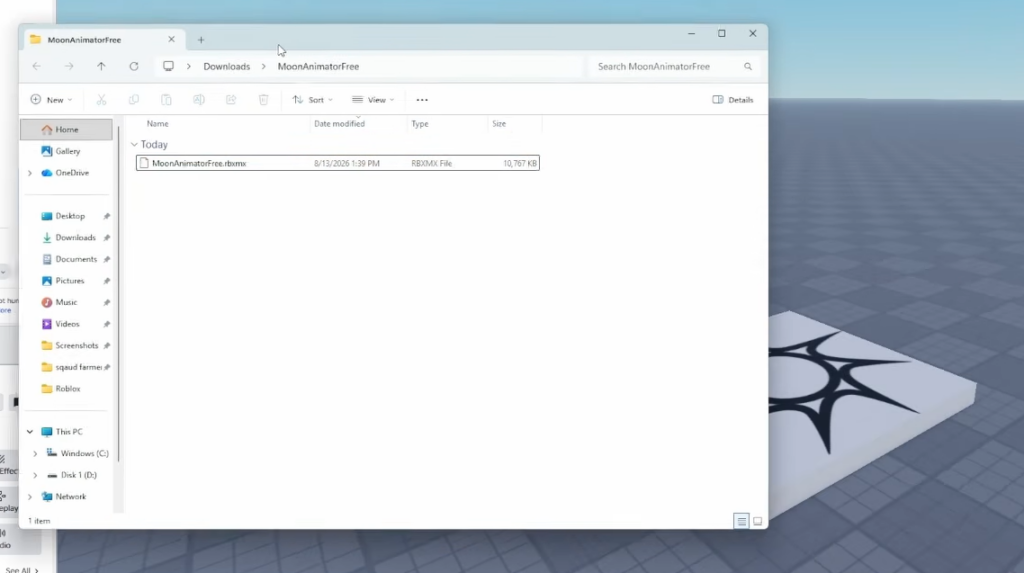
Why the version number matters
The free build is a modified copy, so it does not update on its own the way the paid plugin does. The _g.ver value inside the init script is a check against the current Moon Animator version. When Roblox pushes a new build, an older free file can stop working until its number is bumped to match. If the plugin loads fine, leave the value alone. If it fails, updating _g.ver is the first thing to try.
Because you saved it as a local plugin, updating later means replacing the file in the Plugins Folder from Step 1, not clicking an in-Studio update button.
How to confirm it worked
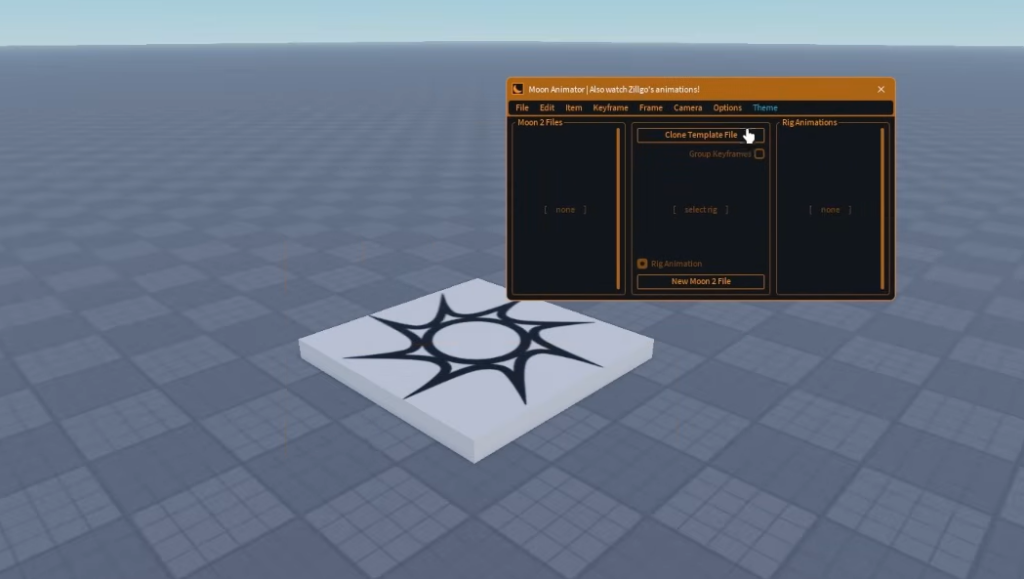
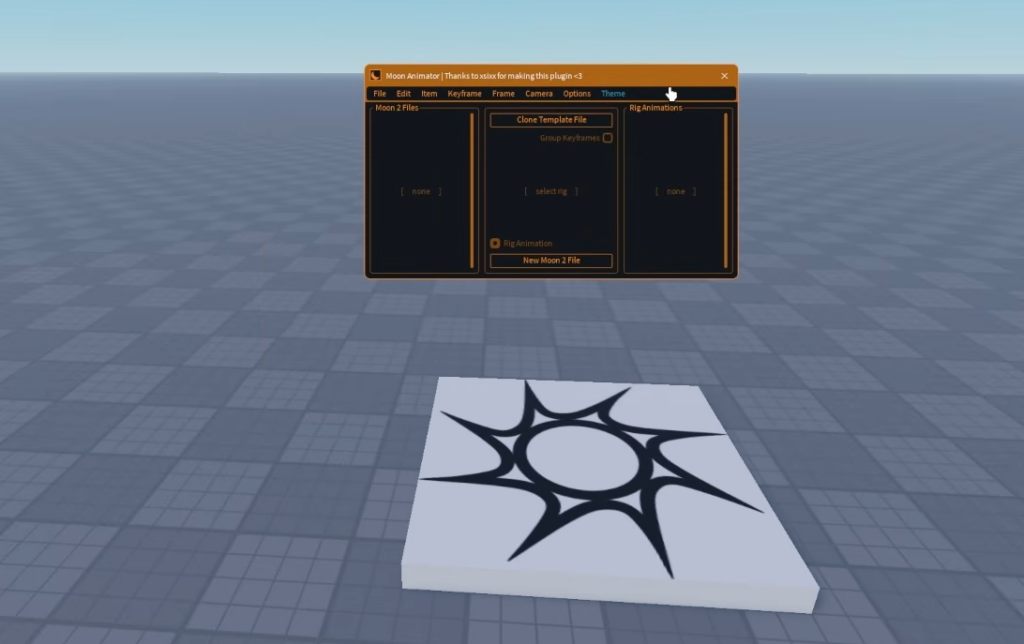
You know the install succeeded when a Moon Animator icon sits in the Plugins tab and opens its own window when clicked. If the icon does not appear in the toolbar, right-click the toolbar, choose Add tools, and search MOON. The result should list Moon Animator 2 as a Local Plugin, which confirms Studio registered the file correctly.
If Moon Animator does not load
A few specific issues stop the free plugin from running. Each has a direct fix.
| Problem | Fix |
|---|---|
| Plugin icon missing after install | Fully close and reopen Roblox Studio so the local plugin is picked up. |
| Version mismatch | Set _g.ver in the init script to the current build (36000) and re-save. |
| Outdated free file after a Roblox update | Replace the old .rbxm in the Plugins Folder with the latest one. |
The paid Moon Animator 2 by xsixx on the Roblox Creator Store installs through the normal plugin system and updates automatically, which is the trade-off against maintaining the free file yourself. Either way, once the plugin opens, you get the same core toolset: a keyframe timeline, easing controls, layered tracks, and rigging support for animating characters and props right inside Studio.