Every piece of gear in AION 2 carries a cosmetic appearance, and you can keep that look forever even after the item itself becomes useless. The catch is that you have to run it through Item Extraction. Selling or dropping the gear throws the appearance away, while extraction files it into your Closet as a reusable skin.
Quick answer: Open your Cube, pick the unwanted gear, and choose Item Extraction instead of selling it. The appearance unlocks permanently in the Closet, and you also get upgrade materials.
Why you extract gear instead of selling it
Item Extraction breaks a weapon, armor piece, or accessory down into materials and, in the same step, writes its appearance into your collection. Enhancement materials such as Enhance Stones come out of the process, and those are what you spend to raise other gear. So old equipment that no longer carries useful stats still has two reasons to exist: the stones inside it and the skin on it.
An appearance unlocked this way stays yours. Once a skin is in the Closet you can apply it to whatever you are currently wearing, swap it off, recolor it, and reapply it later. Applying a skin changes only how your character looks. The actual stats on your equipped gear do not move.
Where unlocked appearances live: the Closet
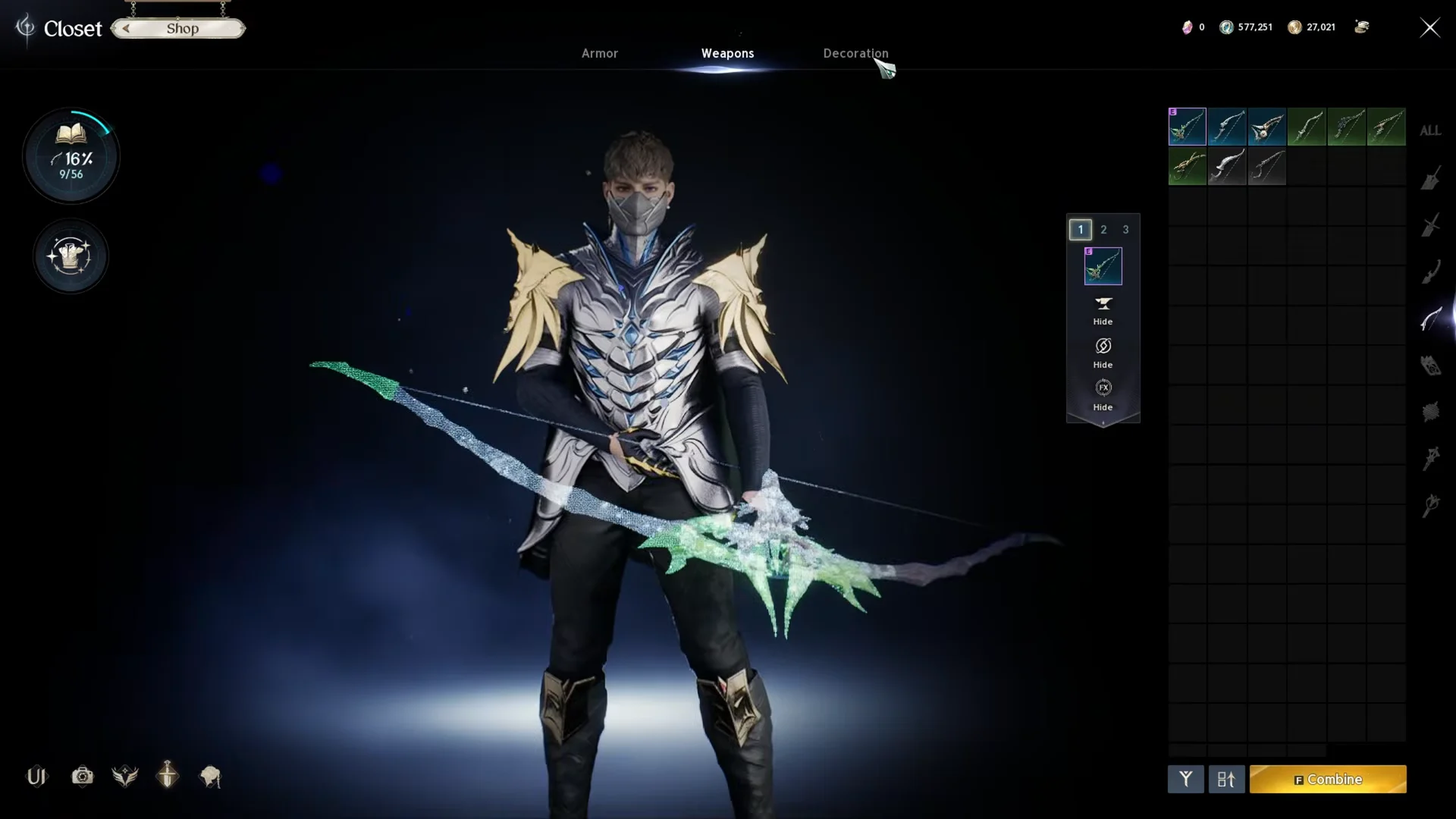
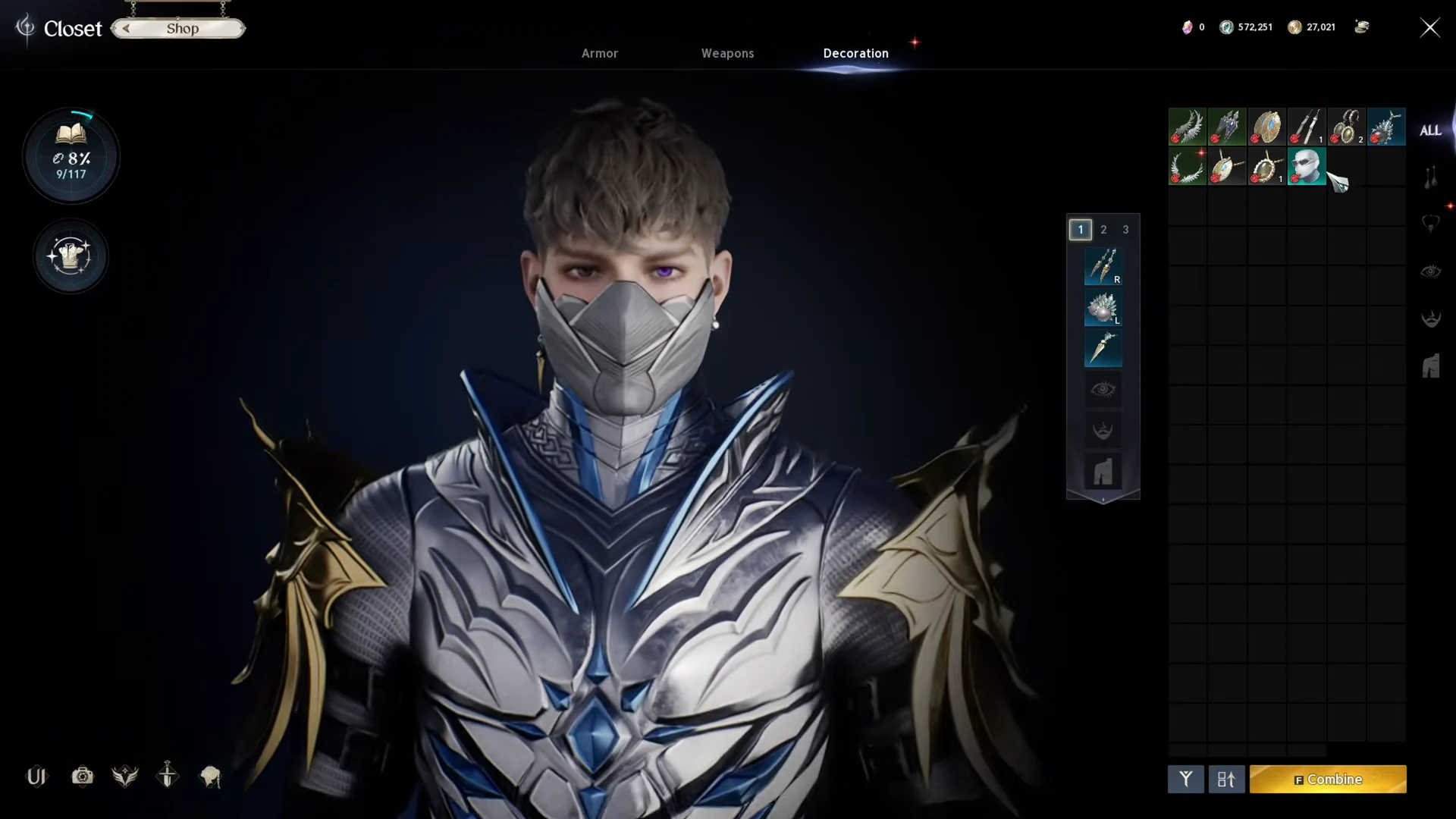
Unlocked skins are stored in the Closet, which you can open with Alt + O on PC. The Closet splits cosmetics into three tabs: Armor, Weapons, and Decoration. Anything you extract lands in the matching tab and sits there permanently, whether or not you ever equip it.
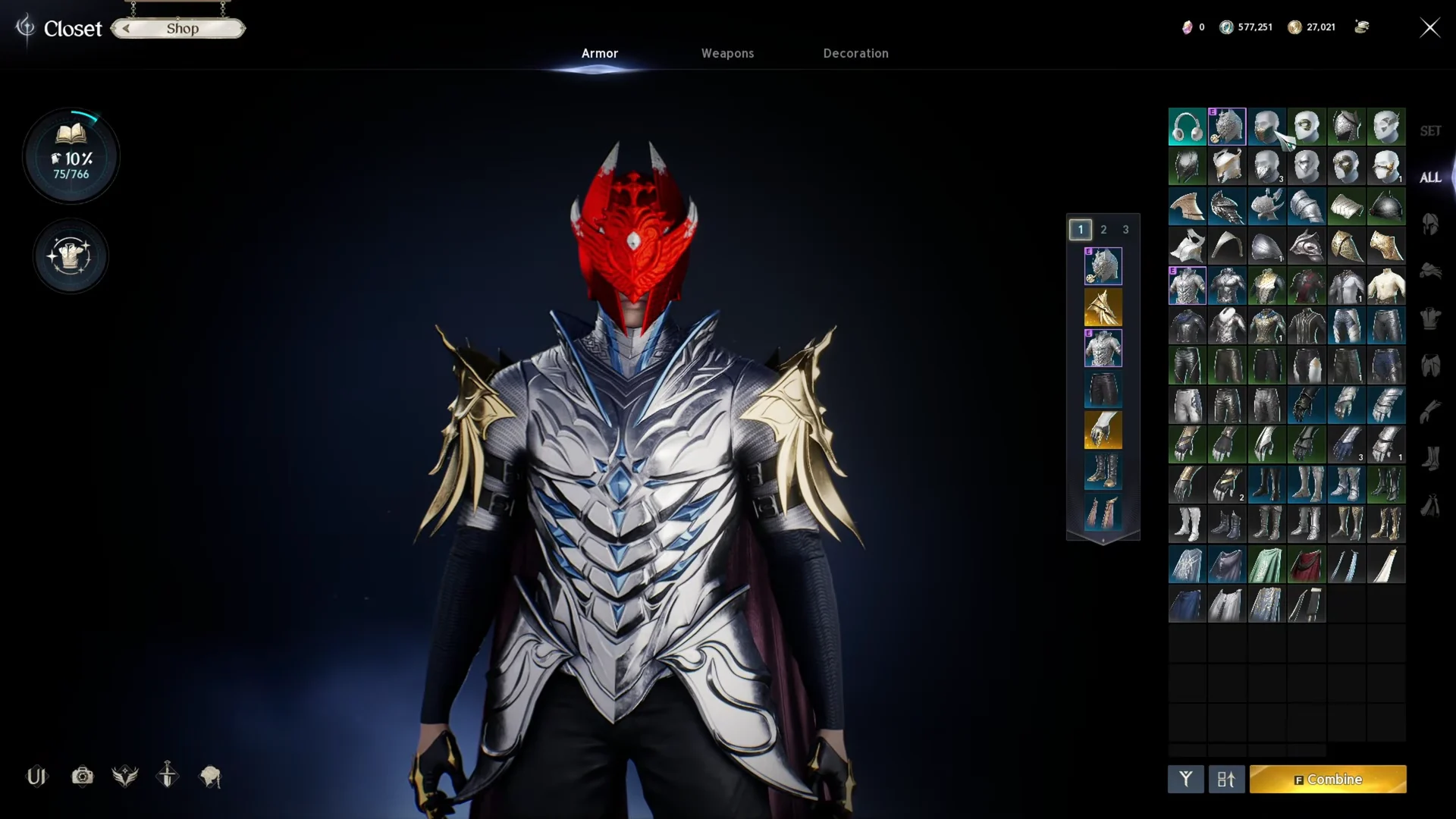
Inside each tab you browse your unlocked skins and preview them on your character before committing. Weapons and Decoration work the same way, so a weapon skin you unlock through extraction shows up under Weapons and can be slotted onto your current weapon without touching its stats.
How to extract gear in AION 2
The game labels this feature Item Extraction rather than Dismantle or Salvage, so that is the button to look for. It lives inside your inventory.
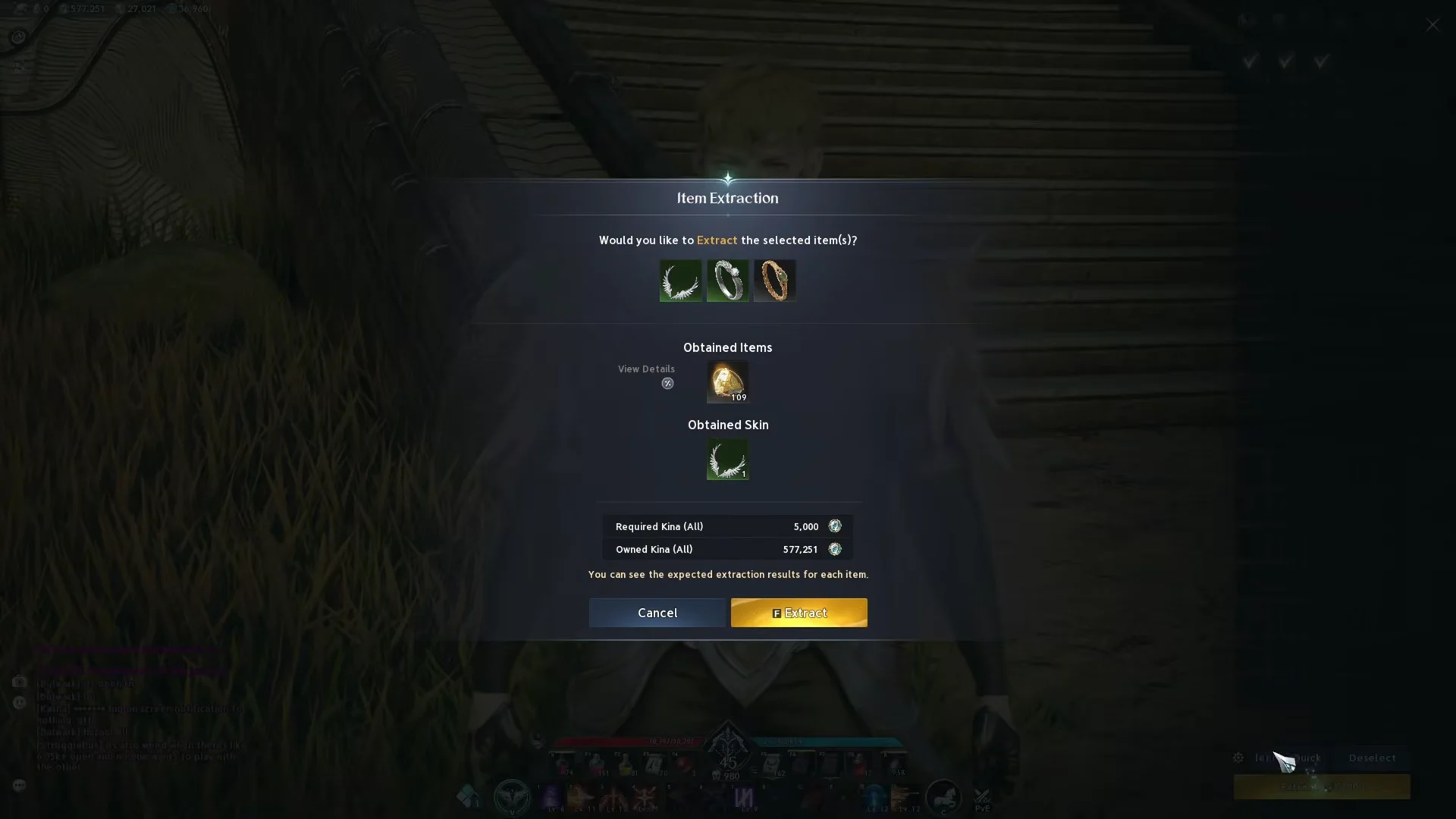
If you only want to extract a single item, you can skip the full screen. Click the piece in your inventory, then choose the Extract option (a beaker icon) from its item menu. The dedicated Item Extraction screen is faster when clearing out a stack of gear, while the inventory shortcut is handy for one piece.
Skins carry a grade. A necklace appearance like Steel Wings unlocks at Rare, while a helmet appearance like Steel Endurance unlocks at Epic, so the grade label in the preview tells you how rare the look is before you commit.
Confirm the appearance unlocked
After extraction finishes, the item leaves your Cube and the materials land in your inventory. To verify the skin saved, open the Closet and look under the matching tab. A newly unlocked appearance appears in its slot’s skin list, ready to apply to whatever you are wearing.
If the preview during extraction listed the skin as already Owned, that look was in your collection before, often because several items share the same design. In that case you still get the materials, and nothing new is added to the Closet.
The warning on enhanced gear
Item Extraction displays a red warning if a chosen piece has an enhancement already, such as +1. Pay attention: extracting returns the Enhance Stones used on it, but the Manastones and Theostones invested are lost.
Before you extract an upgraded piece, check whether the Transfer system would serve you better. Transfer can carry enhancement progress to a new item, so gear you have poured resources into is often worth moving rather than breaking down for a skin.
One more thing to check if a piece refuses to appear in the extraction list: equipped gear cannot be extracted, and neither can gear assigned to another equipment preset. Unequip the item from every preset, then reopen the Item Extraction screen and it should be selectable again.
Enhancement Stakes on Top-Slot Gear and Other Skin Sources
Before extracting an upgraded chest piece, check how much enhancement it can carry. Every breastplate below has 4 Manastone slots and a maximum enchant of +15, so a fully built piece has a lot invested in it.
| Breastplate | Item level | Base HP / Defense | Bonus at +15 | Sell price (Kina) |
|---|---|---|---|---|
| Transcendent Breastplate | 43 | 172 / 314 | Defense +185, HP +152 | 1,865 |
| Splendent Dark Dragon Lord Breastplate | 86 | 344 / 637 | Defense +375, HP +304 | 69,606 |
| Wise Dragon Lord Breastplate | 94 | 376 / 697 | Defense +410, HP +332 | 60,826 |
| Ebony Dragon Lord Breastplate | 94 | 376 / 697 | Defense +410, HP +332 | 60,826 |
Each of these pieces earns its +15 bonus in steps: +5, +10 and +15. The Wise and Ebony Dragon Lord pieces gain Defense +135 and HP +110 at +5, which doubles at +10. Both are bound when obtained, so they cannot be passed on to another character. The Splendent Dark Dragon Lord Breastplate can be traded until it becomes soulbound.
Skins without extracting gear
The Skin Chest (10 times) (Bound) grants 10 Weapon, Armor or Accessory Skins at a fixed probability. It comes from attendance rewards, stacks to 999, and cannot be traded.
The Steel Heavy Armor set has seven skins, each at Epic grade: Breastplate, Greaves, Helm, Pauldrons, Gloves, Boots and Cloak.