Windows assigns a numeric code to every system error it encounters. Those codes show up in Event Viewer entries, application logs, and crash output — but a number by itself doesn’t tell you what went wrong. NET HELPMSG is a built-in Windows command-line utility that resolves a numeric error code into its plain-text description, without requiring a browser search or external documentation.
Quick answer: Open Command Prompt, type NET HELPMSG followed by a space and the numeric error code, then press Enter. Windows prints the corresponding description directly in the terminal.
Command syntax and how to run it
The command takes a single argument — the numeric error code — and returns the text Windows associates with it. The general form is:
NET HELPMSG [error code]Passing 5 returns “Access is denied.” Passing 2 returns “The system cannot find the file specified.” The output appears immediately, and no elevated privileges are required.
Win + R, type cmd, and press Enter to open Command Prompt. You can also search for “cmd” in the Start menu and select it from the results.NET HELPMSG followed by a space and the error code you want to look up, then press Enter. For example, to decode error code 3534:NET HELPMSG 3534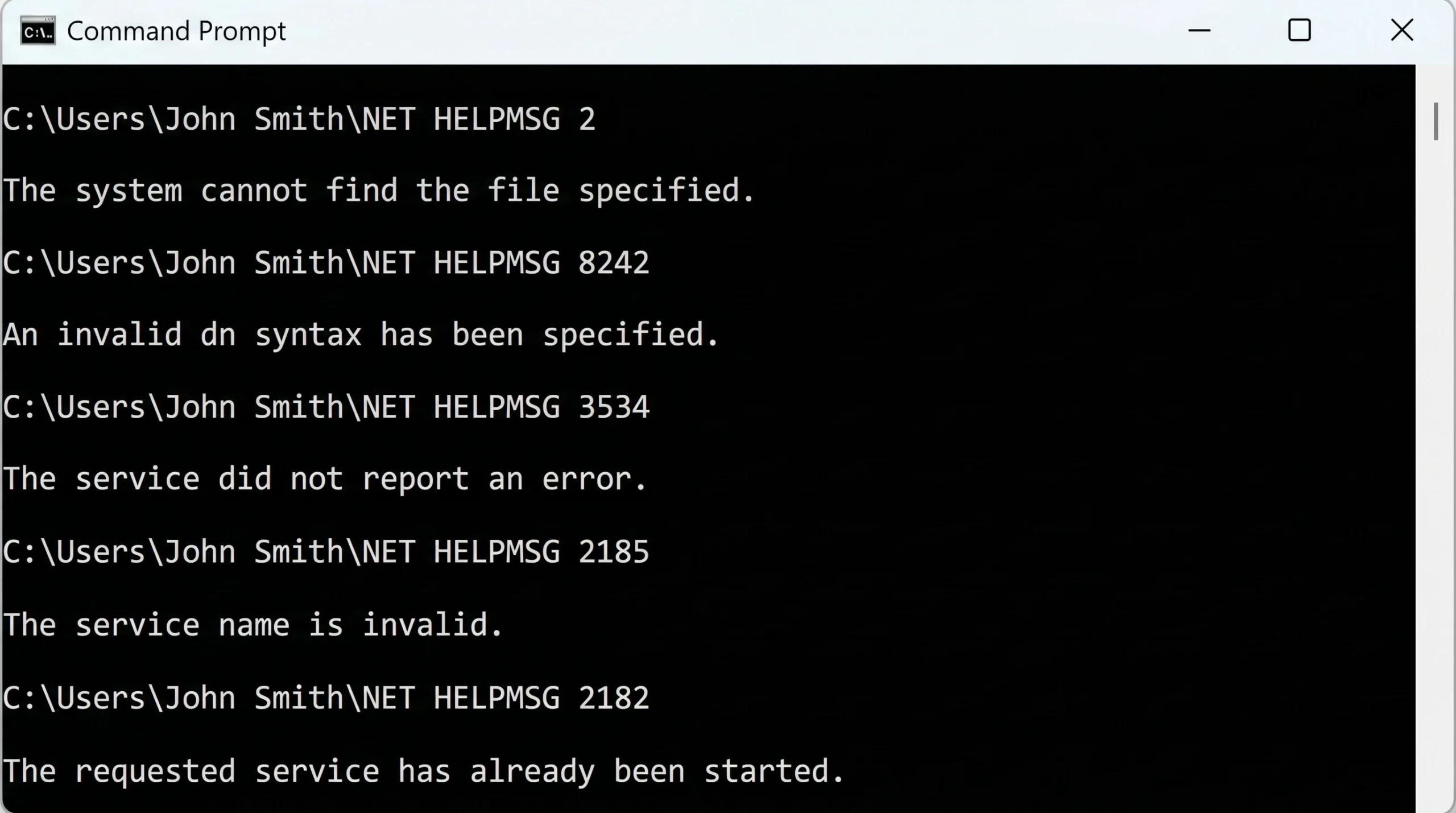
You can run the command multiple times in one session without reopening Command Prompt. Each lookup is independent:
NET HELPMSG 2182
NET HELPMSG 2185
NET HELPMSG 2189
Windows records error codes in Event Viewer, which organizes them by log type (Application, System, Security, and so on). If a log entry shows a numeric code you don’t recognize, copy it and pass it directly to NET HELPMSG. Microsoft categorizes system error codes into groups — Windows Update errors, Device Manager errors, Stop errors, and others — but the command works across all standard numeric ranges.
Known limitations of NET HELPMSG
The command covers a broad range of standard Windows error codes, but it has three specific gaps that affect reliability in certain scenarios.
Incomplete descriptions for certain codes
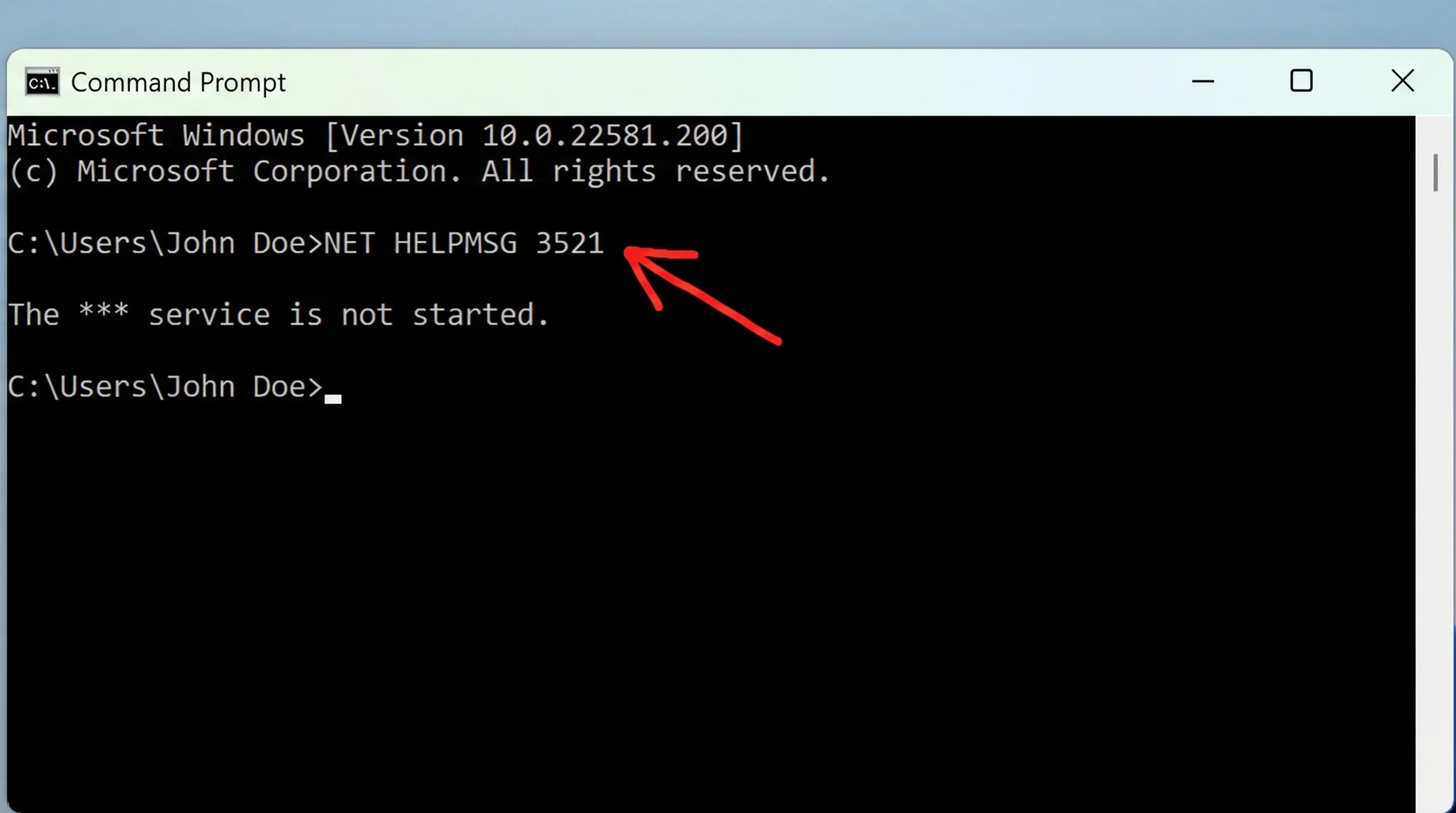
Some codes produce a truncated result. Error code 3521, for example, returns “The *** service is not started.” The asterisks are a placeholder for a service name that the command cannot fill in on its own. The string is technically present but not fully useful without additional context from the original log or event entry.
HRESULT and NTSTATUS values are not supported
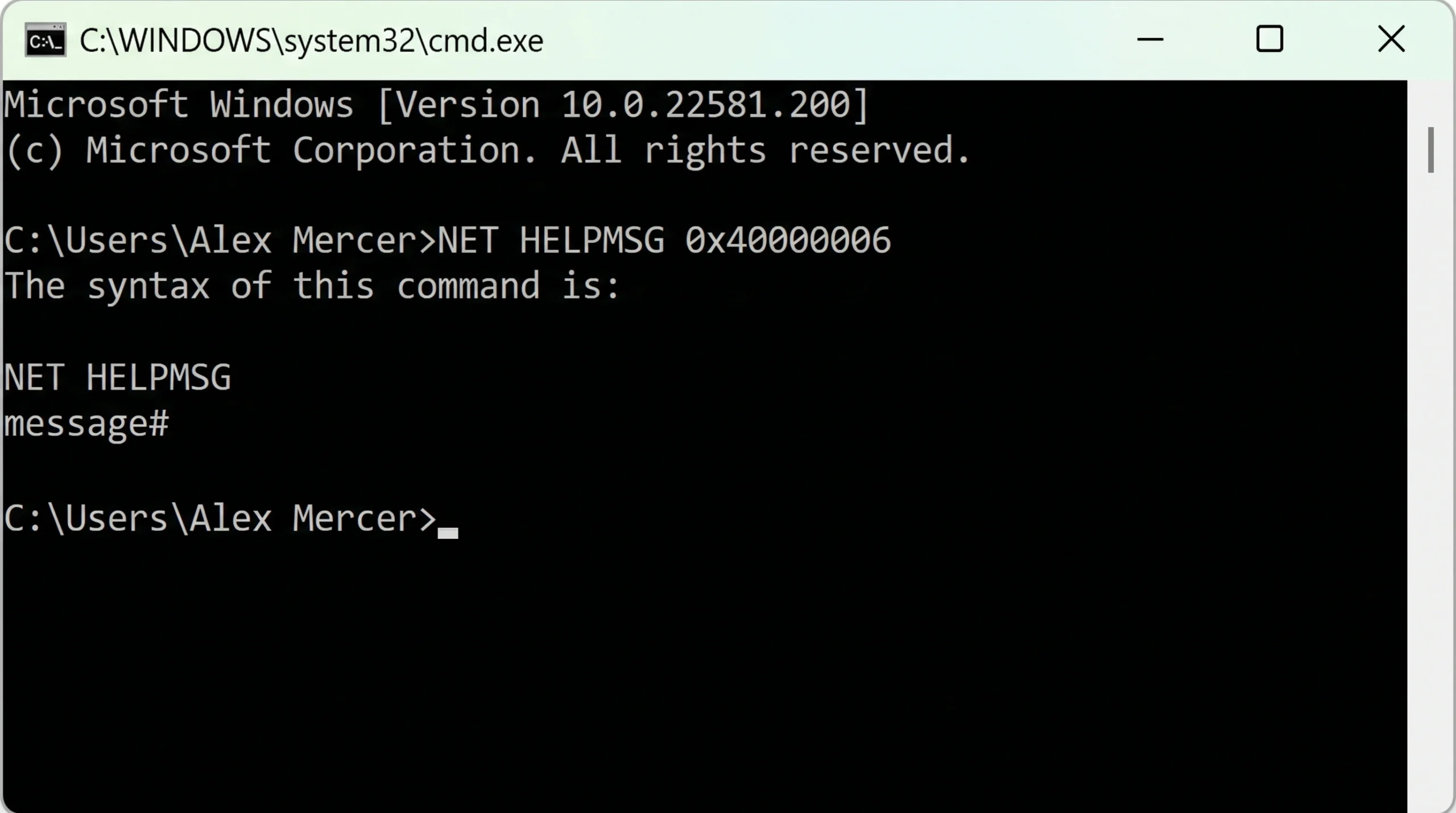
NET HELPMSG only handles standard Windows system error codes. Passing an HRESULT value (for example, 0x80070005) or an NTSTATUS code causes the command to fail. Instead of a description, you’ll see a syntax reminder:
The syntax of this command is
NET HELPMSG
message#
For HRESULT or NTSTATUS decoding, a different tool is needed — such as the FormatMessage Win32 API or a dedicated developer utility.
Messages that require dynamic insertions fail
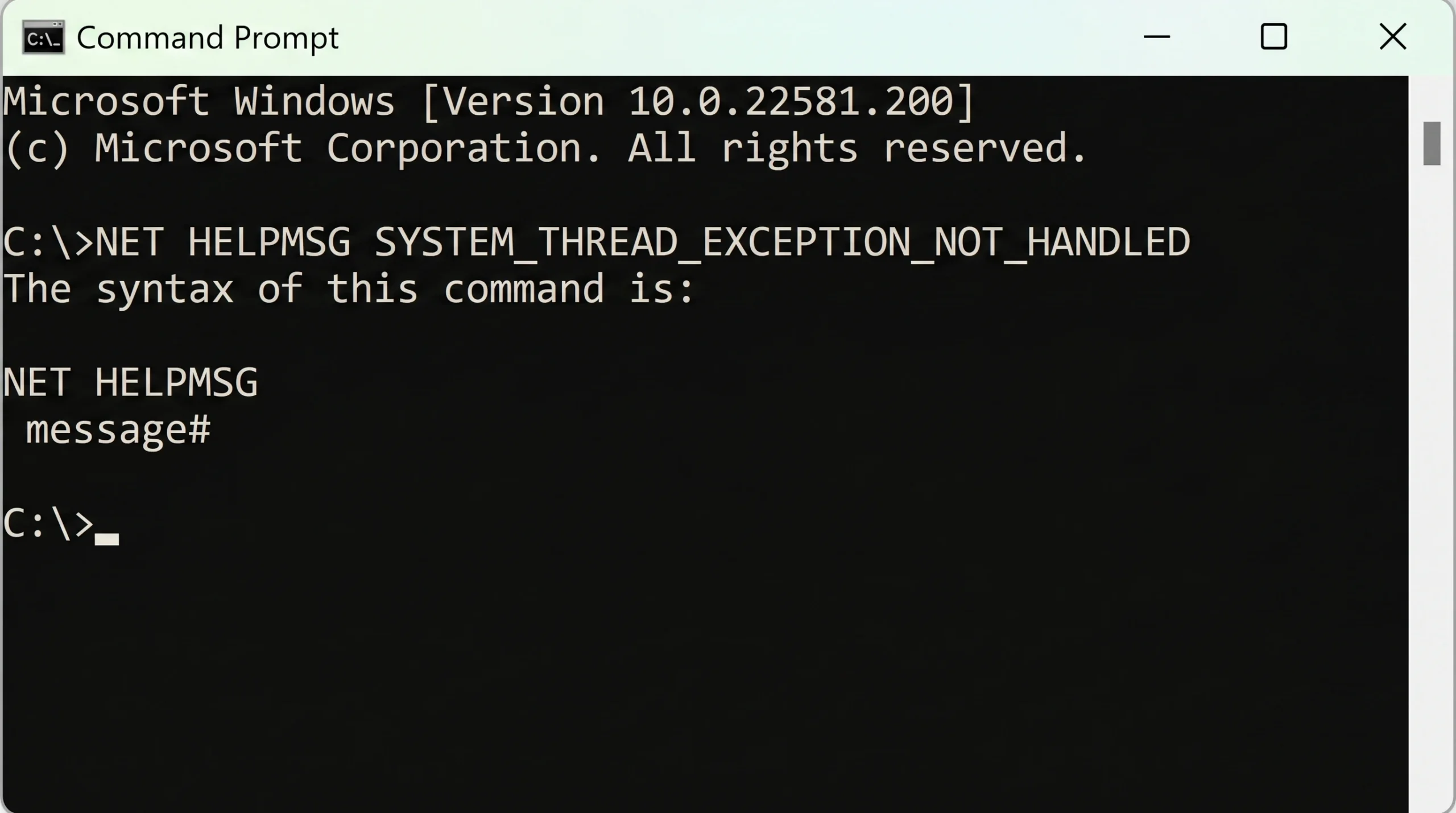
Some Windows messages contain runtime placeholders — a drive letter, volume serial number, or similar variable that gets inserted when the error is generated. The command doesn’t pass the FORMAT_MESSAGE_IGNORE_INSERTS flag internally, so any code whose message template includes an insertion point fails rather than returning a partial string. Error code 34, whose full message would reference disk and drive identifiers, triggers this failure and returns “34 is not a valid Windows network message number.” Blue Screen of Death symbolic names like SYSTEM_THREAD_EXCEPTION_NOT_HANDLED also fall into this category and produce the same syntax-reminder output.
Other NET command variants
The NET command family extends well beyond error-code lookups. The table below covers several commonly used variants and what each one does.
| Command | Function |
|---|---|
NET ACCOUNTS | Configures account and password policies on a local computer; cannot be used on a domain |
NET COMPUTER | Adds or removes a computer from a domain |
NET GROUP | Adds and removes users from domain groups |
NET CONFIG | Configures server and workstation services on a Windows machine |
NET PRINT | Displays print job and queue information; can also control a specified print job |
NET SHARE | Manages shared resources; run without parameters to list all resources shared on the local computer |
Despite its gaps around HRESULT values and insertion-based messages, NET HELPMSG remains the fastest way to decode a standard Windows error code without leaving the command line. It requires no installation, no elevated permissions, and no configuration — just the command and the numeric code.