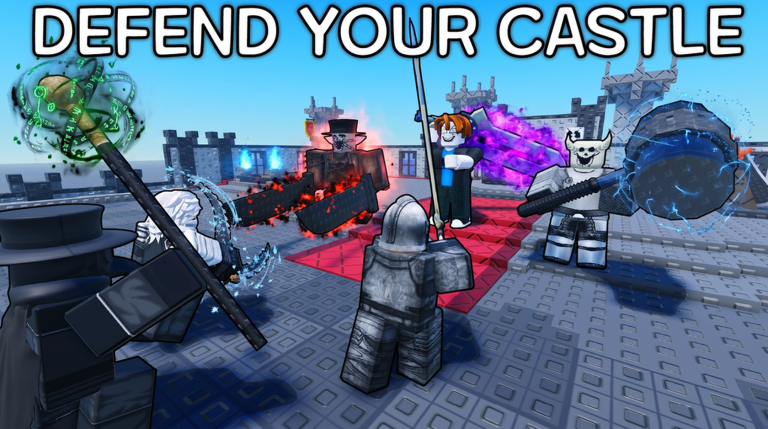
Be the Final Boss puts players in charge of a castle under constant siege, summoning units and building up defenses to hold off waves of attacking heroes. Codes hand out coins, souls, fusion shards, forge stones, and boosters that speed up recruiting and upgrading an army without grinding through every wave manually.
Working Be the Final Boss codes
Enter these exactly as written, since the redemption box is case-sensitive and won’t accept extra spaces.
bowtotheboss— 7,500 coins and a coin booster NEWnoherocanwin— three epic fusion shards and a shard drop booster NEWraidthecastle— six rare fusion shards and three forge stonesclaimthethrone— 125 souls and two forge stonesarmyofbosses— 15 uncommon fusion shards and two spin ticketsbossmodeon— 6,000 coins and two forge stonesbossman3000— five rare fusion shards and one luck boosterulttheboss— one health booster, one attack booster, and five spin ticketscantkilldaboss— one soul booster, five epic fusion shards, and three spin ticketsunstoppableboss— 5,000 coins and one coin boosterfinalboss4life— two epic fusion shards and two spin ticketsbigthroneking— ten uncommon fusion shards and one spin ticketslaydemheroes— 100 soulsbigbossman— 2,500 coinsbetheboss— 1,000 coinsBIGBUGFIXUPDATE— 100 Gear Lucky Spins, 100 Weapon Lucky Spins, 1.5M Gold, 150 Runes, 20 Raid Tickets, and 10 Statue Crownscantkillaboss— 1 Soul Booster, 5 Fusion Shards, and 3 Spin Ticketsfinalboss4— two Epic Fusion Shards and additional rewards
How to redeem Be the Final Boss codes
A successful redemption shows the reward landing directly in your inventory or currency total, confirming the code went through. If nothing changes and no confirmation appears, double-check the spelling and capitalization before trying again.
Where new codes get announced
New codes typically arrive alongside content updates, limited-time events, or community milestones rather than on a fixed schedule. The developer, Apparently Games Studio, occasionally shares news through its Discord server, though codes themselves are usually only visible once redeemed inside the game.