Charging your Android phone fully to 100% every time can actually shorten its battery lifespan due to increased battery stress. Research has shown that keeping your phone’s charge between 20% and 80% can significantly prolong battery health. Fortunately, modern Android devices offer several ways to set a charging limit, helping you maintain optimal battery conditions.
Using Built-In Battery Protection Features on Samsung Phones
Samsung’s built-in feature is the easiest and most reliable method if you own a compatible device.
Activating Pixel’s Battery Optimization and Bypass Charging
Google Pixel devices introduced a battery optimization feature that stops charging at 80% and supports bypass charging, meaning the phone directly uses power from the charger without stressing the battery further.
Once enabled, your Pixel phone will automatically stop charging at 80%, and if plugged in, it will bypass the battery to directly power the device. This feature is especially useful for prolonged gaming or heavy usage sessions, keeping the battery cool and preserving its health.
Setting Up Charge Limit Notifications Using Third-Party Apps
If your Android phone doesn’t have built-in charging limit features, you can use third-party apps like Charge Alarm or Battery Guru to notify you when your phone reaches 80%.
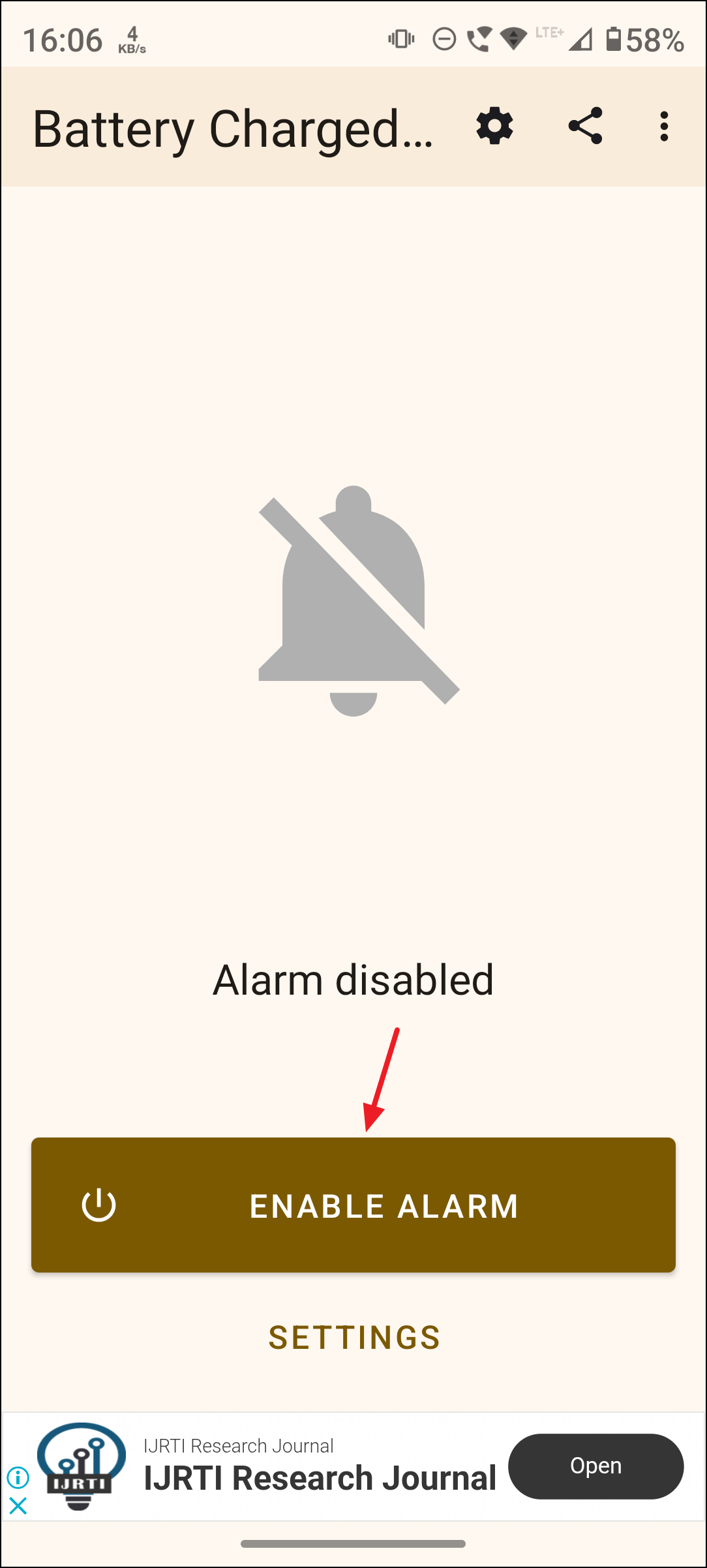
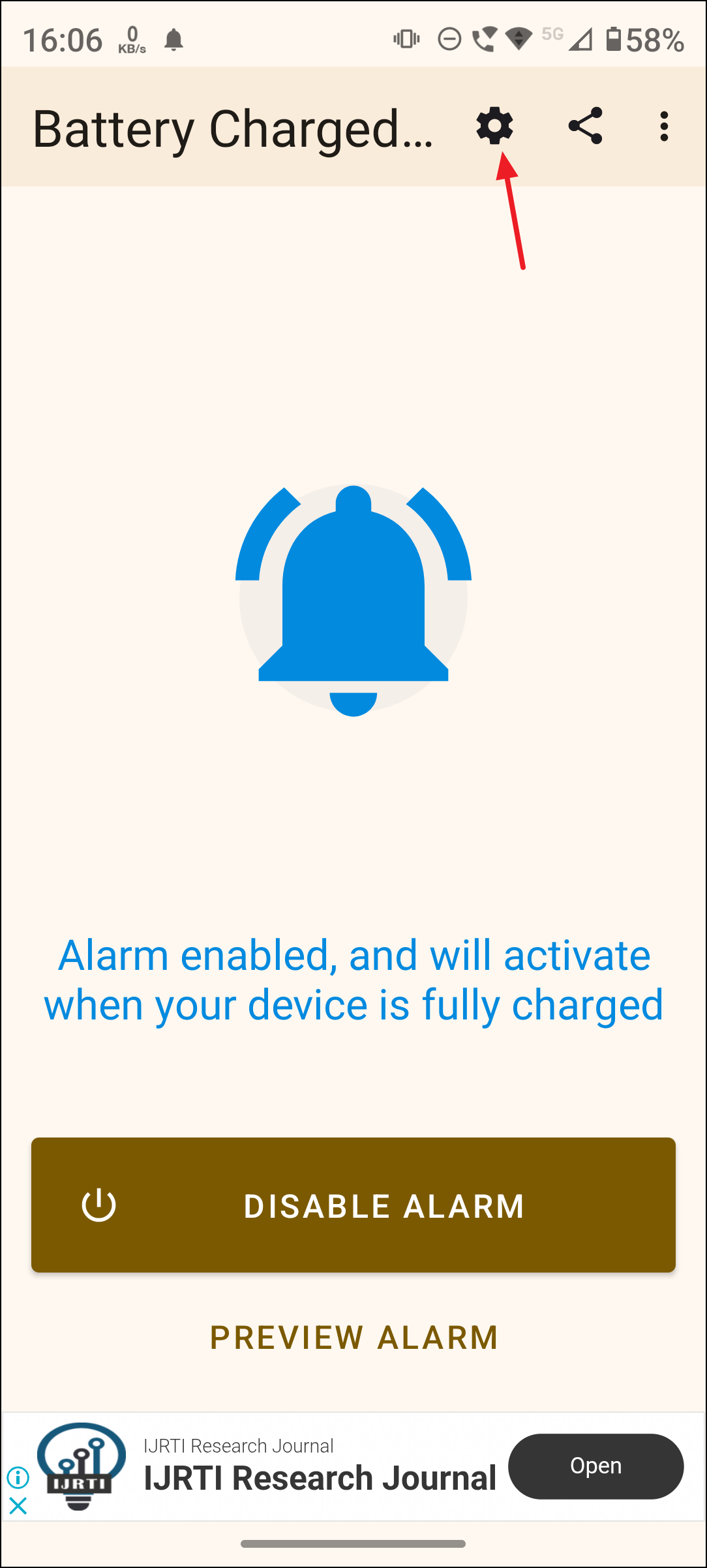
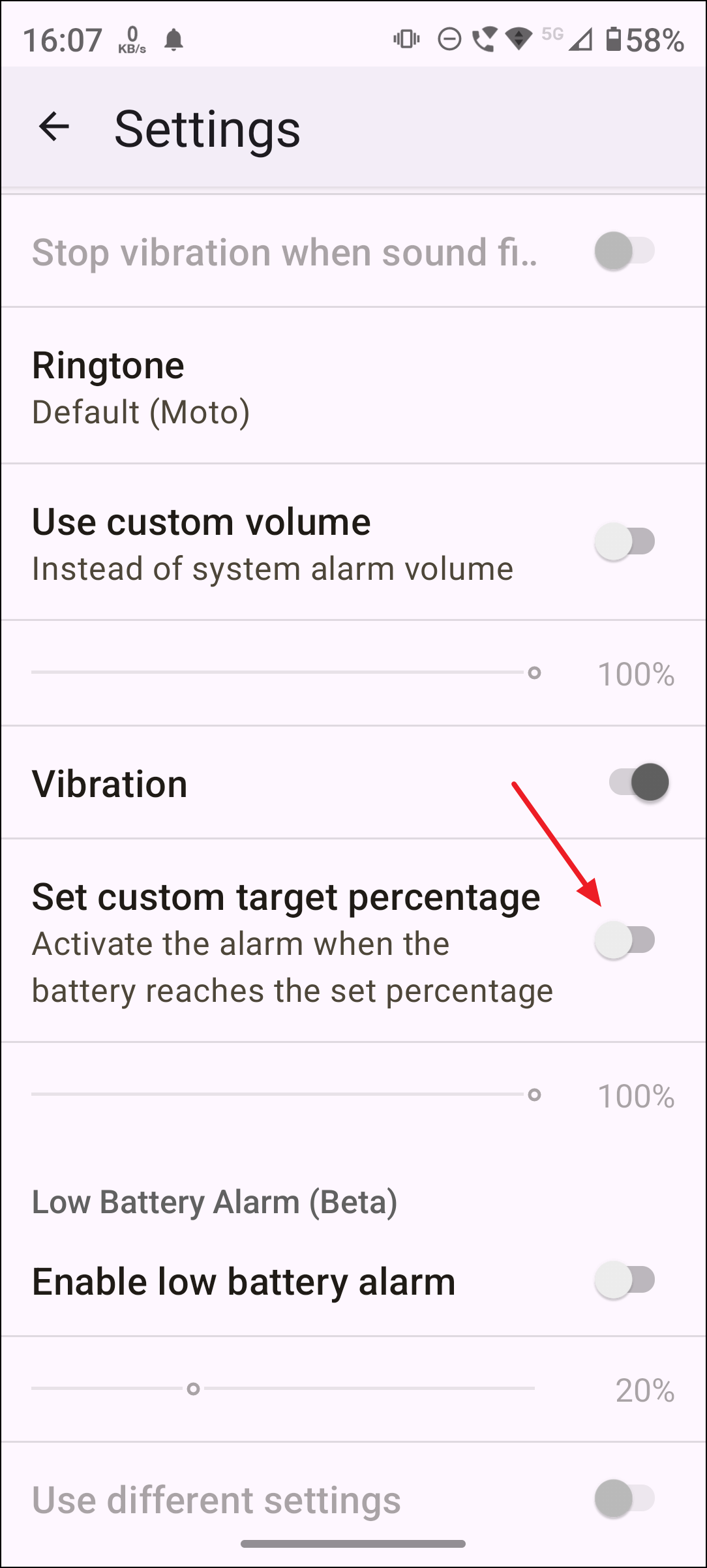
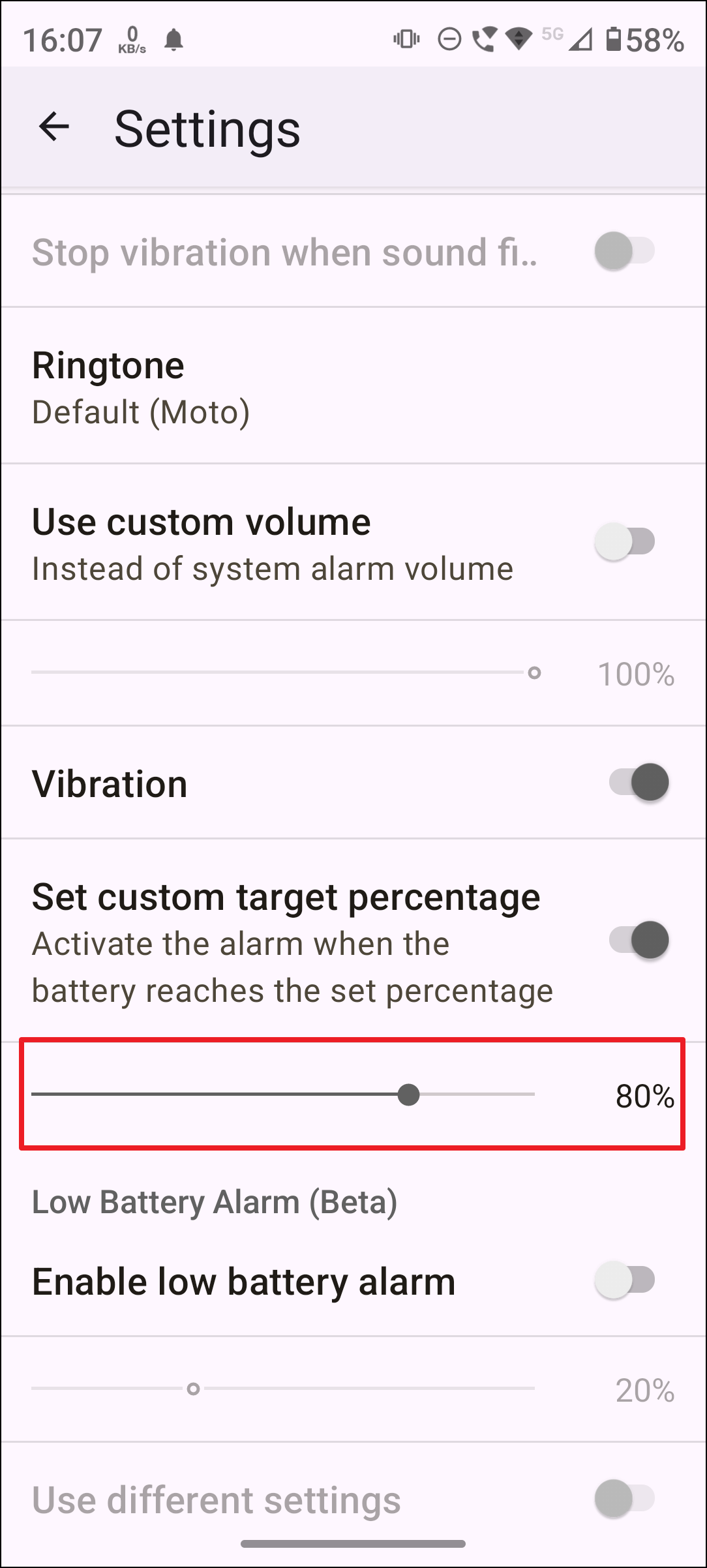
This method does not automatically stop charging, but it provides a helpful reminder to unplug your device manually.
Using Smart Charging Modules Like Chargie
Chargie is a specialized device that physically controls charging limits by connecting between your charger and phone.
This hardware-based solution provides precise control over charging parameters, ideal for users who want a fully automated approach without rooting their device.
Rooting Your Phone for Advanced Battery Control
Rooting your Android device provides deep system-level access, allowing you to install apps like Charge Control that directly limit battery charging.
This method provides the most precise control but involves significant risks and complexity, making it suitable only for advanced users.
Maintaining your Android phone’s battery between 20% and 80% can significantly extend its lifespan, reducing the need for frequent battery replacements. Whether using built-in features, third-party apps, smart modules, or rooting your device, choose the method that best fits your comfort level and device compatibility. Your battery—and your wallet—will thank you later.