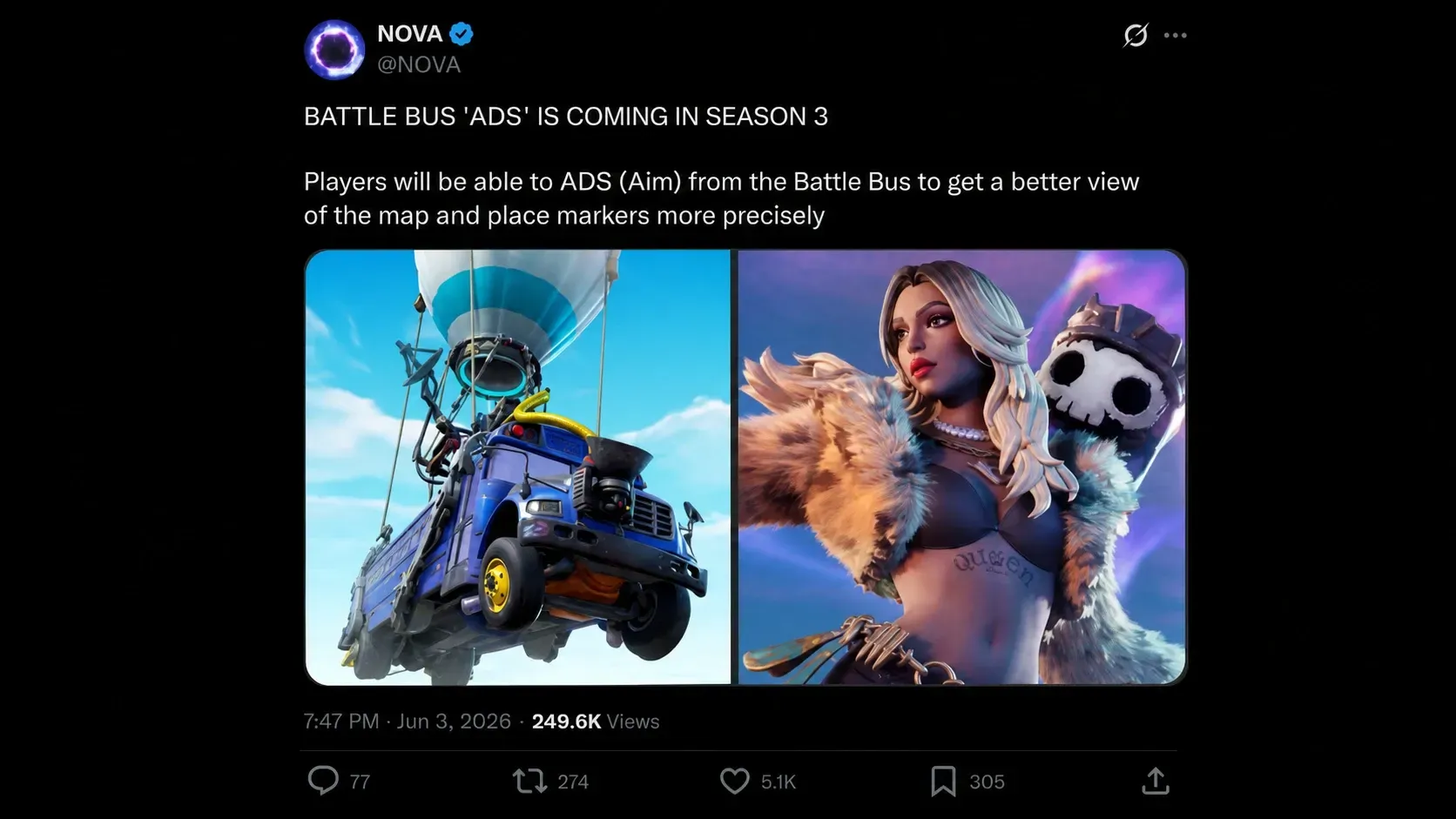
The Battle Bus is getting a tool that changes how you plan a landing. A new aim-down-sights (ADS) function would let you zoom into the island below while still riding the bus, turning the pre-drop window into a real scouting phase instead of a quick glance out a window. The feature is tied to Fortnite Chapter 7 Season 3 and builds on the drivable Battle Bus that arrived in Chapter 7 Season 2.
What the Battle Bus ADS feature does in Fortnite
Until now, picking a landing spot has meant reading a flat 2D map or eyeballing the terrain through the bus windows. The ADS function adds a zoom view of the ground while you are still in the air, giving you a clear look at the island before the doors open.
That zoom feeds directly into marker placement. Instead of dropping a broad ping over a named location, you can target a single rooftop or a visible chest spawn, then commit your jump around that exact point. The result is a sharper read on where loot and enemies are before anyone touches the ground.
How the ADS function fits the drivable Battle Bus from Season 2
Chapter 7 Season 2 made the Battle Bus drivable, which mostly played as a novelty during the season. The ADS feature pushes the bus toward something more useful. Zooming in is a practical mechanic aimed at the moment that decides your early game, not a gimmick.
This also comes after a rocky run for the bus. Chapter 7 launched with the Battle Bus replaced by a tsunami and surfing system, and the classic bus was later brought back with an 80% spawn chance per match. The ADS change continues the push to make the bus the reliable, strategic way to start a round.
Why ADS markers matter for hot drops and competitive play
Hot drops have always been a scramble to reach the first weapon. Whoever pings, jumps, and grabs a gun fastest usually wins the opening fight. A precise zoom view lets you plan the cleanest path to a weapon before you leave the bus, which can hand you the head start in a contested spot.
For competitive players, that precision compounds. Teams can assign exact buildings, line up tighter routes, and reduce wasted air time. The table below shows how common drop choices change once you can scout with ADS.
| Drop type | Risk | How ADS helps |
|---|---|---|
| Hot drop (named POI) | High | Pinpoint the closest weapon spawn to win the first-gun race |
| Edge drop | Low | Confirm a quiet building and a clear rotation path before landing |
| Mid-path drop | Medium | Spot chest clusters and split a squad across nearby roofs |
How to use the Battle Bus ADS feature once it is live
You will know the feature is working when the map view zooms in from the bus and your marker lands on a specific structure rather than snapping to a whole named location.
The bus has had an unusual Chapter 7, swinging from removal and surfing to a partial return, and the ADS function is the clearest sign Epic wants it to be a precision tool rather than just a ride. If the feature lands as expected in Chapter 7 Season 3, the few seconds before you jump will carry more weight than ever, especially in the busiest drop spots on the map.