Forza Horizon 6 launched with a long list of PC stability problems, ranging from silent failures where the executable closes after using a few hundred megabytes of RAM, to mid-race freezes and named error codes like FHC01, FHD, and FHE01. Most of these crashes trace back to a small set of culprits: Hardware-Accelerated GPU Scheduling, overlay and monitoring software, corrupted game files, GPU driver mismatches, and peripheral conflicts.
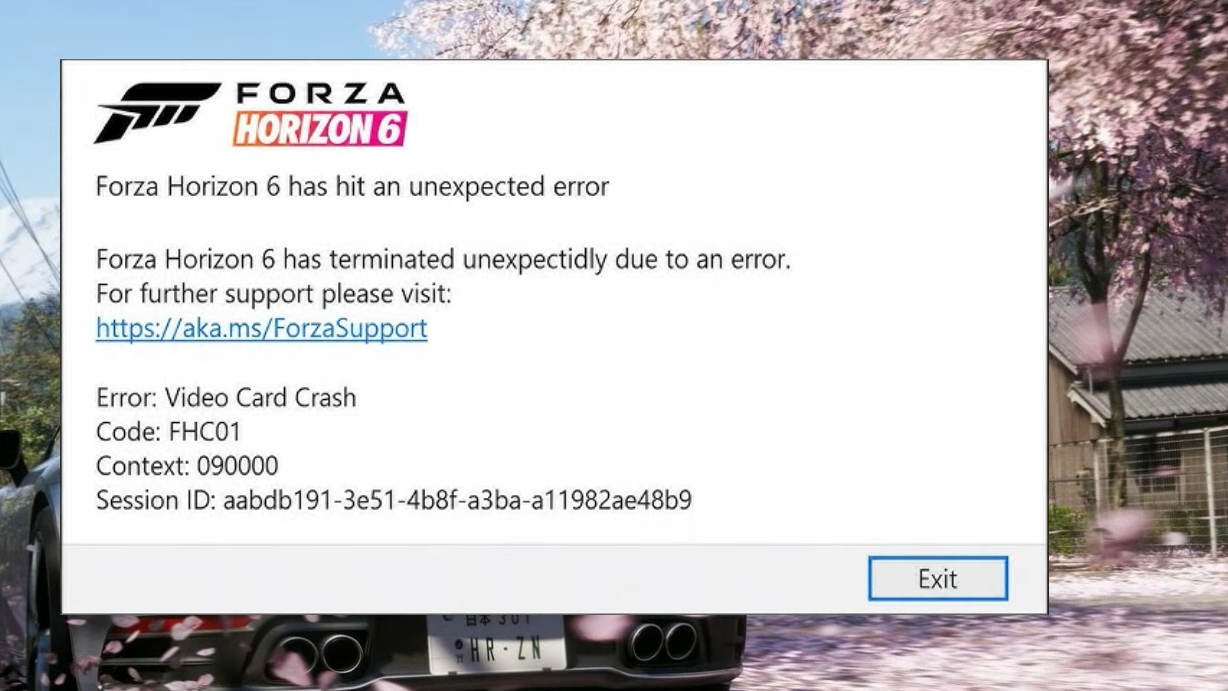
Identify the crash by its error code
Forza Horizon 6 uses a prefix system for its PC crash dialogs. Knowing the category narrows the fix down immediately and avoids hours of unrelated troubleshooting.
| Code prefix | Meaning | Primary cause |
|---|---|---|
| FHC (e.g. FHC00, FHC01) | Video card crash | GPU driver, overclock, or VRAM instability |
| FHD | Out of video memory | Texture or ray tracing settings exceeding VRAM |
| FHE (e.g. FHE01) | Game crash | Corrupted files, peripherals, or permissions |
| FHF | Out of system memory | Insufficient RAM or heavy background apps |
| FH101 | CPU requirement | Fewer than 6 logical processors and 6 threads |
| FH113 | CPU compatibility | Outdated motherboard BIOS |
| FH201–FH206 | DX12 feature missing | GPU below minimum spec or outdated driver |
| FH202 | VRAM too low | GPU has under 4 GB of VRAM |
| FH301 / FH302 | Driver issue | Outdated or incompatible GPU driver |
| FH401 | System memory low | System RAM below minimum spec |
| FH601 | Media Foundation missing | Windows feature pack not installed |
If the game closes silently with no pop-up, treat it as a launch failure rather than a coded crash, and start with the HAGS and overlay fixes below.
Disable Hardware-Accelerated GPU Scheduling
HAGS is the single most common cause of FH6 closing immediately after the Steam or Xbox launcher reports it as running. The game allocates a small amount of memory, then exits without an error dialog. Turning HAGS off resolves this for the majority of affected PCs, though it disables frame generation features.
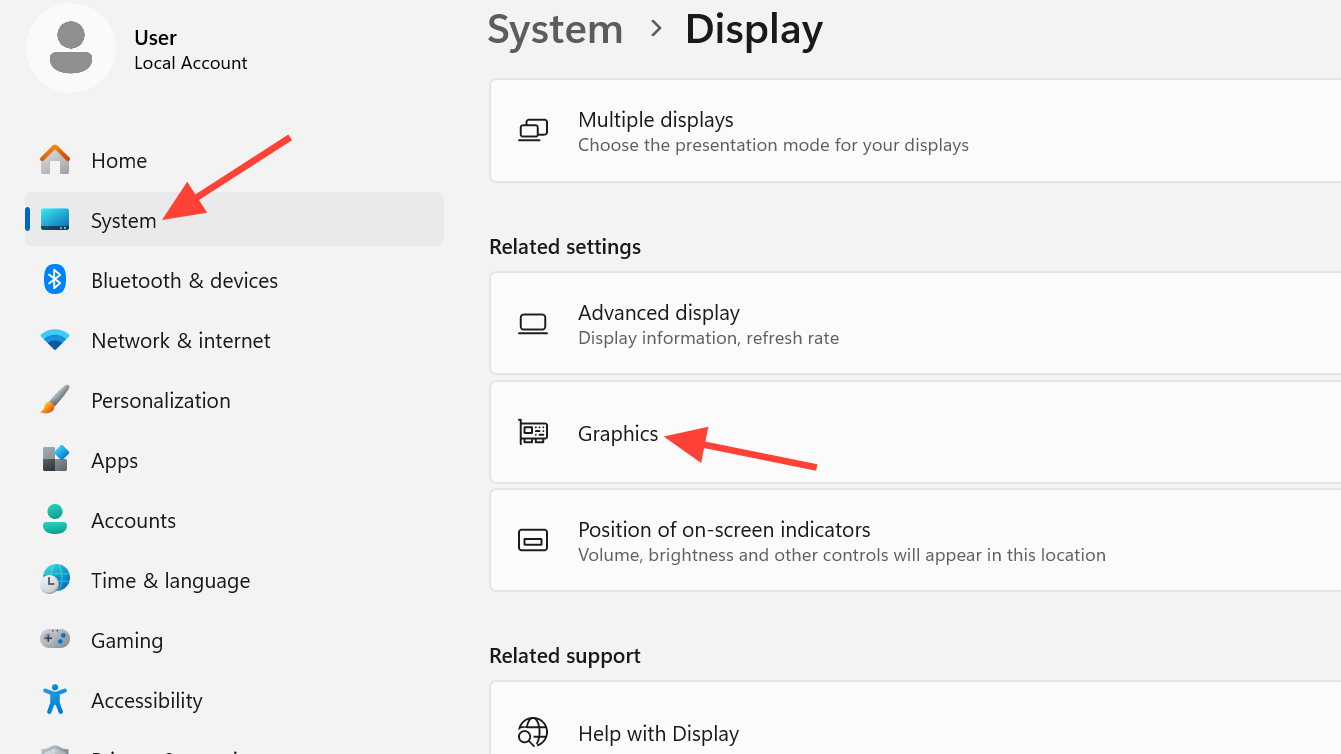
You’ll know it worked when Forza Horizon 6 reaches the splash logos and proceeds to the main menu instead of vanishing from Task Manager.
Close overlays and monitoring software
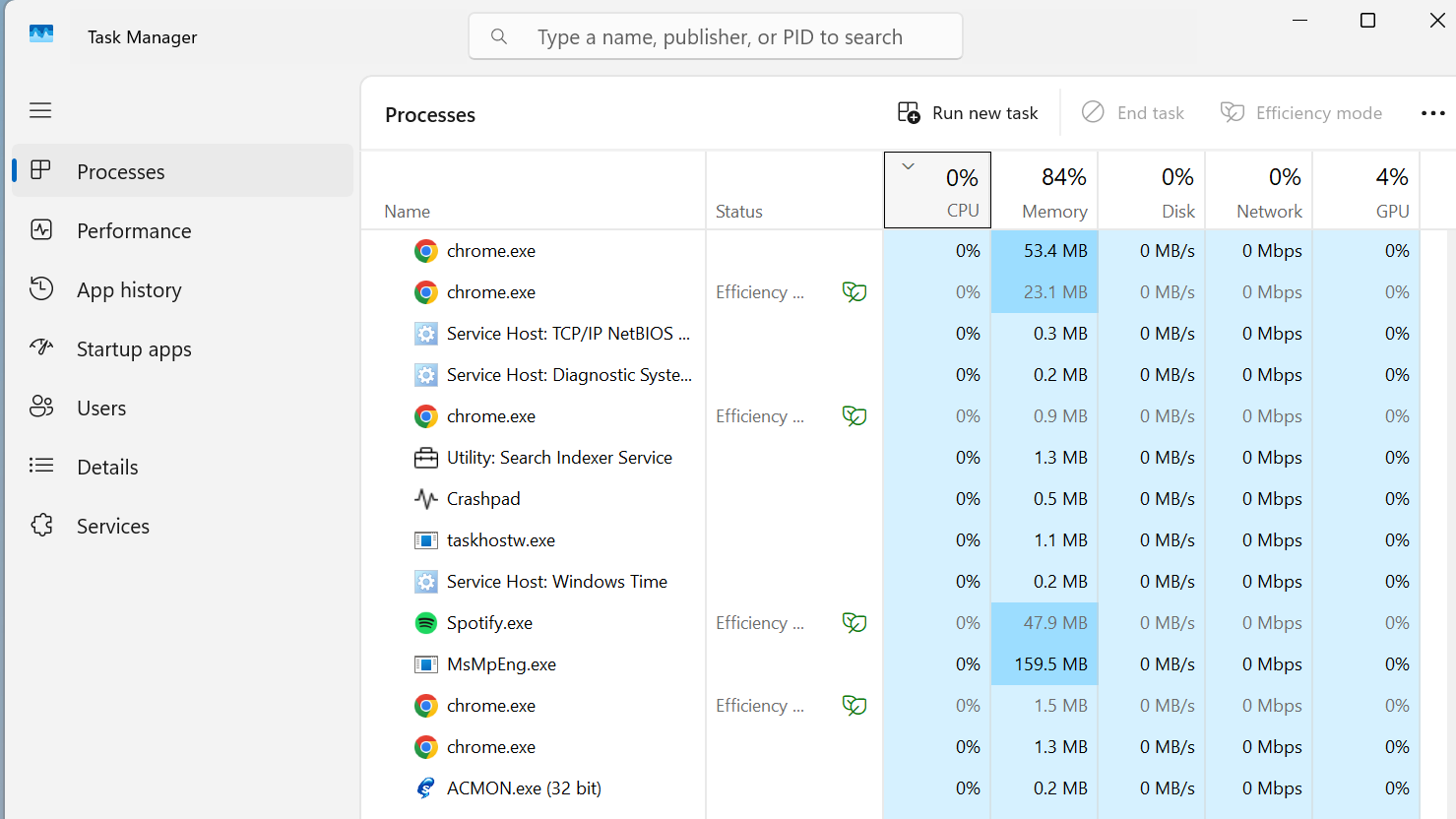
MSI Afterburner and RivaTuner Statistics Server hook into the rendering pipeline at a low level, and FH6’s anti-tamper checks frequently reject that hook. Discord, Steam, and GeForce Experience overlays cause similar black-screen and instant-crash behavior.
Verify and repair the game files
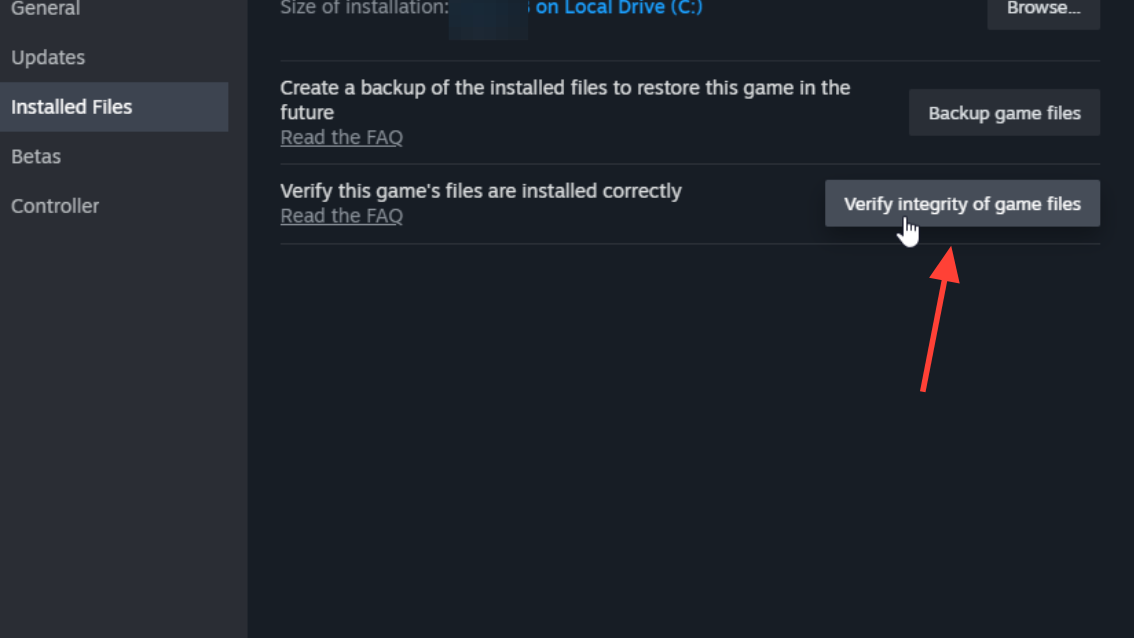
FHE01 and stuck-on-loading-screen issues are often the result of an interrupted install or a failed shader prefetch. Both Steam and the Xbox app expose a repair tool that scans every file and replaces anything corrupted or missing.
On Steam: Right-click Forza Horizon 6 in your Library, choose Properties, open Installed Files, and click Verify integrity of game files.
On the Xbox app or PC Game Pass: Open the Xbox app, select Forza Horizon 6, click the More options (…) button next to Play, choose Manage, open the Files tab, and select Verify and repair.
Allow the scan to finish completely. A successful repair will report any replaced files; you should also relaunch the game from the same client rather than a desktop shortcut, since Steam shortcuts have caused launches that bypass required authentication.
Update or roll back the GPU driver
FHC01, FH301, FH302, and the DX12 feature errors (FH201–FH206) all point at the graphics driver. A clean install through the manufacturer’s tool resolves driver state corruption that a normal update sometimes leaves behind.
Get the latest Game Ready or Adrenalin driver directly from NVIDIA, AMD, or Intel. If you already have the newest driver and the FHC crash continues, roll back to the previous version. Some recent drivers introduced regressions specific to FH6’s mesh shader path.
For persistent FHC01 errors, boot into Safe Mode and run Display Driver Uninstaller to fully purge the old driver before installing the new one. This eliminates leftover registry entries that cause the game to misidentify your GPU’s capabilities.

Reduce VRAM pressure for FHD errors
FHD is an out-of-video-memory crash, common on 4 GB and 6 GB GPUs running the Tokyo map with ray tracing enabled. The denser city, weather effects, and increased traffic density push VRAM usage well past Forza Horizon 5 levels.
Set Environment Ray-Traced GI to Off and switch lighting to Screen Space Reflections. Lower Texture Quality by one tier, drop Shadow Quality, and disable Motion Blur. If you use DLSS or FSR, enabling upscaling at Quality mode reduces VRAM consumption further without a visible image hit.
NVIDIA users seeing repeated FHD crashes can open NVIDIA Profile Inspector, locate the Forza Horizon 6 profile, and set PS_CONST_FOLDING_GPU to Off. That suppresses a known VRAM leak on certain driver revisions.
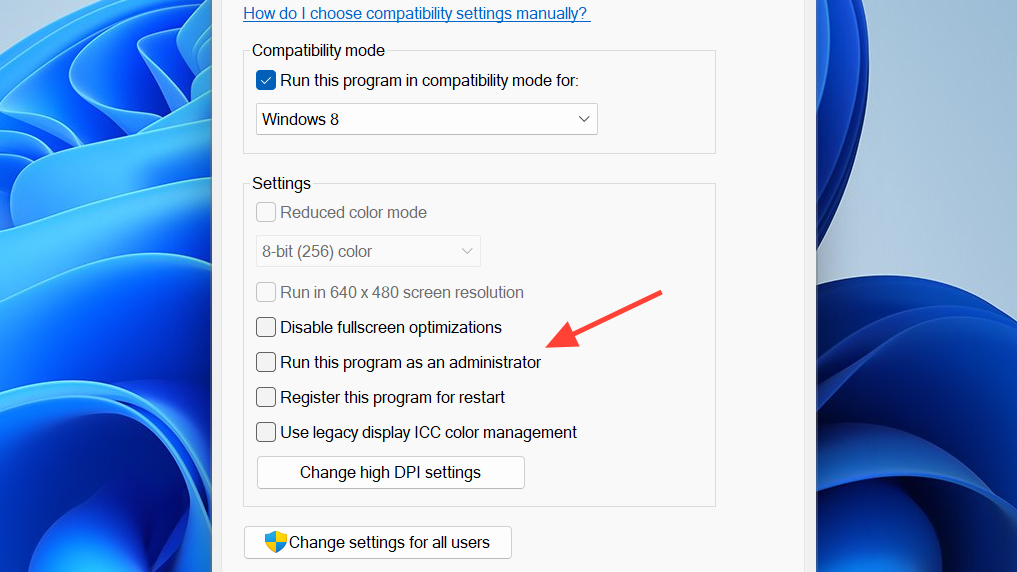
Run as administrator and disable full-screen optimizations
Windows permission errors and the Win32 full-screen optimization layer both cause silent crashes immediately after the intro logos.
Disconnect peripherals before launch
FHE01 crashes are frequently triggered by racing wheels, pedal sets, button boxes, and secondary controllers that the game enumerates during startup. The crash happens before any UI appears.
Unplug every USB device except your primary mouse, keyboard, and one controller. Launch FH6 and reach free roam. Once you’re driving, plug the wheel and pedals back in and confirm the game detects them in the controls menu. Logitech, Fanatec, Thrustmaster, and Moza setups all benefit from this delayed-connection approach.
If you use both a controller and a wheel, disable Steam Input for Forza Horizon 6 (Properties, Controller, Disable Steam Input) and pick your preferred device manually in-game. DualSense users should note that disabling Steam Input removes PlayStation button prompts.
Repair or reset the app data
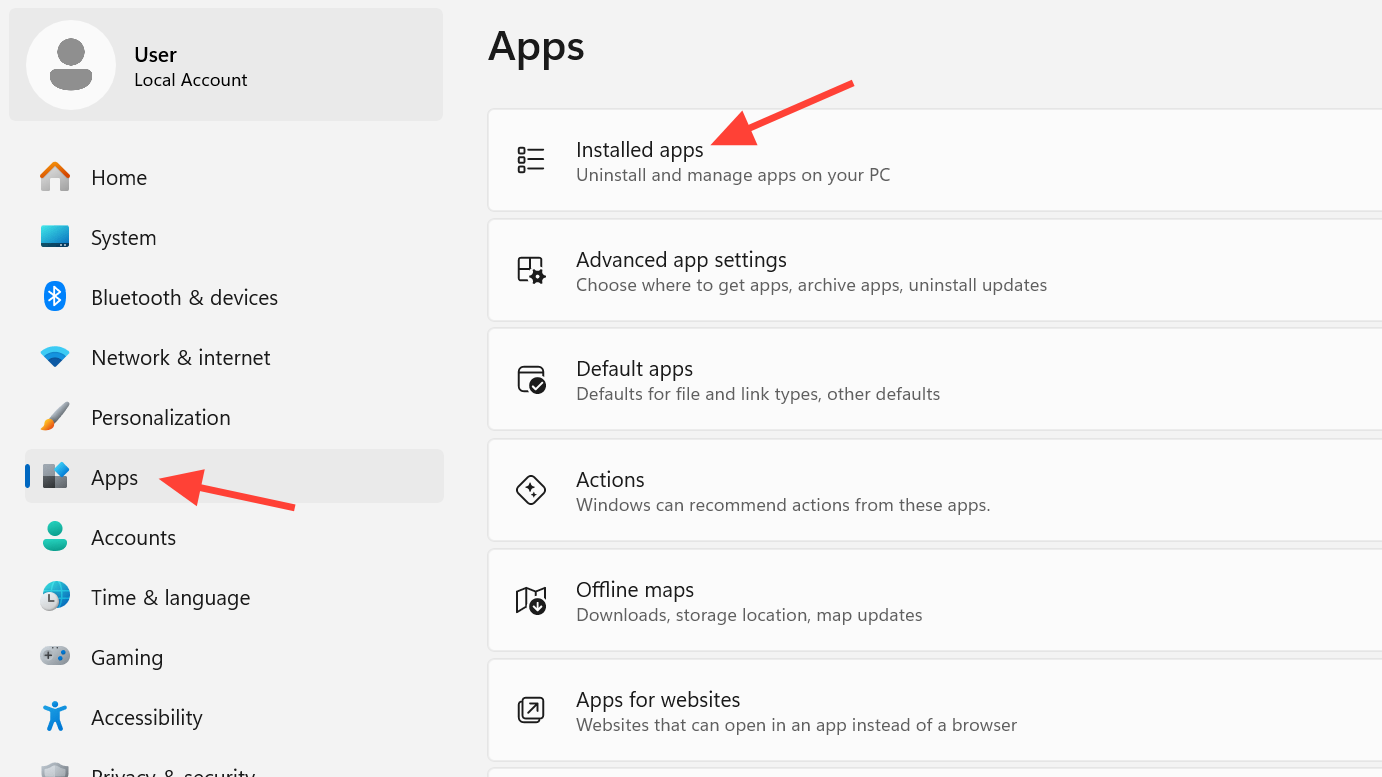
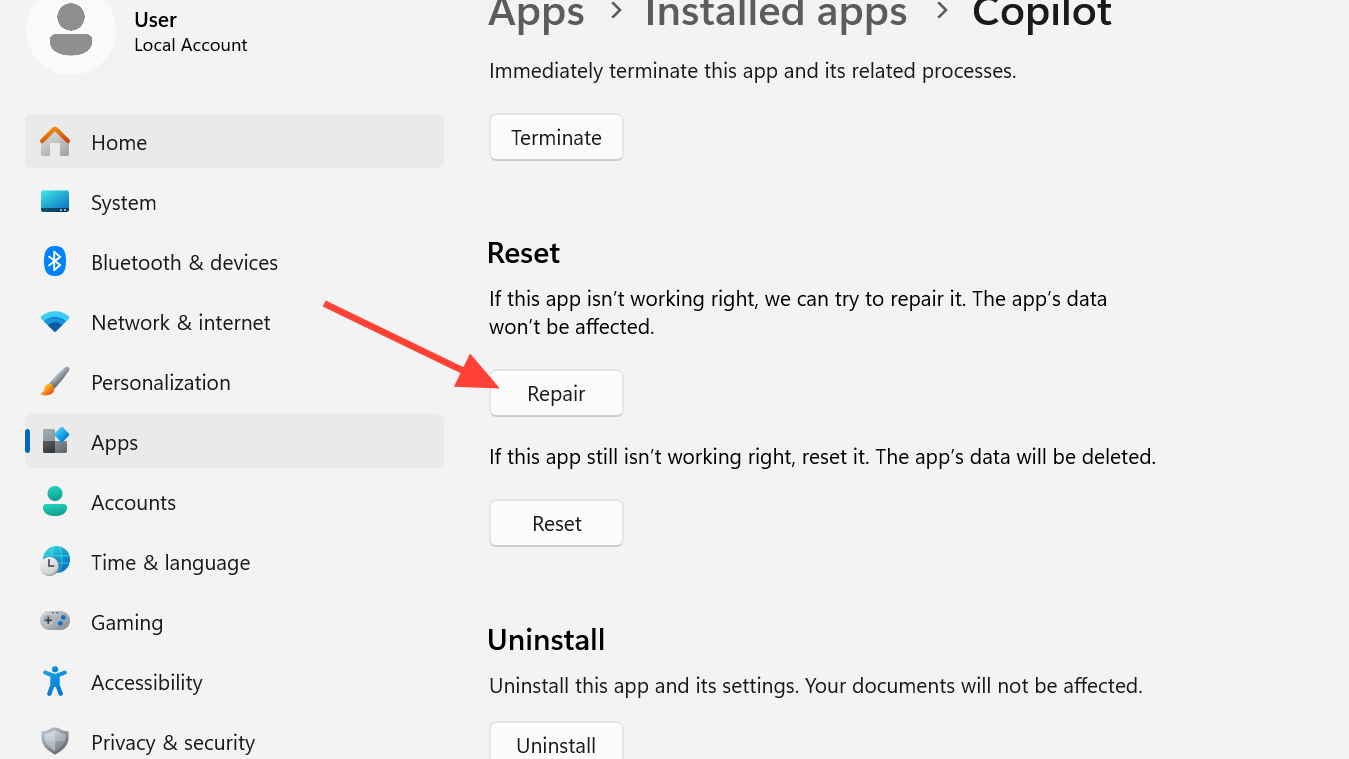
If verifying files didn’t help and the game still crashes with corrupted-config symptoms (frozen menus, infinite loading, instant exits with no error), reset the app through Windows Settings.
Install or repair supporting components
Forza Horizon 6 depends on current Microsoft Visual C++ runtimes, Gaming Services, and Media Foundation. Missing or damaged versions of any of these will throw FH601 or generic launch failures.
Install both x86 and x64 packages from the latest supported Visual C++ Redistributable. For Gaming Services issues, open PowerShell as administrator and reinstall the package, then restart. If FH601 appears, install the Media Feature Pack from Windows Optional features.
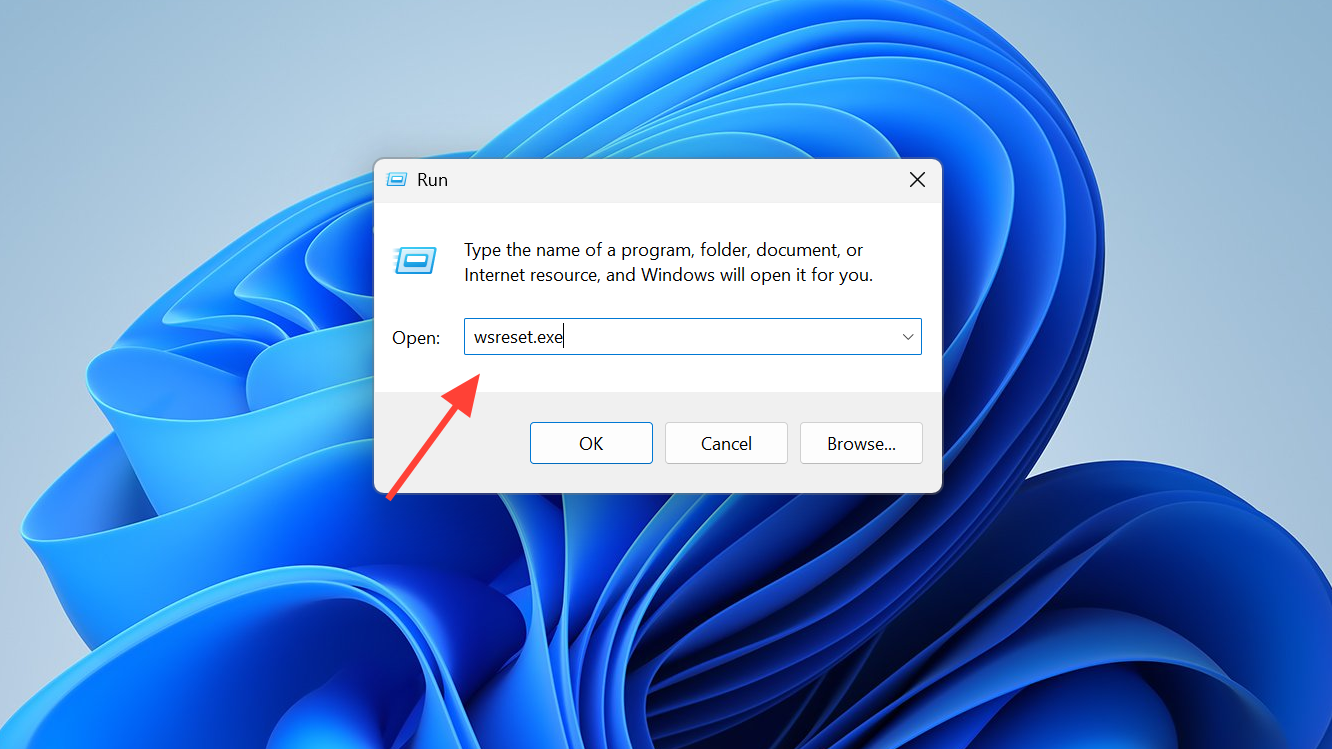
For Microsoft Store launch permission issues, press Windows + R, type wsreset.exe, and press Enter. The Store cache rebuilds and entitlement checks succeed again.
Clear Xbox credentials for sync failures
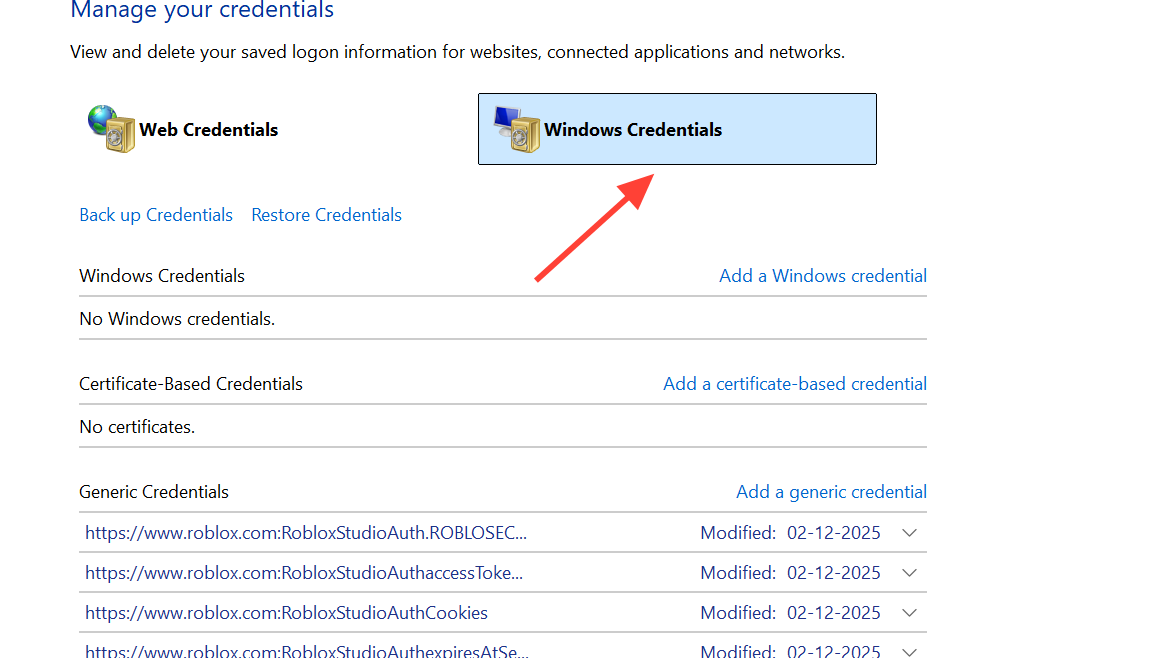
PC players signed in through both Steam and the Xbox app sometimes hit a credential conflict that crashes the game during the cloud save handshake.
Less common fixes worth trying
A few additional adjustments resolve edge-case crashes that the steps above don’t cover.
| Adjustment | When to use it |
|---|---|
| Enable AES-NI in BIOS | Cryptic 0x12c startup crash on older Intel/AMD systems |
| Update motherboard BIOS | FH113 error or unstable launches on newer CPUs |
| Disable NVIDIA HD Audio and Virtual Audio in Device Manager | FHC01 tied to HDMI audio routing |
| Disable Citrix AppProtection service | Anti-cheat blocking launch on systems with Citrix Workspace |
| Add FH6 to antivirus exclusions | Game executable being quarantined or blocked silently |
| Remove GPU overclocks | FHC errors that only appear under load |
| Set frame rate to Unlocked, disable V-Sync | Mid-race freezes and stutter on capped frame rates |
Verify the system meets the spec
Some crashes aren’t fixable through configuration; the hardware simply doesn’t clear the bar. The minimum spec lists Windows 10 or 11 64-bit, an Intel i5-8400 or Ryzen 5 1600, 16 GB of RAM, a GTX 1650 or RX 6500 XT with 4 GB of VRAM, and 150 GB of SSD storage. HDD installs are not supported.
FH101 confirms the CPU has fewer than 6 logical processors and 6 threads, and FH202 confirms the GPU has under 4 GB of VRAM. Neither can be worked around with settings changes.
If FH6 still crashes after working through these fixes, submit a ticket with a screenshot of the exact error dialog through the Forza support site. Including the code prefix from the dialog is what lets the support team route the issue correctly.