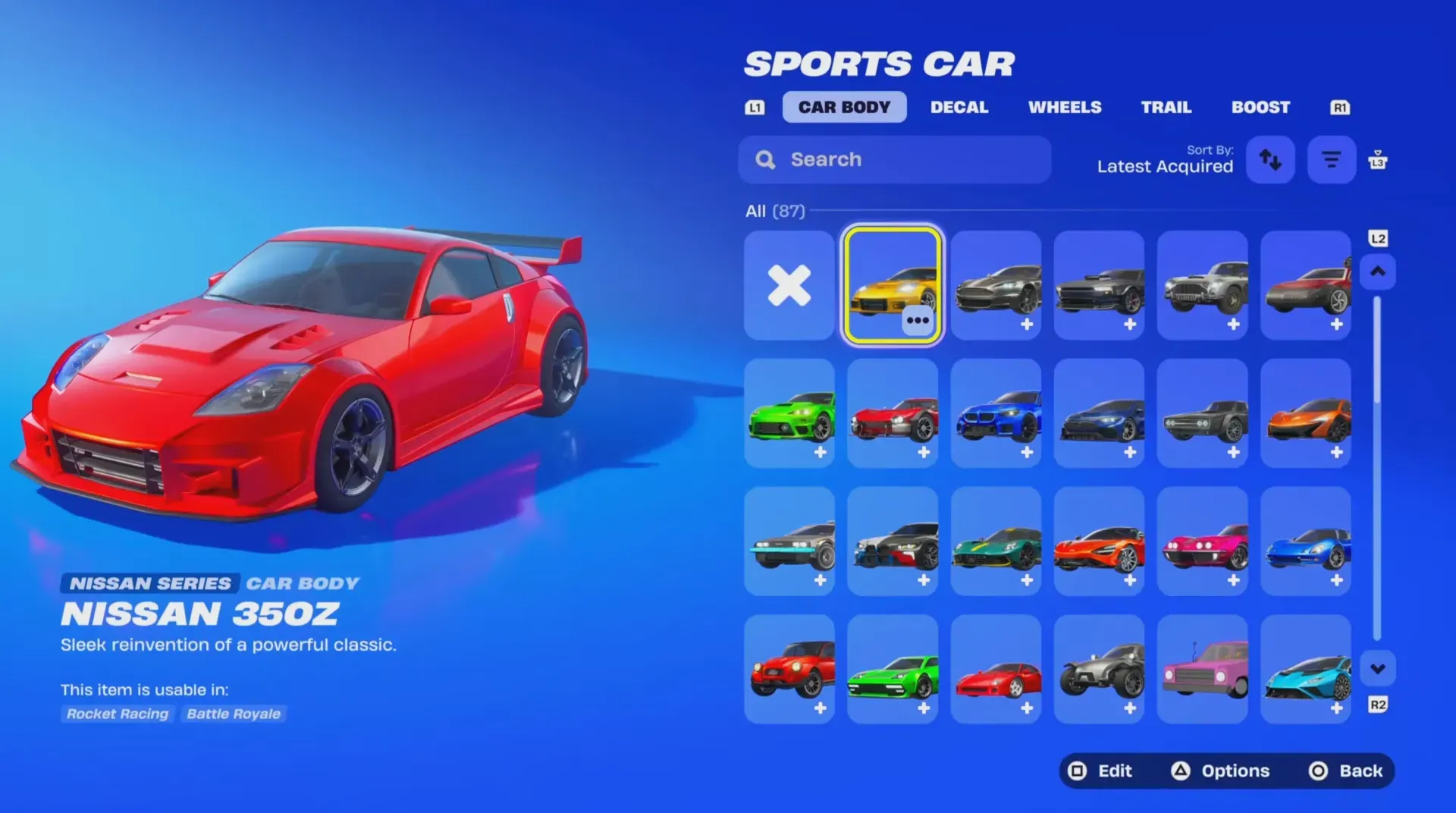
Cross-game ownership is the system that lets certain Car Bodies you own in Rocket League appear in your Fortnite Locker (and certain Fortnite cars appear in Rocket League) without purchasing the same item twice.
Quick answer: Use the same Epic Games account for both games, then claim or purchase a cross-game compatible Car Body in either game; it should appear in the other game’s Garage/Locker after syncing.
Cross-game ownership (Car Bodies): what it does and does not do
When a Car Body supports cross-game ownership, ownership is shared across Rocket League and Fortnite on the same Epic account. Once you own it on that account, it becomes available in both games.
What it does not do is “unlock every car for free.” It also does not turn paid bundles into free items. The “free” part only means you avoid paying a second time in the other game when the Car Body is eligible for sharing.
Conditions a Rocket League Car Body must meet to appear in Fortnite
A Car Body transfers from Rocket League to Fortnite only when all of these conditions are true:
- Same Epic account: Rocket League and Fortnite must be using the same Epic Games account (not just the same console profile).
- Cross-game compatible item: The Car Body must be one of the specific models that support cross-game ownership. Many Rocket League car bodies are not shared.
- Ownership is recorded on your account: You must actually own it (purchase completed, reward unlocked, or entitlement granted). If an event requires claiming a reward, it must be claimed.
Note: If you own a Car Body on a different Epic account than the one you play Fortnite on, it will not appear in your Fortnite Locker.
Check that Rocket League and Fortnite are on the same Epic account
How you know it worked: Both platform connections appear under the same Epic account profile. After that, newly acquired cross-game Car Bodies can sync to the other game.
How to verify the Car Body showed up in Fortnite
In Fortnite, Car Bodies are managed from your Locker under the Vehicles area (often shown as a Vehicle tab/category in the Locker menu).
How you know it worked: The Car Body appears as an equippable option in your Locker’s vehicle customization area. If it is present there, it is owned on your Fortnite account.
Why a Rocket League car isn’t showing up in Fortnite
- The Car Body isn’t cross-game compatible: Only specific Car Bodies support sharing between Rocket League and Fortnite.
- You’re on a different Epic account: This is the most common cause when players have multiple Epic accounts across consoles and PC.
- The reward wasn’t fully claimed: If a limited-time quest/event requires claiming the reward in its originating game, the entitlement may not register until it’s claimed.
- Sync delay or stale session: Sometimes the other game needs to be fully restarted before new entitlements appear.
If the Car Body is visible as owned in Rocket League but still not present in Fortnite after confirming the same Epic account, the remaining explanation is typically compatibility. Cross-game ownership is not universal across Rocket League’s full vehicle roster.
Once cross-game ownership is set up correctly, the system is simple: acquire an eligible Car Body once, on one Epic account, and it becomes available in both games without a second purchase.