Resolve Google Docs superscript shortcut issues with clear solutions for Chrome, Mac, and Windows.
Resolve Google Docs superscript shortcut issues with clear solutions for Chrome, Mac, and Windows.
by Pallav Pathak
Superscript formatting in Google Docs is essential for writing mathematical expressions, chemical formulas, and citations. When the superscript shortcut—Ctrl + . on Windows or Cmd + . on Mac—stops working, it disrupts workflow and slows down document editing. The most common cause is a conflict with browser extensions, especially ad blockers, but other factors like outdated browsers or corrupted cache can also prevent the shortcut from functioning as expected.
Check for Extension Conflicts (Especially AdBlock)
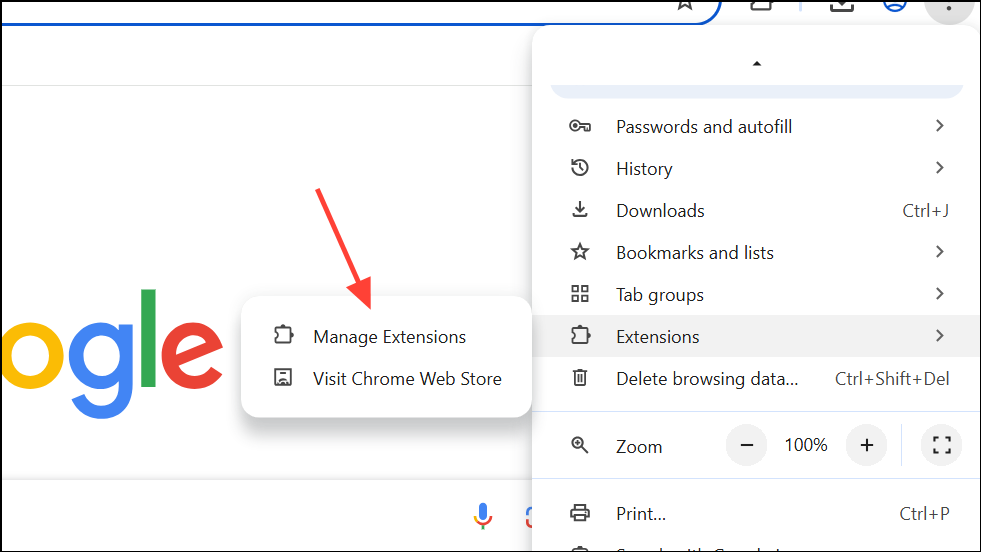
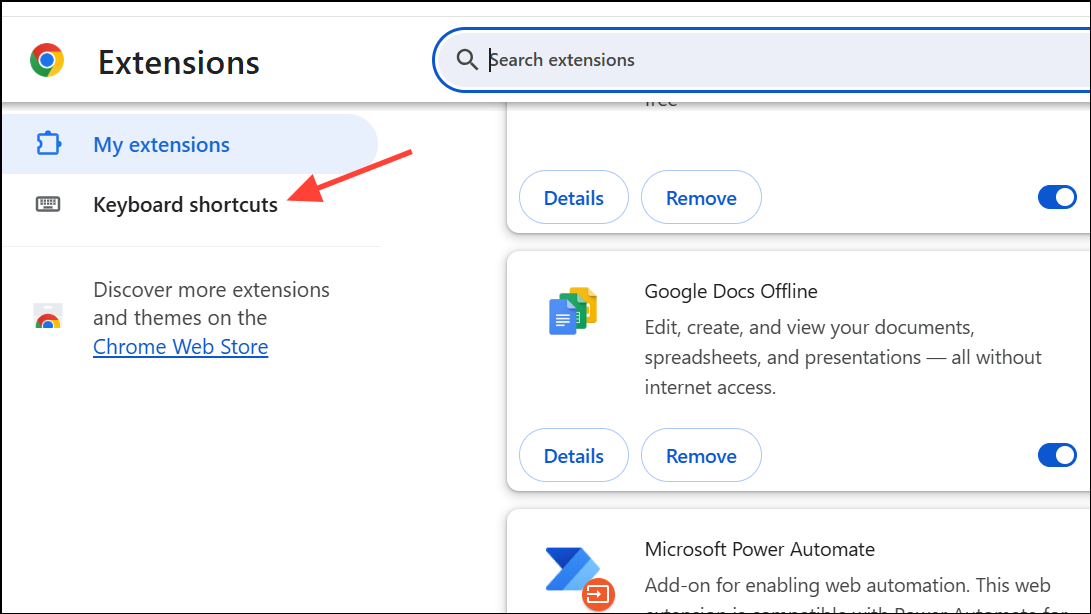
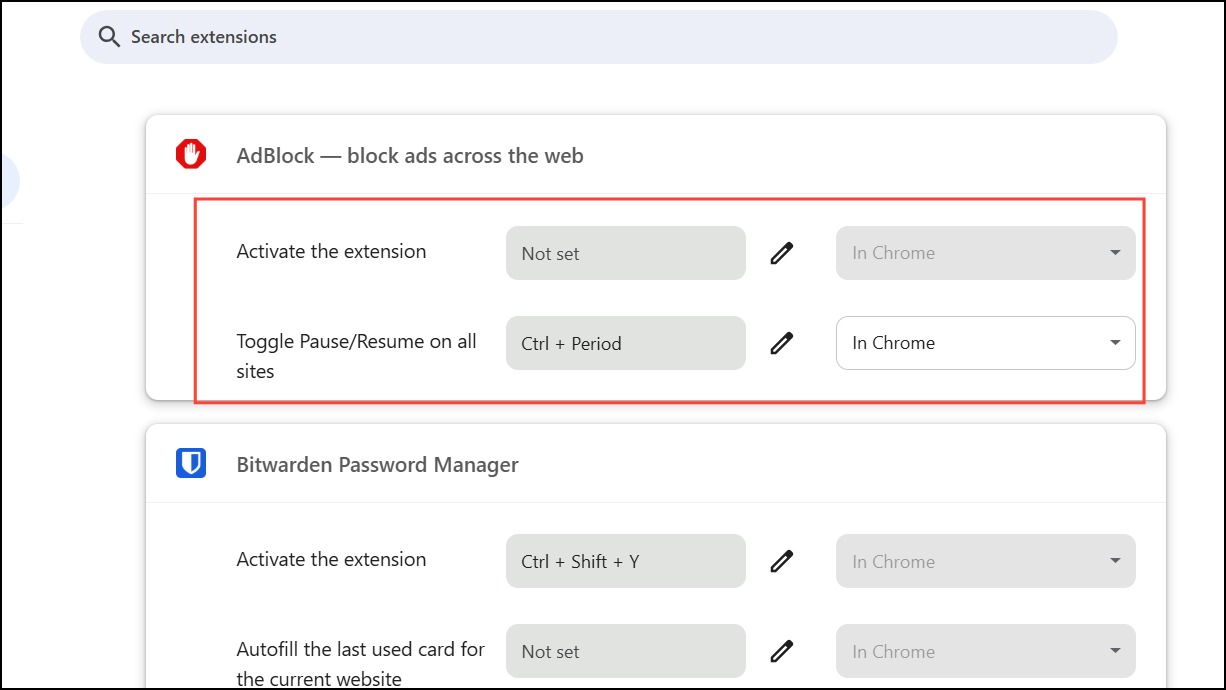
Browser extensions can override keyboard shortcuts, blocking Google Docs from registering the superscript command. AdBlock and similar extensions often use Ctrl + . or Cmd + . as their own default shortcut, which creates a direct conflict.
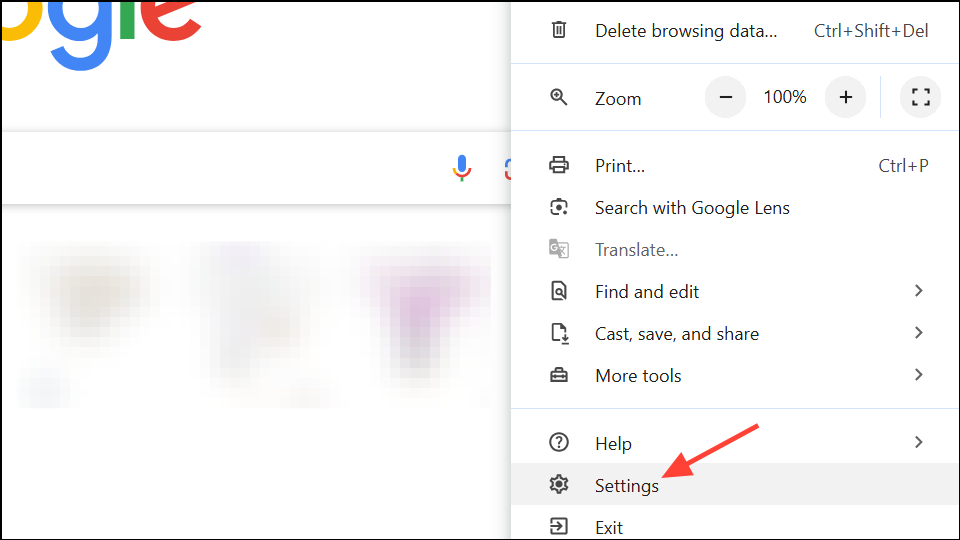
Look for AdBlock (or any similar blocker) in the list. If you see Ctrl + . or Cmd + . assigned as a shortcut, click the pencil icon, and either clear the shortcut or assign a different key combination.
Return to your Google Docs document and test the superscript shortcut. The function should now work as intended, allowing you to quickly format text without using the menu.
Update Your Browser to the Latest Version
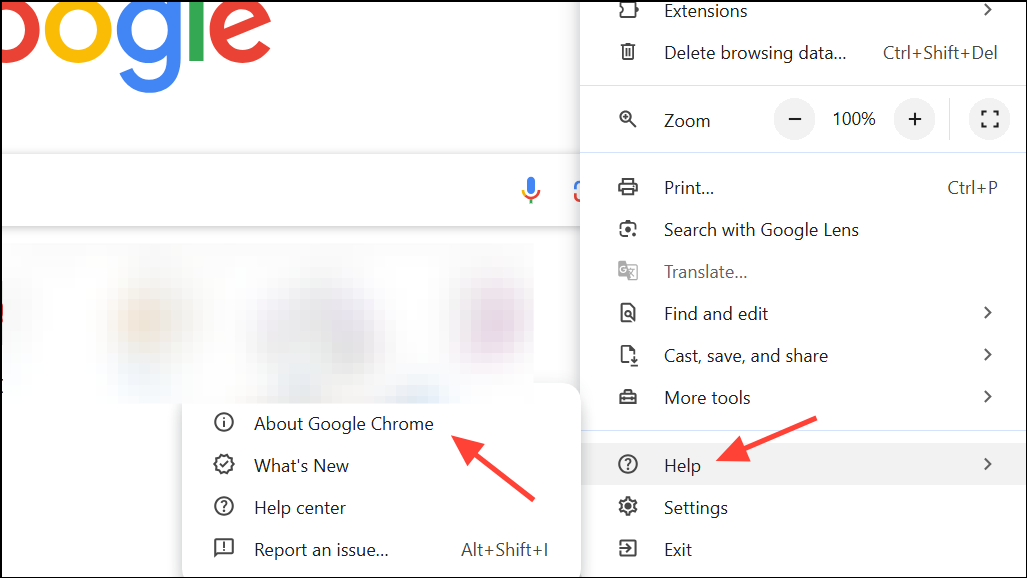
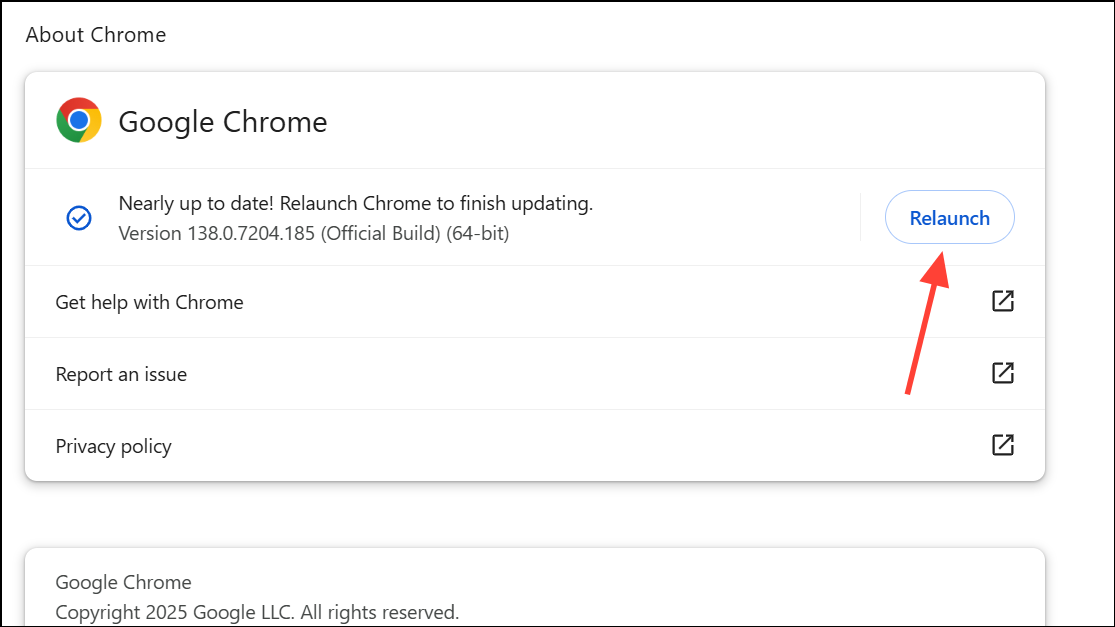
Running an outdated browser can cause compatibility issues with Google Docs, resulting in broken shortcuts or missing features. Updating your browser ensures you have the latest bug fixes and support for all Google Docs features.
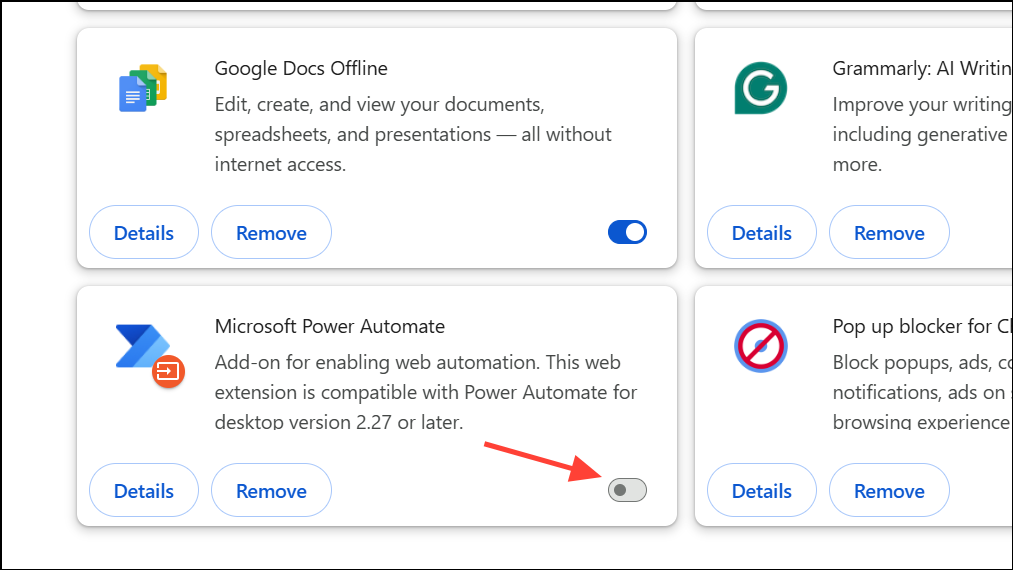
Test the superscript shortcut in Google Docs. If it works, re-enable extensions one by one, checking the shortcut each time. This process identifies the specific extension causing the conflict.
Once you find the problematic extension, leave it disabled or look for alternative extensions that do not use conflicting shortcuts.
Clear Browser Cache and Cookies
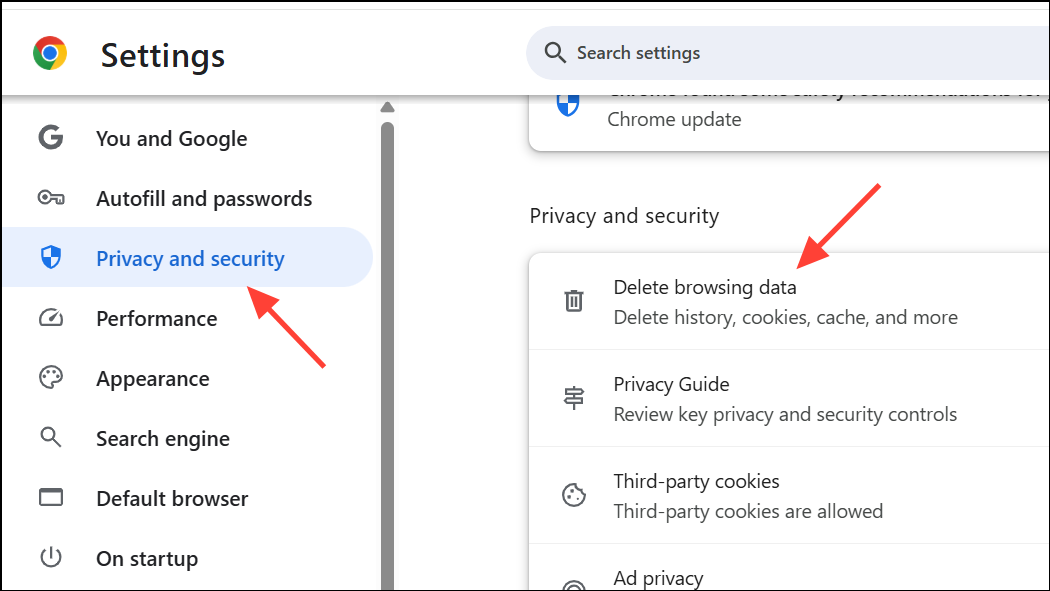
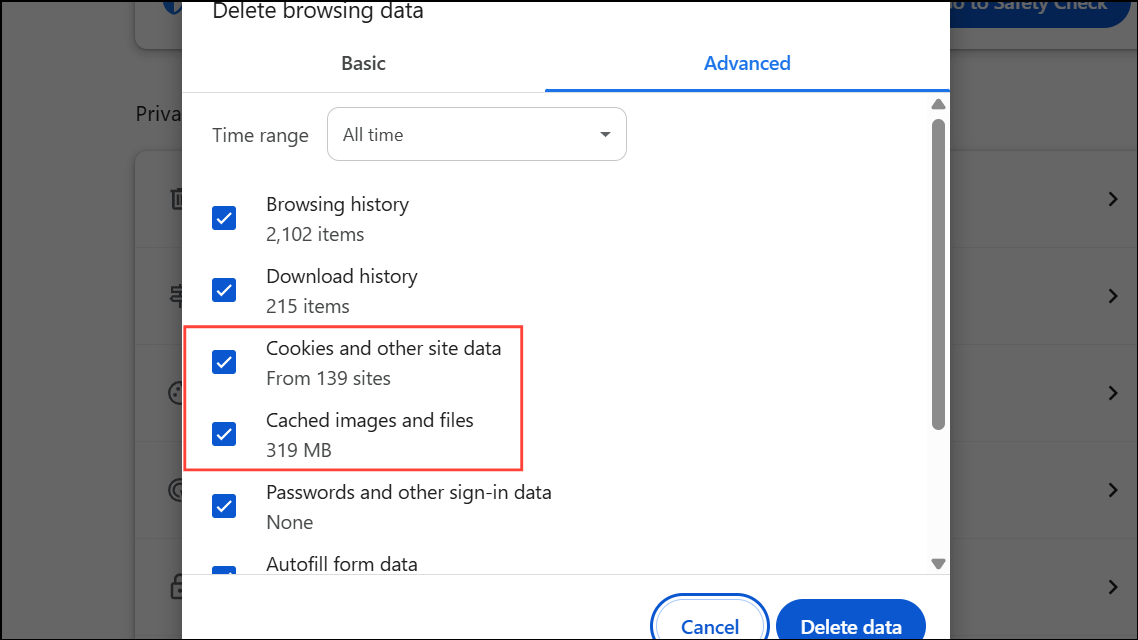
Corrupted or outdated cache and cookies can cause unexpected behavior in web applications, including Google Docs. Clearing them can resolve shortcut issues that persist after updating or disabling extensions.
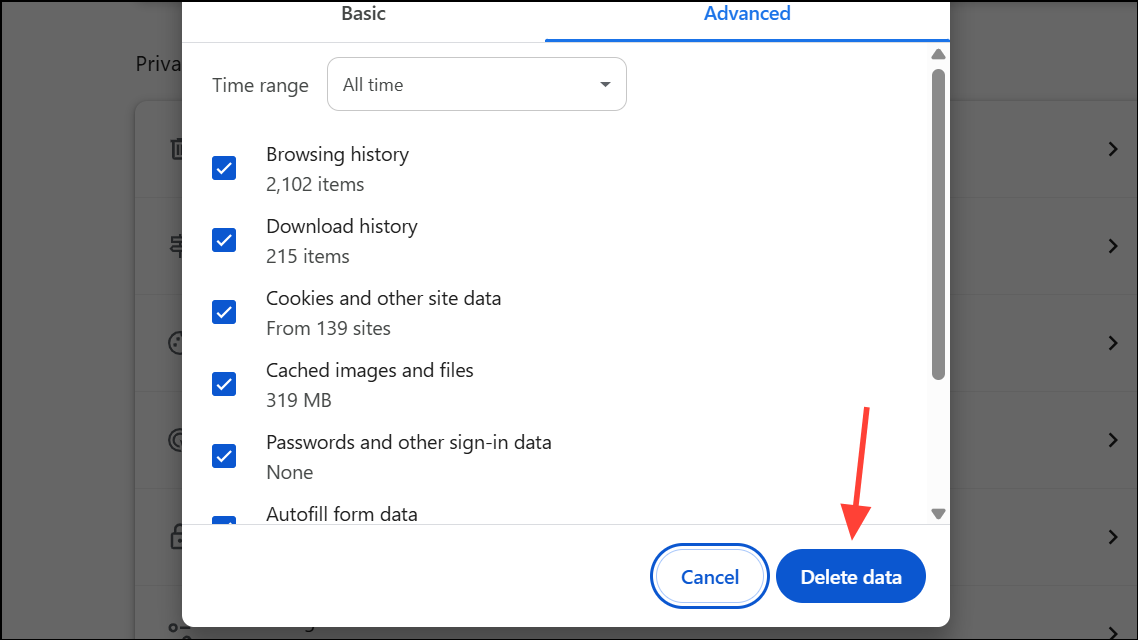
Click Delete data and wait for the process to finish. Close and reopen Chrome, then test the superscript shortcut in Google Docs.
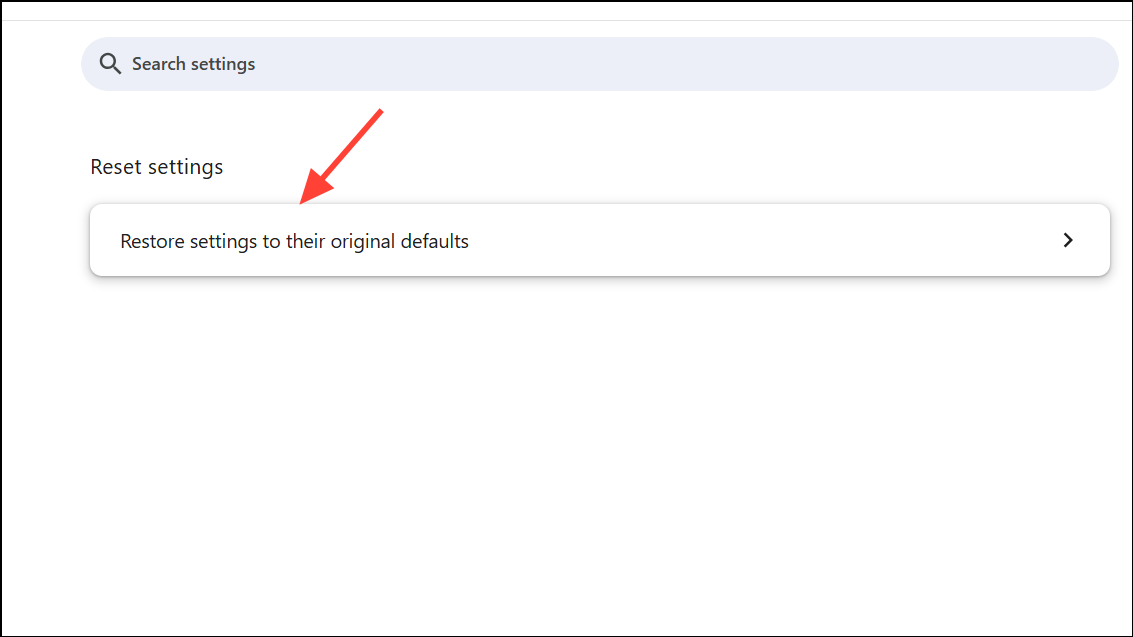
Reset Browser Settings to Default
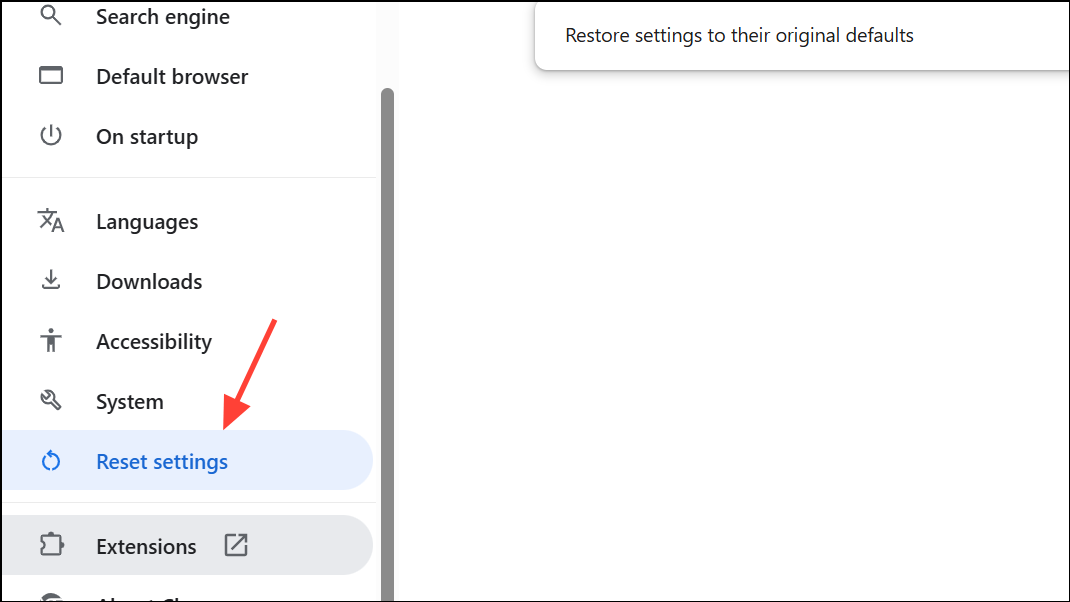
If none of the above steps solve the issue, resetting your browser to its default settings can resolve persistent configuration or extension conflicts.
Open Google Docs and check if the superscript shortcut works. Re-enable only necessary extensions, testing the shortcut after each one.
Try a Different Browser or Update Your Operating System
Some users report that the superscript shortcut works in browsers like Firefox or Edge even when it fails in Chrome. Additionally, outdated operating systems—especially on Mac—can disrupt shortcut handling.
If the shortcut works in another browser, the issue is likely specific to your main browser’s configuration. If it still does not work, check for operating system updates. On Mac, go to System Settings > General > Software Update and install any available updates. Restart your computer and test again.
Check Keyboard Layout and System Shortcuts (Mac Specific)
On Mac, changing the keyboard layout or system-wide shortcuts can interfere with Google Docs shortcuts. Verifying your keyboard settings ensures no conflicts exist.
If necessary, restore your keyboard layout to the default and remove conflicting shortcuts.
Restoring the superscript shortcut in Google Docs usually requires addressing browser extension conflicts, especially with ad blockers, or updating browser and system software. These steps streamline document editing and save time on repetitive formatting tasks.