The Skilltree in VV: Ultimatum is where you spend Skill Points to strengthen your character across paths like Hakuda, Speed, Strength, and Kido. Opening it is bound to a single key, and it works the same way no matter which faction you picked.
Quick answer: Press M while you are loaded into the game to open the Skilltree menu.
Open the Skilltree with the M key
The default keybind for the Skilltree is M. Tap it during normal play, and the menu opens, letting you browse the available routes and assign points. Pressing the same key again closes the menu.
M. The Skilltree window appears, and you can begin spending Skill Points along the route that fits your build.You know it worked when the Skilltree interface is on screen with the skill routes and your current point total visible. If nothing happens, your character is likely still busy or the key was remapped.
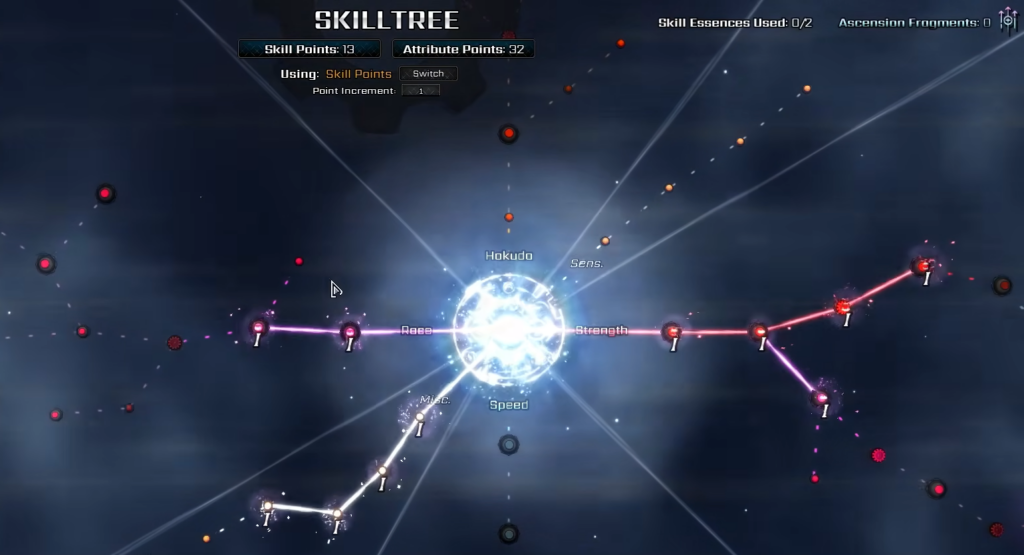
M to open the skill tree.Default controls for reference
The Skilltree key sits alongside the rest of the default keyboard bindings, so it helps to know where it falls in the overall control scheme.
| Action | Key |
|---|---|
| Movement | W, A, S, D |
| Interact with objects | E |
| Equip weapon | X |
| Light attack | M1 |
| Heavy attack | M3 (mouse wheel click) |
| Parry / Block | M2 |
| Dash | Space |
| Fast movement | Q |
| Open Skilltree | M |
| Sense ability | C |
| Summon faction portal | U |
If the Skilltree will not open
A few specific situations stop the menu from appearing when you press M.
- You are mid-interaction, in dialogue with the Helpful Spirit, or inside a scripted sequence. Finish it first, then press the key.
- Another window is already focused. Close any open menu, then try again.
- The bind was changed. If a custom keybind was set, the Skilltree may now open on a different key than
M.
Once the menu opens, focus your early Skill Points on a single combat core rather than spreading them thin. Speed benefits almost every build through mobility, while Hakuda gives melee-focused players strong pressure, and your race-locked routes (Quincy, Shinigami, or Hollow/Arrancar) become available based on the faction you chose.