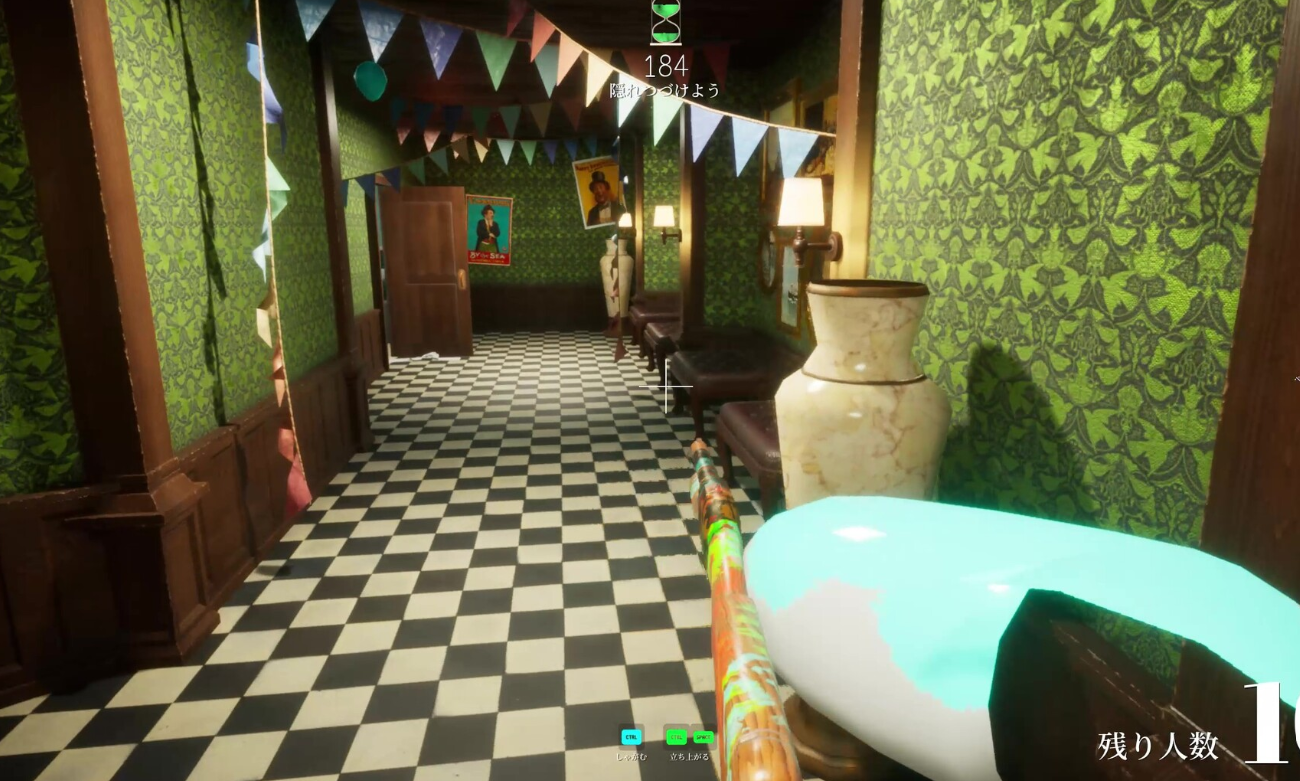
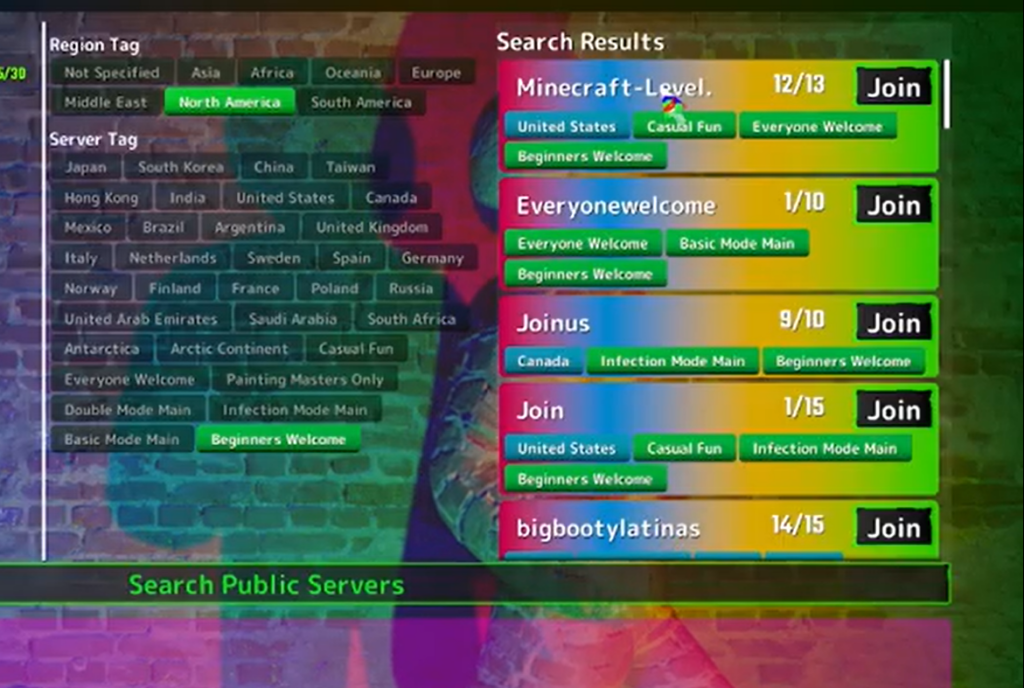
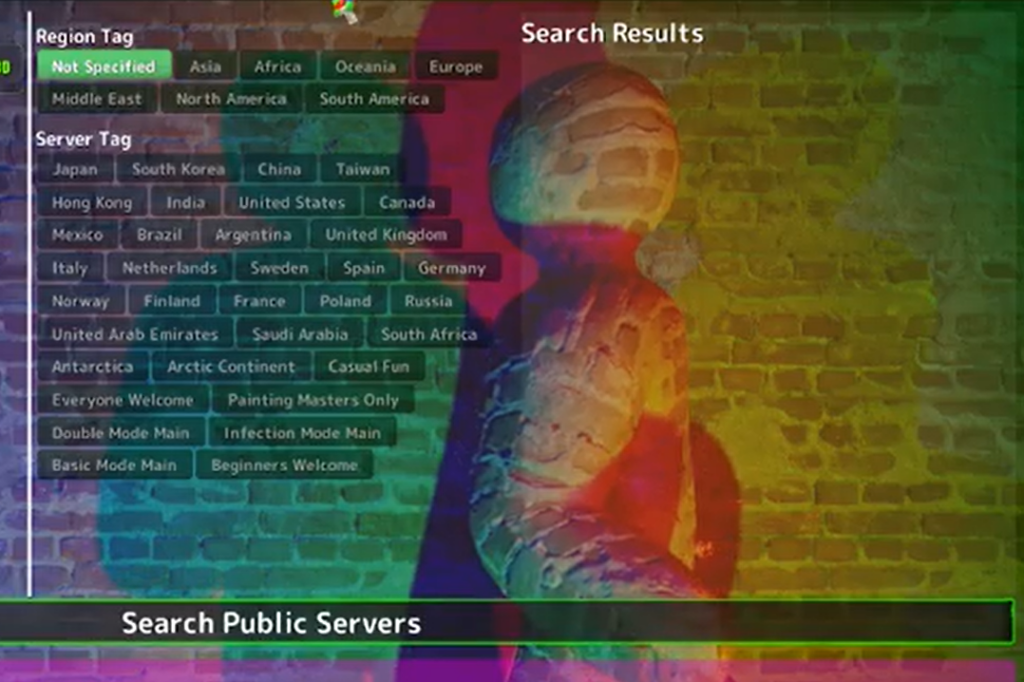
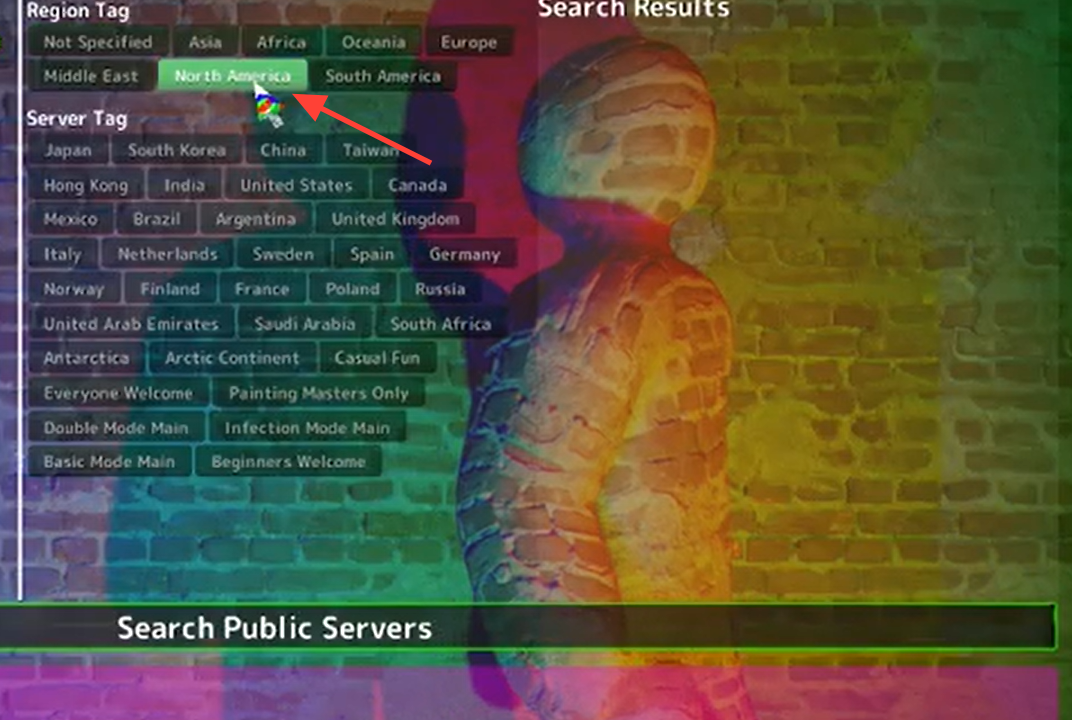
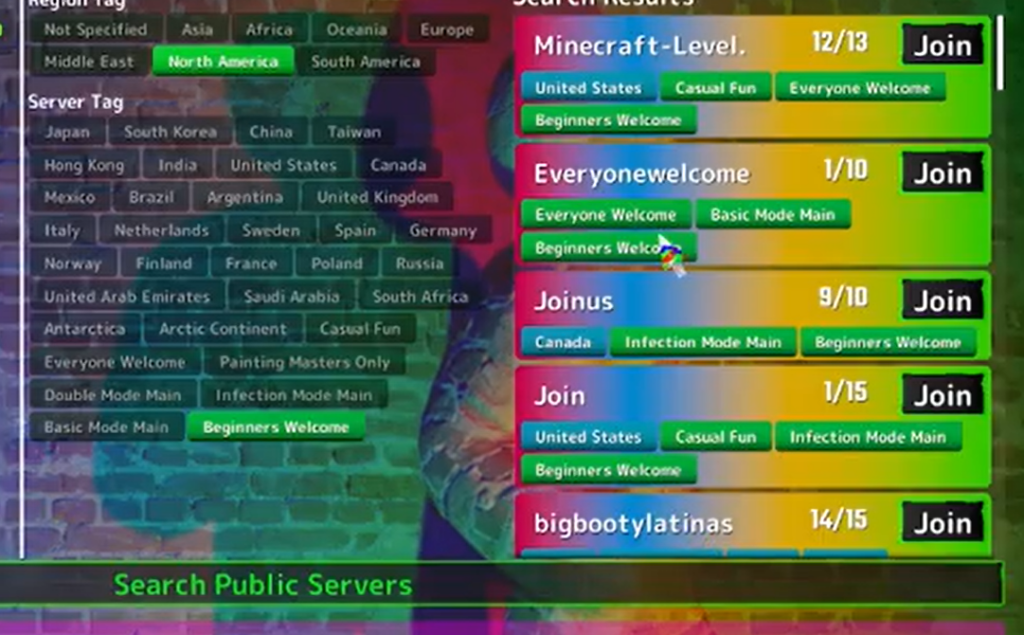
MECCHA CHAMELEON runs its entire online mode through an in-game server browser, and that browser is where public lobbies live. You don’t need a pre-made group to play. From the main menu, you can browse or quick-join open rooms hosted by dedicated servers and other players, then jump straight into a round of paint-yourself hide-and-seek.
Quick answer: Yes. Launch MECCHA CHAMELEON, open the server browser from the main menu, sort by region and player count, and quick-join an open public lobby. You’re in the right place when you load into a pre-match lobby with other players before the round starts.
How public lobbies work in MECCHA CHAMELEON
Public matchmaking is the fastest way to play without organizing anyone. Each lobby holds 2 to 10 players, and the game automatically splits everyone into Hiders and Seekers when a round begins. Both dedicated servers and player-hosted public rooms show up in the same browser, so you can sort the list and join whichever room fits.
A lobby with roughly 3 to 8 active players usually means shorter waits and better-balanced hiding spots. The host picks the map before pressing Play, and a short countdown of about 15 seconds runs before roles are assigned. If you arrive after that timer expires, you may need to wait for the next round.
| Lobby detail | What to expect |
|---|---|
| Player range | 2–10 per lobby; host sets the cap |
| Ideal size | 4–8 players for balanced hide spots |
| Roles | Hiders and Seekers assigned automatically |
| Map | Host selects an official stage or a Workshop map |
| Countdown | About 15 seconds before roles lock |
| Voice | Proximity chat; only nearby players are heard |
Join a public lobby from the main menu
Public lobbies vs. private rooms
Both options live in the same browser, but they serve different goals. Public rooms are open to anyone who finds them, making them best for quick matches, learning maps, and streamer sessions. Private rooms are password-protected and built for a fixed group you want to keep playing with.
| Room type | Best for | Access |
|---|---|---|
| Public | Quick matchmaking, learning roles, streamer lobbies | Open; may have no password |
| Private | Friend groups and reused sessions | Password-protected, searched by exact name |
If you and a friend can’t get a private name search to work, both of you can join the same empty public server with 0 players and wait there together as a fallback.
Crossplay and platform requirements
MECCHA CHAMELEON is a Windows PC game on Steam, so public lobbies are PC-to-PC only. There is no PS5, Xbox, Nintendo Switch, iOS, or Android version, which means traditional crossplay does not apply. Everyone you play with needs the Steam copy installed. A Steam Deck counts as PC because it uses the same Steam library.
You may still see cross-region servers in the browser, such as a US host listed near an EU player. That is region networking, not cross-platform play. Each person needs their own purchased license; there is no free guest pass and no split-screen couch co-op.
- Own MECCHA CHAMELEON on Steam (App ID 4704690), one license per player
- Windows 10/11 64-bit PC with a stable internet connection
- The same game version as other players; let Steam update before joining
- A microphone is optional but helps with proximity voice
- For Workshop maps, every player must subscribe to the same Steam Workshop item
When public lobbies don’t appear or won’t load
Server search can briefly break for a few hours after a major patch. If the browser comes up empty or rooms won’t load, the fix is usually on your end before it’s anything else.
| Problem | Fix |
|---|---|
| No rooms show up after a patch | Restart the game, then verify game files in Steam |
| High ping in every lobby | Pick a region closer to you and rejoin |
| Desync or crash mid-round | Leave and join a fresh lobby after Steam finishes updating |
| Workshop map missing | Subscribe to the same Workshop item the host is using |
So if you were wondering whether you can just hop in and play with strangers, the answer is straightforward. Open the server browser, choose a nearby region, and join any active public room. As long as you’re on the latest version with other PC players, you’ll land in a lobby and be ready to paint yourself into the scenery within a round or two.