The Sulfur Cube is a passive slime-type mob arriving with the Chaos Cubed drop, and it behaves like nothing else in Minecraft. It eats a single block, locks that block inside its body, and then changes how it bounces, slides, or floats based on what it swallowed. The result is a creature built almost entirely around physics, which is why builders are already turning it into bowling lanes, hockey rinks, and monorails.
What the Sulfur Cube is in Minecraft
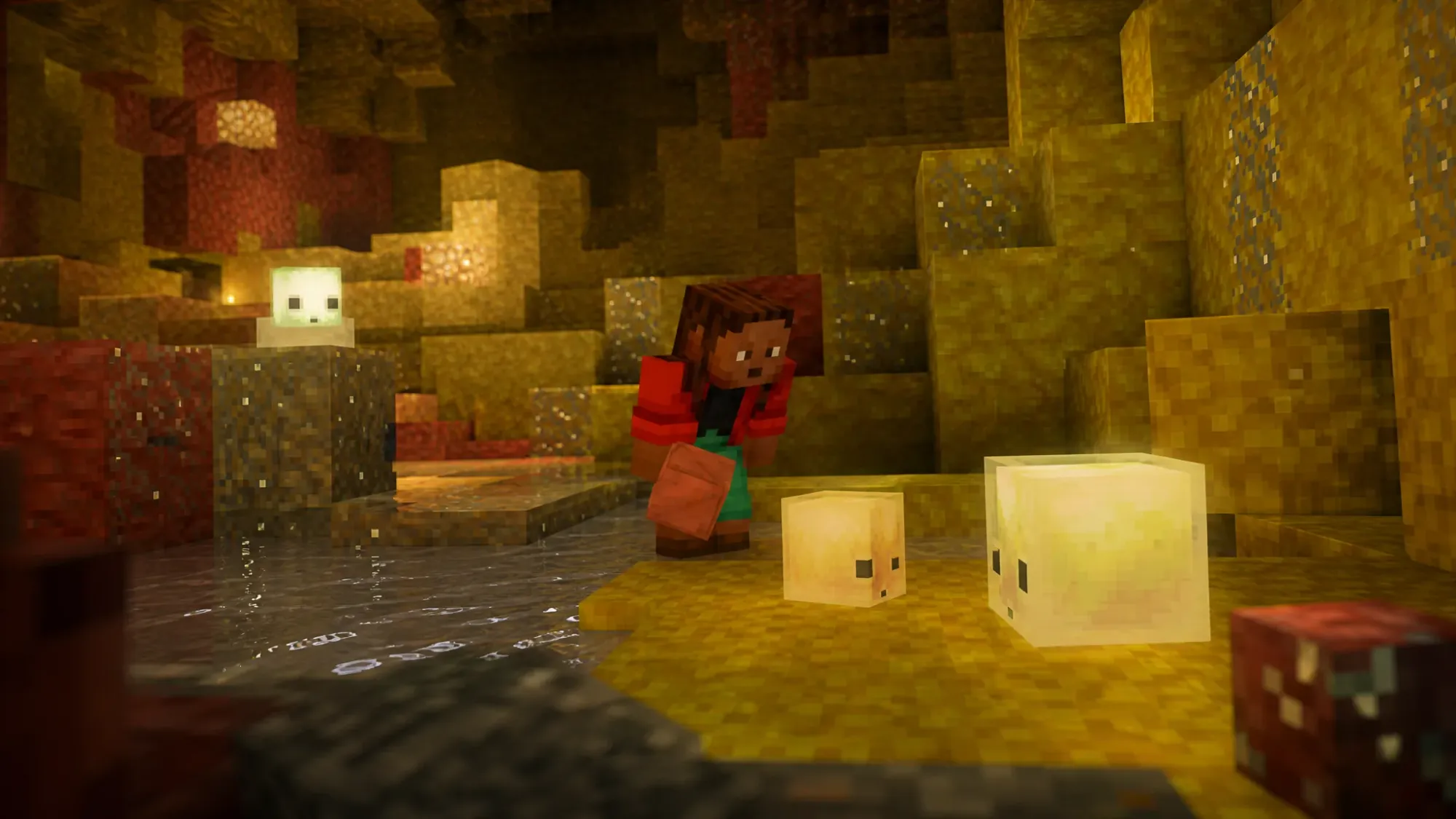
The Sulfur Cube is a pale, almost white slime that stands out against the warm red and yellow blocks of its home. It acts like its green slime and magma cube relatives, jumping around aimlessly, except it is completely passive and will not attack you.
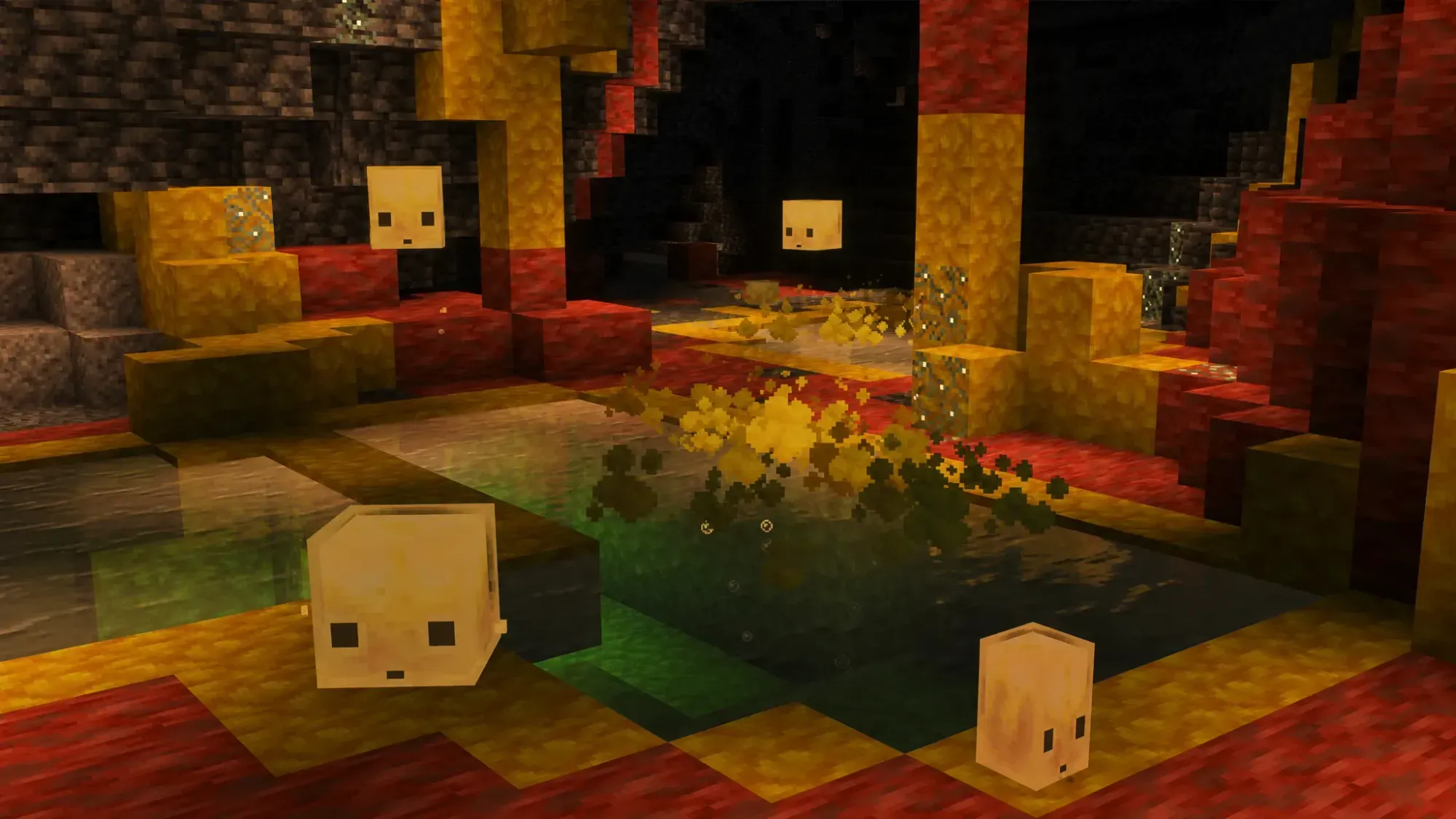
It comes in two sizes. The large cube has 8 hearts of health in Java Edition (9 in Bedrock), while the small cube has 4. Only the large cube can absorb blocks. Its favored food is the slime ball, and it can be picked up in a bucket much like an axolotl.
| Property | Detail |
|---|---|
| Behavior | Passive (counts as a monster, so it cannot spawn on Peaceful in older Bedrock builds) |
| Health | Large: 8 HP (Java) / 9 HP (Bedrock); Small: 4 HP |
| Spawn biome | Sulfur Caves, at light level 0 |
| Favored food | Slime balls |
| Capture | Empty bucket (large cube only), creating a Bucket of Sulfur Cube |
| Lead | Works only when the cube has absorbed a block |
Where to find a Sulfur Cube
Sulfur Cubes only appear in Sulfur Caves, a colorful underground biome added in the Chaos Cubed update. These caves generate at low Y-levels and are less common beneath oceans, hills, and mountains, so flat overworld terrain gives you the best odds of finding one.
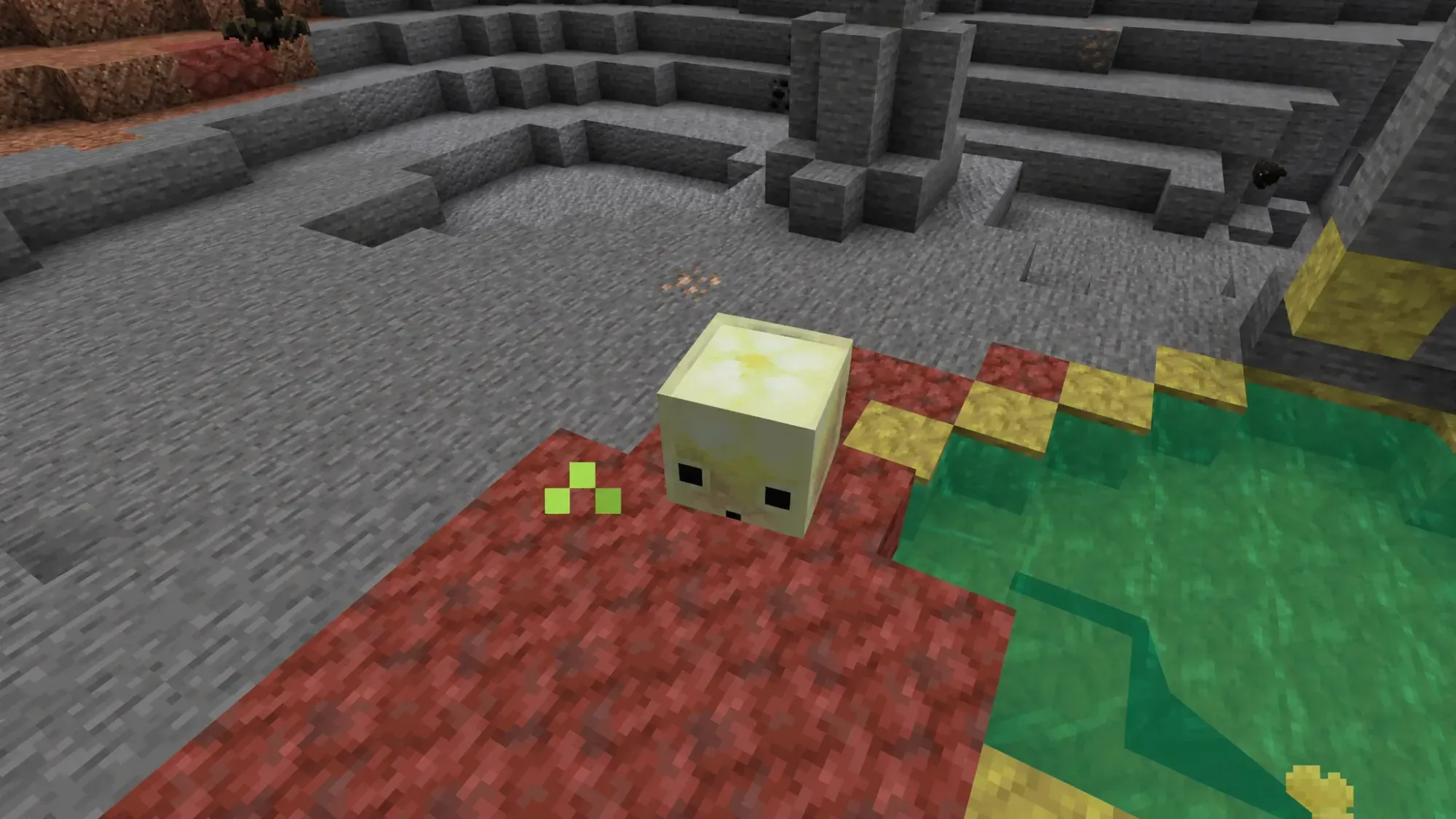
You will recognize the biome instantly by its yellow Sulfur blocks, deep red Cinnabar, and pointed sulfur spikes. There is also a surface shortcut. Sulfur springs generate on top of the Overworld above these caves, marked by little bubbles and a haze of noxious gas. Dig straight down beneath a spring and you will usually land in a Sulfur Cave.
If you would rather skip the wandering, you can point the game directly at the biome:
/locate biome minecraft:sulfur_cavesBlock absorption and all 12 archetypes
The defining trick is block absorption. A large Sulfur Cube will move toward an absorbable block dropped on the floor, or you can feed it directly by holding a block and interacting with it. A dispenser loaded with a block works too. Once it swallows a block, the cube stops moving, displays the block inside its body, and becomes immune to most damage.
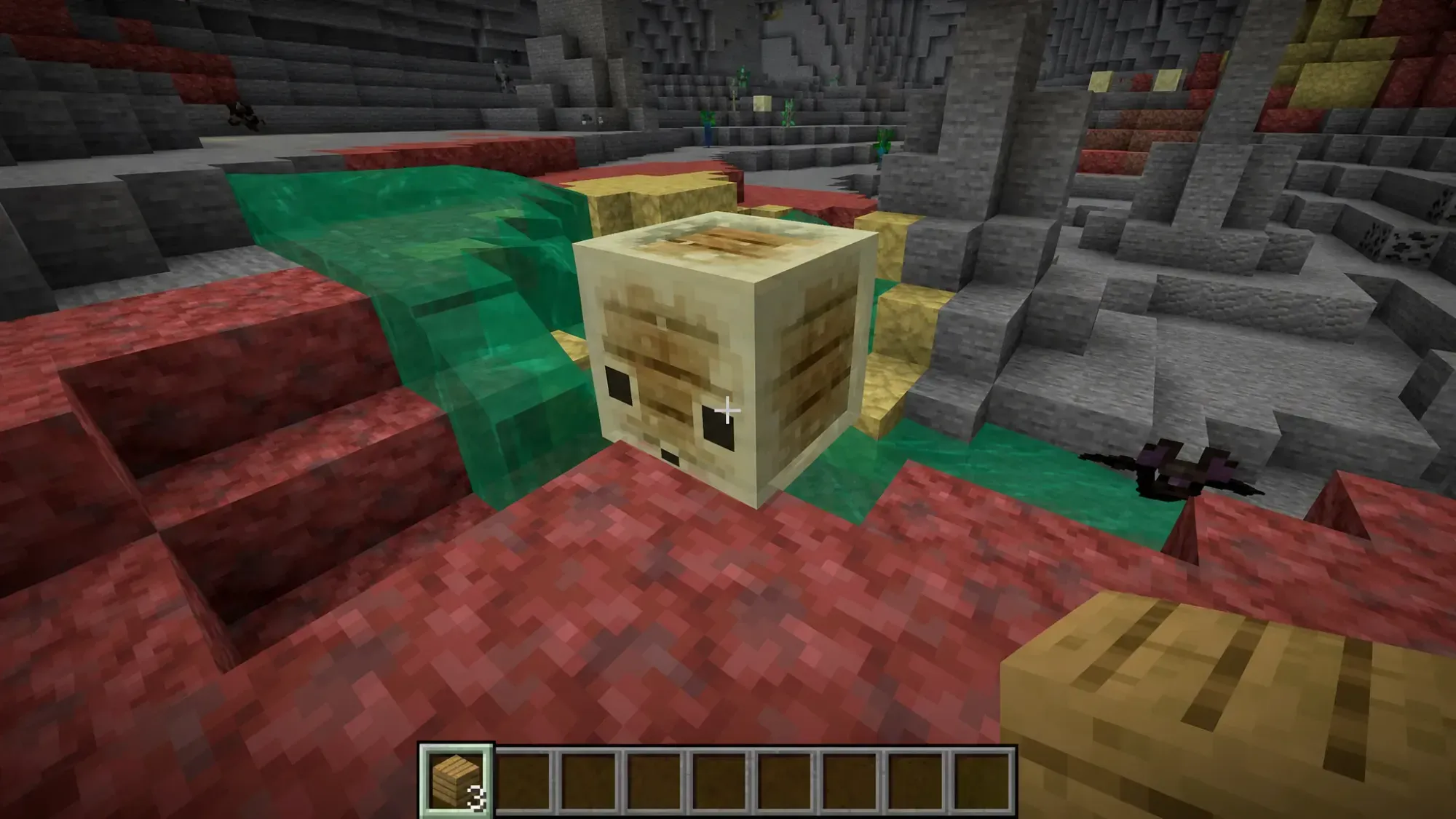
In that absorbed state, hitting the cube launches it like a ball instead of hurting it. Where you strike it decides the direction, and the damage that would have been dealt decides the distance. The block type sets the physics, sorting the cube into one of 12 archetypes that change its bounciness, friction, air drag, and knockback.
| Archetype | Block consumed | Effect |
|---|---|---|
| Regular | Dirt, mud, concrete, mineral blocks | Balanced, soccer-ball physics |
| Bouncy | Wood, logs, planks, bamboo, resin | Very light and very bouncy |
| Slow Flat | Metal blocks | Heavy and fast falling |
| Fast Flat | Organic blocks (coral, sponge, melon, hay) | Fast, low bounce |
| Light | Wool blocks | Floats and slow falls like a beach ball |
| Fast Sliding | Ice blocks | No bounce, glides like a hockey puck |
| Slow Sliding | Mushroom blocks | Slow, continuous drift like a curling stone |
| High Resistance | Soul sand and soul soil | Very heavy, no bounce |
| Sticky | Honeycomb block | Launches up, refuses to bounce or slide |
| Explosive | TNT block | Can be ignited and explodes |
| Hot | Magma block | Deals contact damage to entities |
| Slow Bouncy | Any stone, brick, or ore block | Slow speed with high bounce |
To swap behaviors, just feed it a new block. The old block pops out as an item and the new one takes over instantly. To get the cube moving freely again, use shears on it (or a dispenser loaded with shears) to drop the absorbed block.
While a block is inside it, the cube ignores melee hits, projectiles, explosions, falling anvils and stalactites, fall damage, freezing, and cactus. It still dies to fire, lava, suffocation, cramming, and the warden’s sonic boom.
How to duplicate a Sulfur Cube
There is no traditional breeding here, so you cannot pair two cubes to make a baby. Instead, you multiply them through splitting, which is how you turn one cube into a renewable population.
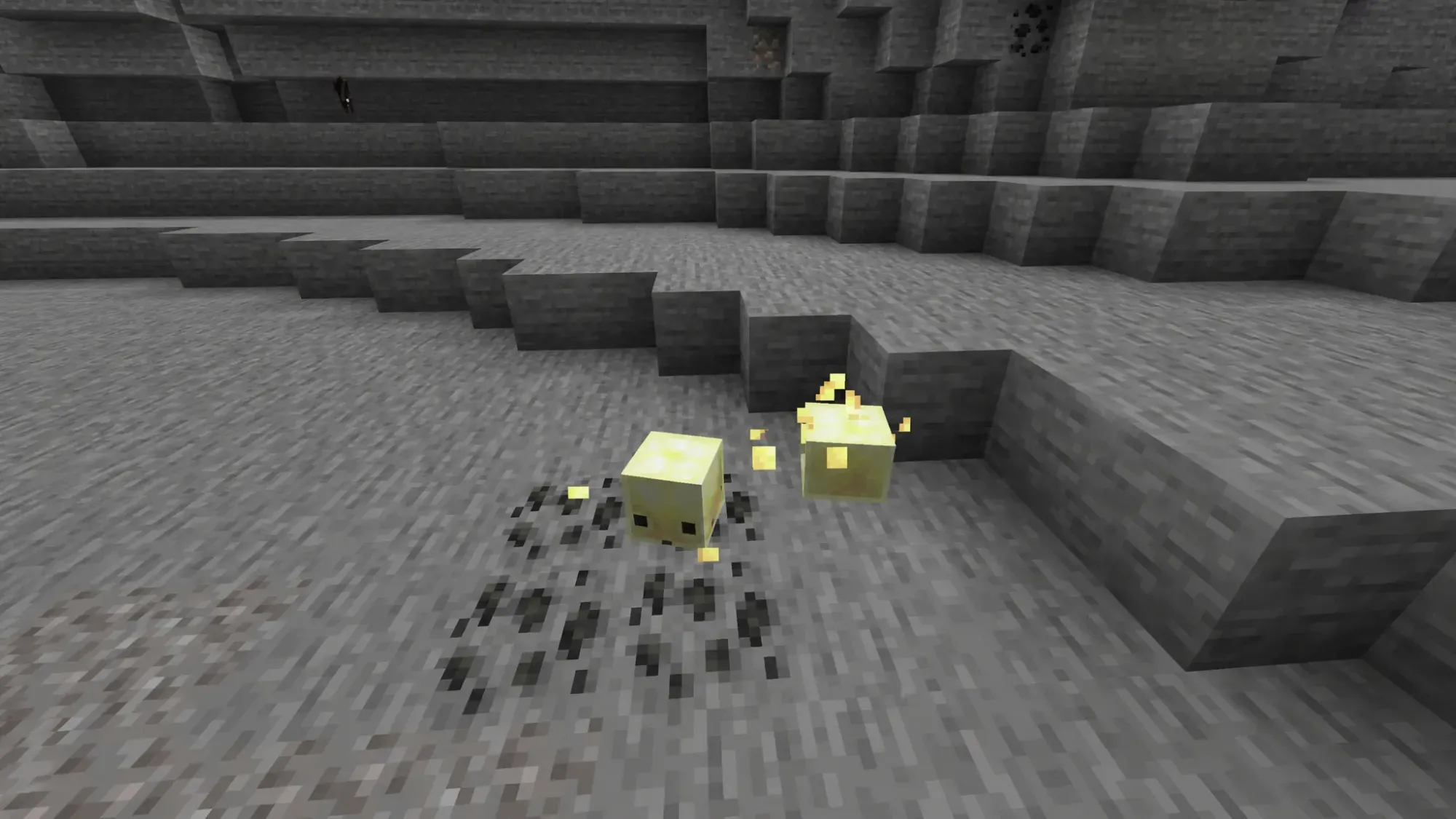
Once those two grow into large cubes, you can kill them again to repeat the cycle, slowly building a whole pen of cubes.
How to transport and keep a Sulfur Cube
Carting a cube back from the depths is simple. Use an empty bucket on a large Sulfur Cube to scoop it up, creating a Bucket of Sulfur Cube. Place the bucket anywhere and the cube pops back out, ready for use in an arena or contraption.
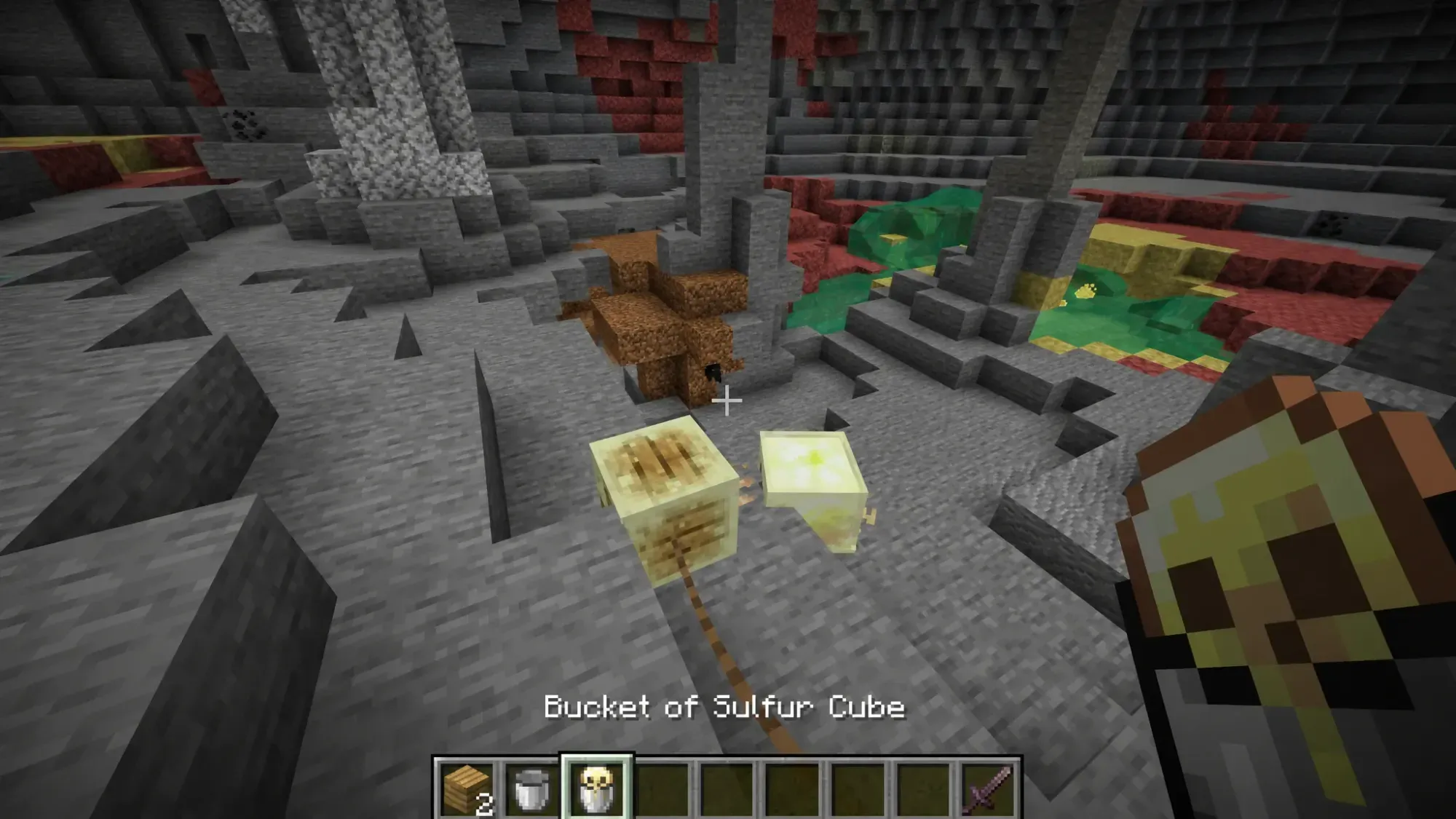
That bucket also slots into a dispenser, which spits out the cube on activation. This is the backbone of automated Sulfur Cube farms and redstone minigames. If a cube has already absorbed a block, you can also attach a lead and drag it around by hand.
Wild cubes despawn like other passive mobs, so name them to keep them. Apply a name tag with an anvil, and a named cube will persist even after being bucketed and placed back down. A bucketed cube also keeps its name, and if it is holding a block, the bucket tooltip shows that block’s name.
You will know everything worked when the cube sits still with a visible block inside it, takes knockback instead of damage when struck, and your small cubes turn into large ones after the growth timer ends. The Chaos Cubed drop is still being tested in snapshots and Bedrock previews through Minecraft’s official testing builds, so some textures and finer numbers may shift before it lands in the stable release.