Playing a milsim like Hell Let Loose: Vietnam alone strips out the tactical coordination that makes it work, so getting a squad together matters. The game handles friends, invites, and cross-platform matchmaking through Epic Games, and once that connection is in place you can form a private unit before you ever load into a match.
Quick answer: Sign in to Epic Games Services in-game using the helmet icon, add friends who are on the main menu, then queue together so you drop in as one unit. To control crossplay, open Enlist, expand the Server Type filter, and pick Console + PC, PC Only, or Console Only.
Link an Epic Games account first
Every social feature in the game runs on the Epic Games platform. Before you can invite friends, queue as a group, or use the friends list, you need an Epic Games account. This applies no matter which platform you play on, whether that is Steam, PlayStation, or Xbox.

You will know the link worked when the social features become available back in the main menu. That includes the friends list tied to your platform, so your Steam contacts, for example, carry over without needing to be re-added.
Add friends and queue as a unit
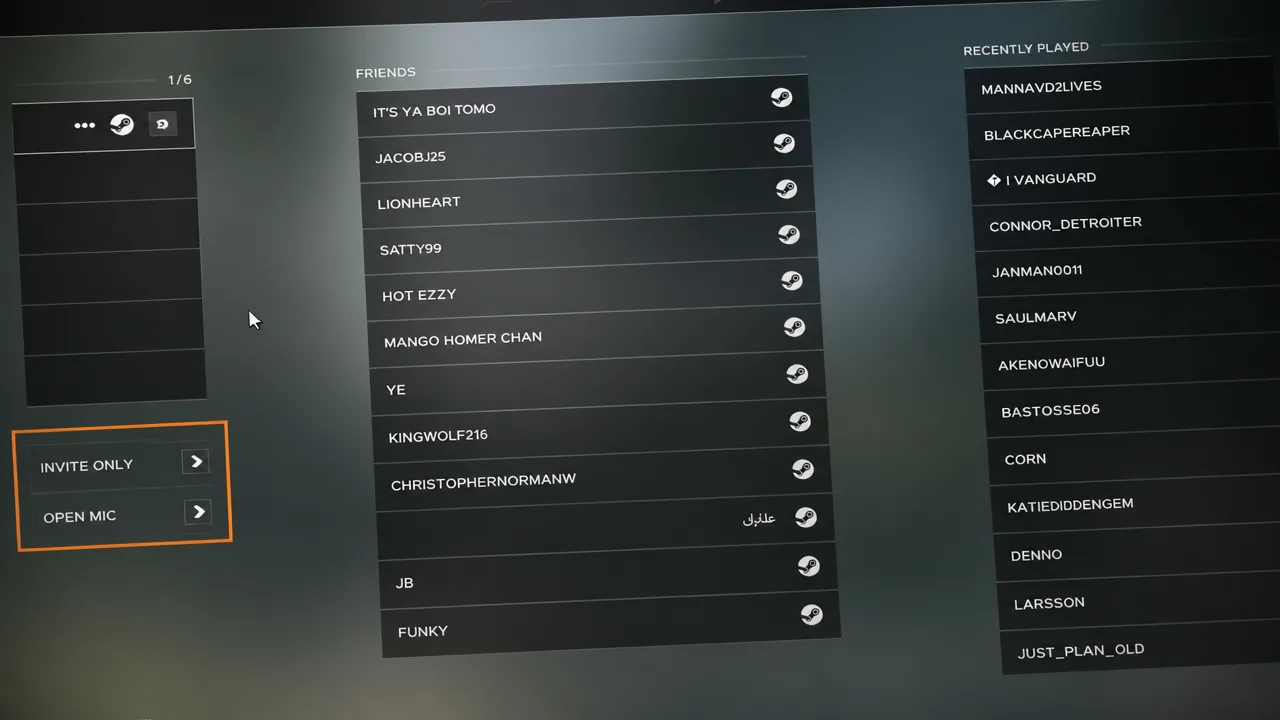
The friends screen is also where you set lobby access, using the Invite Only and Open Mic buttons to control who can join and how voice chat behaves for the group.
Turn crossplay on or off
Crossplay in Hell Let Loose: Vietnam is handled through a server filter rather than a single toggle, so you decide who you match with by choosing which servers you browse.
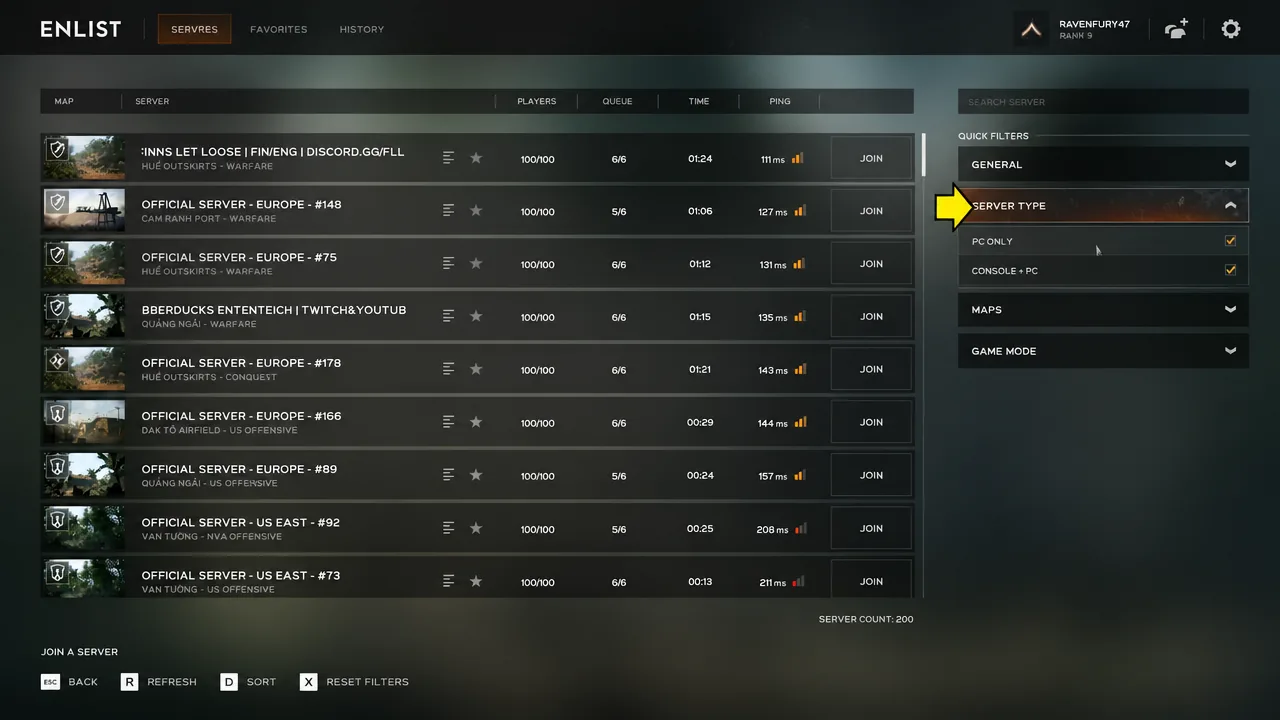
The filter options break down like this depending on where you play.
| Platform | Server Type options |
|---|---|
| PC | Console + PC, PC Only |
| Console | Console + PC, Console Only |
Most official servers run with crossplay enabled. If you specifically want a PC-only or console-only match, you will generally need to look on community servers to find one. You earn the same amount of XP on community and official servers, though some community servers enforce their own rules, such as requiring communication in a specific language.
If you host a community server yourself, you get a direct choice to turn crossplay on or off for that server when you set it up.
With the Epic account linked and your unit locked, the whole group drops into the same server in the same squad, and the Server Type filter keeps you matched with the platforms you want to play alongside.