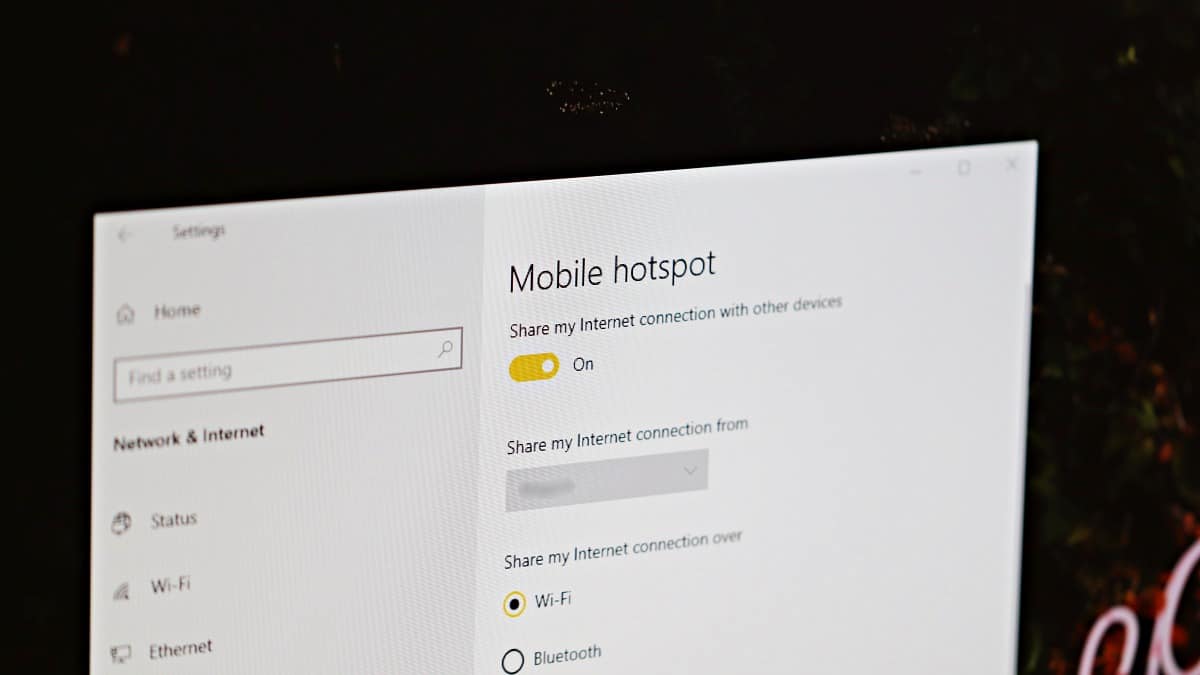
If you don’t have a Wi-Fi router but need to connect your iPhone to the internet, your Windows 10 computer can come to the rescue. By turning your laptop or PC into a Wi-Fi hotspot, you can share your computer’s internet connection with your iPhone and other wireless devices.
Use Windows 10’s Mobile Hotspot Feature
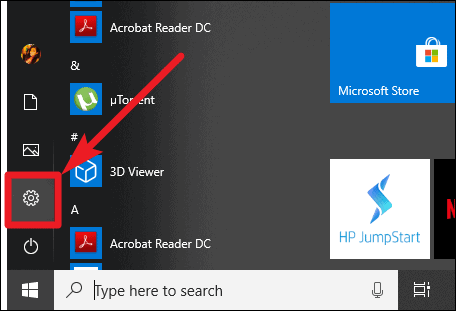
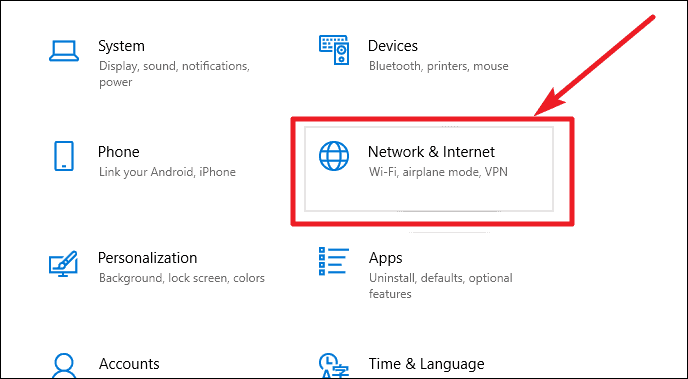
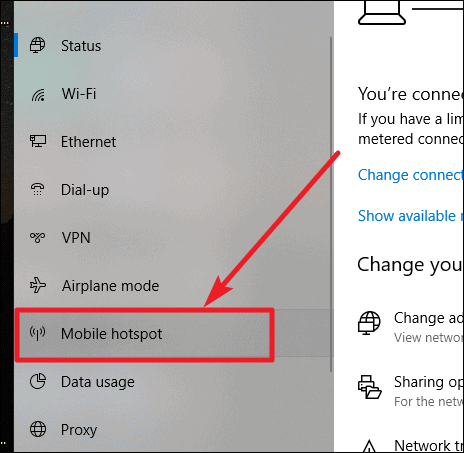
The simplest way to share your PC’s internet with your iPhone is by using Windows 10’s built-in Mobile hotspot feature. This allows you to create a Wi-Fi network from your computer’s internet connection, which your iPhone can join just like any other Wi-Fi network.
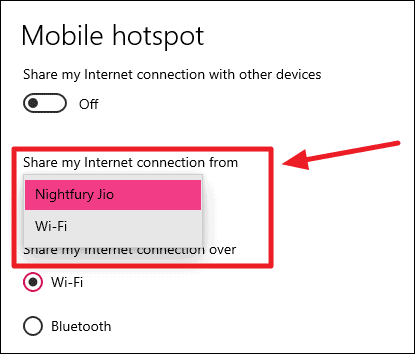
💡 Tip:
If your PC is connected to the internet via Ethernet, consider selecting Ethernet as the source for sharing. This often provides a more stable connection for devices connecting to your hotspot.
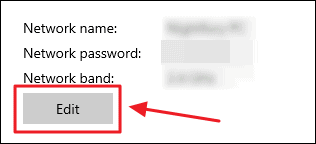
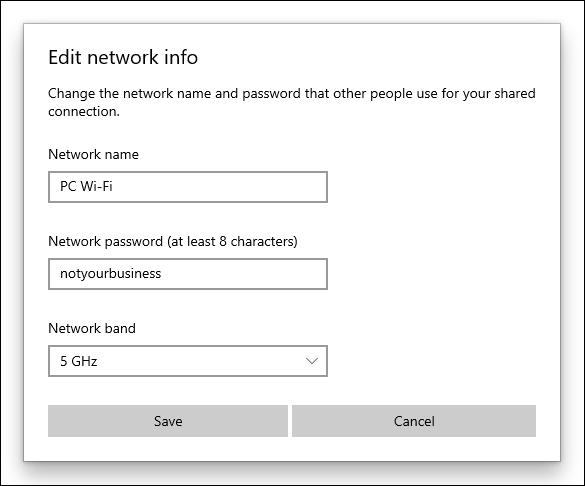
💡 Why Choose 5GHz Network Band:
If you have a high-speed internet connection (like 100 Mbps), setting the network band to 5 GHz allows connected devices to utilize higher speeds. Using 2.4 GHz might limit the speed to around 30 Mbps, whereas 5 GHz can provide speeds closer to your maximum bandwidth.
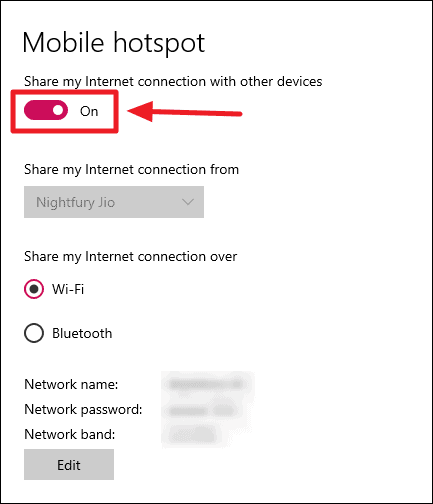
Your Windows 10 PC is now broadcasting a Wi-Fi network. On your iPhone, go to Settings > Wi-Fi and connect to the network you just created using the password you set.
Use Third-party Software to Create a Wi-Fi Hotspot
If you’re using an older version of Windows (like Windows 7, 8, or XP) or need to connect more than eight devices (Windows 10’s Mobile hotspot supports up to eight devices), you can utilize third-party software like mHotspot to share your PC’s internet with your iPhone. mHotspot is a free and user-friendly application.
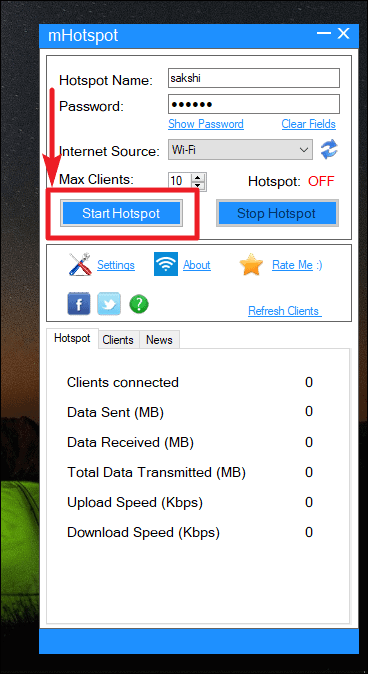
Your PC is now acting as a Wi-Fi hotspot. On your iPhone, navigate to Settings > Wi-Fi and connect to the hotspot you just created.
With these methods, you can easily share your PC’s internet connection with your iPhone. Whether you’re using Windows 10’s built-in feature or opting for third-party software, staying connected is straightforward and convenient.