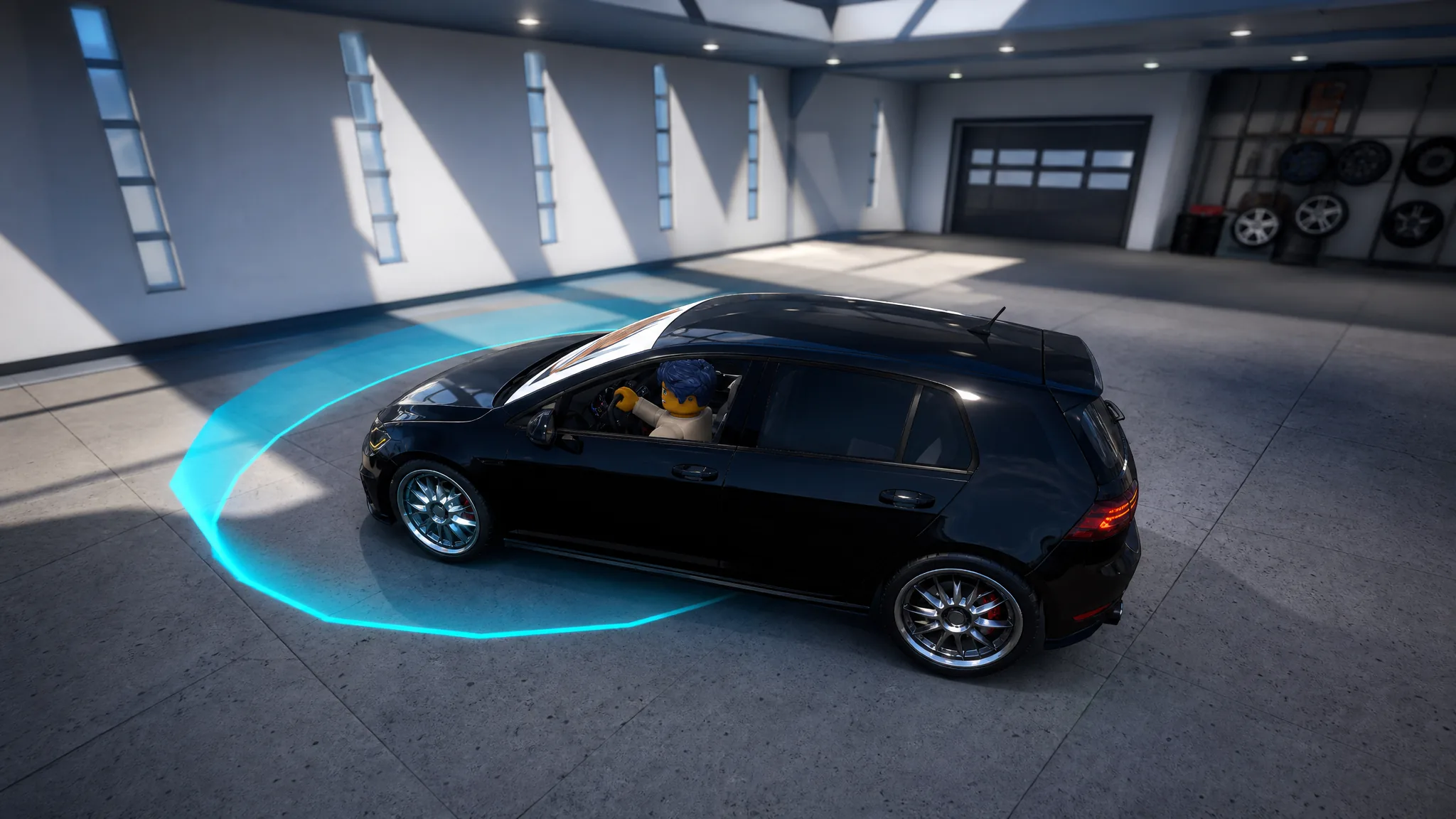
Window decals are the fastest way to change how your car looks in Ghost Driver, and they cost nothing to apply. Each decal is tied to a numeric ID that you paste into the Customization menu, and the game loads the matching image onto your windows right away.
Quick answer: Spawn a car, drive to the Customization area behind the Dealer Showroom, open Cosmetics, pick Window Decals, then paste an ID such as Burning Fire (83331062208702) into the ID box to apply it.
50 working Ghost Driver window decal ID codes
The IDs below cover graffiti, anime, neon signs, and abstract art that fit most cars. The most-used ones right now are Burning Fire, Drift, One Piece, Troll Face, and Ghost Pilot. Copy the exact number and paste it into the Window Decals field.
| Decal name | ID code |
|---|---|
| 88 Number | 1209874177 |
| Audi (Bad Version) | 104979822662796 |
| Basta Driver | 92888509214734 |
| Blacklisted | 6246417936 |
| Blood | 81087738365004 |
| BMW Gang | 996325606 |
| Brand | 13612916115 |
| Burning Fire | 83331062208702 |
| Burning Skeleton | 253187733 |
| Catch Me If You Can | 105987768800374 |
| Claws | 2085208867 |
| Cool | 10054037907 |
| Cool 2 | 10036013098 |
| Crying | 9329919118 |
| Crying Skeleton | 126158613529152 |
| Demon Slayer | 98392772406586 |
| Dragon | 984416052 |
| Drift | 2085123225 |
| Fear of Angels | 113066349588546 |
| Ghost Pilot | 12752534997 |
| Green Mist | 13408590027 |
| High Cross | 138885719079036 |
| JDM | 17382609700 |
| Just Drive | 706400494 |
| JW | 6306375777 |
| Low n Slow | 135410178449714 |
| LowLives | 3637858948 |
| Manila | 85304000619907 |
| Manes | 4557315144 |
| Mc queen set | 90945930631629 |
| Midnight | 6306378837 |
| Moon Demons | 5512135095 |
| My Driving Scares me too | 4571563265 |
| One Piece | 9991703850 |
| Only Music Can Save Us | 80058143211486 |
| Pandora One | 441742068 |
| Police | 4040044756 |
| Pop Guys | 16021750790 |
| Rock On | 14603325446 |
| Scared | 112099321463894 |
| Sheepey Built | 102200504815997 |
| SLP | 6962074195 |
| So, you like my Car? | 843217923 |
| Surge | 119267303799757 |
| Sweetheart Castle | 137310984720062 |
| This Sticker Adds 10 HP | 441310987 |
| Troll Face | 16354043139 |
| VTEC Club | 811845060 |
| White Beard | 14954247413 |
| Wild n Out | 2796776877 |
| Zoro | 14305894345 |
Apply a decal ID in the Customization menu
Equipping a decal is free, and no gamepass is required to decorate your car.
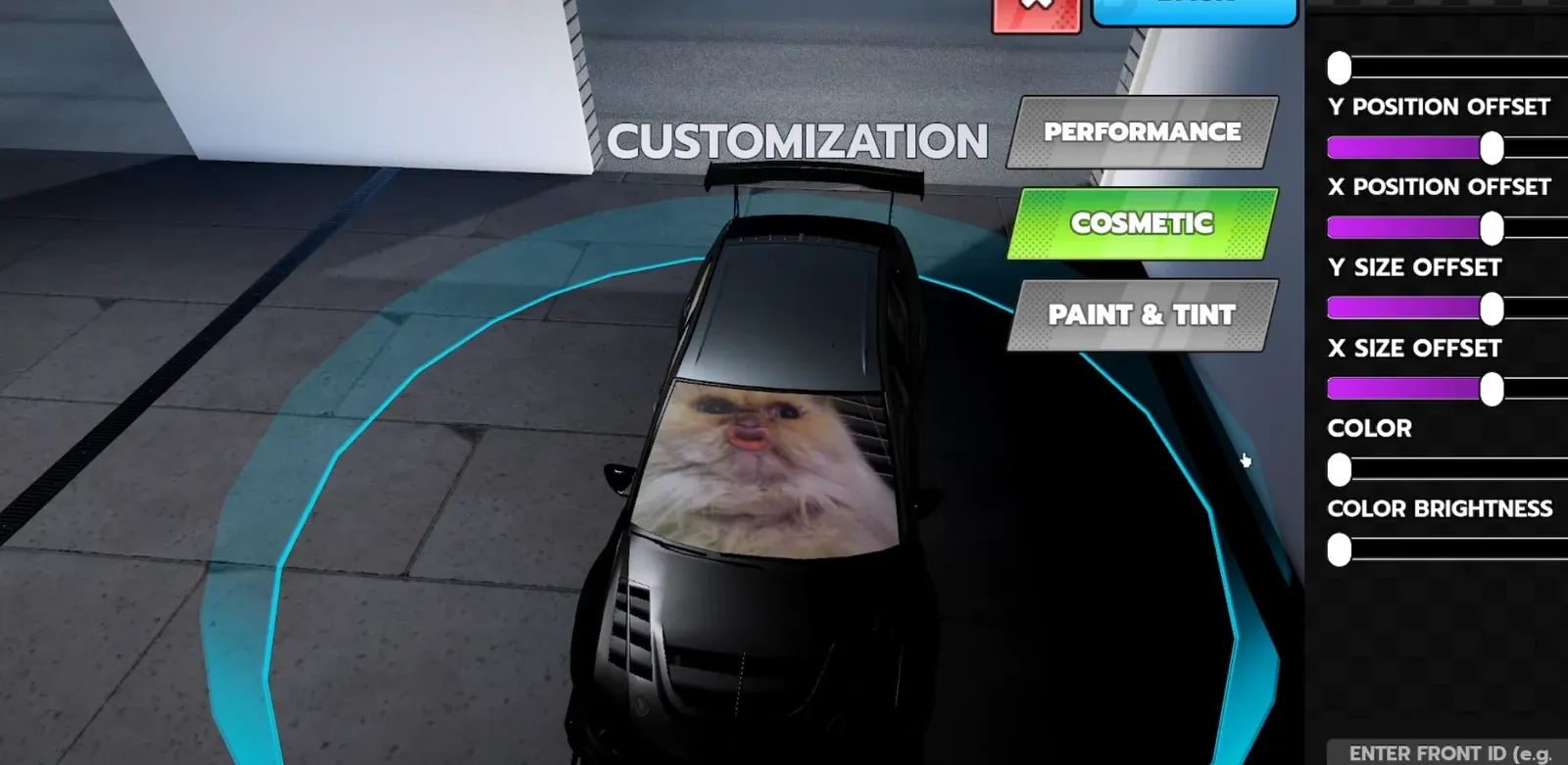
You know it worked when the pasted image appears on the chosen window position, such as the front windshield or rear window. If nothing loads, recheck that the number is copied in full with no extra spaces.
Upload your own custom decal
If none of the codes match your style, you can turn any image into a decal by uploading it to Roblox and using its Texture ID.
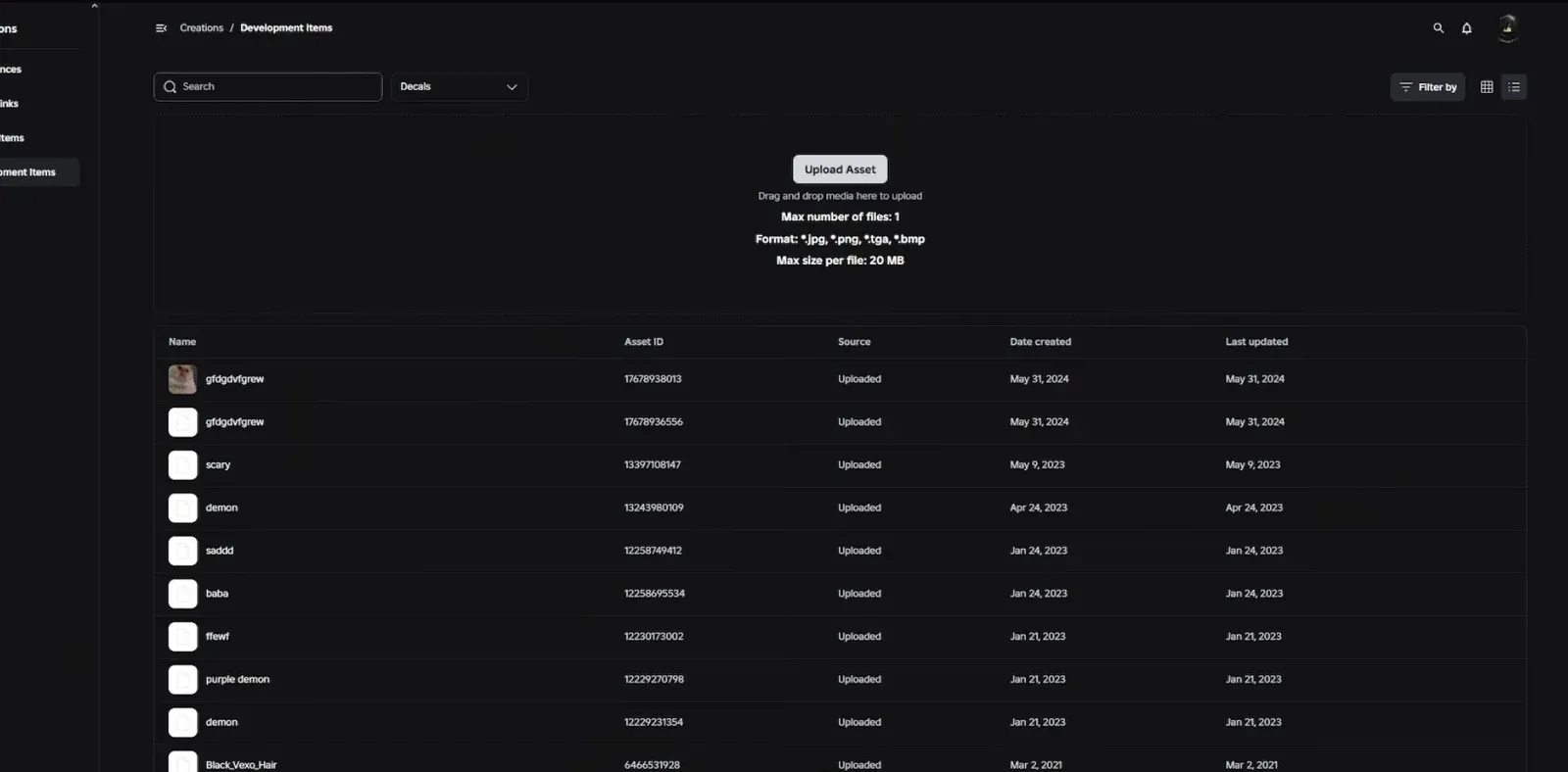
Note: Uploaded images must pass Roblox moderation before they display, so a brand-new decal may take a short time to appear in game.
Mix and match these IDs across the front, side, and rear windows to build a look that stands out on the server, and swap in a custom Texture ID whenever you want something no other driver has.