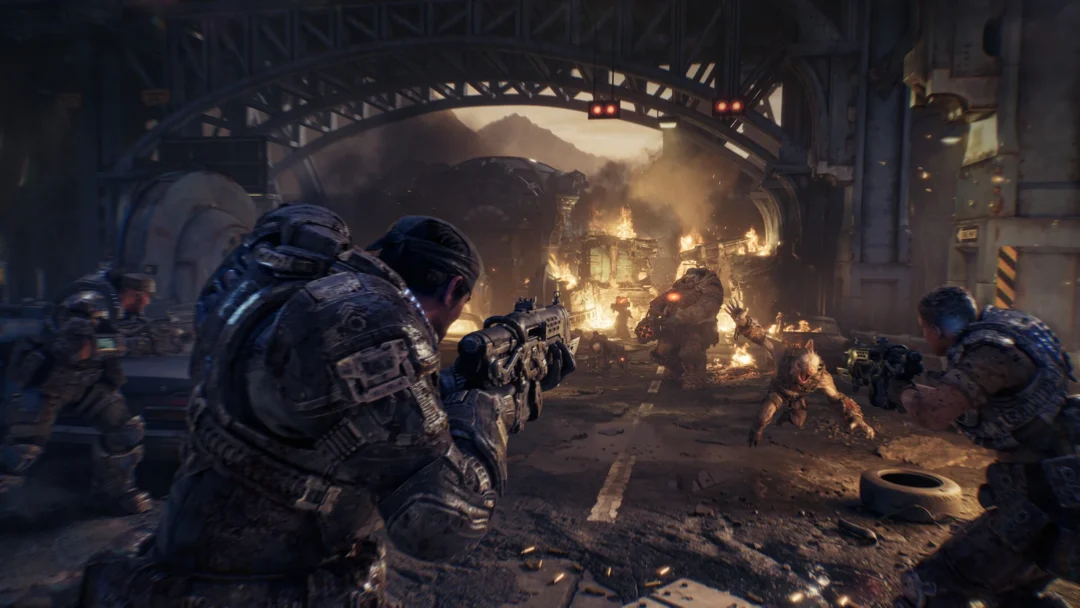
Active Reload is the timing trick at the heart of every firefight in Gears of War: E-Day, and in this game it feeds directly into a separate system called Perfect Ammo. Land the timing and your fresh rounds come up yellow, carrying whatever bonus your weapon’s Perfect Reload Mod grants. There’s no tutorial card for any of it, so the mechanic lives entirely in the mod screens at a Supply Cache.
Quick answer: Hit reload once more and halt the white marker over the slim yellow band bordering the highlighted area. The loaded rounds appear yellow as a Perfect Reload, and that Perfect Ammo receives the bonus from the weapon’s Perfect Reload Mod.
Where the Active Reload bar appears
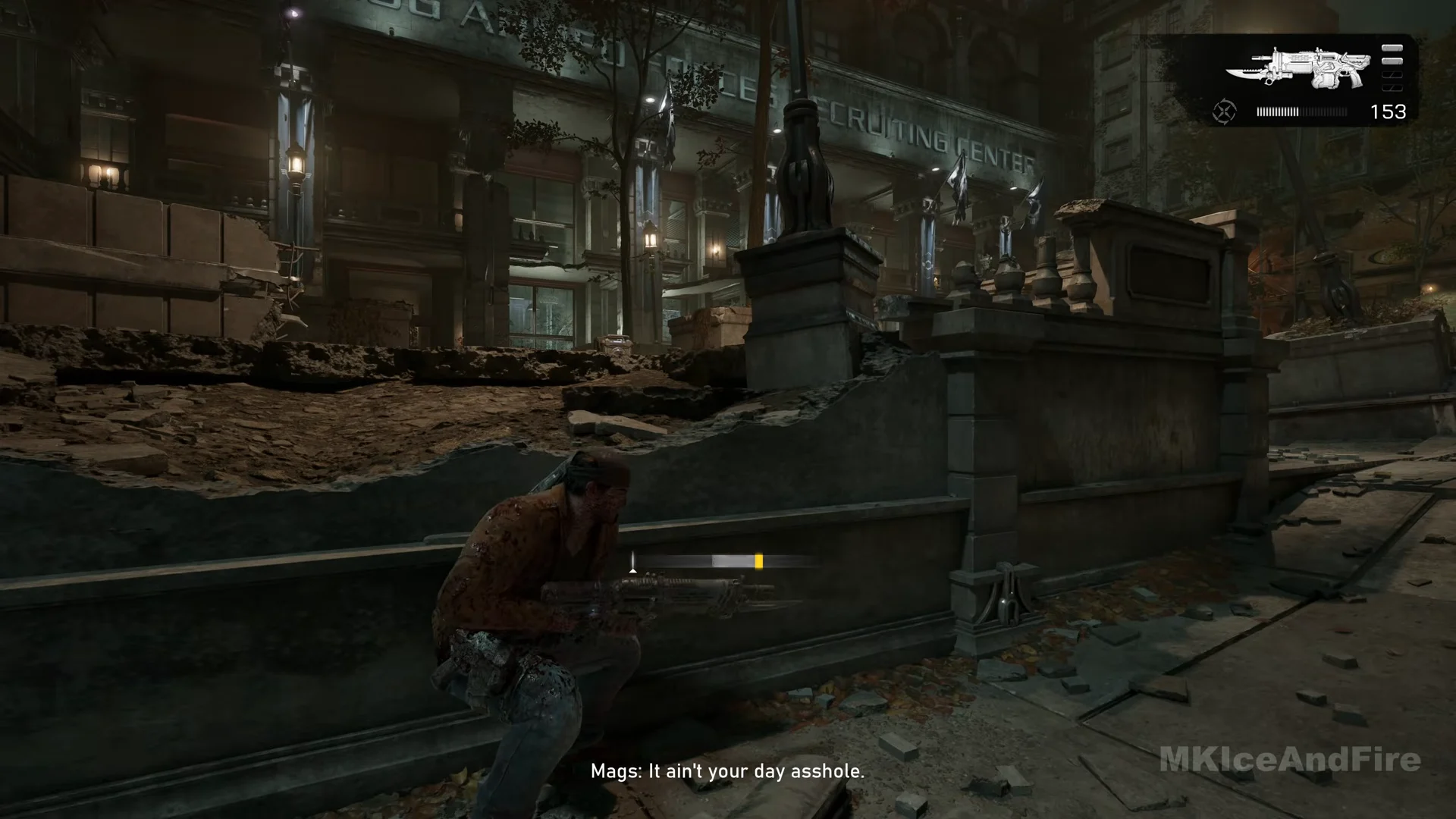
Whenever you reload by hand, a compact meter appears near screen center, slightly below halfway, and remains visible through the animation. It consists of a dark horizontal track and a white marker: a narrow upright line with a little triangle beneath it. The marker begins at the track’s left side and travels right. Along the track is a light-grey section, with a slim vivid-yellow band at one of its ends.
As the marker passes through the highlighted section, tap reload again; release it over the yellow band to trigger a Perfect Reload. Aim for that band to trigger a Perfect Reload with the timing bar.

The yellow band’s position varies by gun, so check its meter before pressing reload. For the Lancer Mk1, the grey section occupies the bar’s center and the yellow band borders its right side. The Gnasher meter adds white shell marks on the left; here, yellow appears at the grey section’s left edge. After checking a weapon’s layout once, the timing becomes muscle memory.
Duck into cover before you reload and watch the bar instead of the enemy for that one second. It’s the only safe way to read the timing on a weapon you’re still learning.
How to confirm a Perfect Reload landed
Check the weapon panel in the upper-right corner for confirmation. A small circular reload symbol appears just before the magazine meter; under normal conditions, it is greyed out, and the meter’s rounds appear white.
When you land a Perfect Reload, the symbol turns yellow, as do the rounds loaded in that action. Ammunition already in the magazine remains white at the bar’s front, distinguishing it from the newly added Perfect Ammo. After the yellow rounds have all been used, the symbol fades back to grey and the effect ends until another Perfect Reload.
Perfect Reload Mods: what Perfect Ammo does on each weapon
The effect of the yellow ammunition is set by the weapon’s Perfect Reload Mod. Each weapon has its own dedicated mod slot, shown on its panel at a Supply Cache as a single row titled PERFECT RELOAD MOD above the three numbered mod slots. The row is never empty; selecting it brings up a menu headed PERFECT RELOAD MODS. Full Metal Jacket is the starting choice on most guns and increases damage from Perfect Ammo.
| Weapon | Perfect Reload Mod | What Perfect Ammo does |
|---|---|---|
| The weapons with this slot are the Prototype Lancer, Lancer Mk1, Gnasher, Breechshot, Snub, and Longshot. | Full Metal Jacket | More damage |
| Hammerburst | Springloaded Mag | Higher fire rate |
| Gut-Puncher (default) | Shaped Charge | More damage |
| Gut-Puncher (option) | Overcharged Ammo | Wider explosion radius |
A weapon can carry just one Perfect Reload mod, making the options mutually exclusive rather than cumulative. The Gut-Puncher shows why the selection matters: it begins with Shaped Charge, which boosts damage against one target, while Overcharged Ammo replaces it with a broader blast suited to groups. Since each Gut-Puncher shot functions like a grenade, a well-timed Perfect Reload is especially important compared with using a rifle.
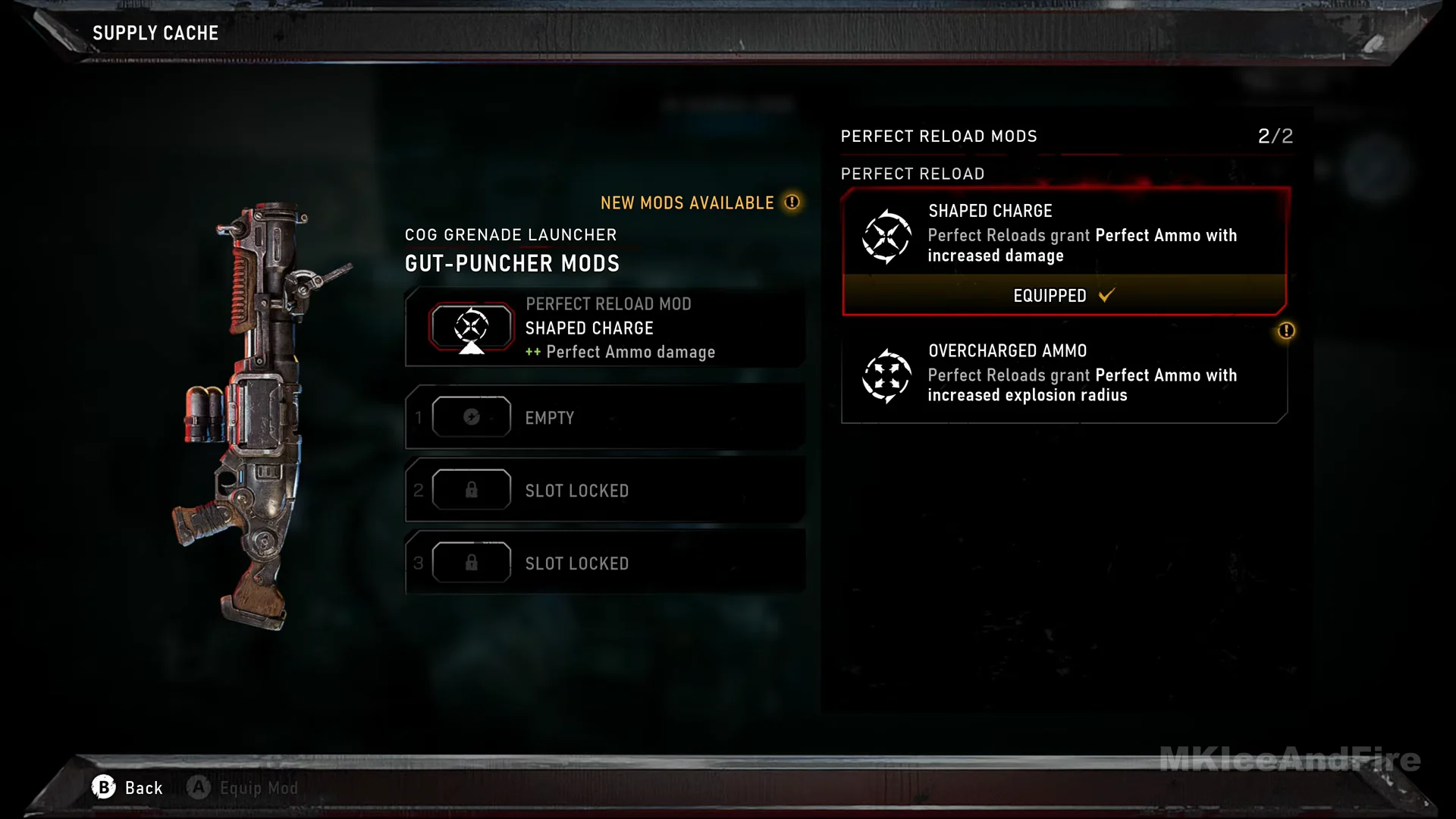
Additional mods are scattered around the world. In Hold the Line, a Hard Case awards Springloaded Mag for the Gnasher and Hardened Ammo for the Breechshot; look for the reload icon to identify both. Change Perfect Reload mods at a Supply Cache. To see a weapon’s current Perfect Reload mod during a mission, hold Tac-Com (LB); its name appears beside the gun.
Mods that grant a Perfect Reload without timing
You don’t always have to hit the yellow strip. Several armor, weapon and Tactical Gear mods simply hand you a Perfect Reload for pulling off certain plays:
- Chainsaw Autoloader (Prototype Lancer) — chainsaw executions grant a Perfect Reload.
- Proximity Reload (armor) — Get a Perfect Reload from kills made at close range.
- One Shot (armor) — A critical kill triggers a Perfect Reload.
- Blood Mag (armor) — an execution fills the Perfect Magazine to capacity.
- Mag Triage (armor) — getting a Perfect Reload heals you.
- Reflex Compound (Adrenaline Injector) — an Active Reload grants a Perfect Reload while Adrenaline is running.
Reflex Compound also spells out something the bar already hints at. The game treats an Active Reload and a Perfect Reload as two different results. Stopping the pointer in the marked grey zone is the lesser Active Reload; stopping it on the yellow strip at the edge is the better Perfect Reload that produces Perfect Ammo. While Adrenaline is active, Reflex Compound upgrades the first into the second for you.
Reload speed mods are separate
Don’t confuse Perfect Reload bonuses with how fast the animation plays. Speed is its own stat handled by other mods. The Gnasher’s Slick Breech gives greatly increased reload speed, and the armor mod Smooth Operator improves aim, weapon swap and reload speeds together. Neither touches Perfect Ammo — they just shorten the time you spend reloading.
Put it all together and the rhythm is simple. When a heavy target is coming, top up before your magazine runs dry, because the yellow rounds are the ones carrying the bonus — and on the Gut-Puncher, those are the rounds you want in the chamber before the fight even starts.