The Splotcher is the base-painting tool added to Grounded 2 in the Rot and Ruin update. It fires colored paint at building pieces to tint them, and it works alongside a dedicated crafting station called the Splotch Mixer that produces the paint ammo. Both are tied to a single material you analyze, so unlocking them takes one research step before any crafting begins.
Quick answer: Analyze a Roach Chunk at an analyzer to unlock the Splotcher and the Splotch Mixer, craft both, then mix Splotches at the Mixer and fire them at structure pieces to color them.
Unlock the Splotcher recipe by analyzing a Roach Chunk
Take a Roach Chunk to an analyzer and research it. That single analysis unlocks the crafting recipes for both the Splotcher and the Splotch Mixer at the same time. Once the research completes, both entries become available in their respective build menus.
Craft the Splotcher at the Workbench
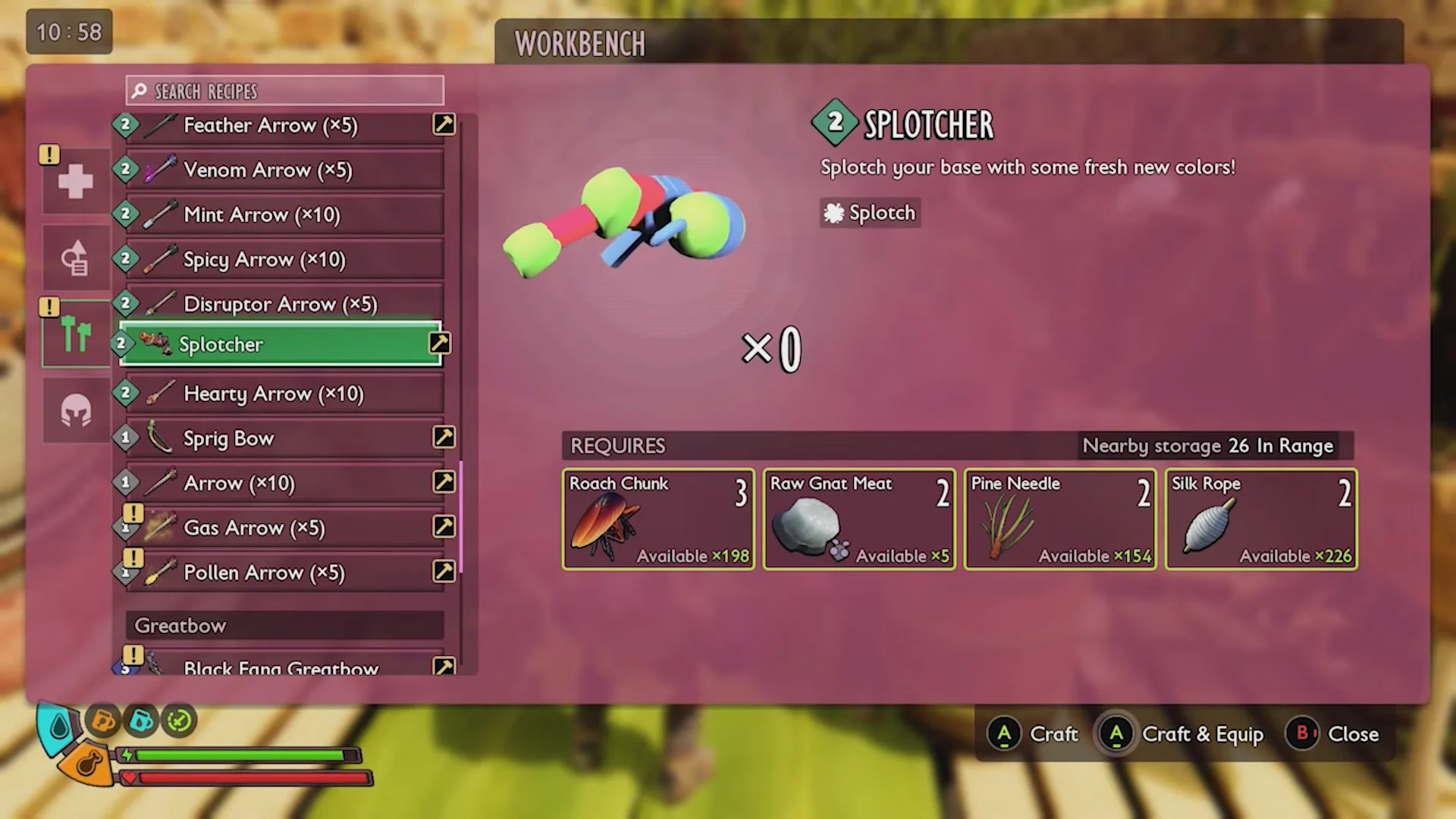
The Splotcher is built at the Workbench and appears under Ranged Weapons. Despite that category, it is a construction tool rather than a combat weapon, so it deals no damage. Gather the materials below and craft it.
- 3 Roach Chunk
- 2 Raw Gnat Meat
- 2 Pine Needle
- 2 Silk Rope
Build the Splotch Mixer from the Utilities menu
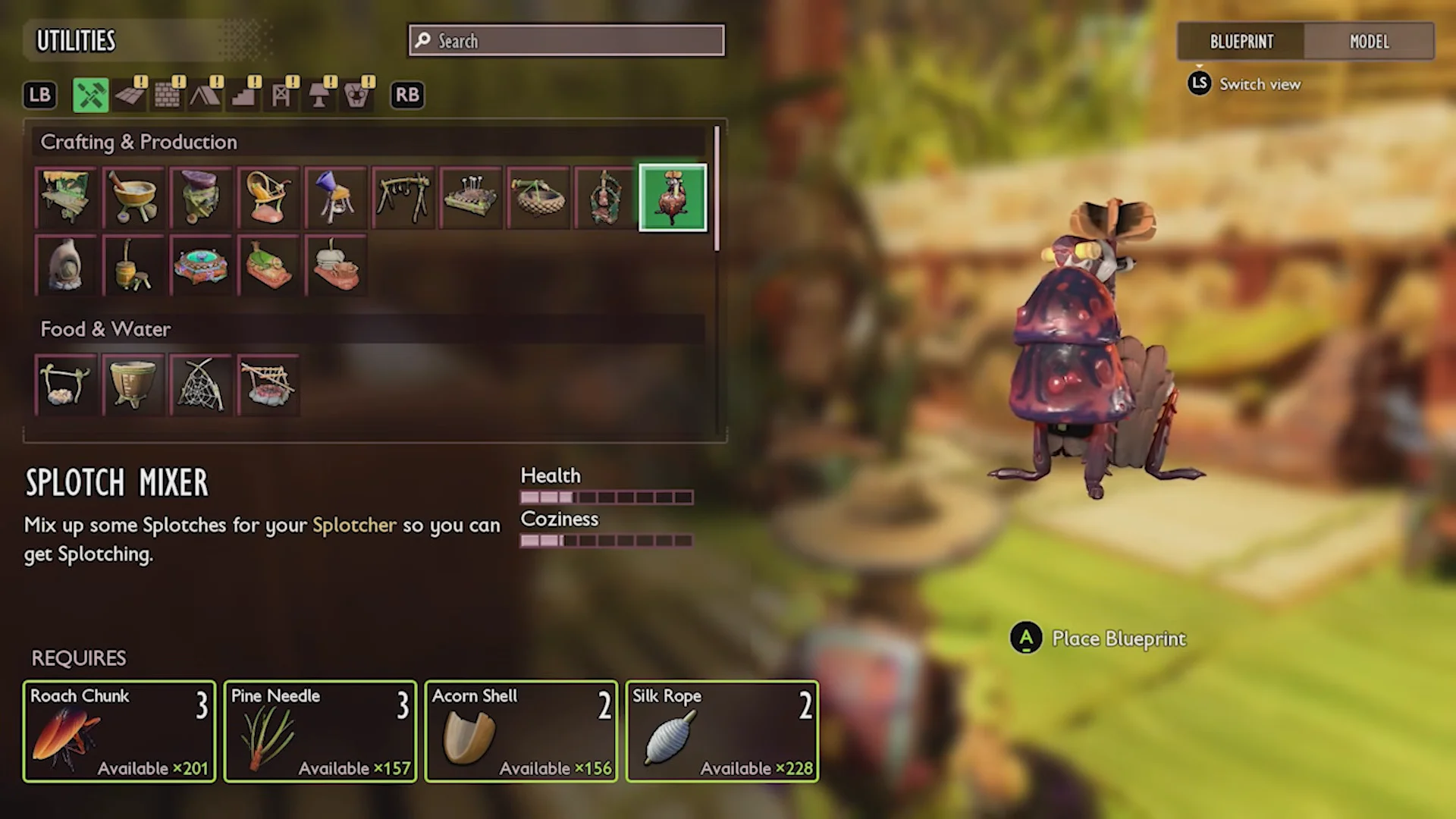
The Splotcher cannot fire anything until you have paint ammo, and that ammo comes only from the Splotch Mixer. It is placed as a blueprint from the Utilities building category. Set it down in your base using the materials below.
- 3 Roach Chunk
- 3 Pine Needle
- 2 Acorn Shell
- 2 Silk Rope
Mix paint ammo: all six Splotch colors and ingredients
Interact with the Splotch Mixer to make Splotches, the paint ammo for the Splotcher. Each recipe uses one Bug Rubber as a base plus a colored ingredient, and every craft produces a batch of +20. Six colors are available.
| Splotch | Color | Ingredients |
|---|---|---|
| Jelly Splotch | Purple | 1 Bug Rubber, 2 Purple Jelly Chunk |
| Algae Splotch | Green | 1 Bug Rubber, 3 Algae |
| Pumpkin Splotch | Orange | 1 Bug Rubber, 2 Pumpkin Puree |
| Lingonberry Splotch | Red | 1 Bug Rubber, 2 Lingonberry Chunk |
| Pollen Splotch | Yellow | 1 Bug Rubber, 2 Pollen |
| Blueberry Splotch | Blue | Bug Rubber and Blueberry materials |
Mix a stock of several colors in advance. Because each craft yields 20 shots, keeping a few batches of Bug Rubber on hand lets you switch palettes without running back to the Mixer mid-project.
Paint structures and switch colors
Equip the Splotcher, load a Splotch color, and fire it directly at a building piece to tint the targeted material. To change colors, hold the ammo-select input to bring up the radial ammo wheel and pick a different Splotch.
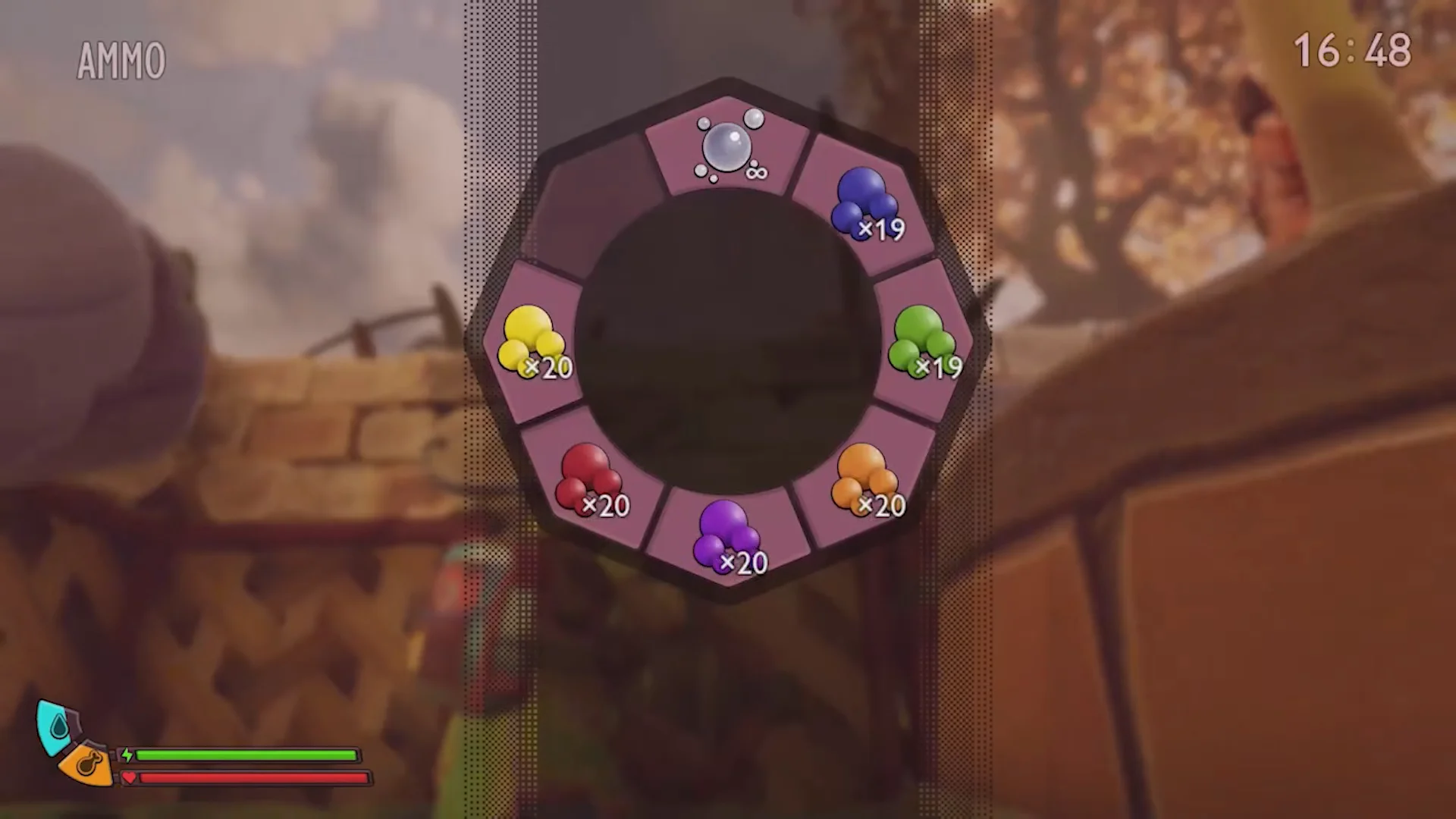
Painting does not work on every building material, and the strength and look of a color change depending on the surface texture it lands on. Expect some pieces to take paint cleanly while others barely tint.
How to confirm it worked
You know the Splotcher is unlocked when it shows in the Workbench under Ranged Weapons and the Splotch Mixer appears in the Utilities blueprints. You know painting succeeded when the structure piece you fired at visibly changes to the color of the loaded Splotch. If a piece shows little or no change, it is likely a surface that does not fully support paint yet. Base painting with the Splotcher is part of the Rot and Ruin content currently available in the public test build for Steam and Xbox players.