The fast travel point in Horizon sits on a raised wooden platform in the square, just to the left of the porch of Robyn’s cabin. Before you unlock it, it looks like an ordinary post and sled buried under snow, so it is easy to walk past without noticing it. Lighting it up takes one button press and costs nothing.
Quick answer: Stand on the wooden platform left of Robyn’s cabin porch, face the snow-covered post until it reads “Fast Travel: Horizon” and “Press F Unlock,” then press F. No item, cost, or quest step is required.
Where the Horizon fast travel point is
Inside Horizon, head to the square in front of Robyn’s cabin; its porch is above the steps.
You have to be standing on the platform for the prompt to appear. From the ground beside it, nothing shows up.
How to unlock it
How you know it worked
Three visible changes confirm the unlock. The snow drops off the post, the lantern on it lights, and the prompt on the same post changes from “Press F Unlock” to “Press F Travel.” On the map, the discovered point now shows as a round ringed icon, and hovering the house icon beside it reads “Location: Horizon.” Your claimed bed shows separately as a bed icon.
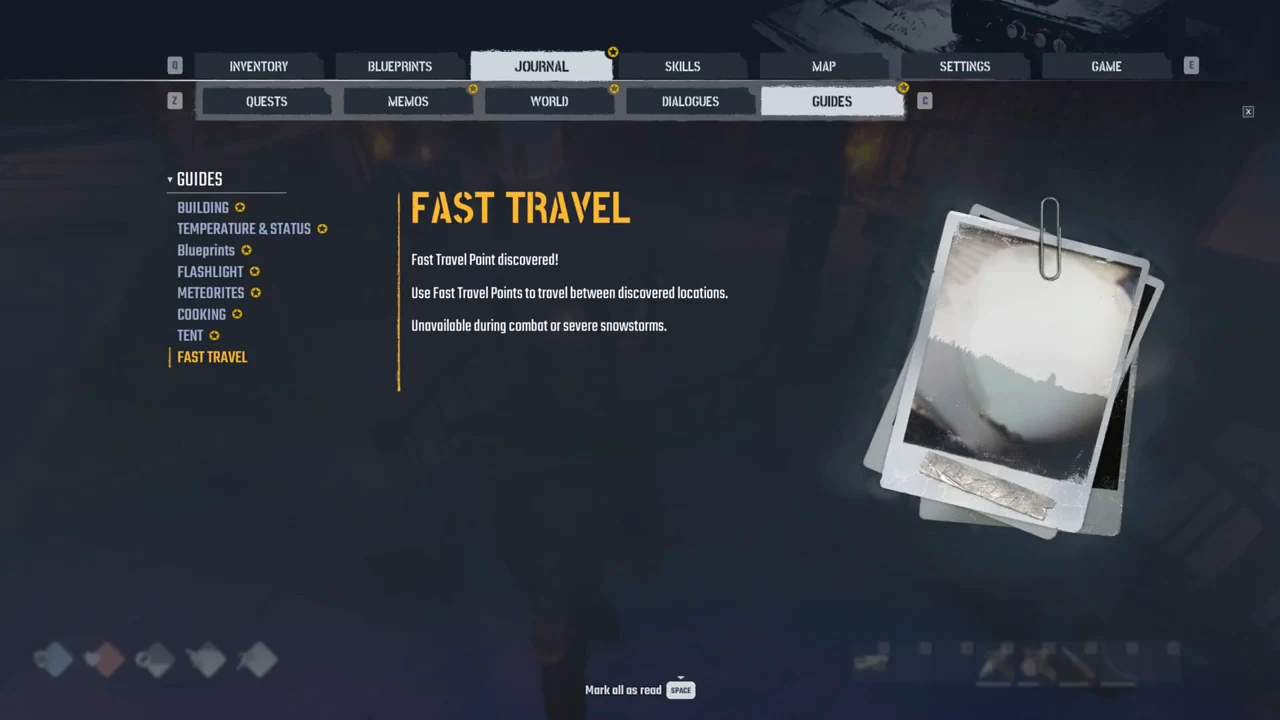
The FAST TRAVEL tip panel also offers two options at the bottom. Tap H for details, or hold H to dismiss it. Tapping H opens the JOURNAL under GUIDES, where FAST TRAVEL sits as one entry alongside BUILDING, TEMPERATURE & STATUS, Blueprints, FLASHLIGHT, METEORITES, COOKING, and TENT.
Why you cannot travel yet
Pressing F on “Travel” opens the MAP tab. With only Horizon unlocked, there is no destination to select, because travel requires at least a second discovered point. The map draws a small patch around Horizon with its icons.
Fast travel points have to be found and unlocked by hand. Horizon’s had to be walked to and switched on the same way, so expect to reach each new one on foot before it becomes a destination.
- Travel is unavailable during combat.
- Travel is unavailable during severe snowstorms.
- A single discovered point gives you nowhere to go.
The buildable Fast Travel Point is a different thing
“Fast Travel Point” also appears in the Blueprints screen under QUEST RECIPES, where the game notes those must be earned through quests. That is a separate, buildable object and is not needed to use the post in Horizon. Unlocking the camp’s existing point does not involve the blueprint, so do not go hunting for a recipe before lighting the post.