
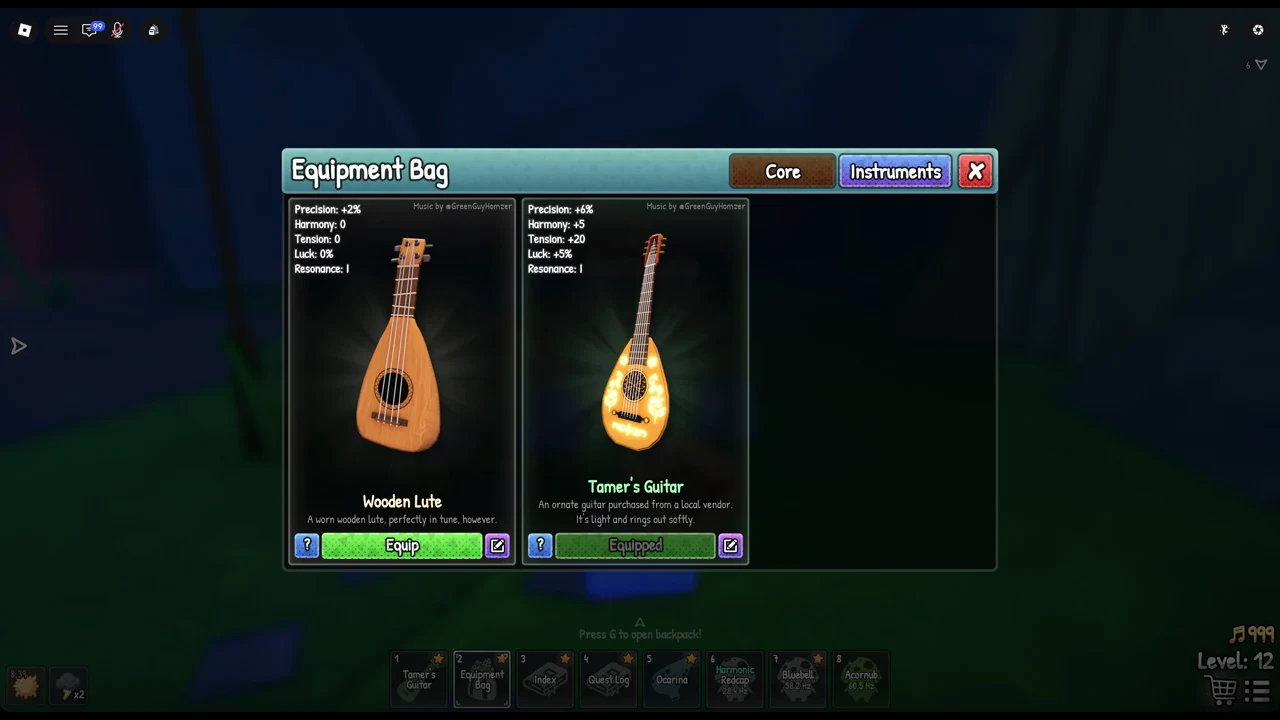
In SCROOMS, your instruments are stored in the Equipment Bag. Each is rated for the same five qualities: Luck, Resonance, Precision, Tension and Harmony. The two most commonly compared are the Wooden Lute Leo gives you and the Tamer’s Guitar you purchase later. Find their ratings on the cards and compare them there.
Quick answer: The Tamer’s Guitar has higher Precision, Harmony, Tension and Luck than the Wooden Lute; both share the same Resonance. Open the Equipment Bag with 2 to view their cards.
How to open the Equipment Bag and find instrument stats
The Equipment Bag sits in hotbar slot 2. It is split into two tabs along the top right, Core and Instruments, and it opens straight onto the Instruments tab.
Wooden Lute vs Tamer’s Guitar: full stat comparison
The Wooden Lute is the first instrument you receive, handed to you by Leo. The Tamer’s Guitar is bought with Chimes from a local vendor. Their cards list the same five values side by side.
| Stat | Wooden Lute | Tamer’s Guitar |
|---|---|---|
| Precision | +2% | +6% |
| Harmony | 0 | +5 |
| Tension | 0 | +20 |
| Luck | 0% | +5% |
| Resonance | I | I |
The descriptions set the two apart in flavour too. The Wooden Lute reads “A worn wooden lute, perfectly in tune, however.” The Tamer’s Guitar reads “An ornate guitar purchased from a local vendor. It’s light and rings out softly.”
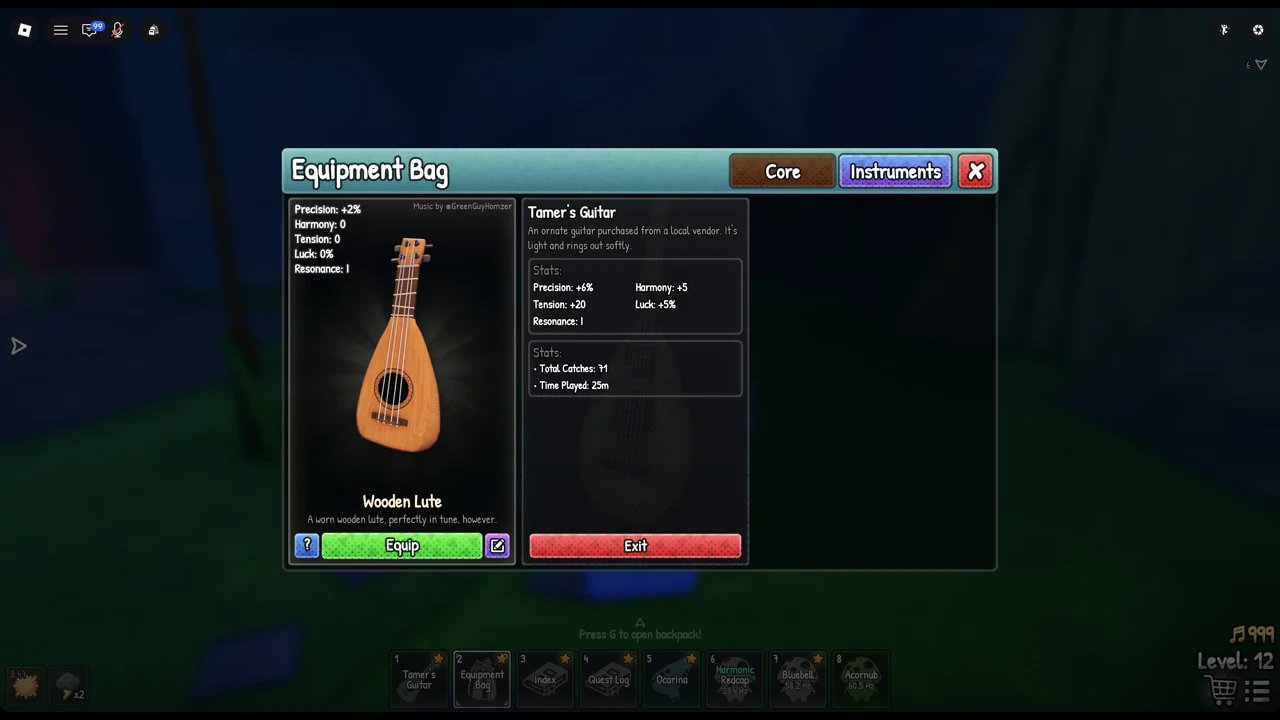
Open an instrument’s detail page for catches and time played
Each instrument card carries a blue “?” button. Click it to open a detail page for that instrument. The page repeats the stats and adds two counters, Total Catches and Time Played, which track that specific instrument. A red Exit button closes the page and returns you to the tab.
There is also a purple pencil button on each card alongside the “?”.
Equipping an instrument from the Instruments tab
Your equipped instrument sits in hotbar slot 1. Press 1 to take it out, and press 1 again to put it away.
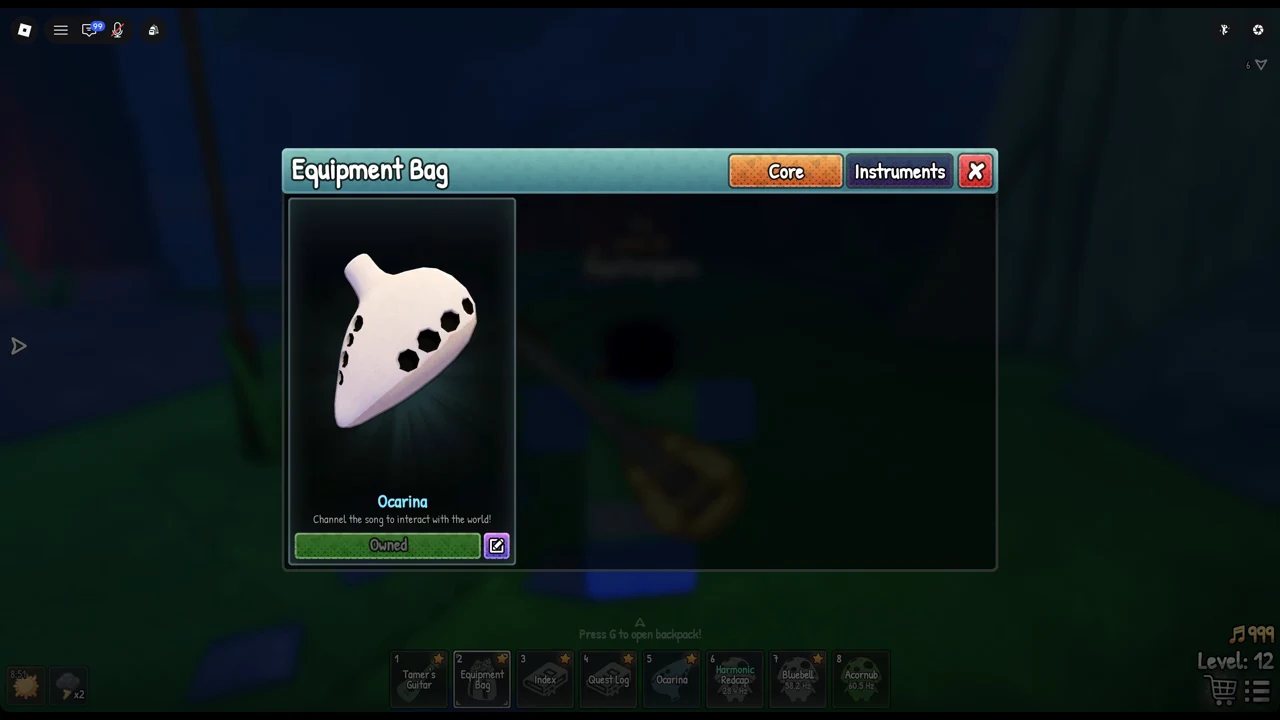
The Core tab and the Ocarina
Switch to the Core tab in the same window to find the Ocarina. Its description reads “Channel the song to interact with the world!” and the card is marked Owned once you have it. The Ocarina is listed on the Core tab.
Between the two cards, the choice is simple to verify in the window itself. Open the Instruments tab, compare the five stat lines, and the Tamer’s Guitar’s “Equipped” label confirms it is the one doing the work once you swap it in.