Weapon accessories in Once Human, such as muzzles, optics and magazines, are permanent unlocks. You buy each one once with a material called Precision Components. After that, you can put it on any compatible gun you own. The tricky part is getting the components, because no vendor sells them. They only come from leveling up your blueprint collection.
Quick answer: Raise your Collection Level in the Blueprints menu to earn Precision Components. Then open Gear, right-click a weapon, go to the Accessory tab, and press F to unlock and then equip.
How to unlock a weapon accessory in Once Human
All accessories are handled from one screen, the weapon’s modification window. You don’t need to pick anything up in the world first. If you have enough Precision Components, you can unlock any accessory on the list.
Gear tab. Your equipped firearms and melee weapon appear here, along with their tier and rating.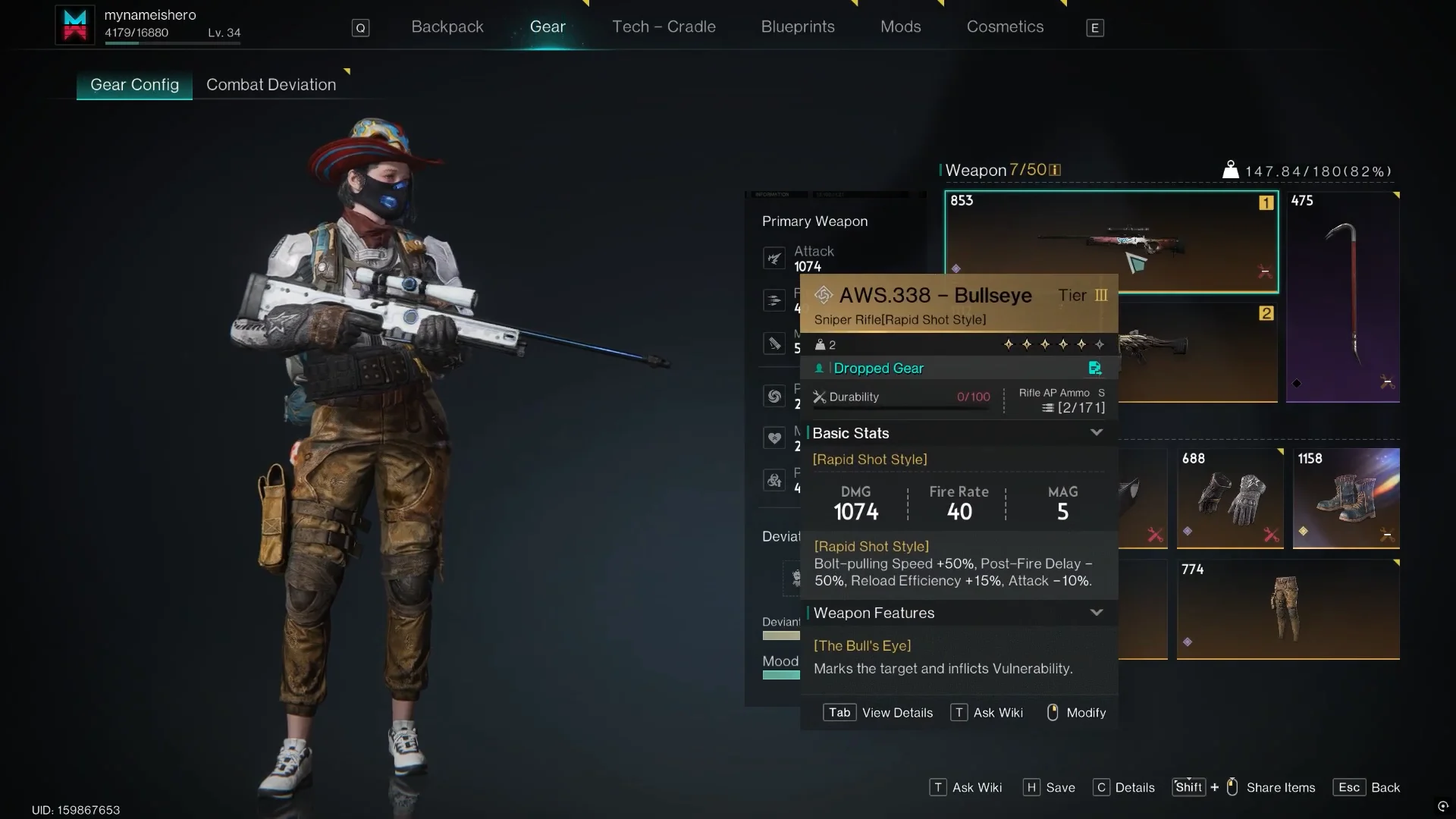
Mods, Accessory and Cosmetics. Switch from Mods to Accessory. You’ll see four categories, which are Muzzle, Optic, Magazine and Ammo.Unlock Cost in Precision Components.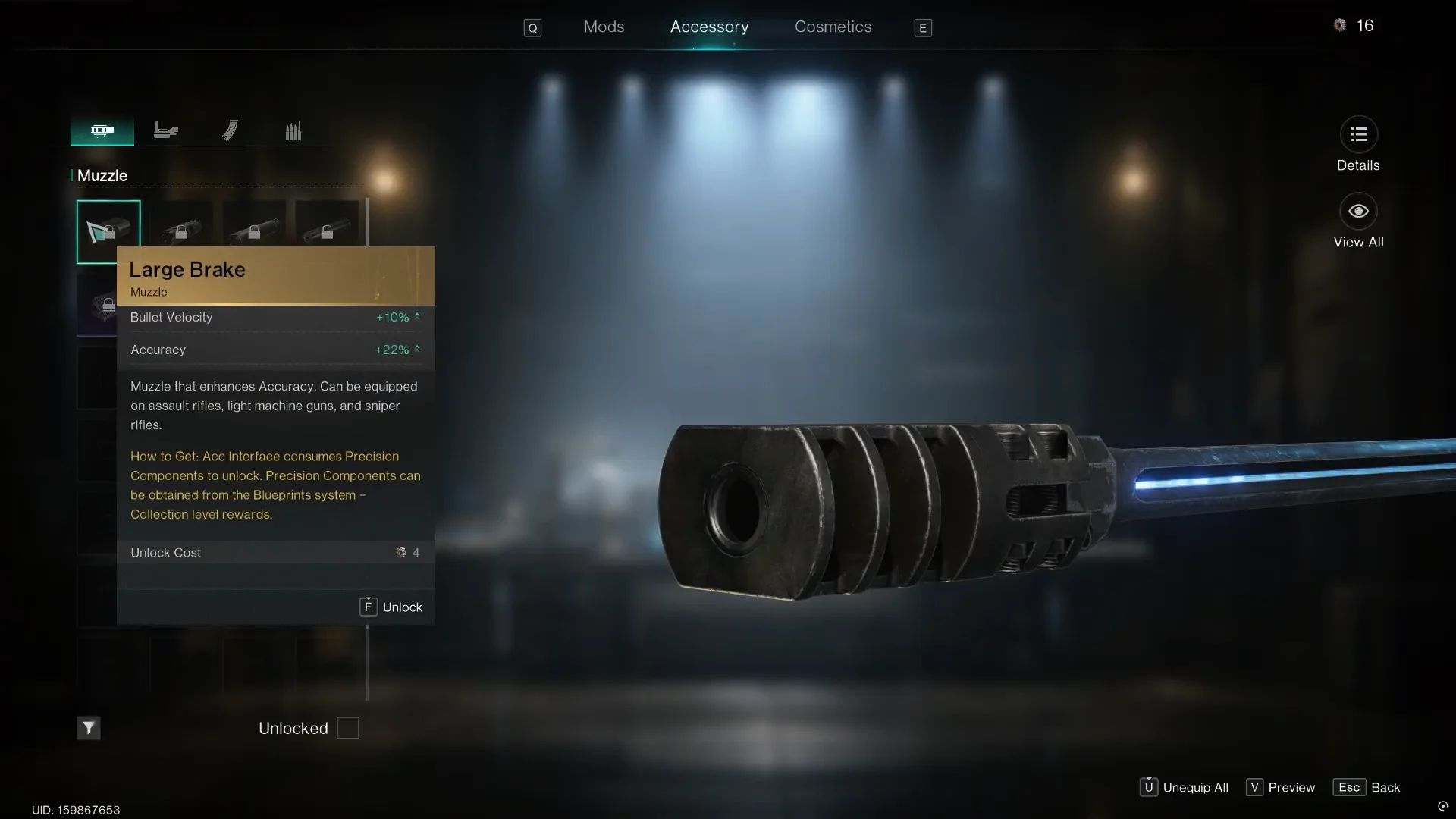
F Unlock to F Equip. That change tells you the unlock worked.You can press F to preview a locked optic or muzzle on your gun before you spend anything. This lets you see how it looks and compare stats first.
Ammo works differently from the other three slots. You craft it directly instead of unlocking it with Precision Components. Only muzzles, optics and magazines use the unlock system.
How to get Precision Components from Collection Level
The game describes Precision Components as a material used to unlock weapon accessories. Their only source is the Blueprints system. Open the Blueprints tab from the same top bar as Gear, then click Collection Level. This shows a reward track with tiers, and many of those tiers pay out Precision Components.
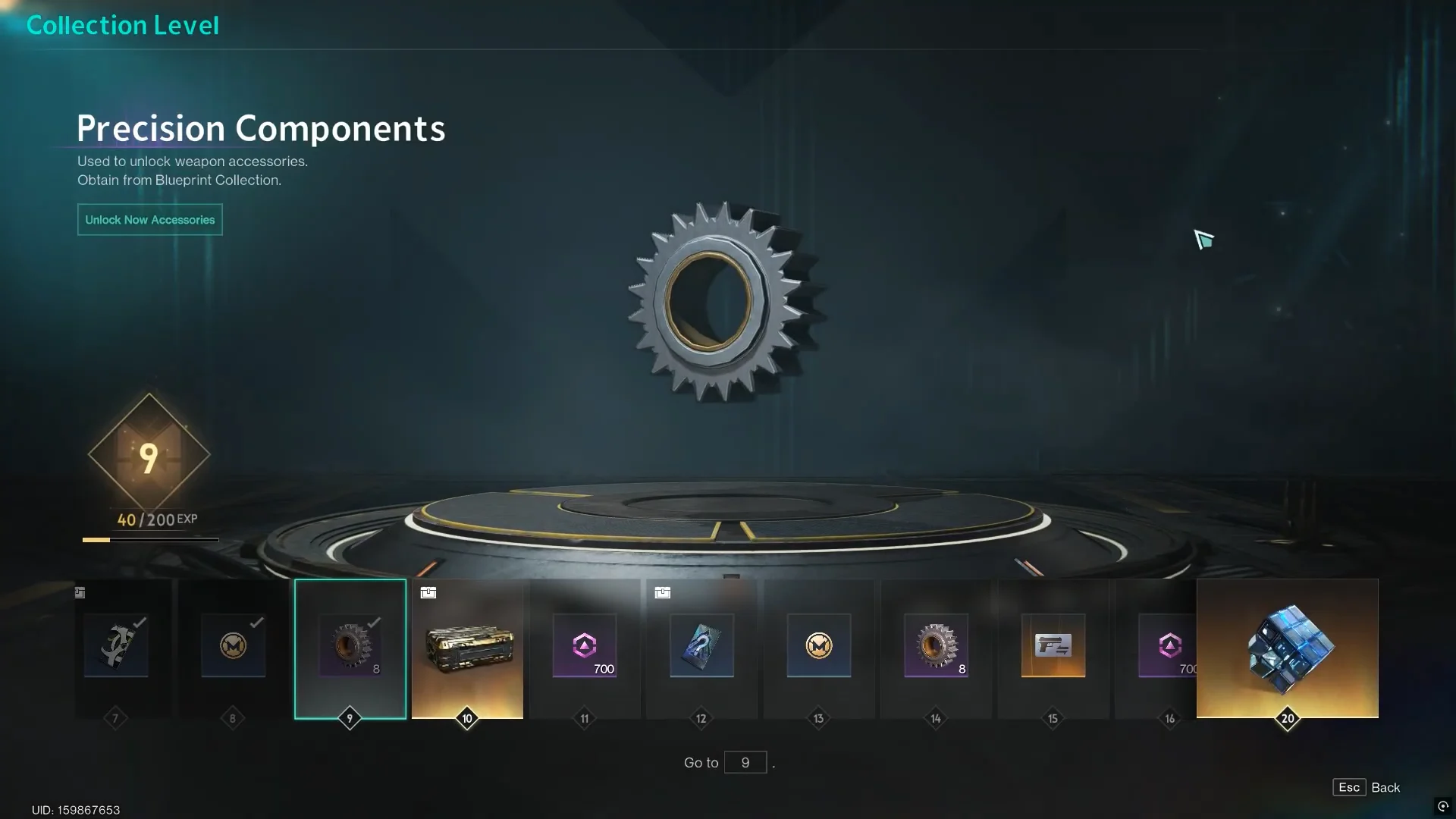
You level up your collection by earning Collection EXP. Each level needs more EXP than the last. For example, Level 9 needs 200 EXP to reach the next level. These actions give Collection EXP:
- Unlocking new weapon blueprints.
- Unlocking new armor blueprints.
- Enhancing a blueprint you already own. A single pistol blueprint enhancement gives +24 Blueprint Collection EXP.
Collection Level rewards also include Starchrom. The amount you can earn this way is capped at 15,000 per week. Buying blueprints with Starchrom does not give you Precision Components directly. It only helps by adding to your collection, which moves you toward the next reward tier.
Weapon accessory unlock costs
Prices change from one accessory to the next, so always check the Unlock Cost on the card before you spend. Here are some real costs and stats from the menu:
| Accessory | Slot | Key stats | Unlock cost |
|---|---|---|---|
| Large Brake | Muzzle | Bullet Velocity +10%, Accuracy +22% | 4 Precision Components |
| Range Compensator | Muzzle | Stability +16%, Accuracy +15% | 4 Precision Components |
| Tactical Suppressor | Muzzle | Suppressor | 4 Precision Components |
| Baseline Sniper Scope | Optic | Mobility +25%, Aiming Speed +20%, Accuracy +20% | 5 Precision Components |
| Compact Reflex Sight | Optic | 2.0x zoom, Mobility +20%, Aiming Speed +20%, Accuracy +5% | 4 Precision Components |
| Tactical Holographic Sight | Optic | 2.0x zoom, Mobility +20%, Aiming Speed +20%, Accuracy +5% | 4 Precision Components |
The Baseline Sniper Scope shows as Iron Sights 1.0x on its card. The Compact Reflex Sight and Tactical Holographic Sight have the same stats, so choosing between them is only about looks. Since each unlock takes several components and every Collection Level takes time to earn, it makes sense to start with an accessory that fits more than one weapon class you use.
How to equip an unlocked accessory on other weapons
An accessory only needs to be unlocked once; afterward, you can fit it to any compatible gun in its class for free. The Large Brake, for instance, works with assault rifles, sniper rifles, and light machine guns. Unlock it while customizing the AWS.338 – Bullseye sniper rifle, and it will also be available for the MG4 – Predator LMG.
To equip it, right-click the second gun on the Gear tab. Open its Accessory tab, choose the right category, select the unlocked accessory, and press F to equip. Pressing U removes every accessory from that weapon at once, and ESC takes you back to the Gear screen.
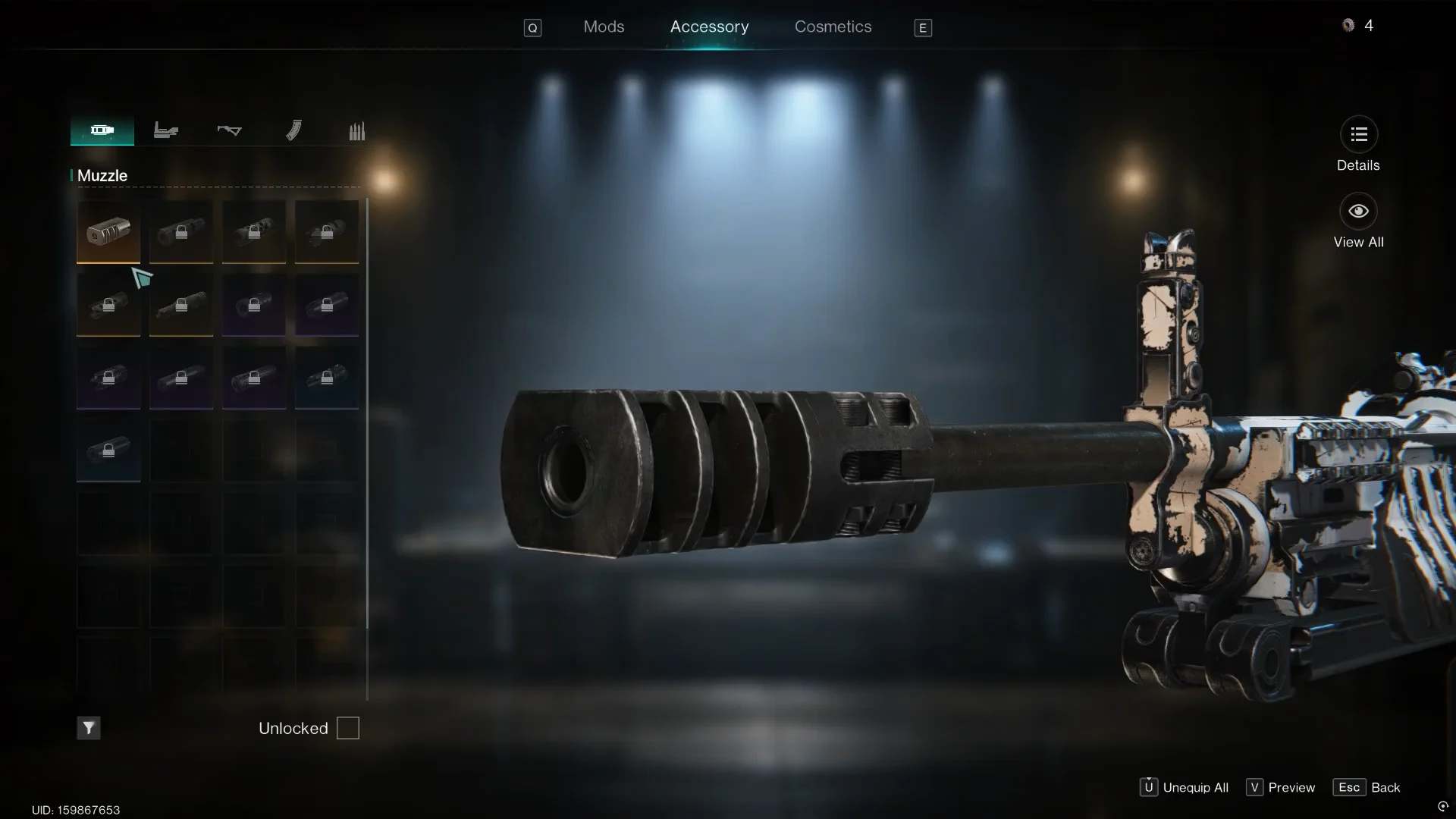
To confirm it worked, look at the weapon model in the Accessory menu. The muzzle, optic or magazine should now be attached to the gun, and its stat bonuses are added to the weapon’s numbers. If you leave the menu and come back later, the accessory will still be on the barrel or rail. You can also see the change in the game itself, since a gun with a suppressor looks and sounds different when you aim down sights and fire.