The phone in Stand Out holds ten apps. Through them you call rides, take bounties, check the island map, manage a gang, recolour your Stand, track quests, claim gifts, play music and keep photos. Each app is simple once it is open. The part that trips people up is getting it open in the first place.
Quick answer: Press Z or click the phone in the first slot of the bottom-left quick-slot bar, tap an app icon once to select it, then tap the same icon again to open it. Use ‹ or ⌂ to return to the grid.
How to open an app on the Stand Out phone
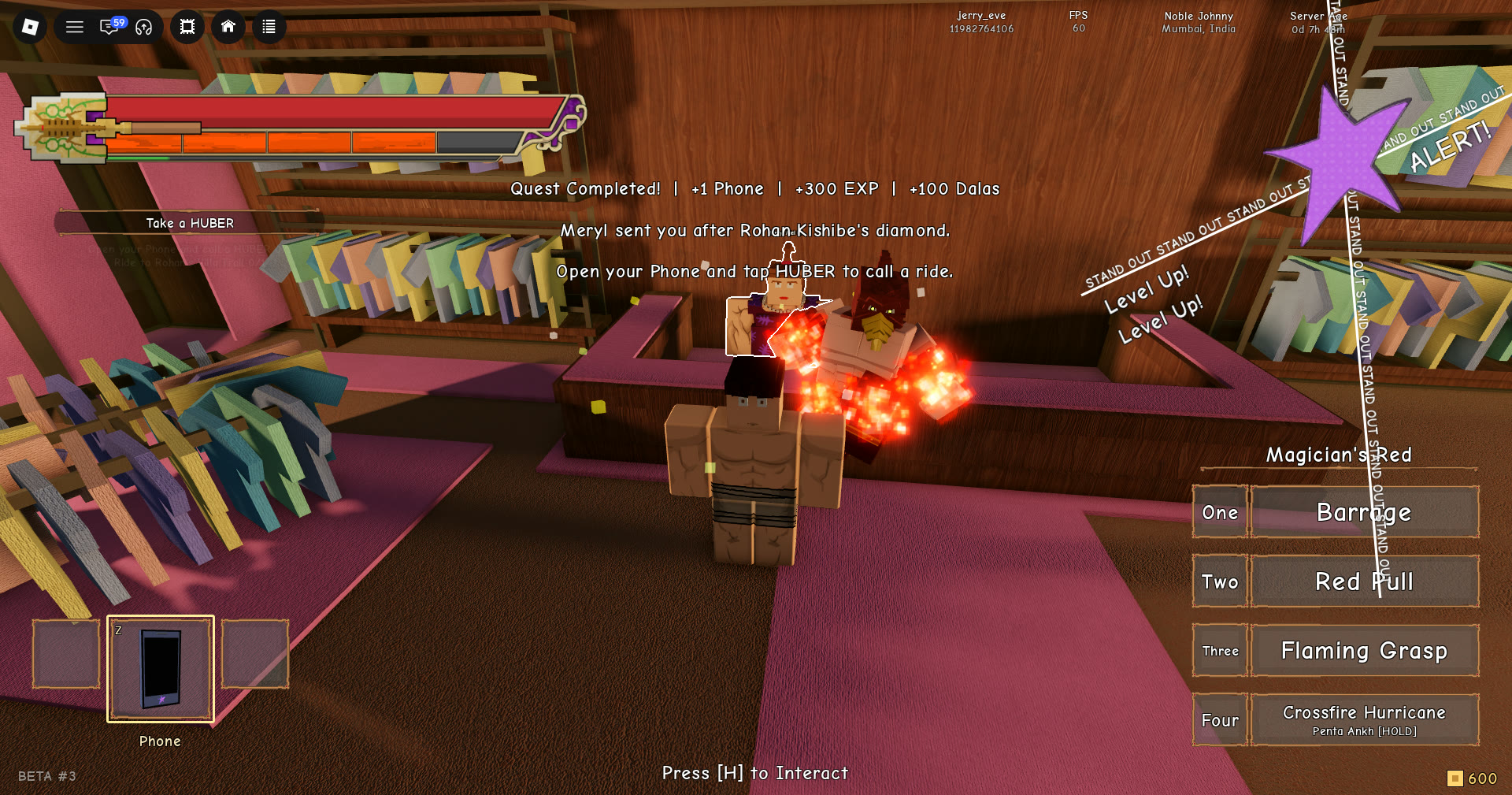
The phone is an item, not a menu key. Your character holds it up in front of the camera with the screen facing you.
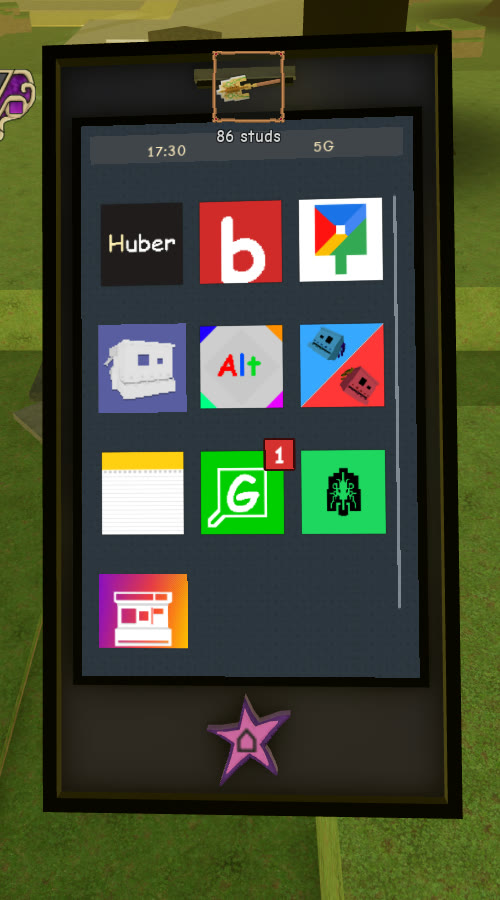
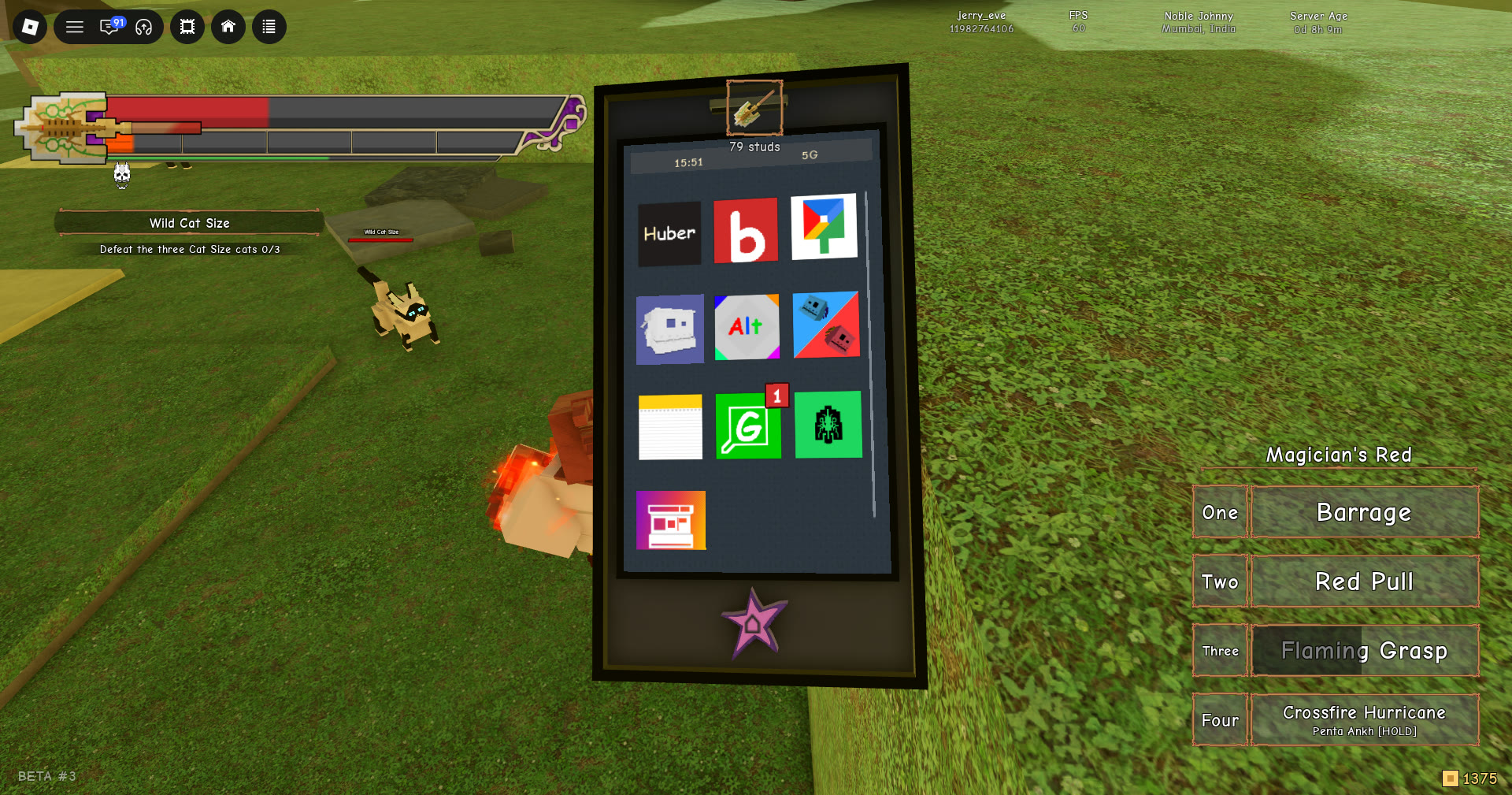
The grid scrolls. The bar on the right side of the grid shows that more rows sit below the visible ones, so scroll down if you can’t find an app.
All ten Stand Out phone apps
The apps appear in this order, left to right and top to bottom. The tile column describes each icon, which helps when the names are hidden until you tap.
| App | Icon | What it does |
|---|---|---|
| Huber | Black tile, “Huber” | Calls a ride |
| Bounties | Red tile, white “b.” | Tiered bounty board |
| Maps | Four-colour map pin | Island map with pins |
| Gangs | Grey-blue landscape | Gang management |
| Alt Colors | “Alt” logo | Stand recolours |
| Eliminations | Red-and-blue, two faces | Player bounties |
| Quests | White notepad | Quest log |
| Gifts | Green tile, white “G” | Codes and claims |
| Standify | Green tile, black glyph | Music player |
| Gallery | Orange-and-purple | Saved photos |
The Gifts icon carries a red 1 badge on its corner. That badge marks an unclaimed reward waiting inside.
Huber: Calling a ride with Hubert
Huber is the ride app, and it is the fastest way across the island. The screen opens on “Where to?” with the ride type listed as YOUR EVERYDAY RIDE — Hubert. The Pickup row reads “Nearest clear street”, so the car comes to the closest open road instead of your exact spot. Fares are paid in dalas, the game’s own currency shown as the gold coin in the HUD. They are not paid in Robux.
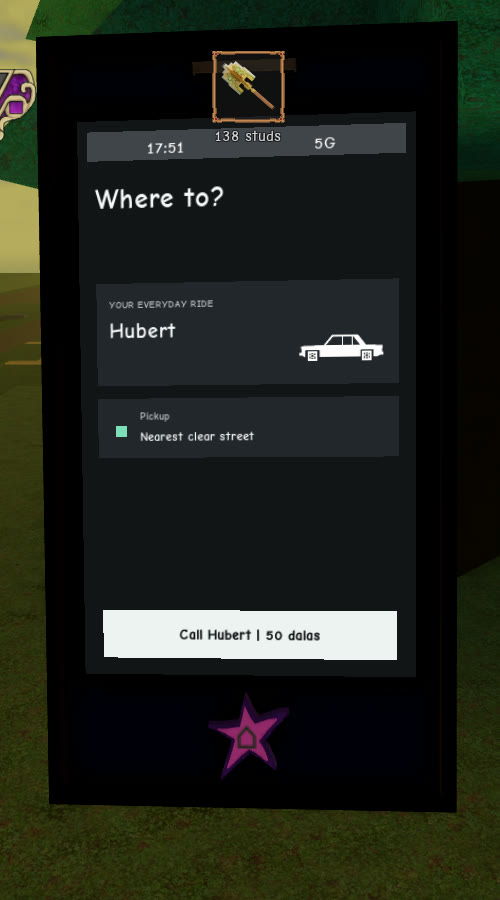
If you want to get out early, press the “Ask to stop” button while you are in the car.
Bounties and Eliminations: Two kinds of bounty
Bounties
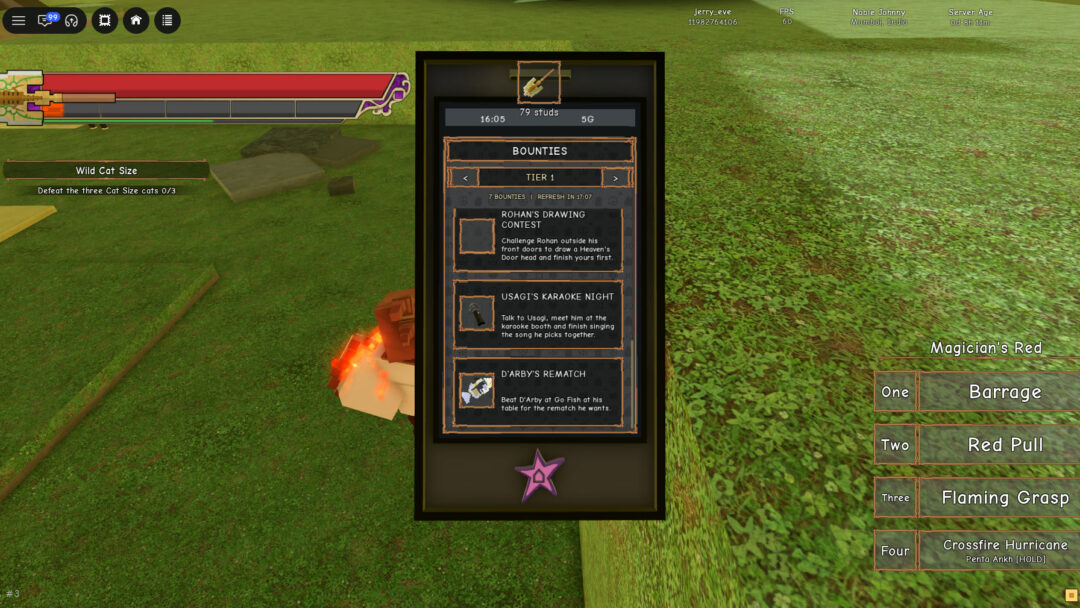
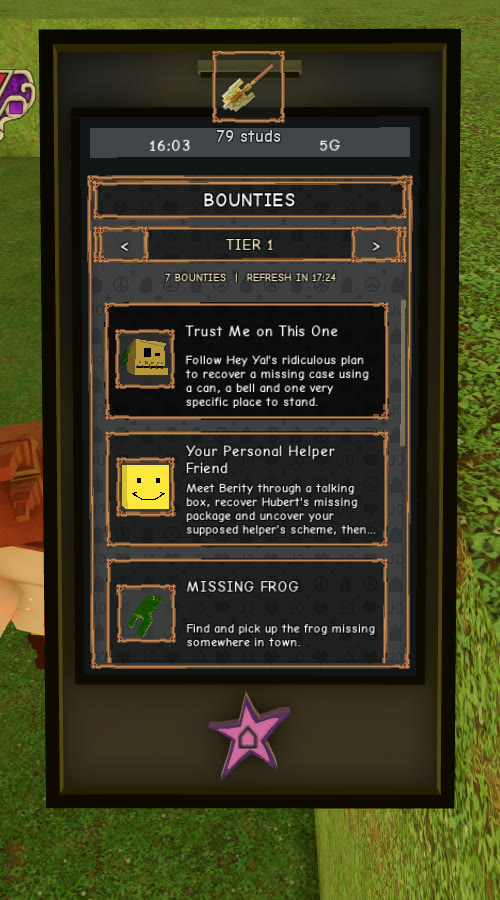
Bounties shows seven bounties at a time for your tier. You switch tiers with the ‹ TIER 1 › selector. A live countdown in the header reads “7 BOUNTIES | REFRESH IN 10:00”, which shows how long until the board refreshes. Tap a card to open its page. Each page lists the bounty’s Requirements and Rewards, with a Begin button to start it.
Eliminations
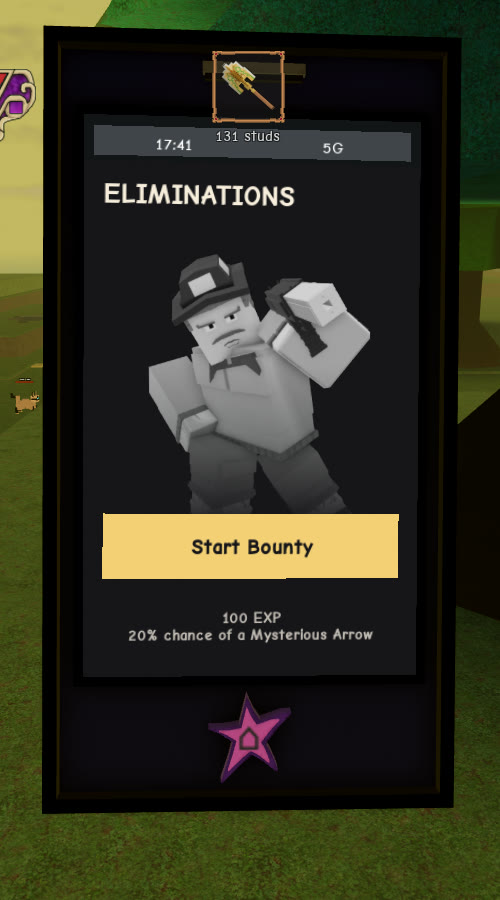
Eliminations is for player bounties. The screen shows a portrait and a Start Bounty button. The payout is listed underneath as “100 EXP / 20% chance of a Mysterious Arrow“. That arrow chance makes Eliminations one more route to a Mysterious Arrow on top of your other sources.
Maps and Quests: Finding where to go
Maps
Maps displays an illustration of the entire island. Your position appears as the YOU marker, while a red arrow indicates your facing direction. Coloured pins identify locations and people. Find Filters in the upper-right corner; along the bottom are the − and + zoom controls, Locate me, and the Map and Mini views.
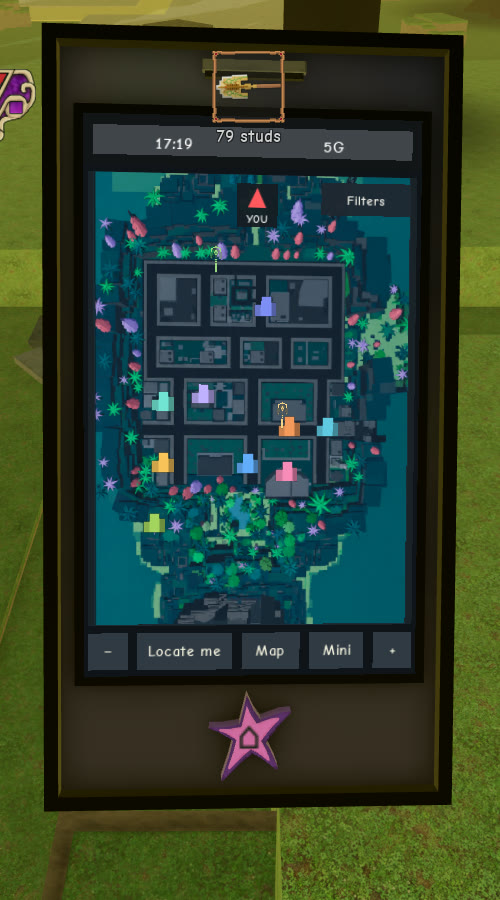
The side panel has two tabs, Locations and NPCs:
- Locations lists named places such as the hospital, registry, gardens, school, museum, police, docks, Diamotch, karaoke and the construction site.
- NPCs lists named characters including Meryl, Jodio, Big Chop, Petyr, Billy, Donatello, Angelo, Bobby, Usagi, Lisa Lisa, the registry clerk and the Diamotch clerk.
Quests
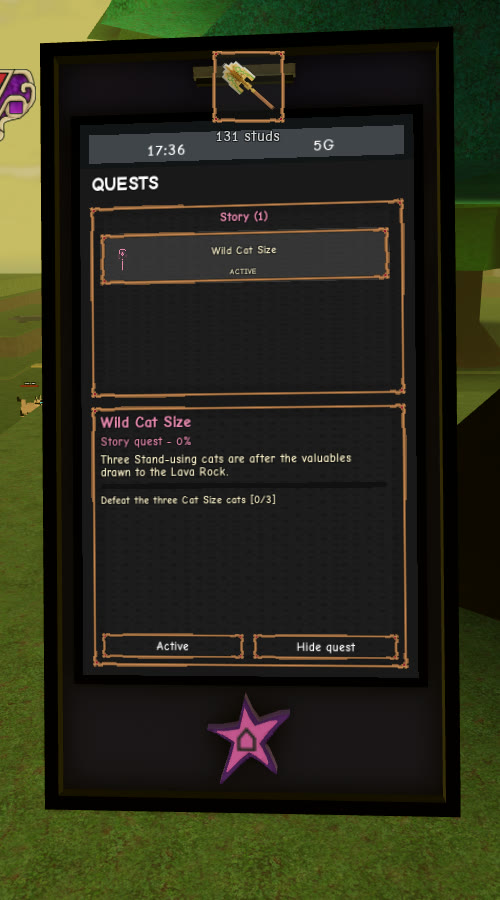
Quests is your quest log. It opens on the Story (1) tab, with the active quest card below. The early story quest, Wild Cat Size, carries an ACTIVE tag and reads “Story quest – 0%”. Its description says three Stand-using cats are after the valuables drawn to the Lava Rock. The objective reads “Defeat the three Cat Size cats [0/3]”, and the counter goes up as you finish it. The card has a Hide quest button.
Gifts: Codes and the BETA #3 BADGE
The Gifts app carries a red badge and is divided into two areas. At the top, enter a code in the box and press REDEEM. The TO CLAIM (1) section beneath it shows rewards you can collect.
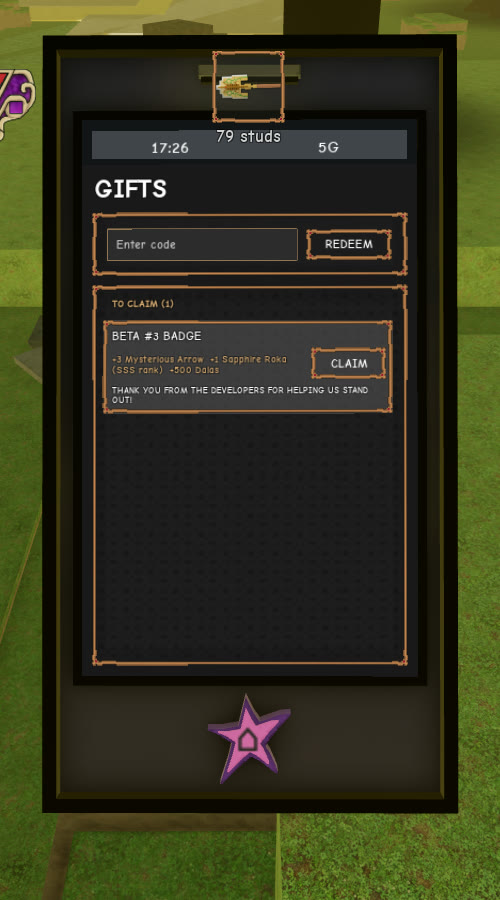
A fresh account has one card waiting, the BETA #3 BADGE. It holds:
- +3 Mysterious Arrow
- +1 Sapphire Roka (SSS rank)
- +500 Dalas
The card has a CLAIM button. The card signs off with “THANK YOU FROM THE DEVELOPERS FOR HELPING US STAND OUT!”
Gangs and Alt Colors
Gangs
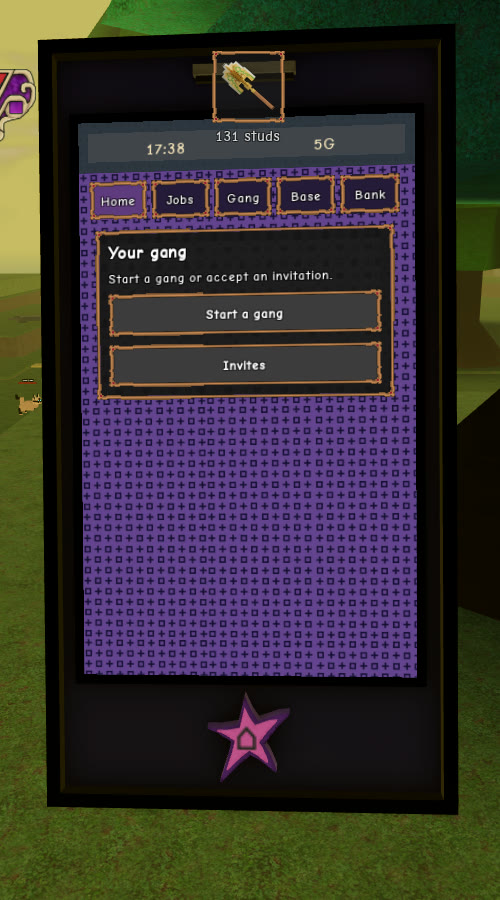
Gangs has five tabs down the left side: Home, Jobs, Gang, Base and Bank. If you are not in a gang, it reads “Your gang — Start a gang or accept an invitation.” Below that are a Start a gang entry and an Invites entry.
Alt Colors
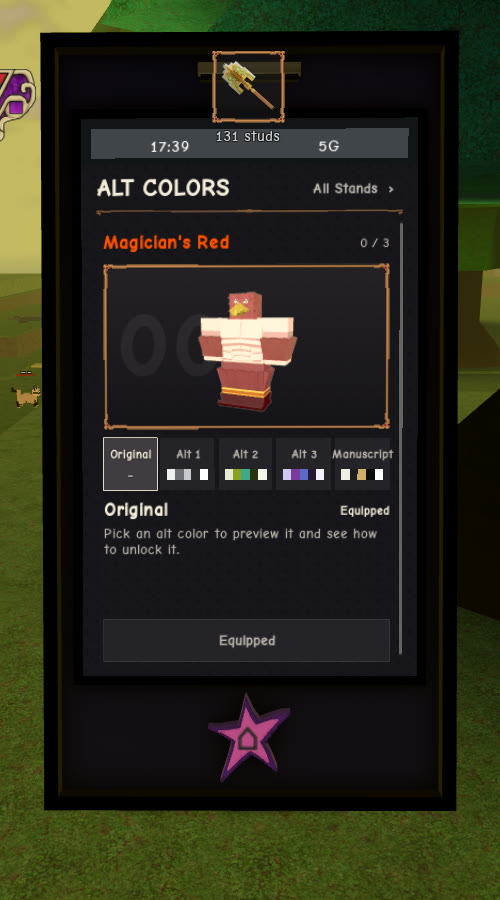
Alt Colors handles Stand recolours. Under the ALT COLORS header, an All Stands › link sits next to your current Stand. For a Magician’s Red user, the unlock count shows 0 / 3. There are five swatches: Original, Alt 1, Alt 2, Alt 3 and Manuscript. The colour you are using is marked Equipped. The app tells you to “Pick an alt color to preview it and see how to unlock it.” Tap any swatch to see what it looks like and how to get it.
Standify and Gallery
Standify
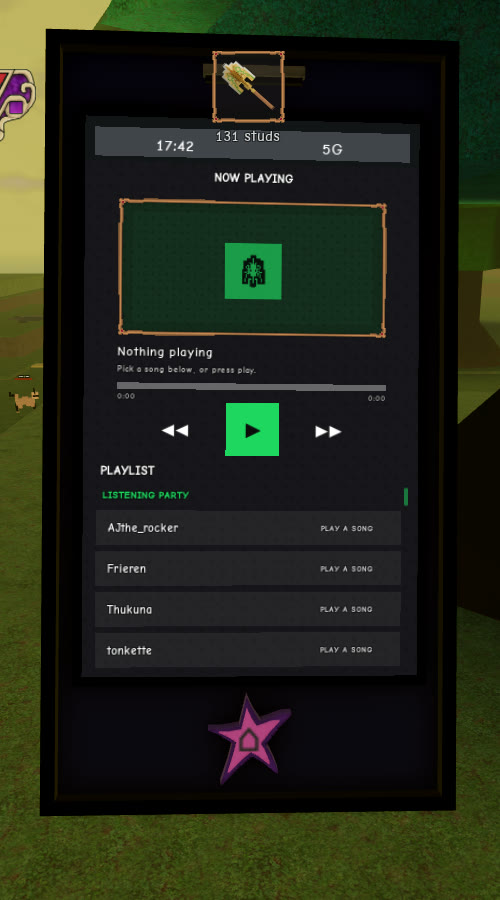
Standify is the music player. Until you choose something, NOW PLAYING reads “Nothing playing — Pick a song below, or press play.” It also shows a 0:00 / 0:00 scrubber and the usual playback buttons. Below that, the tracks are split into lists, and each row has its own PLAY button.
| Section | Tracks |
|---|---|
| PLAYLIST · LISTENING PARTY | AJthe_rocker, Frieren, Thukuna, tonkette |
| MENU | STAND OUT Menu |
| AREA | One track per part of the map |
| COMBAT | Combat |
| KARAOKE | STAND OUT Style, That One YBA Song, STAND OUT AWWW MAN!, Lonely Heart |
The AREA list covers Hawaii State Land Registry Office, O’ahu, Iko Iko, Museum of O’ahu, Hospital, Docks, Construction Zone, The Shore, McKinley High School, Diamotch, Big Chop’s Garden, Rohan’s Villa, The Jungle, Police Station, Lenny’s, The Train, The Tunnel, The Highway, Pearl General Hospital, Hospital Halls, The Graveyard Cliff, Foot of the Mountain, The Training Hall, The Frozen Ascent, The Shrine of Rings and The Summit.
Gallery
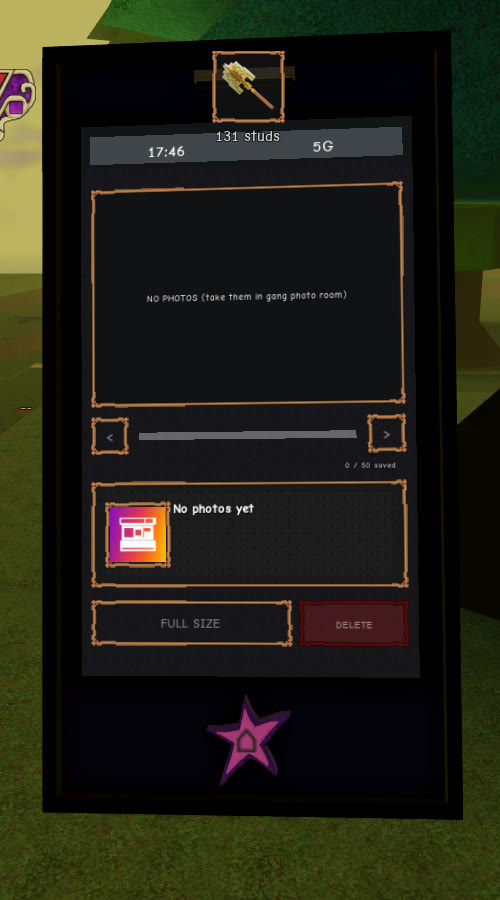
Gallery stores your photos. Photos are taken in the gang photo room, not with the phone. An empty Gallery shows “NO PHOTOS (take them in gang photo room)”, a “0 / 50 saved” counter and “No photos yet”. Once you have saved photos, select one to view it with FULL SIZE or remove it with DELETE.