Some fights in Grand Theft Auto VI don’t require you to kill anyone. When a mission gives you the choice, the way you put enemies down feeds into your character’s criminal profile, and that profile decides which kind of play raises your Focus stat.
Quick answer: In some mission fights, the instruction is “Incapacitate or take out the enemies”. Incapacitating someone builds a professional or hardened criminal profile. With either profile, non-lethal incapacitations also improve your Focus.
Where you can take enemies out non-lethally
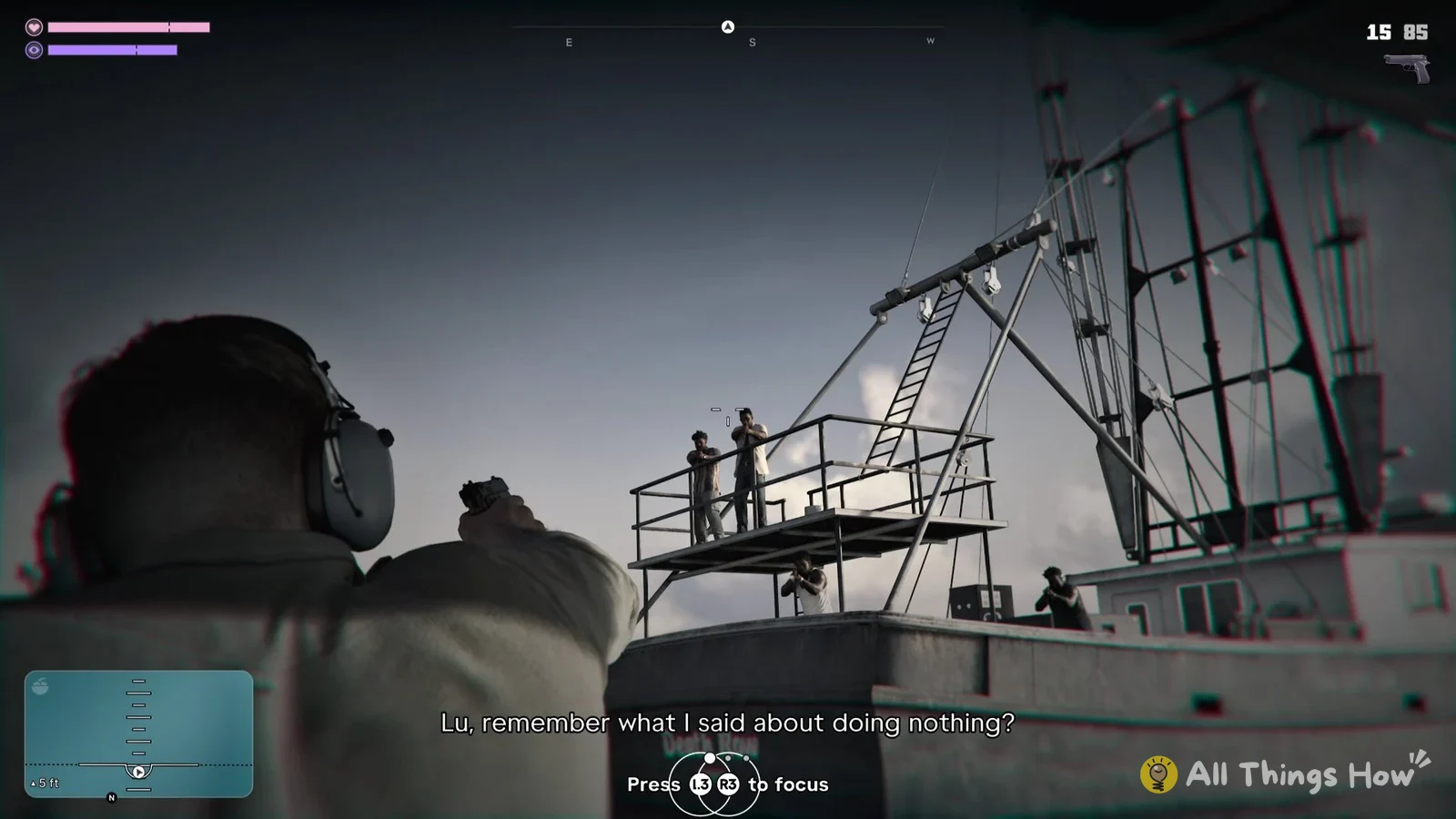
The option shows up as a mission objective on screen, written in yellow and red: “Incapacitate or take out the enemies”. The fight in the mission Down to Earth is one example. Either way of dealing with the enemies counts toward the objective, so you decide for yourself whether they go down for good.
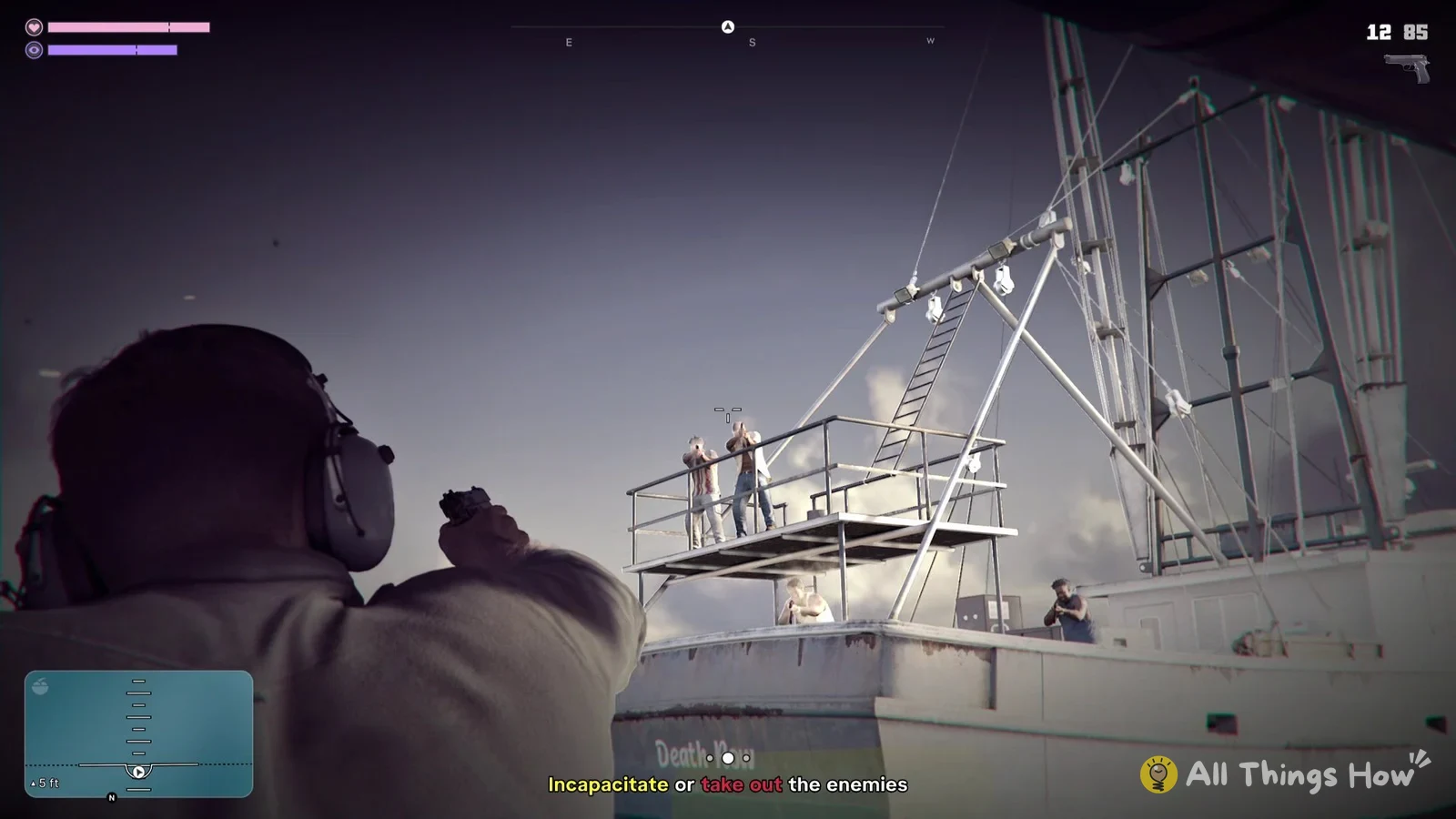
During the same fight the game also shows the prompt “Press L3 R3 to focus” on the Default controls on PS5. Pressing both sticks in at once turns on combat focus, which slows down your aim. Combat focus matters here because one of the profile tips is tied to it directly.
What incapacitating enemies does
Incapacitating enemies pushes your criminal profile toward one of two types, and the game spells out both with its own tips:
- “Incapacitation hit markers on enemies during combat focus will contribute to a hardened criminal profile.”
- “A skilled and controlled approach will contribute toward a professional criminal profile.”
The first tip pops up during the fight. The second one comes after the fight ends, together with a “Non-Lethal” badge at the right edge of the screen, which tells you the game logged the encounter as non-lethal. If a tip disappears before you’ve read it, open the pause menu, go to the BRIEF tab and pick Help Text, where you’ll find both tips again in full.

Non-lethal takedowns and Focus
Focus is one of the stats in the Fitness app, and its Focus page explains how your profile changes the way it grows. The page says:
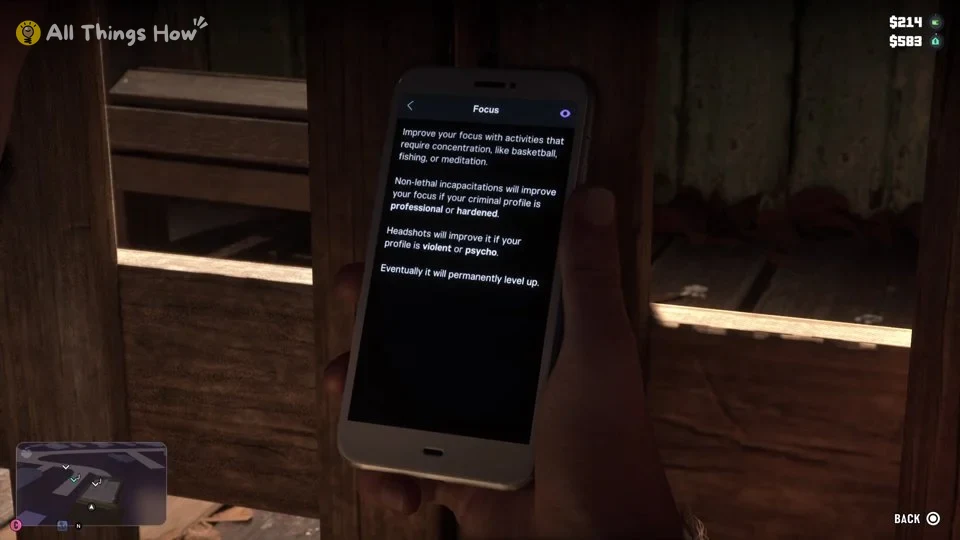
“Improve your focus with activities that require concentration, like basketball, fishing, or meditation.” “Non-lethal incapacitations will improve your focus if your criminal profile is professional or hardened.” “Headshots will improve it if your profile is violent or psycho.” “Eventually it will permanently level up.”
There are four profiles: professional, hardened, violent and psycho. With a professional or hardened profile, incapacitating enemies instead of killing them helps you level up Focus. With a violent or psycho profile, headshots do that job. Basketball, fishing and meditation raise Focus no matter which profile you have.
How to check your criminal profile
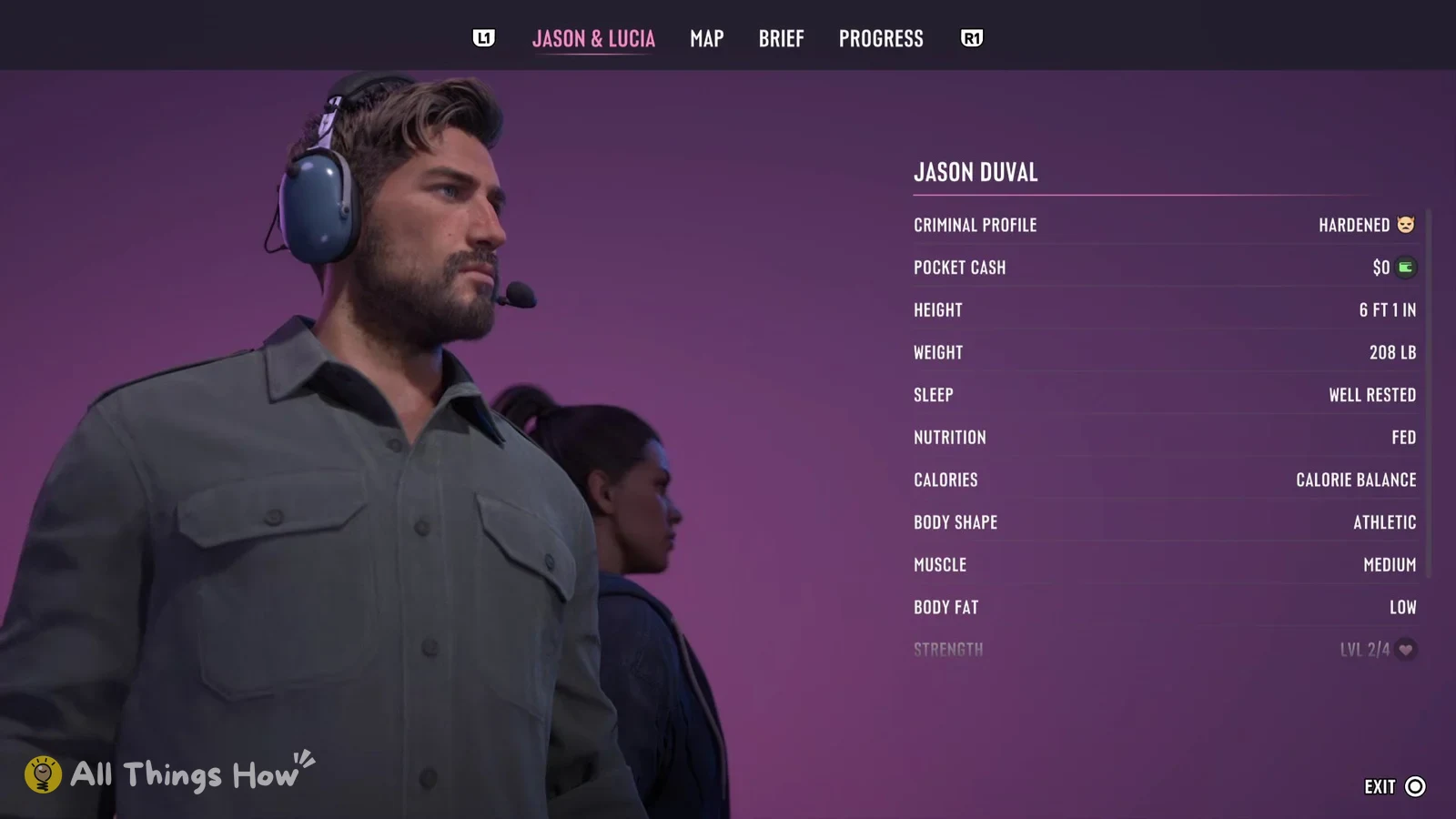
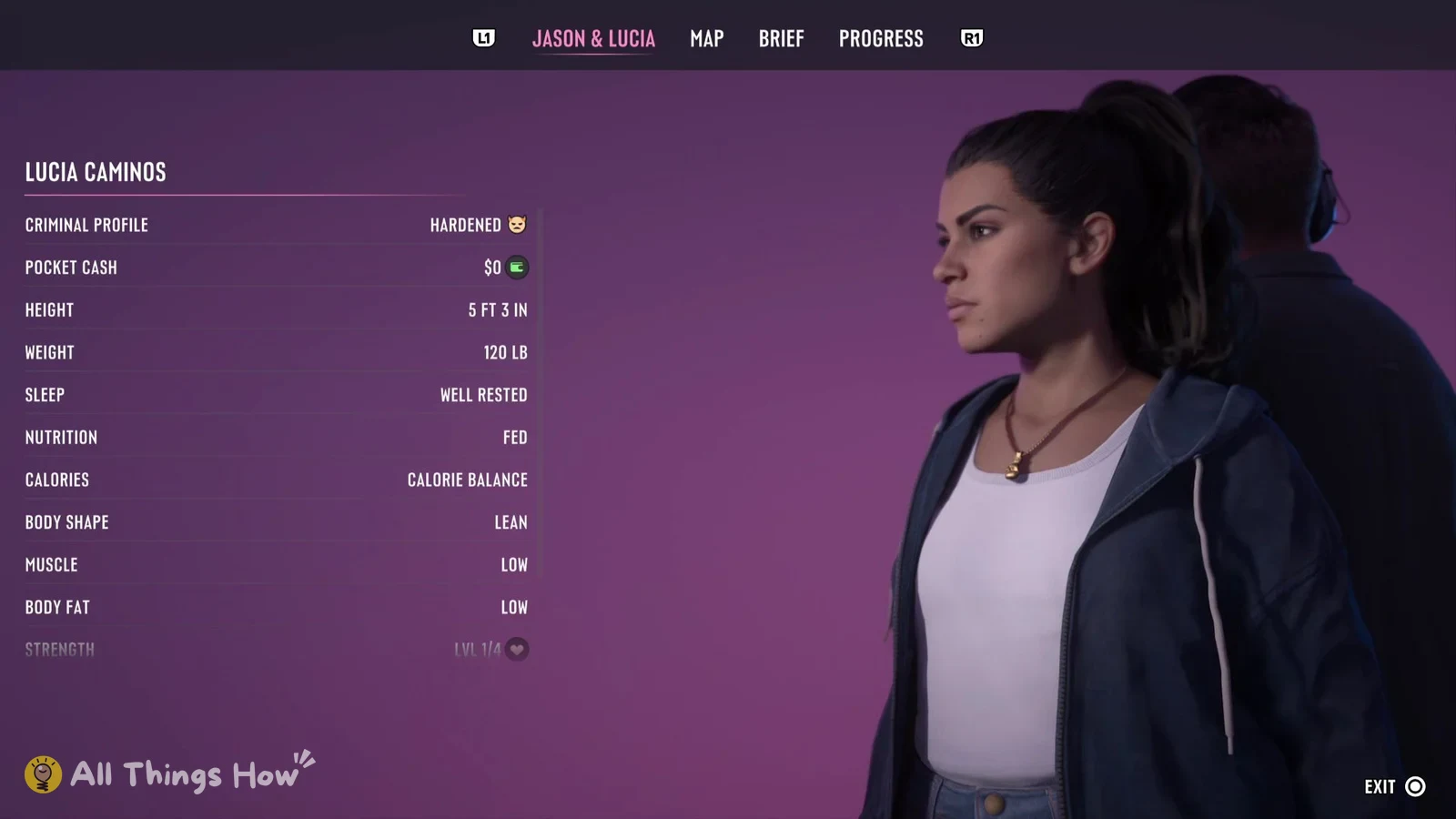
Jason and Lucia each have their own profile, so check the character you’ve been playing as.
The first line on each page is “CRIMINAL PROFILE”, with the current type and a small face icon next to it. For example, both Jason and Lucia can show “HARDENED” there. Further down the page you’ll see the STRENGTH, CARDIO and FOCUS levels, so you can see your Focus progress on the same screen, shown as something like “LVL 1/4”.