The “Connection to online services failed, please try again later” message in ARC Raiders usually means one of two things: either the game’s backend is having a bad day, or your PC can’t reach it cleanly. The trick is quickly figuring out which side is at fault and then working through the fixes that are actually worth your time.
1. Check whether ARC Raiders is down for everyone
Before changing anything on your system, confirm whether this is a wider outage.
2. Confirm your basic network and platform health
Once you are reasonably sure ARC Raiders is not in the middle of a large outage, make sure your own connection and platform are stable.
3. Flush and renew your DNS and IP configuration (Windows)
For many PC players, the most reliable local fix has been resetting Windows’ network configuration, especially the DNS cache. This can resolve “Connection to online services failed” and “Online services are currently unavailable” when the problem sits between your PC and ARC Raiders’ servers.
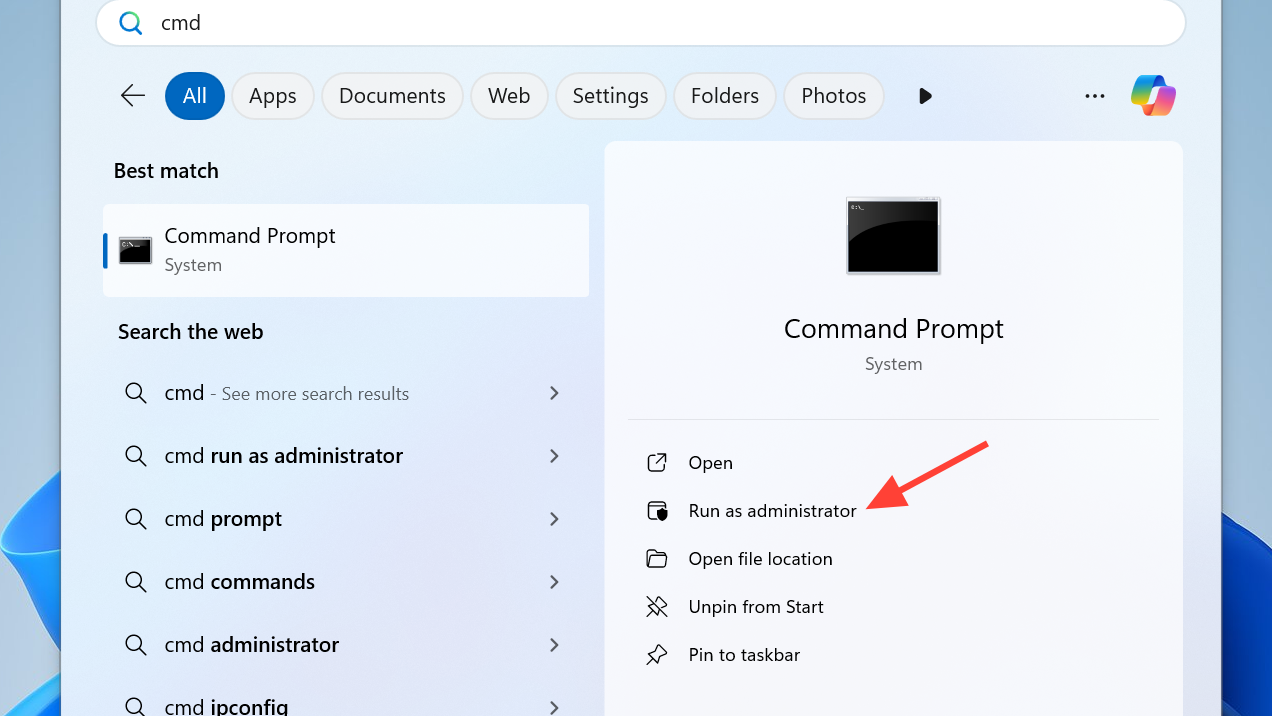
ipconfig /release
ipconfig /renew
ipconfig /flushdns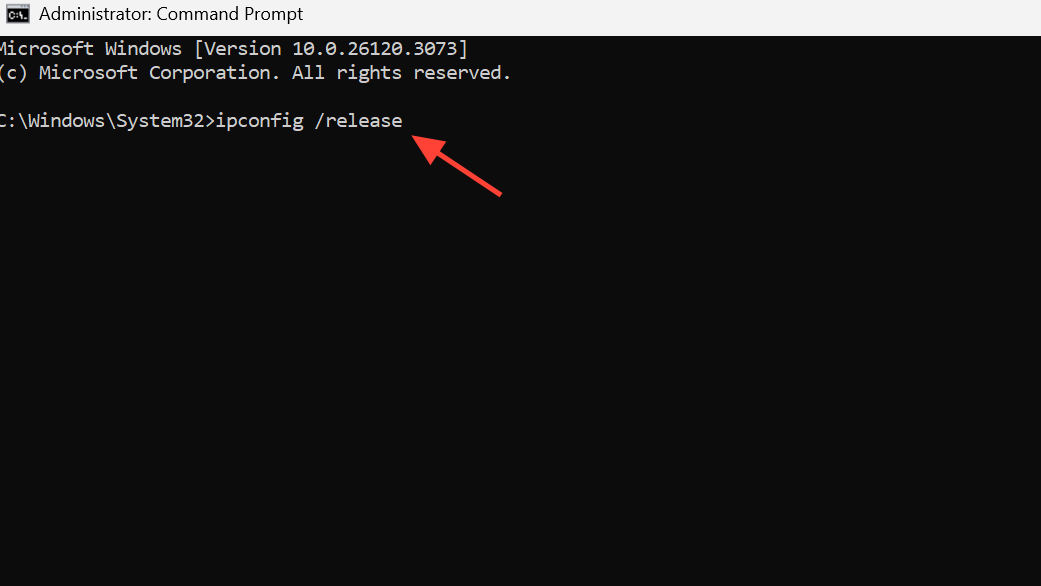
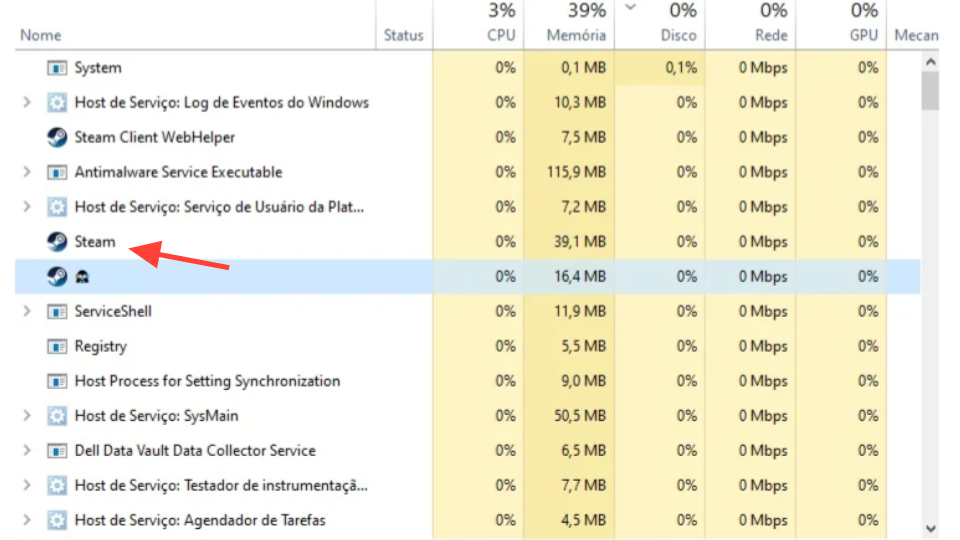
Players reporting the exact “The Connection to online services failed, please try again later” pop‑up have frequently cleared it with ipconfig /flushdns, sometimes combined with a full Steam restart.
4. Switch to a public DNS service
If flushing DNS helped temporarily or did nothing, switching away from your ISP’s DNS resolvers can stabilize how your PC finds ARC Raiders’ servers.
| Provider | Primary DNS | Secondary DNS |
|---|---|---|
| Google Public DNS | 8.8.8.8 | 8.8.4.4 |
| Cloudflare DNS | 1.1.1.1 | 1.0.0.1 |
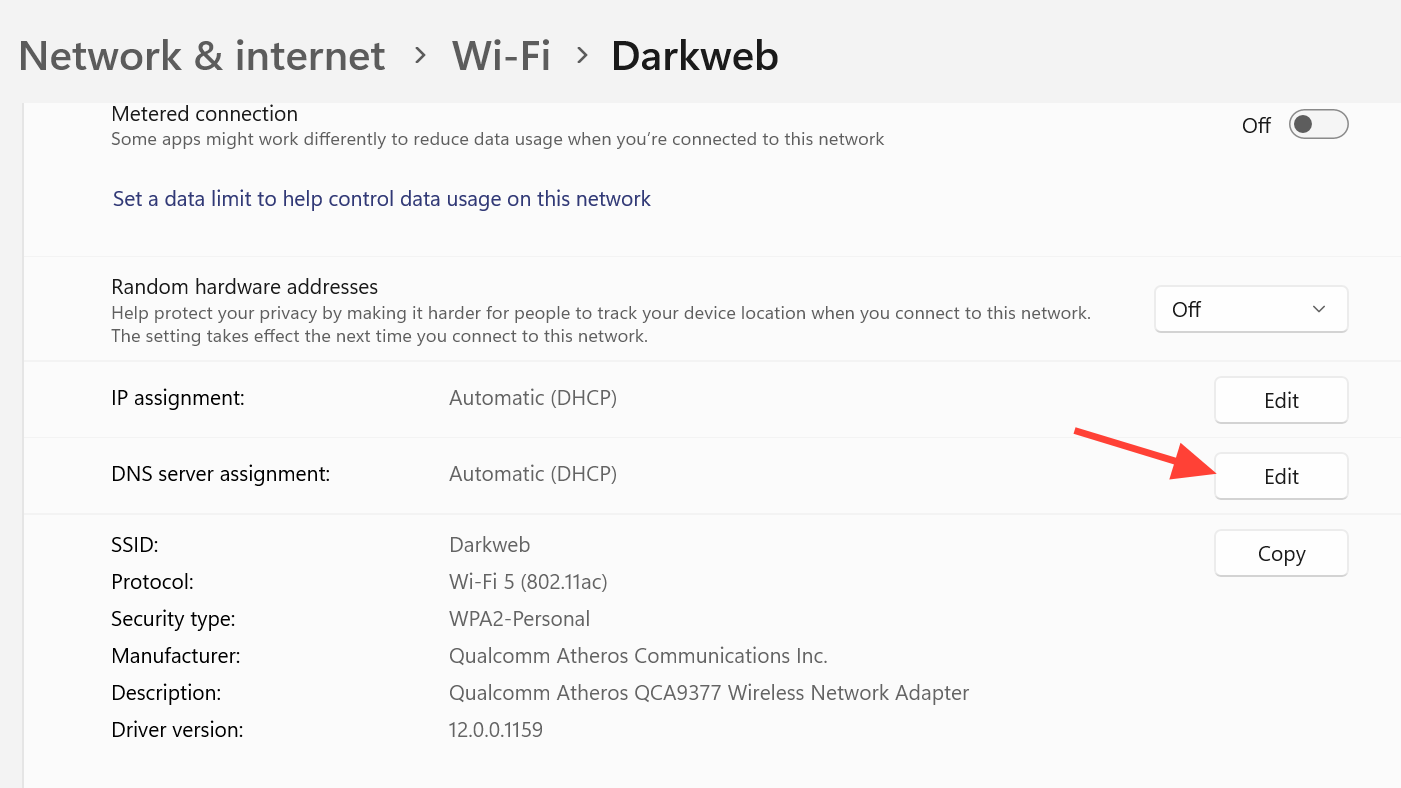
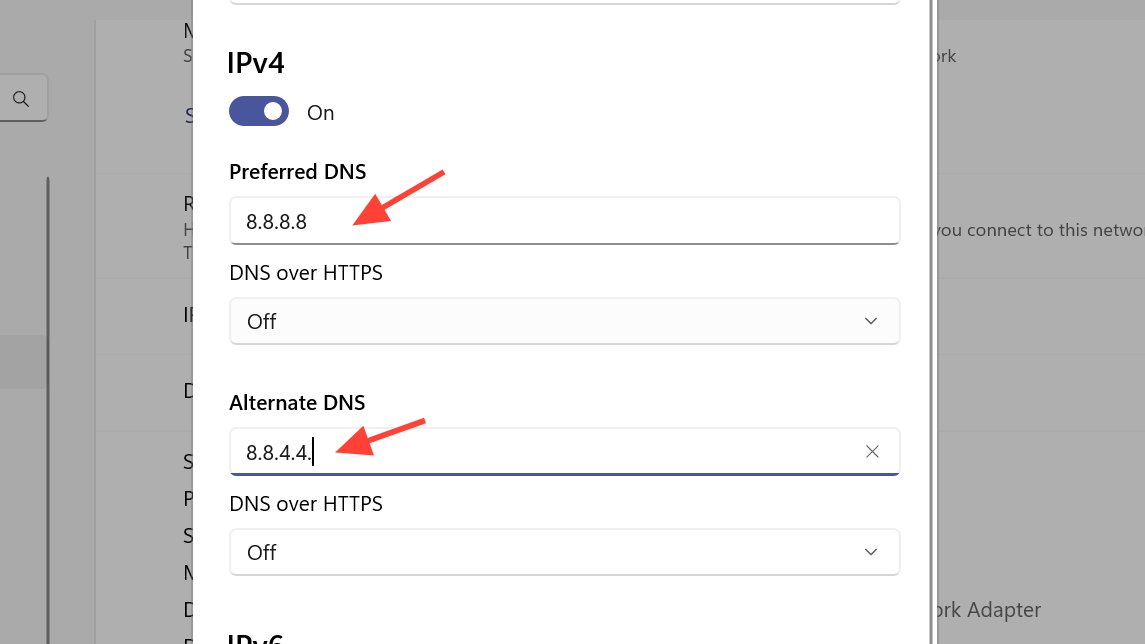
Some players have specifically reported that switching to Cloudflare DNS resolved repeated connection failures where everything else on the network looked fine.
5. Ensure your system time and Windows updates are correct
ARC Raiders, like many online games, expects your system clock to be reasonably accurate, and it generally behaves better on a fully patched OS.

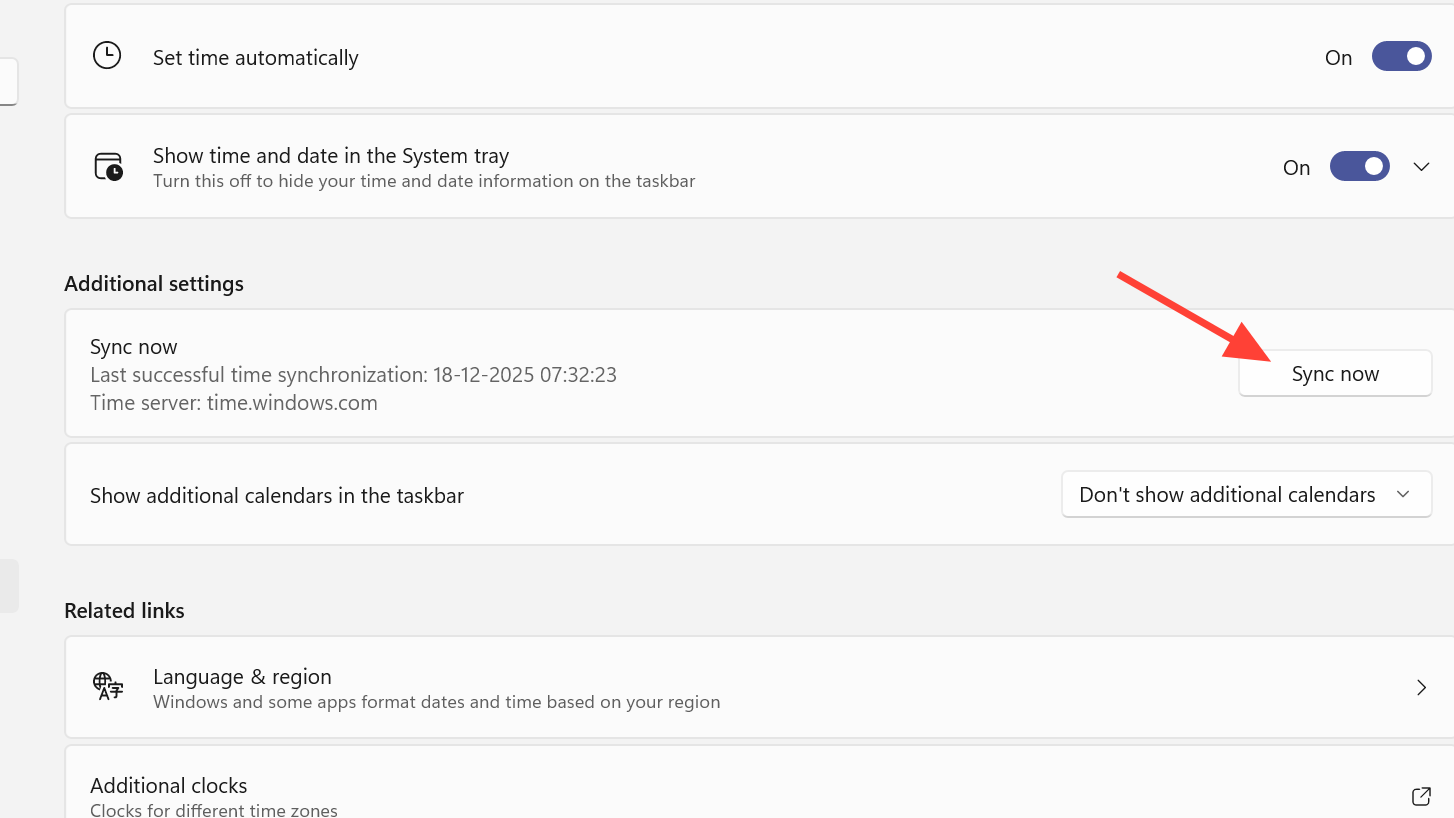
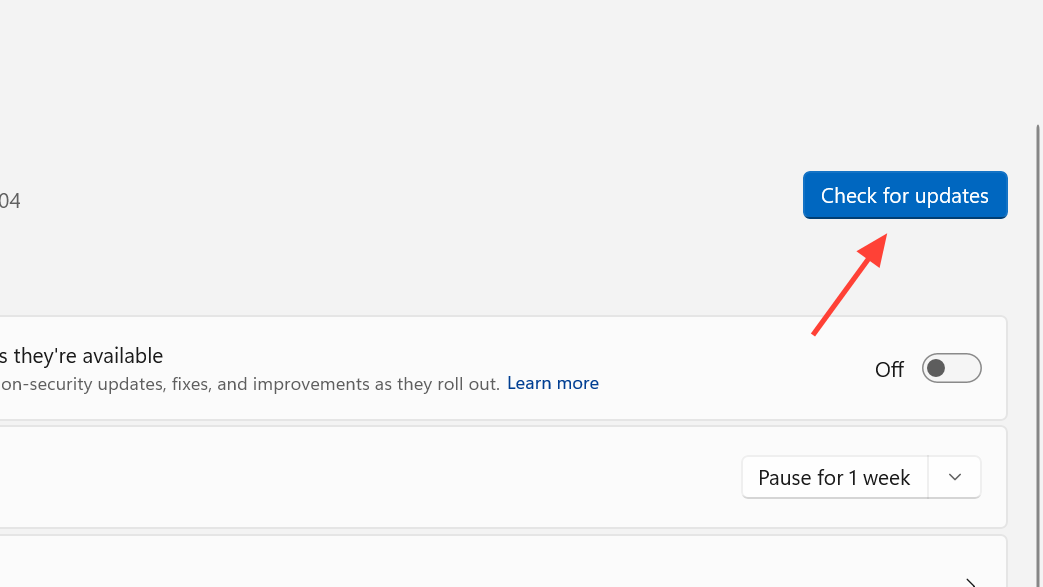
Once the clock and OS are in a healthy state, retry ARC Raiders. A mismatched time or lagging system updates tends to manifest as vague connection errors rather than explicit “time” warnings.
6. Adjust matchmaking region in ARC Raiders
When you do manage to reach the main menus but struggle to connect to raids or matchmaking, server region settings can be part of the problem.
On console, open the Social menu, move to the gear icon on the left, then use Gameplay > Server and set that to Automatic as well.
7. Use Windows’ own network diagnostics
If connection failures persist outside of known outages, it is worth letting Windows scan for common network issues.
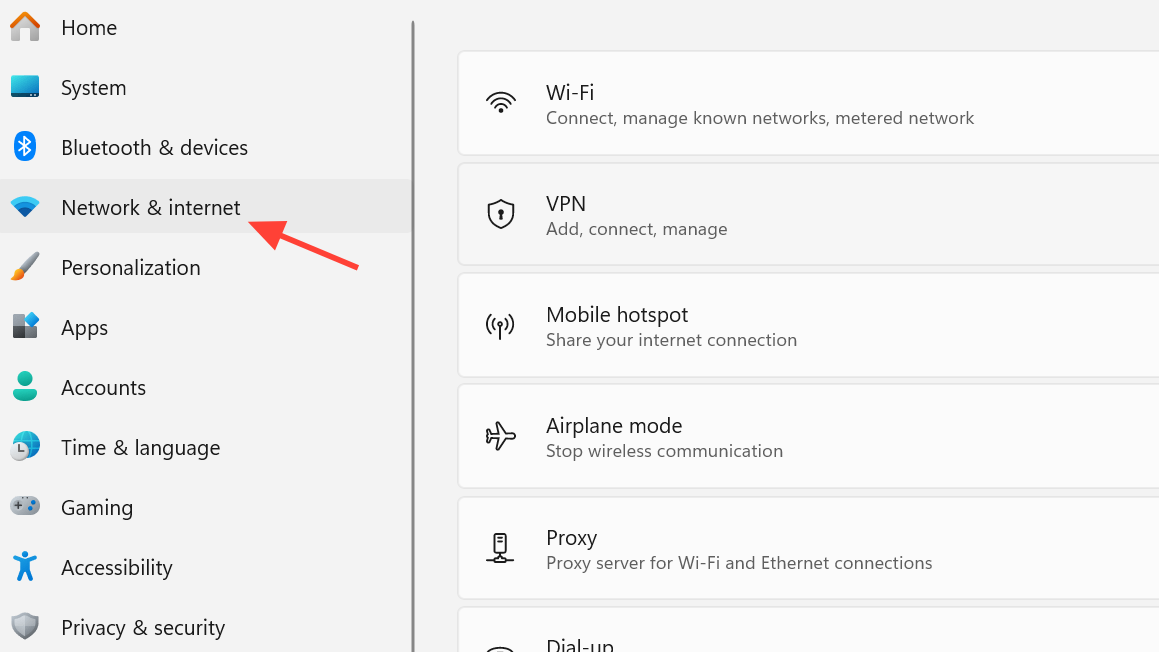
This will not fix game‑specific server outages, but it can quietly resolve adapter misconfigurations, driver problems, or broken routing that would otherwise keep ARC Raiders from talking to its backend.
8. Limit Windows background traffic that can destabilize play
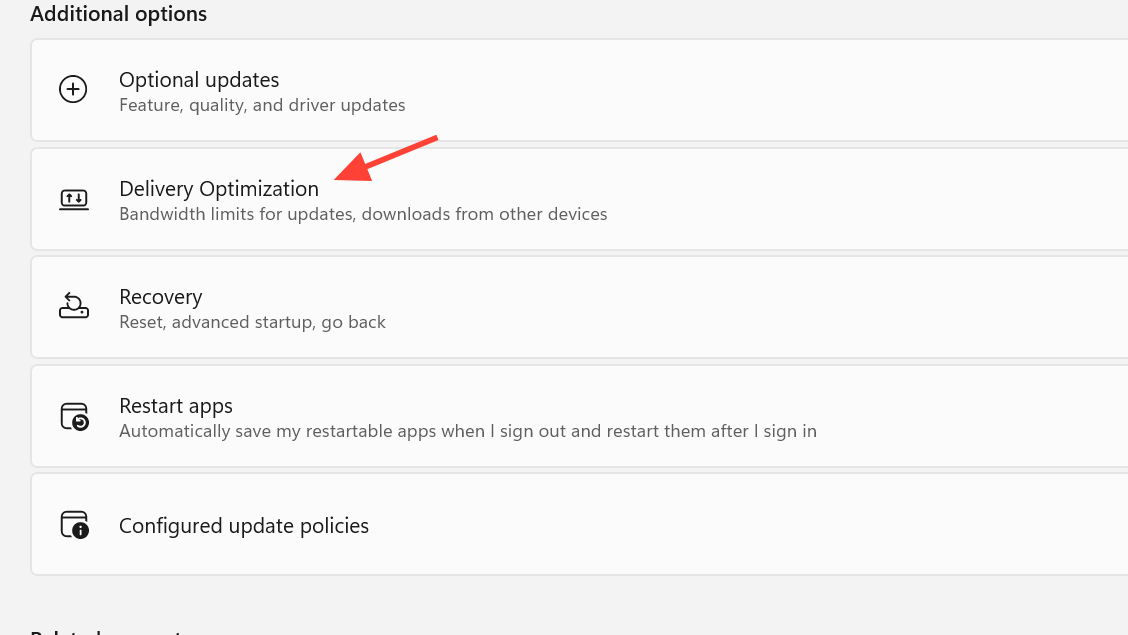
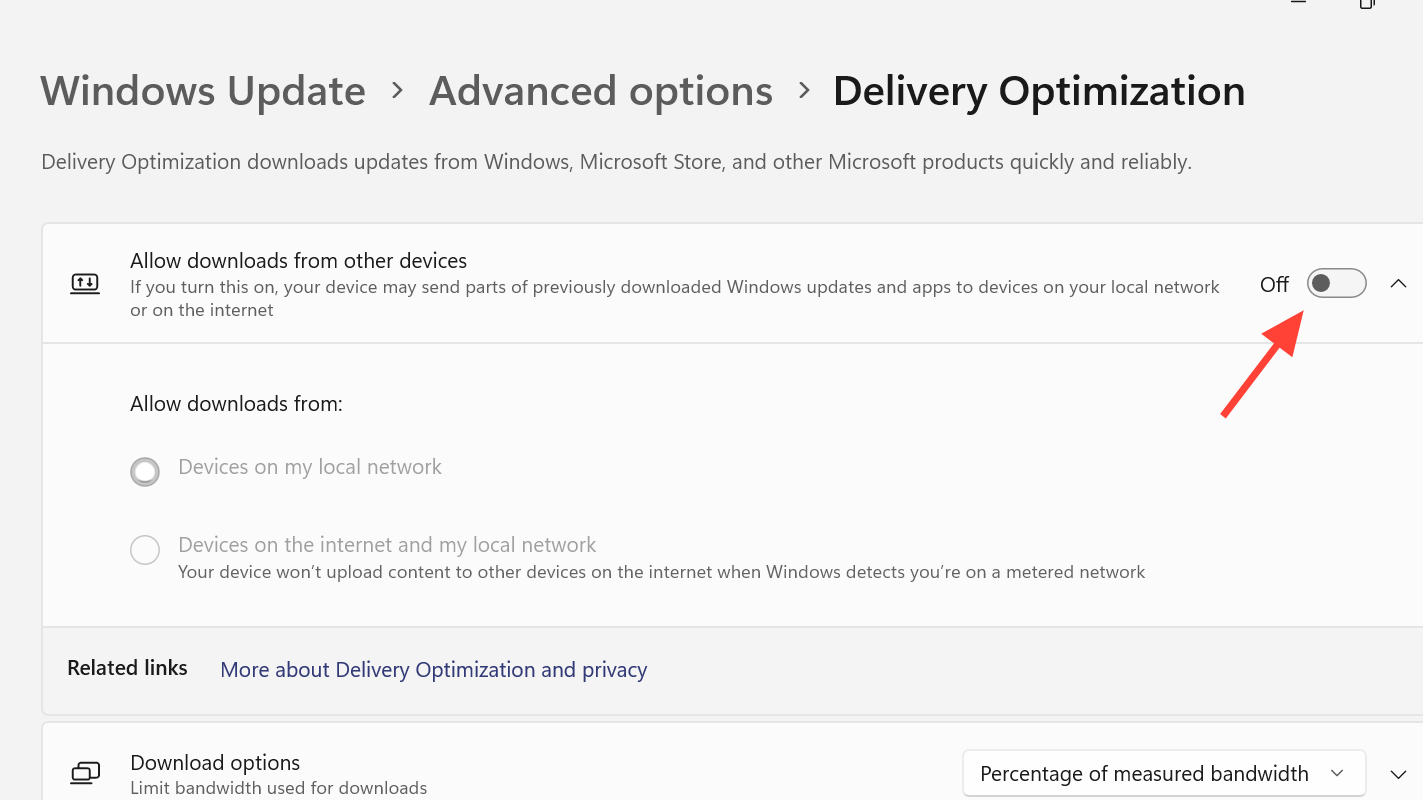
Heavy background traffic, especially from Windows Update’s peer‑to‑peer sharing, can add enough jitter to cause disconnects in an extraction shooter.
9. When to stop troubleshooting and contact support
If you have worked through connectivity, DNS, Steam, and system health, and ARC Raiders still refuses to connect while friends in the same region can play, you may be hitting an account‑level or region‑specific issue.
Support can investigate server logs and account flags that you cannot see from your end, and they can confirm whether you are running into a known issue tied to specific updates or regions.
ARC Raiders leans heavily on always‑online infrastructure, which means some amount of downtime and mid‑raid disconnects is inevitable. The key is separating genuine outages from fixable local problems. Checking for a wider issue, resetting your network configuration with ipconfig commands, switching DNS, and keeping Steam and Windows current collectively resolve a large share of “Connection to online services failed” errors. When those steps do nothing and many players are hit at once, the only realistic move is to give the servers time to recover.