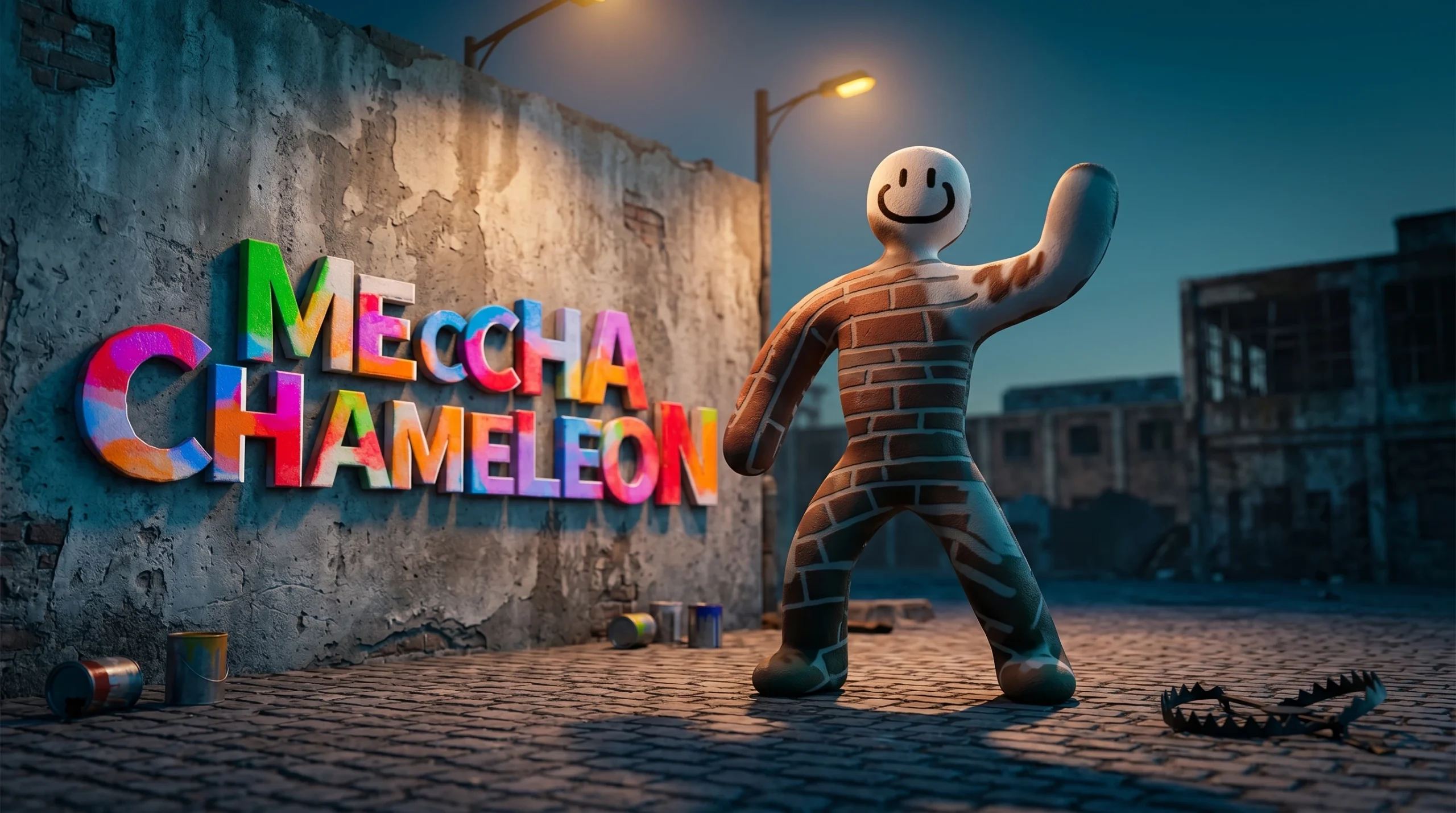
Meccha Chameleon turns hide-and-seek into a painting contest. Every Hider, or Painter, spawns as a plain white humanoid and has to repaint their body to melt into a wall, floor, or prop before the Hunters are released. Win as a Painter by staying hidden when the clock hits zero. Win as a Hunter by tagging every Painter before time runs out. The skills that separate a fast elimination from a clean survival come down to color sampling, pose choice, and how patiently you move.
Quick answer: As a Painter, walk to your spot first, sample the exact surface with the eyedropper (Space), fine-tune the shade with the HSV sliders, lock a pose (R) that breaks your human outline, then stay perfectly still once the whistle blows. As a Hunter, sweep each room from the edges inward and look along flat walls from a side angle so any body poking out of the surface becomes obvious.
The three round phases you plan around
Every match runs through the same three phases in order, and knowing what each one is for removes most beginner mistakes. The lobby phase confirms everyone is on the same game version. One outdated client can break matchmaking entirely, so check this before a friend session. The preparation phase gives Painters a short window to scout, paint, and pose while Hunters are locked out. The hunt phase releases the Hunters, and from that moment Painters cannot adjust without risking the round.
The preparation phase is where every meaningful decision happens. Do not burn it wandering the map. Pick a spot in the first third of the timer, sample colors right away, and spend the rest of the window cleaning up edges and locking your pose. Meccha Chameleon is a paid PC title on Steam for $5.99, playable on Windows and the Steam Deck, and you can grab it from the official Steam store page.
Painter tactics: paint, pose, and blend in
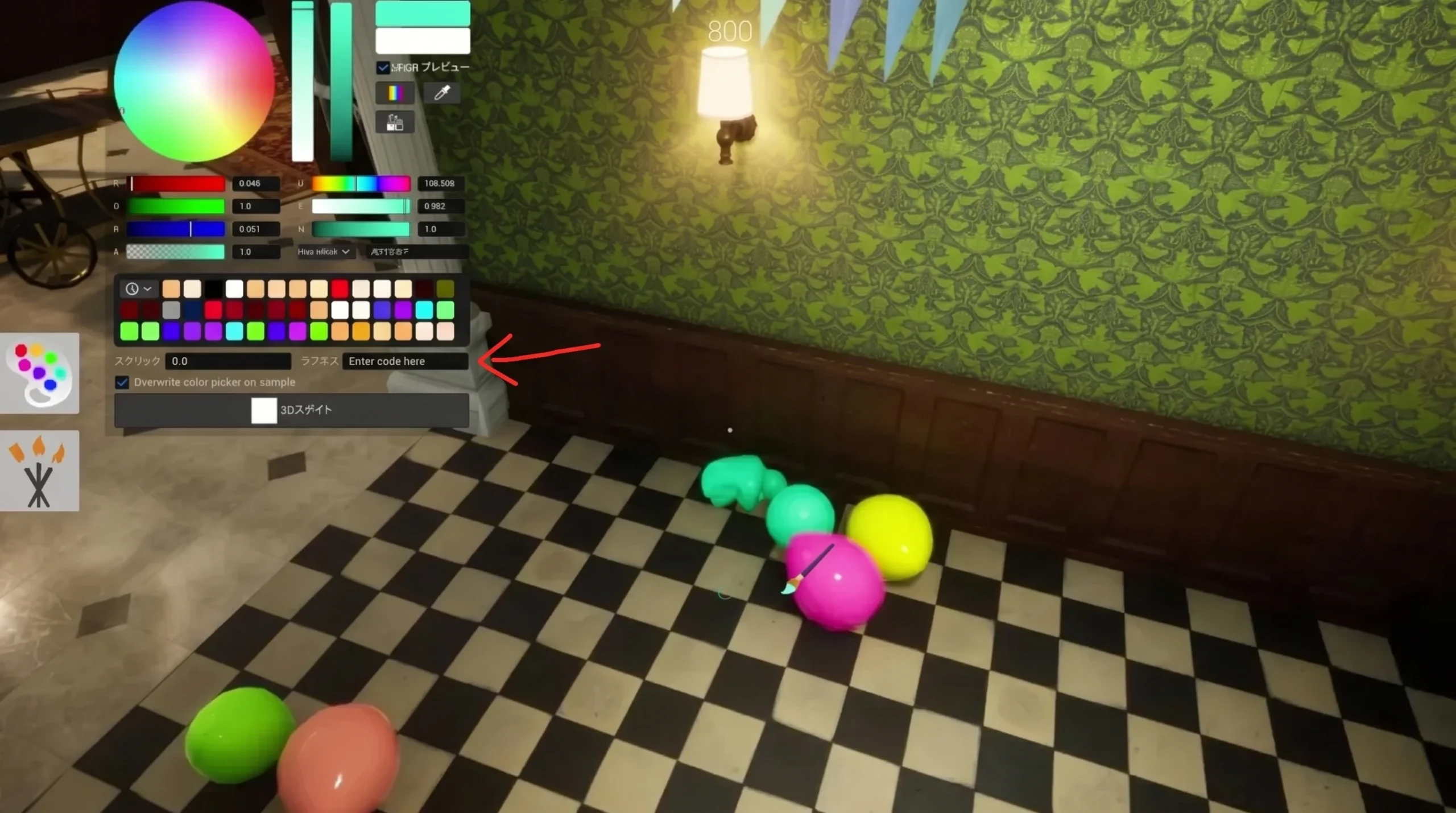
Open the paint menu only after you reach your hiding spot. Pressing F in the middle of a room wastes time, and colors sampled away from your surface will look wrong once you settle. Walk to the wall, crate, shelf, or painting you want to copy, then sample it directly.
Use the eyedropper, then layer your color
Tip: Turn off shadows with V to look flat when a Hunter views you head-on, and rotate the camera with the mouse wheel as you paint so you cover your back, elbows, and gaps between limbs. You can save a strong palette as a Theme and reload it instantly on the same map.
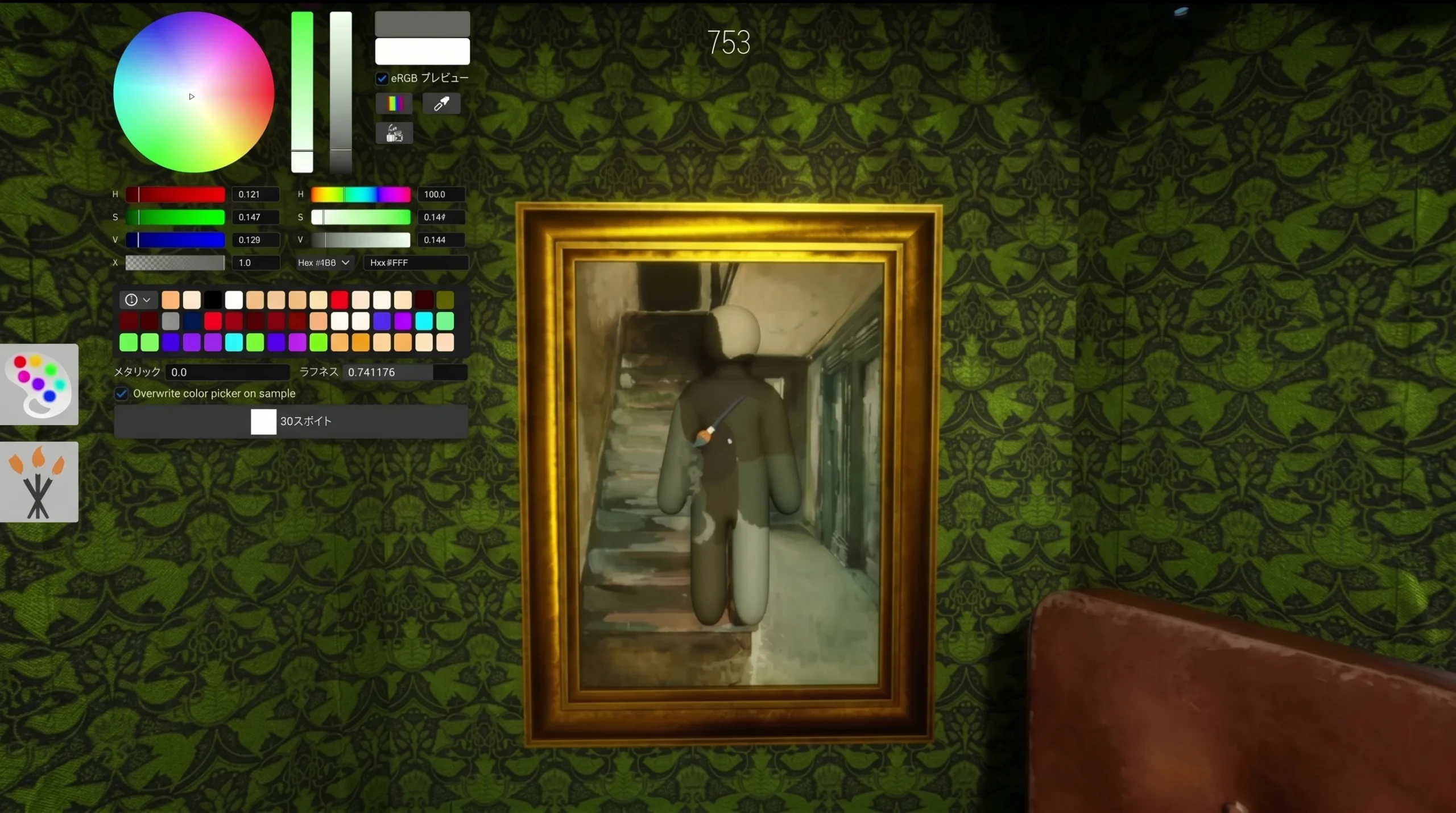
Pick a pose that kills your human outline
Color alone will not save you. A painted body standing upright still reads as a person. Open the pose wheel (R) and match the geometry around you. Lie flat like a starfish against a flat wall, stand upright on curved objects like barrels or trees, and use the curl pose to mimic small objects such as balloons or items in a vegetable patch. Sitting and leaning poses are the hardest to pull off, so avoid them early. There are even spots where curling into an object shape needs little or no paint at all.
Where to hide and where not to
Cluttered, busy areas forgive imperfect paint because the Hunter’s eye has too much to process. Solid flat walls and wide-open floors expose every flaw in your silhouette. Avoid the obvious traps, since experienced Hunters check them first.
- Strong spots: checkered floors, framed artwork, stacked crates, busy murals, clusters of pottery or foliage, and high points toward the map’s center.
- Weak spots: behind sofas and tables, empty alcoves that fit a player model perfectly, flat open walls, and ceiling attachments.
- Avoid clipping near walls or objects where you can slip out of bounds. It can break the round and hand Hunters a bird’s-eye view.
Note: A shadow update in v1.1.0 brightened dark areas, so painting yourself black and tucking into a corner no longer works as reliably as it once did. Treat shadows as a bonus, not a crutch, and rotate your spots between rounds since the meta shifts fast.
Stay still, and know when the whistle lets you move
Once the hunt begins, the smallest twitch ruins the best paint job. No camera glances, no nudges, no panic when a Hunter drifts within a few pixels. A still Painter with an average paint job survives longer than a flawless one who flinches. If you are bored, the Painter free cam (5) lets you watch the Hunters without moving your model.
Moving after the whistle is a high-risk, high-reward play. It can work if you are in a weak open spot, on Normal mode, or hidden near the ceiling, and only when no nearby teammate could give your position away. Do not bother relocating if you have already committed to an intricate paint job. Since v1.2.0 added a ranking-based scoring system, you also earn points for time spent in a Hunter’s line of sight while keeping distance, so confident players can take calculated risks and lead Hunters on a chase instead of hiding safe.
Hunter tactics: search slow, catch the errors
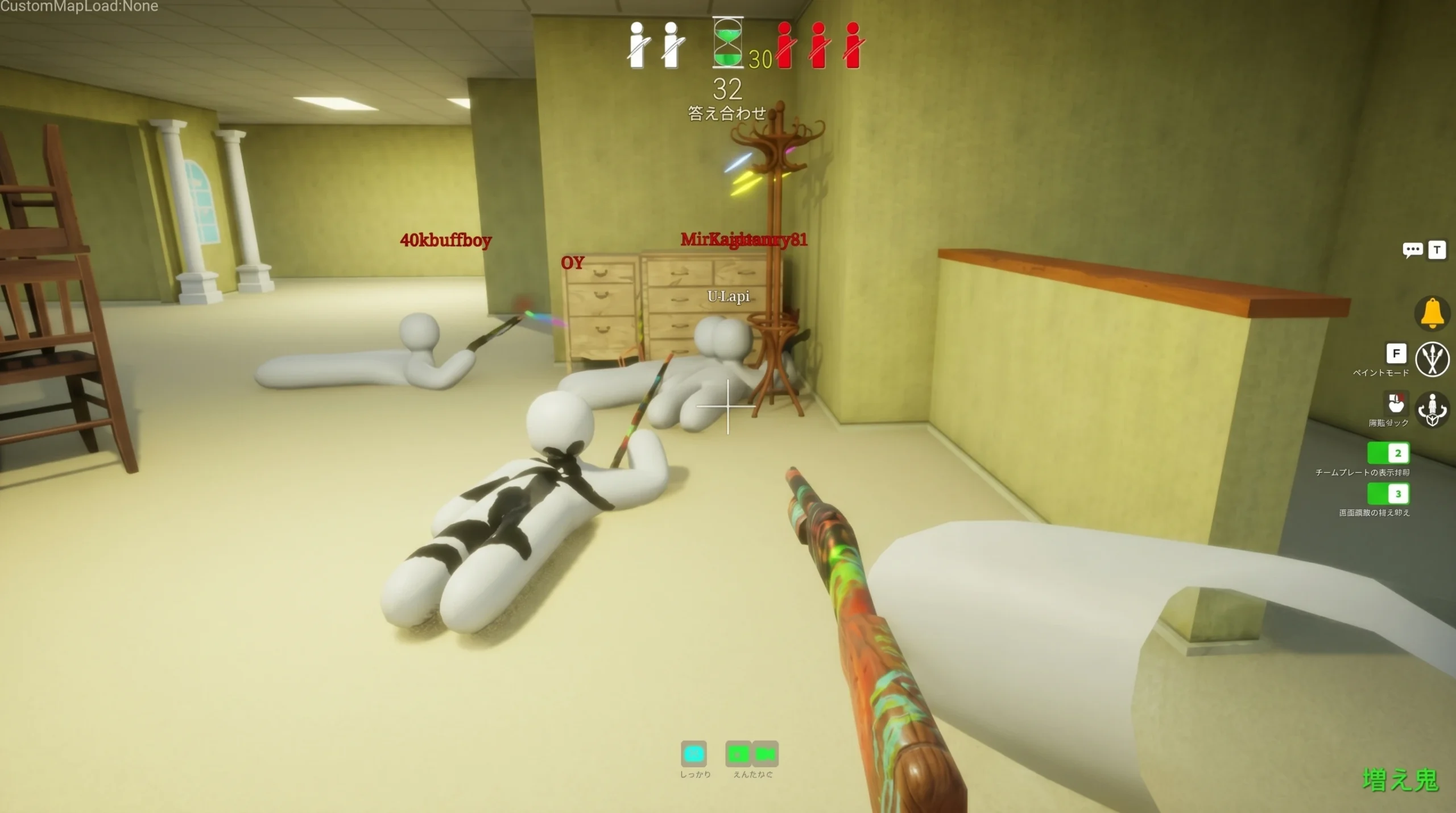
Hunting is more forgiving than hiding, but rushing ruins it. Never panic. Move slowly, start at the room’s perimeter, and work toward the center. Stand still often and scan with the mouse. Subtle giveaways only appear when you slow down.
Carve each room into sections and clear them in order: corners and wall edges first, then large props, then elevated spots, and finally floor-level objects. This stops you from circling back over ground you already covered. Stand apart from teammates when the whistle is about to sound so you can pinpoint where any noise came from.
Hunt for visual errors, not wrong colors. Good Painters get the color close enough to beat a color-only scan, so train your eye on the logic mistakes paint cannot hide.
- Outlines that do not continue into the object behind them.
- Shadows facing the wrong way relative to the room’s light source.
- Sheen or reflections that do not match nearby surfaces.
- A prop or shape sitting where that object would never naturally be.
- Edges that look too clean or too painted against the real background, plus any micro-movement from an impatient Painter.
Two techniques catch the trickiest hides. Stand against a flat wall and angle the camera so you are looking straight along its edge. Any Painter flattened on that surface will poke out and reveal themselves. The same trick works for peering inside objects, under furniture, and around the outside of buildings or trees. And because Painters have no flashlights to fear, use the shotgun’s muzzle flash as a light source. Each shot briefly lights up dark corners, letting you flush out anyone curled up in the shadows without raising your gamma.
Meccha Chameleon controls reference
Default bindings are listed below, and you can rebind any of them in the settings menu. Verify your bindings after a patch, since keys can change.
| Function | Key |
|---|---|
| Move | W A S D |
| Look | Mouse |
| Crouch | Ctrl |
| Move up on walls | Space (hold) |
| Move down on walls | Ctrl (hold) |
| Exit wall climb | Shift |
| Pose wheel | R |
| Paint menu | F |
| Eyedropper | Space |
| Execute (paint or shoot) | Left click |
| Rotate camera (painting) | Mouse wheel + move mouse |
| Adjust brush size (painting) | Right-click + move mouse |
| Lock rotate position | Right-click |
| Turn off shadows (painting) | V |
| Zoom (painting) | Alt + right-click + move mouse |
| Taunt | 1 |
| Display nameplate | 2 |
| X-ray rendering (painting) | 3 |
| Free cam (Painter) | 5 |
| Text chat | T |
| Settings | Esc |
The fastest way to improve is to play both roles. Learning how Hunters read a room teaches you exactly which mistakes to hide as a Painter, and time spent painting shows you where the giveaways live when you are seeking. Stick to the official maps until the fundamentals feel automatic, keep your group on the same game version, and rotate your spots so a single clever hide never becomes a habit Hunters can count on.