
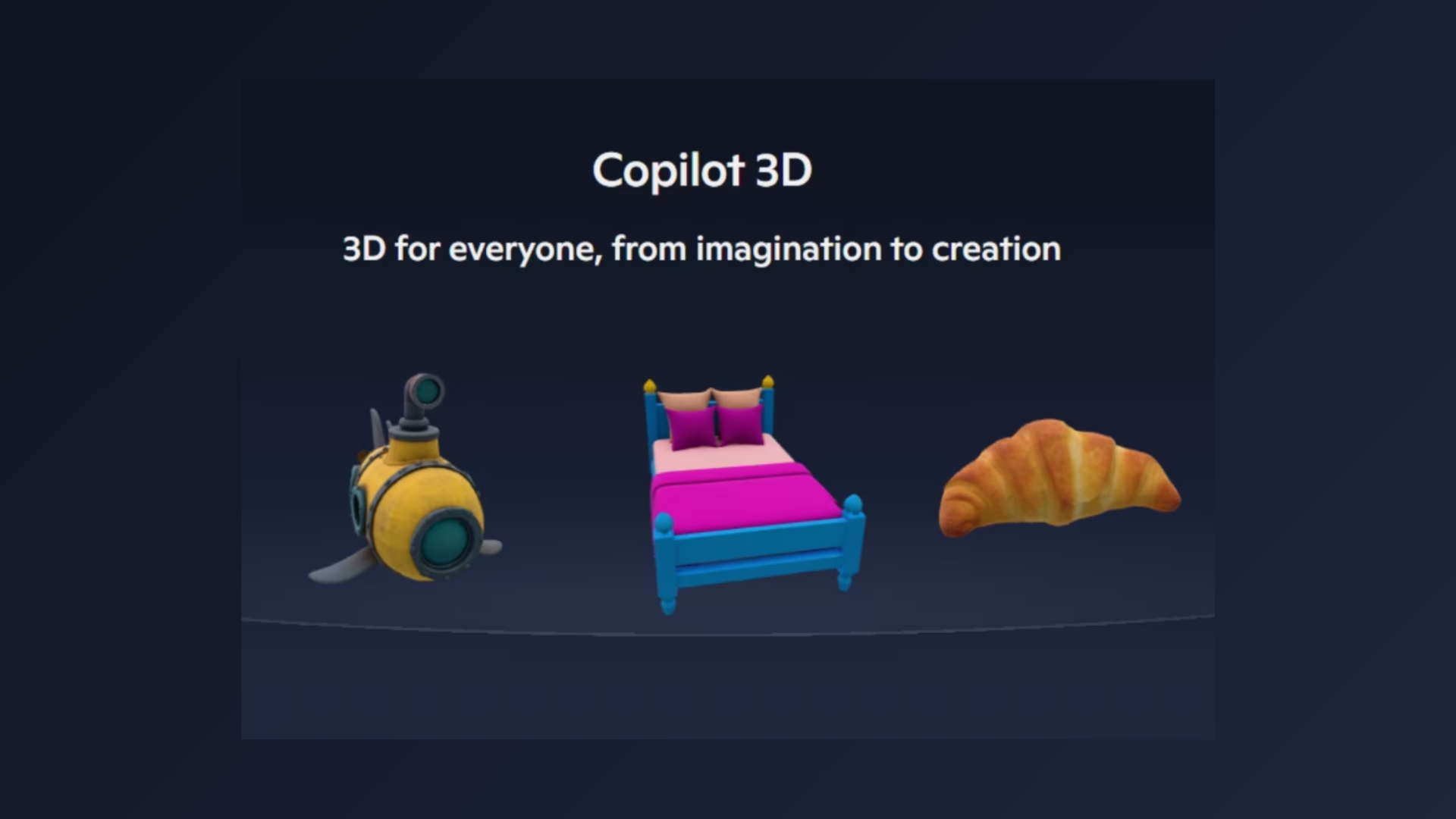
Uploading a single image to Copilot 3D now instantly creates a 3D model, streamlining a process that traditionally required complex software and specialized skills. Microsoft has introduced Copilot 3D as part of its Copilot Labs experimental features, with the goal of making 3D asset creation accessible to a much broader audience. The tool is currently available to Copilot users worldwide at no cost—just sign in with a personal Microsoft account to get started.
Generating 3D Models from 2D Images
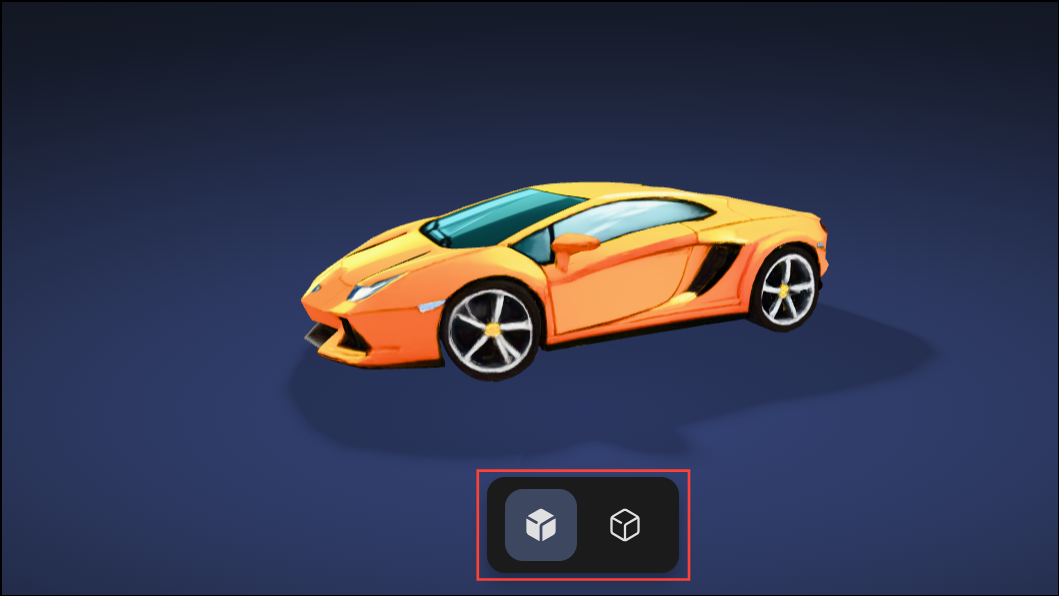
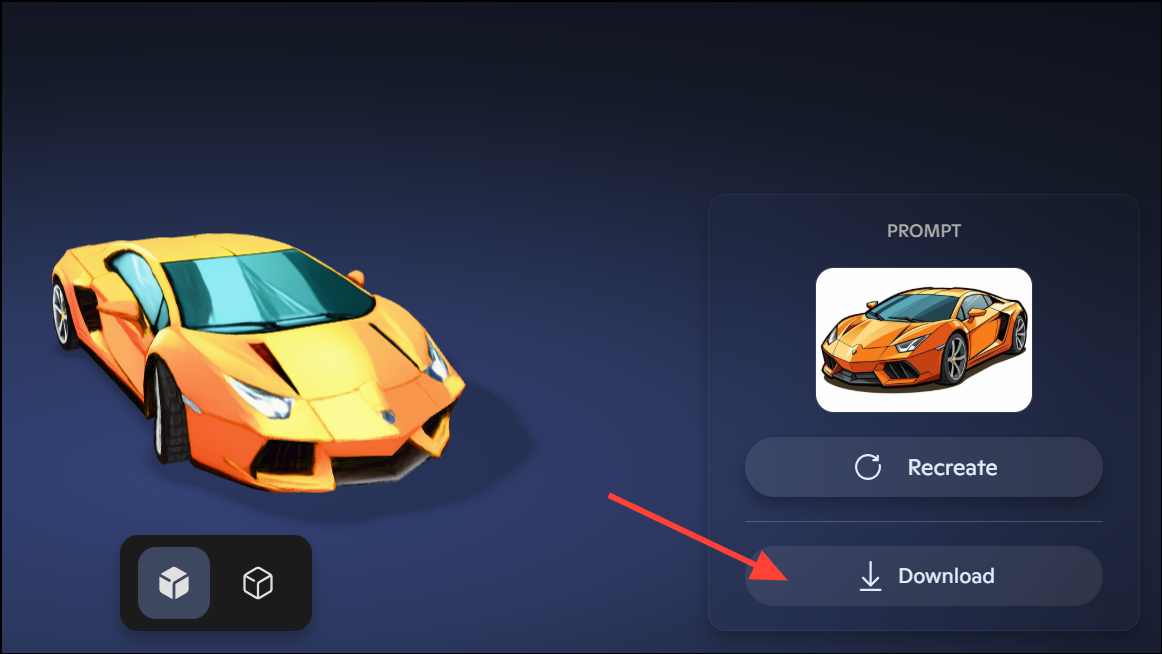
Copilot 3D focuses on converting user-uploaded images into ready-to-use 3D models. The process is straightforward: upload a PNG or JPG file under 10MB, and the system produces a fully rendered model in the GLB format. This file type is compatible with most 3D viewers, design tools, and game engines, making it suitable for game development, animation, AR/VR projects, and 3D printing.
Microsoft recommends using images with a single subject, even lighting, and a plain or uniform background for best results. Images with clear separation between subject and background allow the AI to infer depth more accurately, resulting in more realistic 3D models. While Copilot 3D performs well with objects like furniture, toys, and simple shapes, it can struggle with images of animals or humans, sometimes producing distorted or unusable models. The system also blocks attempts to generate models from images of celebrities or copyrighted content, citing privacy and legal guardrails.
How to Use Copilot 3D
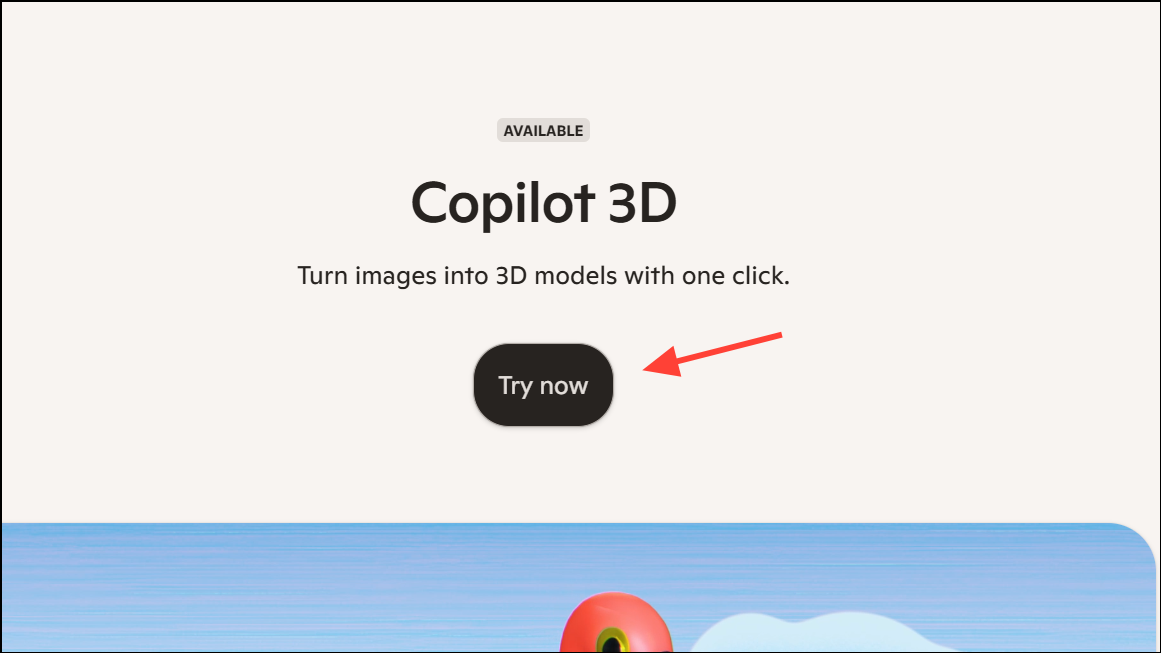
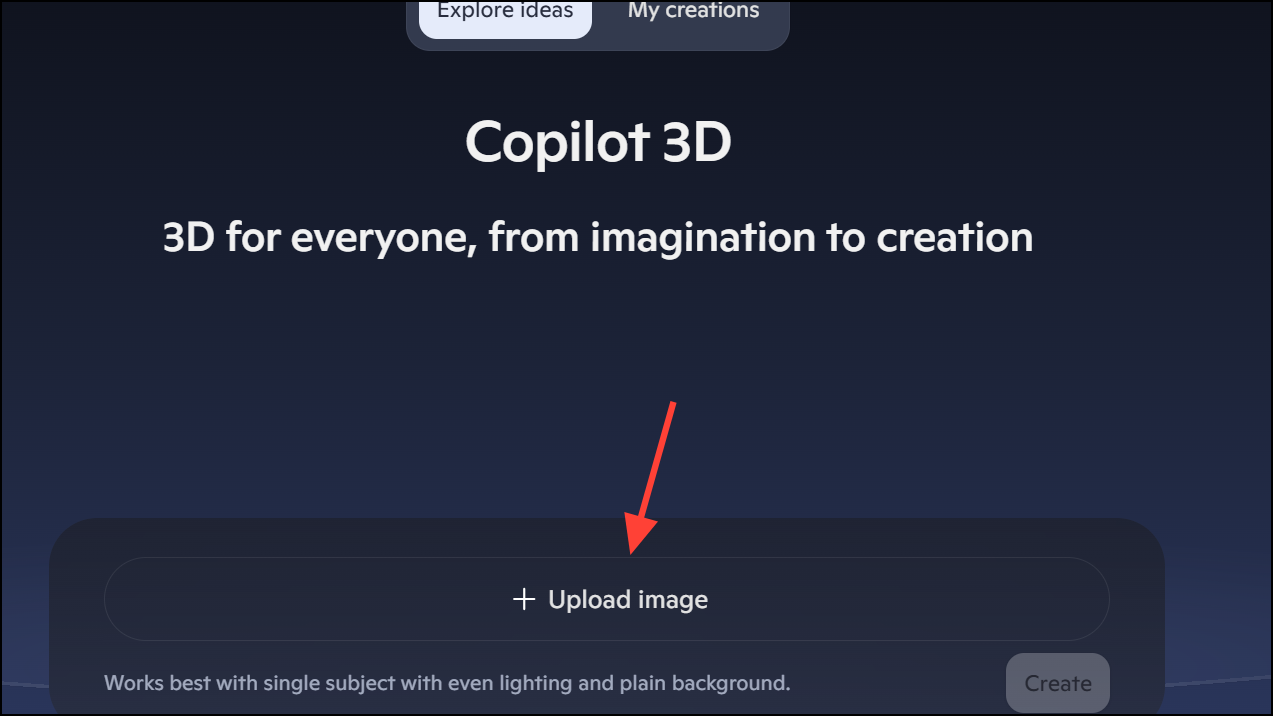
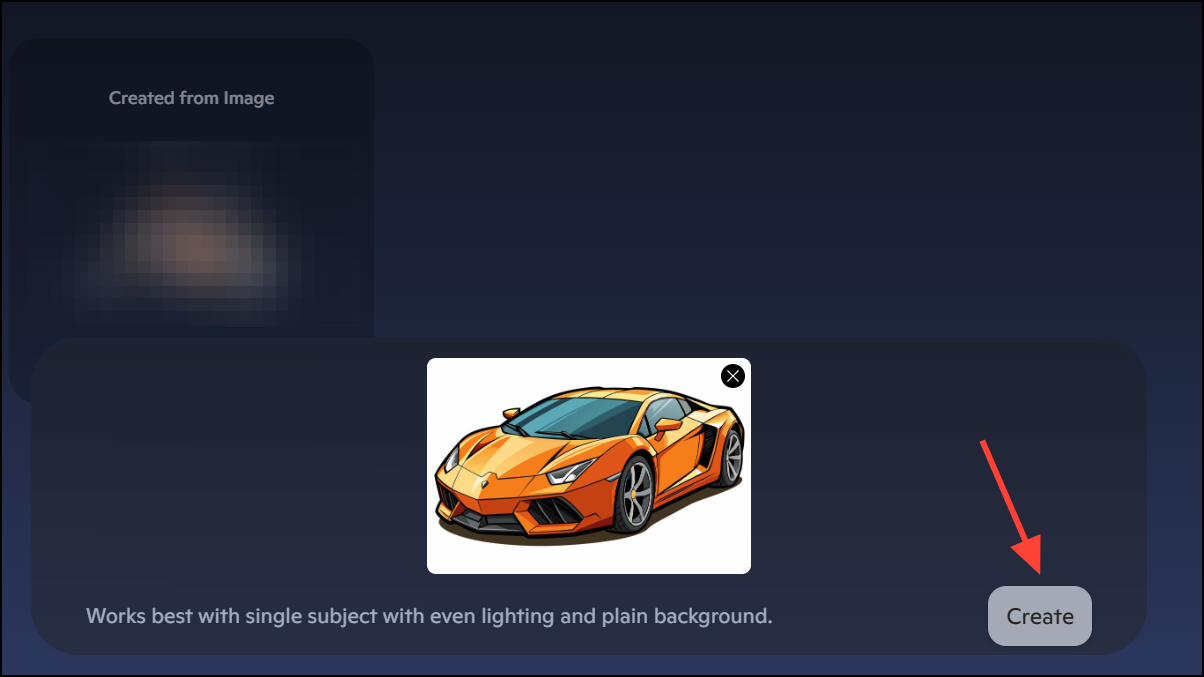
Recommended Image Types and Limitations
For optimal results, use images with:
- A single, clearly defined subject.
- Uniform or uncluttered backgrounds.
- Even, natural lighting without harsh shadows.
- Noticeable depth or perspective cues.
Copilot 3D does not currently support text-to-3D generation—only image uploads are processed. The tool refuses images that violate Microsoft’s Code of Conduct, including copyrighted material, depictions of people without consent, or illegal content. Attempts to upload such images may result in account restrictions or suspension.
Privacy is a priority: Microsoft states that uploaded images are used solely for model generation and are not retained for training or personalization. This approach reduces the risk of personal data misuse and aligns with stricter privacy expectations.
Use Cases and Practical Applications
Copilot 3D’s rapid image-to-model workflow is especially useful for:
- Game developers needing quick 3D assets from sketches or product images.
- Animators prototyping objects and scenes without modeling expertise.
- Educators demonstrating design, engineering, or physics concepts interactively.
- 3D printing enthusiasts converting reference images into printable models.
- AR/VR creators populating immersive environments with custom objects.
In hands-on testing, Copilot 3D consistently produced accurate models of furniture and simple objects, while more complex or organic shapes (like animals or faces) sometimes resulted in odd or unusable forms. The tool’s built-in guardrails also prevented the modeling of certain public figures and copyrighted characters, but allowed experimentation with original artwork and non-protected subjects.
Copilot 3D simplifies 3D modeling for anyone with a photo and an idea, cutting out the need for specialized software or experience. For now, sticking to clear, well-lit object images will yield the best results as Microsoft continues refining the feature.





