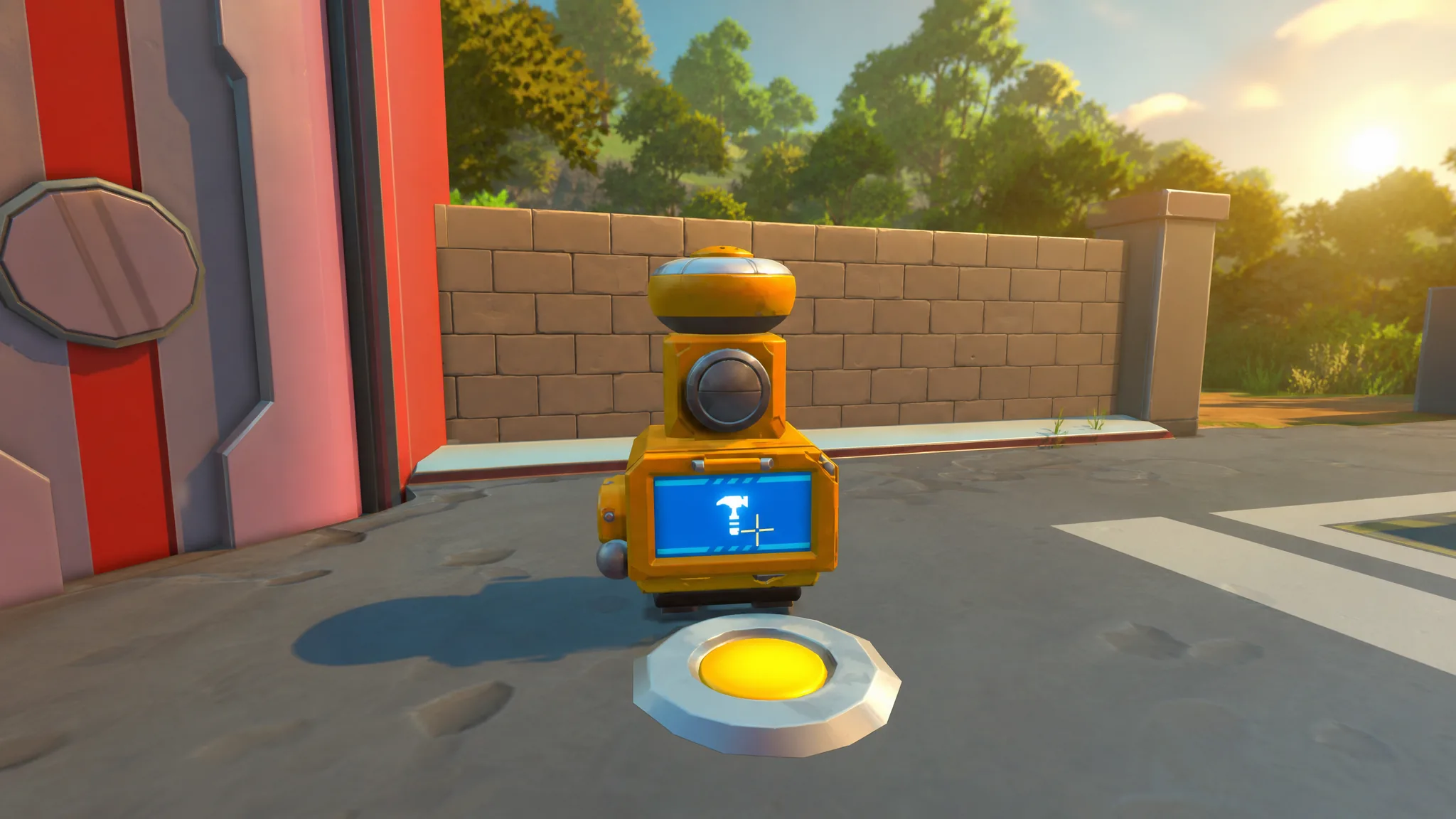
The Cookbot is the crafting station in Scrap Mechanic that turns raw crops and ingredients into finished meals. Those meals refill your health, hunger, and thirst in one bite, and one of them can even bring a downed teammate back into the fight. Once you have it set up in your base, you stop nibbling on raw produce and start managing your vitals properly.
Quick answer: Build a Dispenserbot at a Mechanic Station, then use 50 Metal Blocks, 10 Circuit Boards, and 10 Component Kits at the Dispenserbot to make the Cookbot. Place it in your base, open its interface, and cook Pizza Burgers, Veggie Burgers, or Revival Baguettes from ingredients in your inventory.
What the Cookbot does and what it makes
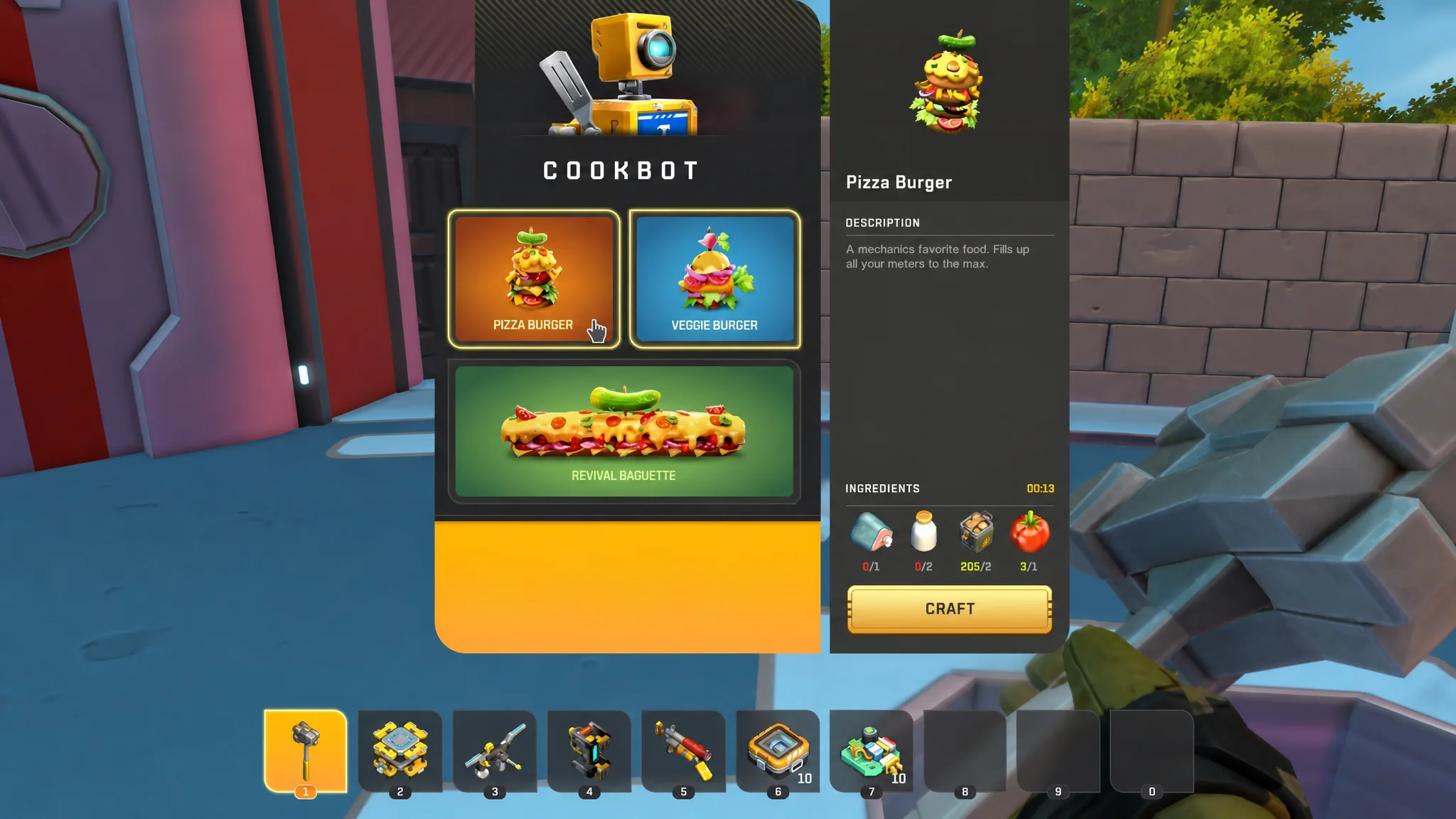
The Cookbot cooks food that fills up your health bar and can revive fallen friends. It prepares the dish right in front of you, and the finished meal drops into your inventory ready to eat. Three recipes are available once the station is built.
- Pizza Burger — designed to fill your meters to their maximum.
- Veggie Burger — a vegetable-based meal that also tops up your stats.
- Revival Baguette — feed this to a downed teammate to bring them back into action, which makes it a multiplayer staple.
Materials and stations you need first
The Cookbot is not crafted directly at a bench. You create it by using a Dispenserbot at a Mechanic Station, so you need that station unlocked before anything else. Circuit Boards and Component Kits are the gating resources here, and it helps to have your Craftbot upgraded to at least level four so you can produce those components reliably. Make sure you have enough storage on hand for the raw materials too.
| Material | Quantity |
|---|---|
| Metal Block | 50 |
| Circuit Board | 10 |
| Component Kit | 10 |
The build takes roughly 11 seconds to complete once you commit the resources, and it produces a single Cookbot.
Crafting the Cookbot
Placing and using the Cookbot
Set the Cookbot down somewhere permanent in your base. Most players push it flat against a wall to save floor space, since it stays in one spot and does not need clearance around it. Once it is placed, interact with it to open the interface and browse the available recipes.
To cook, you need the correct ingredients stocked in your inventory or nearby storage. The recipes pull from farmable and gathered produce, so keeping a steady supply on hand is what lets you cook whenever you need a meal.
- Woc milk — collected from wocs.
- Vegetables — potatoes and tomatoes.
- Plantable crops — carrots and similar produce you can farm.
Select a recipe, cook it, and the finished food lands in your inventory. From there you eat it directly to restore your vitals. Keeping chests near the Cookbot stocked with these ingredients means you can defend your base or head out exploring without worrying about raw food running dry.
Food stats and the best time to eat
Every Cookbot meal restores 100 health along with hunger and thirst. The exact hunger and thirst values differ per recipe, and cooking sometimes changes the total value compared with eating the raw ingredients separately.
| Meal | Hunger gained | Thirst gained |
|---|---|---|
| Pizza Burger | 100 | 100 |
| Veggie Burger | 90 | 70 |
| Revival Baguette | 50 | 130 |
The 100 health each meal grants is more useful than it looks. Regenerating health drains hunger faster, so eating a burger when all three meters are low, such as right after respawning, gets the most value out of it. The most resource-efficient move is to wait until starvation actually begins before eating, so you do not waste the 30 hunger you respawn with.
That timing is tight, though. After a respawn, thirst starts damaging you at around 28 seconds and starvation sets in at about 31 seconds, leaving you a window of roughly 17 seconds to eat before you go down again. Cook meals ahead of time and carry them so you are never scrambling during that gap.
You know the Cookbot is working when a recipe you select produces the finished food item in your inventory. If a recipe will not cook, the usual cause is missing ingredients, so check that you have the required woc milk, vegetables, or crops before trying again.