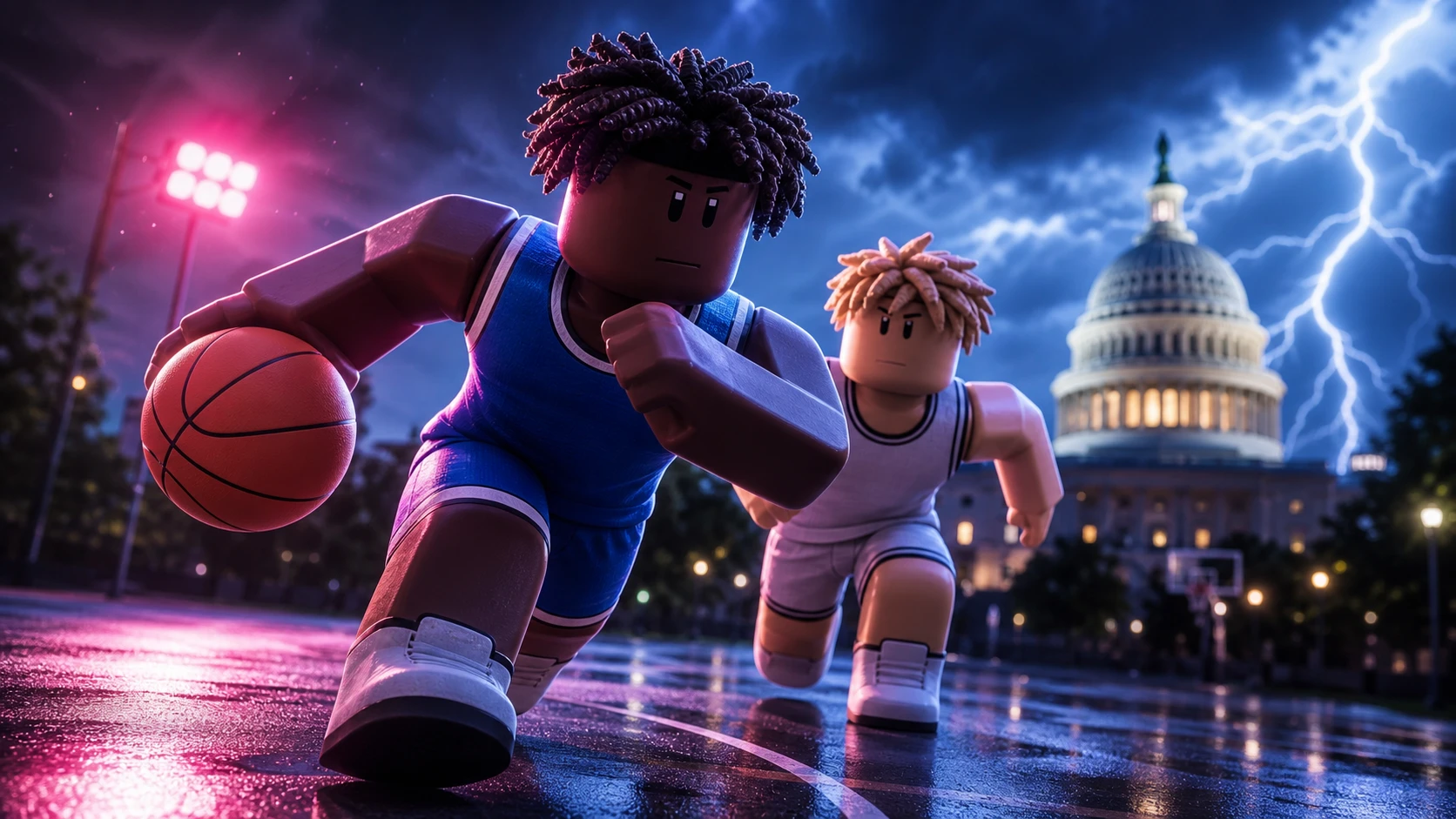
Practical Basketball runs on real inputs, not hidden dice rolls. Every crossover, spin, jab, lob, and jumper is a button you press, and each dribble move is tied to a specific hand, so the same key behaves differently depending on which side holds the ball. Knowing the exact bindings is the difference between clean separation and a live-ball turnover.
Quick answer: On PC, hold E to shoot, tap E to pump fake, use 1/2/3/4 to pass, F for a self alley-oop, and Shift + Spacebar to dunk on a drive. On Xbox and PS5, hold X / Square to shoot, use the D-Pad or right stick for dribble moves, and RT/R2 + Y/Triangle for a driving dunk.
How shooting and dribble inputs register
Shots use a release-timing window. You hold the shoot input to start the motion, then release at a consistent point on the way up. The game returns direct feedback right after the attempt, showing “Perfect Release” when your timing was clean or “On Contested” when a defender was close enough to affect the shot. That message is your confirmation the input landed, so adjust the next attempt from it rather than guessing.
Dribble moves stack rather than sharing one generic button. Crossovers, escape and push crossovers, hesis, spins, and the Shammgod are all separate inputs, and the switch-hands direction decides which side your next move attacks. Chaining them correctly is what forces a defender to shift.
Basic controls and passing
| Action | PC | Xbox / PS5 |
|---|---|---|
| Shoot | Hold E | Hold X / Square |
| Pump fake | Tap E | Tap X / Square |
| Pump fake (alt) | Hold E for a few milliseconds | Briefly Hold X / Square |
| Self alley-oop / self lob | F | Hold LB/L1 + Press RS/R3 |
| Alley-oop to teammate | T + Number | Hold LB/L1 + RB/R1 + Teammate Icon |
| Screen | Hold T | Hold B / Circle |
| Fake pass | Hold Q + 1/2/3/4 | Hold LS/L3 + A/B/X/Y |
| Overhead pass | 1/2/3/4 | Hold RB/R1 + Teammate Icon |
| Chest pass | Shift + 1/2/3/4 | Hold RB/R1 + RT/R2 + Teammate Icon |
| Flashy pass | Shift + Double Tap 1/2/3/4 | Hold RB/R1 + RT/R2 + Double Tap Icon |
| Bounce pass | Double Tap 1/2/3/4 | Hold RB/R1 + Double Tap Teammate Icon |
| Swing pass [R] | Hold D + 1/2/3/4 | RB/R1 + LS Right + Teammate Icon |
| Swing pass [L] | Hold A + 1/2/3/4 | RB/R1 + LS Left + Teammate Icon |
| Bounce swing pass [R] | Hold D + Double Tap 1/2/3/4 | RB/R1 + LS Right + Double Tap Icon |
| Bounce swing pass [L] | Hold A + Double Tap 1/2/3/4 | RB/R1 + LS Left + Double Tap Icon |
Note: A teammate alley-oop only connects when the lob is timed to a cutter moving toward the rim, not a stationary player.
Shooting inputs
| Shot | PC | Xbox / PS5 |
|---|---|---|
| Moving shot [R] | Shift + D + Hold E | Move Right + RT/R2 + Hold X/Square |
| Moving shot [L] | Shift + A + Hold E | Move Left + RT/R2 + Hold X/Square |
| Fadeaway | Shift + S + Hold E | Move Back + RT/R2 + Hold X/Square |
| Off dribble [R] | D + Hold E | Move Right + Hold X/Square |
| Off dribble [L] | A + Hold E | Move Left + Hold X/Square |
| Shot hesi | Shift + Tap E | RT/R2 + Tap X/Square |
| Hesi pull | Tap E while moving | Tap X/Square while moving |
Finishing, gathers, and dunks
| Finish | PC | Xbox / PS5 |
|---|---|---|
| Layup | Hold E while running to rim | Run to rim + Hold X/Square |
| Floater | Shift + Double Tap E | RT/R2 + Double Tap X/Square |
| Jelly layup/dunk | Q after timing | B/Circle or X/Square after timing |
| Double clutch layup/dunk | F after timing | B/Circle or X/Square after timing |
| Spin layup | — | Y / Triangle after timing |
| Driving dunk | Shift + Spacebar | RT/R2 + Y/Triangle |
| Standing dunk | Hold Spacebar | Hold Y/Triangle |
| Euro step | Shift + Double Tap E | RT/R2 + Double Tap X/Square |
| Hop step | Shift + Tap E | RT/R2 + Tap X/Square |
| Spin gather | Double Tap E | Double Tap X/Square |
| Side step [R] | Shift + D + Tap E | RT/R2 + Move Right + Tap X/Square |
| Side step [L] | Shift + A + Tap E | RT/R2 + Move Left + Tap X/Square |
| Hop step back | Shift + S + Tap E | RT/R2 + Move Back + Tap X/Square |
| Behind-the-back gather [R→L] | Shift + Tap E moving left (ball in right hand) | RT/R2 + Move Left + Tap X/Square |
| Behind-the-back gather [L→R] | Shift + Tap E moving right (ball in left hand) | RT/R2 + Move Right + Tap X/Square |
Both driving and standing dunks need real spacing to finish. The input alone will not put the ball through traffic, so a dunk misses when a defender is planted under the rim.
Jab steps and triple threat
| Move | PC | Xbox / PS5 |
|---|---|---|
| Jab [R] | C | D-Pad Right |
| Jab [L] | Z | D-Pad Left |
| Jab [turn around] | X | D-Pad Down |
| Jab step exit [R] | Shift + C | RT/R2 + D-Pad Right |
| Jab step exit [L] | Shift + Z | RT/R2 + D-Pad Left |
| Jab step exit [turned around] | Shift + X | RT/R2 + D-Pad Down |
Stationary dribble moves
| Move | PC | D-Pad | Right Stick |
|---|---|---|---|
| Hesi [R] | C | Right | RS Right |
| Hesi [L] | Z | Left | RS Left |
| Crossover [R→L] | Z | Left | RS Left |
| Crossover [L→R] | C | Right | RS Right |
| Double crossover [R] | CC | Right | RS Right ×2 |
| Double crossover [L] | ZZ | Left | RS Left ×2 |
| Stepback | X | Down | RS Down |
| Snatchback | XX | Down ×2 | RS Down ×2 |
| Behind the back [R→L] | CX | Right + Down | RS Right + Down |
| Behind the back [L→R] | ZX | Left + Down | RS Left + Down |
| Double behind the back [R] | XZ | Down + Left | RS Down + Left |
| Double behind the back [L] | XC | Down + Right | RS Down + Right |
| Tween [R→L] | ZZ | Left ×2 | RS Left ×2 |
| Tween [L→R] | CC | Right ×2 | RS Right ×2 |
| Double tween [R] | VC | Up + Right | RS Up + Right |
| Double tween [L] | VZ | Up + Left | RS Up + Left |
| Behind the back between legs [R] | VZ | Up + Left | RS Up-Left |
| Behind the back between legs [L] | VC | Up + Right | RS Up-Right |
| Half spin | V | Up | Flick RS Up |
| Spin [R→L] | CXZ | Right + Down + Left | Rotate RS Clockwise |
| Spin [L→R] | ZXC | Left + Down + Right | Rotate RS Counter-Clockwise |
| Shammgod | VV | Up ×2 | RS Up ×2 |
Escape and explosive dribble moves
These are the moving, hand-dependent versions that create separation on a drive. On controller they run through the D-Pad while holding RT/R2, and every listed D-Pad input also has a right-stick equivalent using the same directions.
| Move | PC | Controller (D-Pad) |
|---|---|---|
| Crossover [R→L] | Shift + A + Z | RT/R2 + Move Left + D-Pad Left |
| Crossover [L→R] | Shift + D + C | RT/R2 + Move Right + D-Pad Right |
| Escape crossover [R→L] | Shift + Z | RT/R2 + D-Pad Left |
| Escape crossover [L→R] | Shift + C | RT/R2 + D-Pad Right |
| Push crossover [R→L] | Shift + W + Z | RT/R2 + Move Forward + D-Pad Left |
| Push crossover [L→R] | Shift + W + C | RT/R2 + Move Forward + D-Pad Right |
| Double crossover [R] | Shift + CC | RT/R2 + D-Pad Right ×2 |
| Double crossover [L] | Shift + ZZ | RT/R2 + D-Pad Left ×2 |
| Diagonal stepback [R] | Shift + D + X | RT/R2 + Move Right + D-Pad Down |
| Diagonal stepback [L] | Shift + A + X | RT/R2 + Move Left + D-Pad Down |
| Forward between the legs [R→L] | Shift + W + ZZ | RT/R2 + Move Forward + D-Pad Left ×2 |
| Forward between the legs [L→R] | Shift + W + CC | RT/R2 + Move Forward + D-Pad Right ×2 |
| Regular tween [R→L] | Shift + ZZ | — |
| Regular tween [L→R] | Shift + CC | — |
| Double tween [R] | Shift + VC | RT/R2 + D-Pad Up + Right |
| Double tween [L] | Shift + VZ | RT/R2 + D-Pad Up + Left |
| Behind the back [R→L] | Shift + CX | RT/R2 + D-Pad Right + Down |
| Behind the back [L→R] | Shift + ZX | RT/R2 + D-Pad Left + Down |
| Double behind the back [R] | Shift + XZ | — |
| Double behind the back [L] | Shift + XC | — |
| Forward behind the back [R→L] | Shift + W + CX | RT/R2 + Move Forward + Right + Down |
| Forward behind the back [L→R] | Shift + W + ZX | RT/R2 + Move Forward + Left + Down |
| Backward behind the back [R→L] | Shift + S + CX | RT/R2 + Move Back + Right + Down |
| Backward behind the back [L→R] | Shift + S + ZX | RT/R2 + Move Back + Left + Down |
| Misdirection [R] | Shift + D + Z | RT/R2 + Move Right + D-Pad Left |
| Misdirection [L] | Shift + A + C | RT/R2 + Move Left + D-Pad Right |
| Lateral glide [R] | Shift + C | RT/R2 + D-Pad Right |
| Lateral glide [L] | Shift + Z | RT/R2 + D-Pad Left |
| Backward lateral glide [R] | Shift + S + C | RT/R2 + Move Back + D-Pad Right |
| Backward lateral glide [L] | Shift + S + Z | RT/R2 + Move Back + D-Pad Left |
| Drive [R] | Shift + W + C | RT/R2 + Move Forward + D-Pad Right |
| Drive [L] | Shift + W + Z | RT/R2 + Move Forward + D-Pad Left |
Post-up controls
| Move | PC | Xbox / PS5 |
|---|---|---|
| Post up | Hold G | Hold LT/L2 |
| Post exit | Release G | Release LT/L2 |
| Post spin [R→L] | Release G + Hold A | Release LT/L2 + LS Left |
| Post spin [L→R] | Release G + Hold D | Release LT/L2 + LS Right |
| Post spin gather [R→L] | Hold G + A + Tap E | LT/L2 + LS Left + Tap X/Square |
| Post spin gather [L→R] | Hold G + D + Tap E | LT/L2 + LS Right + Tap X/Square |
| Dropstep | Hold G + W/A/S/D + Double Tap E | LT/L2 + LS Direction + Double Tap X/Square |
| Post hopstep | Hold G + W/A/D + Tap E | LT/L2 + LS Up/Left/Right + Tap X/Square |
| Post hook [R] | Hold G + D + Hold E | LT/L2 + LS Right + Hold X/Square |
| Post hook [L] | Hold G + A + Hold E | LT/L2 + LS Left + Hold X/Square |
| Spin post hook [R→L] | Hold G + A + Hold E | LT/L2 + LS Left + Hold X/Square |
| Spin post hook [L→R] | Hold G + D + Hold E | LT/L2 + LS Right + Hold X/Square |
| Post fade [R] | Hold G + Shift + D + Hold E | LT/L2 + RT/R2 + LS Right + Hold X/Square |
| Post fade [L] | Hold G + Shift + A + Hold E | LT/L2 + RT/R2 + LS Left + Hold X/Square |
| Post fade [backwards] | Hold G + Shift + S + Hold E | LT/L2 + RT/R2 + LS Down + Hold X/Square |
| Spin post fade [R→L] | Hold G + Shift + A + Hold E | LT/L2 + RT/R2 + LS Left + Hold X/Square |
| Spin post fade [L→R] | Hold G + Shift + D + Hold E | LT/L2 + RT/R2 + LS Right + Hold X/Square |
| Post fake → hook [R→L] | Hold G + A + Double Tap E | LT/L2 + LS Left + Double Tap X/Square |
| Post fake → hook [L→R] | Hold G + D + Double Tap E | LT/L2 + LS Right + Double Tap X/Square |
| Post fake → fade [R→L] | Hold G + Shift + A + Tap then Hold E | LT/L2 + RT/R2 + LS Left + Tap then Hold X/Square |
| Post fake → fade [L→R] | Hold G + Shift + D + Tap then Hold E | LT/L2 + RT/R2 + LS Right + Tap then Hold X/Square |
Platform notes and where to confirm current keybinds
Keyboard is the recommended platform because the layered inputs map cleanly to keys and precise passing and shooting angles are easier to hit. Console uses controller bindings and surfaces an on-screen overlay during play that shows individual inputs, such as the D-Pad bindings for the double crossover and the switch-hands direction. Mobile keeps the same systems but swaps them onto touch controls for movement, dribbling, shooting, and passing.
Because the game is running through its third stress-test phase with no confirmed full-release date, keybinds can shift between builds. Check the in-game overlay at the start of a session, and run through each input in a shootaround before park queues so you know the current layout is active. You can confirm which build is live and practice the inputs directly on the game page.
You will know an input worked the moment the animation fires and the on-screen feedback appears. A crossover forces the defender to slide, a gather chains into your finish, and a jumper returns “Perfect Release” or “On Contested” the instant you let go. If a move does nothing, the usual cause is the wrong hand for that input or not holding RT/R2 on the escape and explosive variants.