Idle crew in Ostranauts almost never means a broken game. When a crew member stands motionless while tasks pile up, the problem is usually a zone that isn’t set correctly, a shift that isn’t the Work shift, or a duty priority list that’s sending them somewhere else. Fixing crew behavior comes down to understanding how zones, shifts, and task orders interact.
Quick answer: A haul order without a valid destination zone leaves the crew member with nowhere to place items, so they stand still. Create or assign a proper destination zone for the haul, confirm the crew is on their Work shift, and check the Tasks tooltip for their last failed action.
The missing destination zone that stops haul orders
Zones control where hauled items go, which inventory takes part in trade, and which areas NPCs are allowed to enter. A haul order needs a destination zone to be complete. Without one, the crew member has no valid place to drop what they pick up, so they do nothing. This is the single most common reason for idle crew by a wide margin.
Press N to open the zones view and confirm that a destination zone exists for the items you want moved. If the haul has a source but no target, the order is broken from the start. Assign a zone with enough open tiles and correct ownership, then re-issue the order.
How to diagnose a crew member who refuses a task
When someone won’t act, the game tells you why if you know where to look. The Tasks tooltip records the last failed action for that crew member. Read it first, then work through the possible blockers in order.
The full checklist runs through zone type, tiles, ownership, permissions, path, and space. Most idle-crew cases resolve at one of these points.
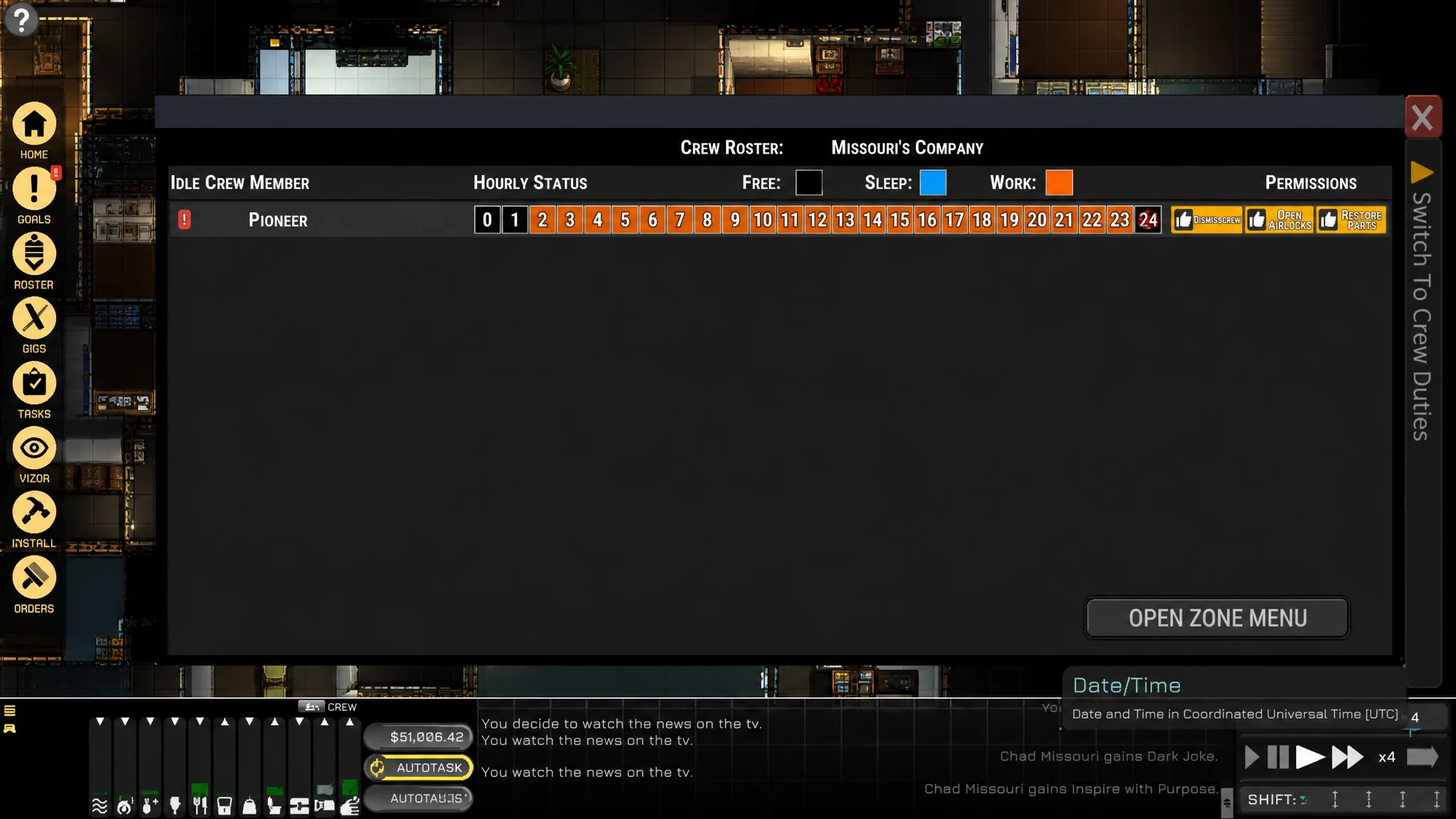
Shifts decide when crew will work at all
Crew only pick up queued tasks during their Work shift. If a crew member is on Free or Sleep, they will ignore the queue no matter how well your zones are set up. A day runs four six-hour shifts plus a short Untime gap, and payments to crew trigger at the end of each shift.
| Shift type | Crew behavior |
|---|---|
| Work | Picks up and completes queued tasks |
| Free | Tends to personal needs, ignores the queue |
| Sleep | Rests, ignores the queue |
If your queue looks full but nobody is moving, check the current shift before touching anything else. Waiting for the next Work shift is sometimes the whole fix.
Set narrow duty priorities so crew do the right job
Even on a Work shift with valid zones, crew can waste time on the wrong task. If duty priorities are too broad, a crew member may sweep floors instead of repairing your reactor. Use the Roster to set AI work priorities and keep those priorities narrow, so the important jobs come first.
The Autotask system queues routine maintenance automatically, and NPCs work through the queue in the order tasks were added. That order matters. Add critical repairs before low-value chores if you want them done first.
Crew needs that quietly change behavior
Crew AI runs on physical and emotional needs. Physical needs cover food, water, oxygen, temperature, hygiene, and sleep. None of these kill a crew member directly, but they degrade performance. Emotional needs include privacy, security, intimacy, and esteem, and NPCs make decisions based on both current needs and past experiences.
Unmet emotional needs can cause erratic behavior, refusal to follow orders, or dangerous actions. If a crew member keeps declining tasks even with clean zones and the correct shift, look at their needs before assuming a scheduling problem. Food does not expire and there is no food-borne illness, so you can stockpile freely for long salvage trips.
Known AI bugs that get crew killed
Some crew problems aren’t scheduling at all. NPC pathfinding has known issues that can kill crew if you don’t watch for them. Assign tasks carefully and keep an eye on CO2 when crew are working in suits.
| Behavior | Risk |
|---|---|
| Exiting airlocks without a suit | Rapid death in vacuum |
| Failing to swap oxygen bottles | Suffocation on the job |
| Wearing an EVA suit indoors | Depletes suit oxygen until it runs out |
Note: Monitor CO2 levels constantly when crew wear sealed EVA suits inside the ship, since they will keep drawing down suit oxygen even in a pressurized room.
Hiring crew is a negotiation, not a purchase
Recruitment happens through a social negotiation rather than a menu buy. The package you agree on can include salary, a signing bonus, and death pay. Because pay lands at the end of each shift, a large crew adds to the same shift-end cost pressure as your mortgage.
Crew is an efficiency upgrade, not a requirement. A solo captain can run salvage and trade fine, and crew matters most once your workload grows beyond what one person can queue and complete in a shift.
Confirm the fix worked
You know the crew problem is solved when the idle crew member walks to the source, picks up the item, and carries it to the destination zone you assigned. If they still refuse after you’ve corrected the zone and confirmed a Work shift, reopen the Tasks tooltip and read the new failed action. The tooltip updates each time they try, so a changed message tells you which blocker to clear next.
Work through zones, shifts, priorities, and needs in that order and most idle-crew situations resolve without any guesswork. The game is telling you what’s wrong through the Tasks tooltip and the zones view; the fix is almost always giving the crew a valid, reachable place to put their work.