Monitoring flights can often involve cumbersome apps or websites, but iPhone users have a convenient alternative built right into the Messages app. By using the built-in flight tracker, you can quickly access real-time flight information without any additional downloads or installations.
Using the Built-in Flight Tracker in Messages
The Messages app on iPhone includes a built-in flight tracker that leverages Apple’s Data Detectors technology. This feature recognizes flight numbers in messages and converts them into interactive links, allowing you to access flight details directly within the app.
Data Detectors in iOS can identify information such as phone numbers, dates, addresses, tracking numbers, and, in this case, flight numbers. When you send or receive a message containing a flight number, the Messages app automatically underlines it, indicating it’s interactive.
How to Track a Flight in Messages
The flight information should include the flight number and, in some cases, the airline name.
After sending the message, the flight number should appear underlined, indicating it’s recognized.
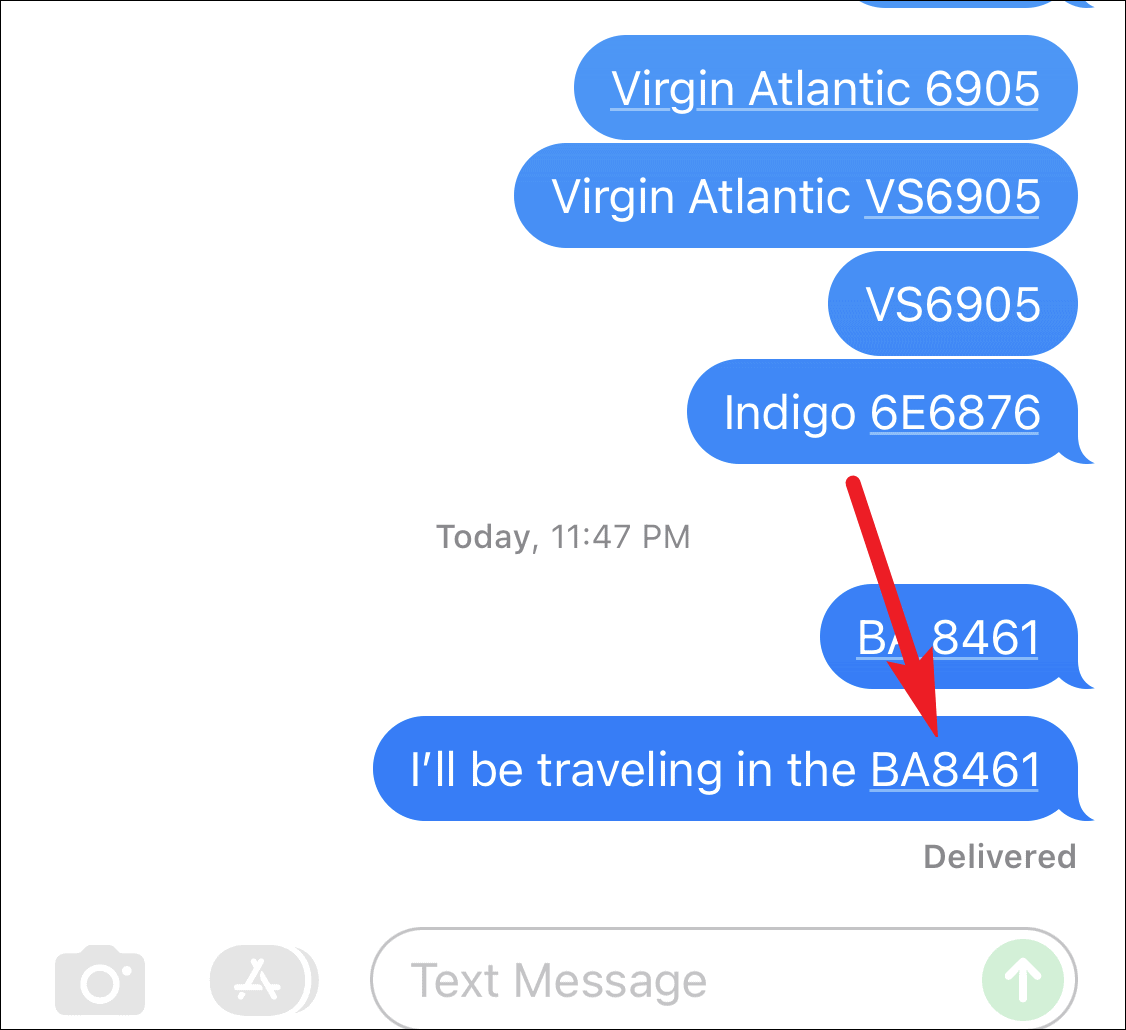
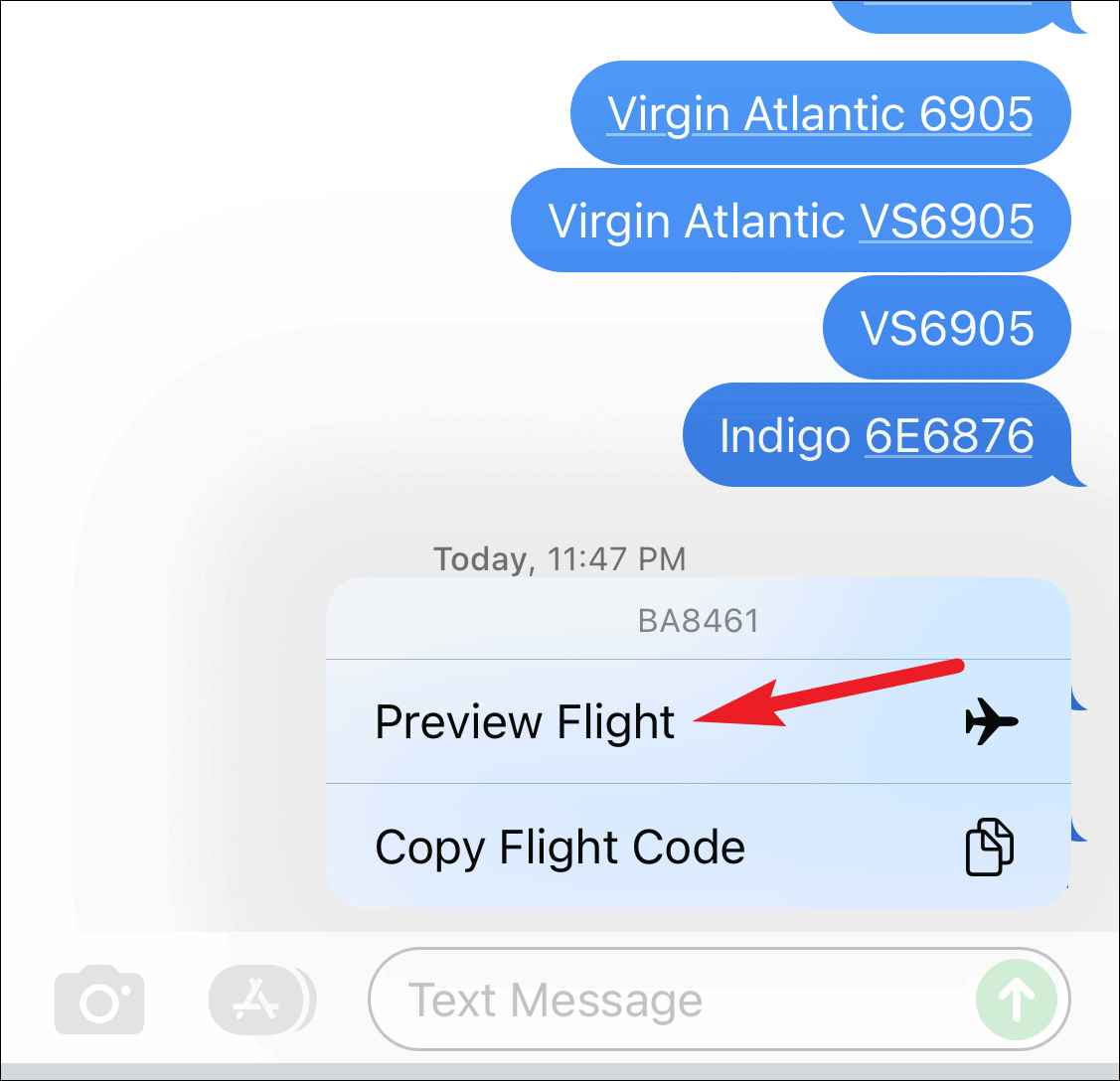
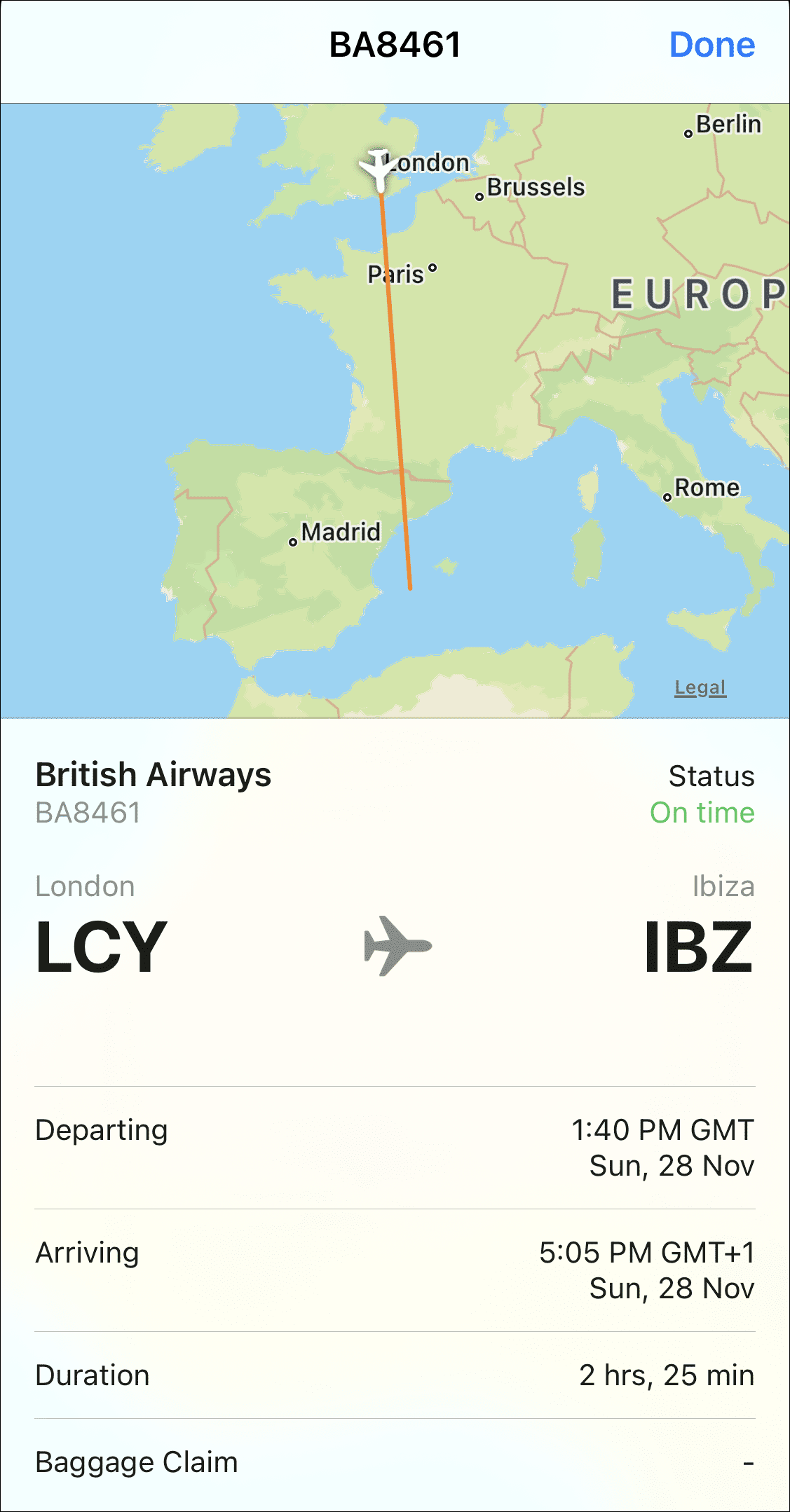
This feature provides immediate access to flight details without opening a web browser or another app. Note that an active internet connection is required to retrieve the latest flight information.
Tip: You can also press and hold the underlined flight number in the message to see a quick preview of the flight’s status without opening the full details.
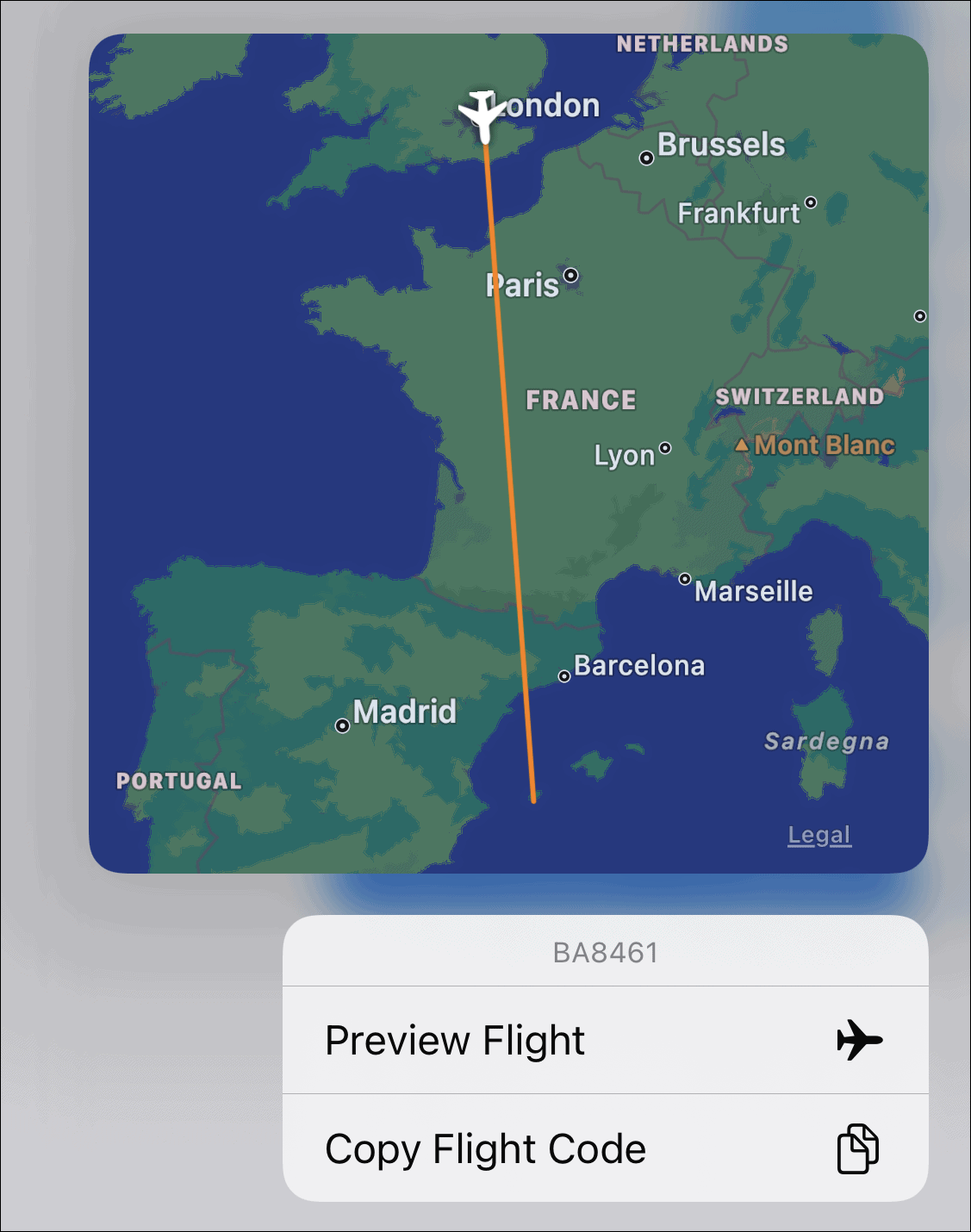
Keep in mind that the flight tracker displays the most immediate information for the flight number. If you’re checking a flight several days in advance, the arrival and departure times might not match your specific flight, as the same flight number may be used for multiple flights over different days. For the most accurate information, it’s best to check the flight within 24 hours of its scheduled departure.
Using the Flight Tracker with ‘Look Up’
Besides the Messages app, you can use the flight tracker feature through the ‘Look Up‘ function in other apps on your iPhone.
Note: The Mail app also supports this feature similarly to Messages.
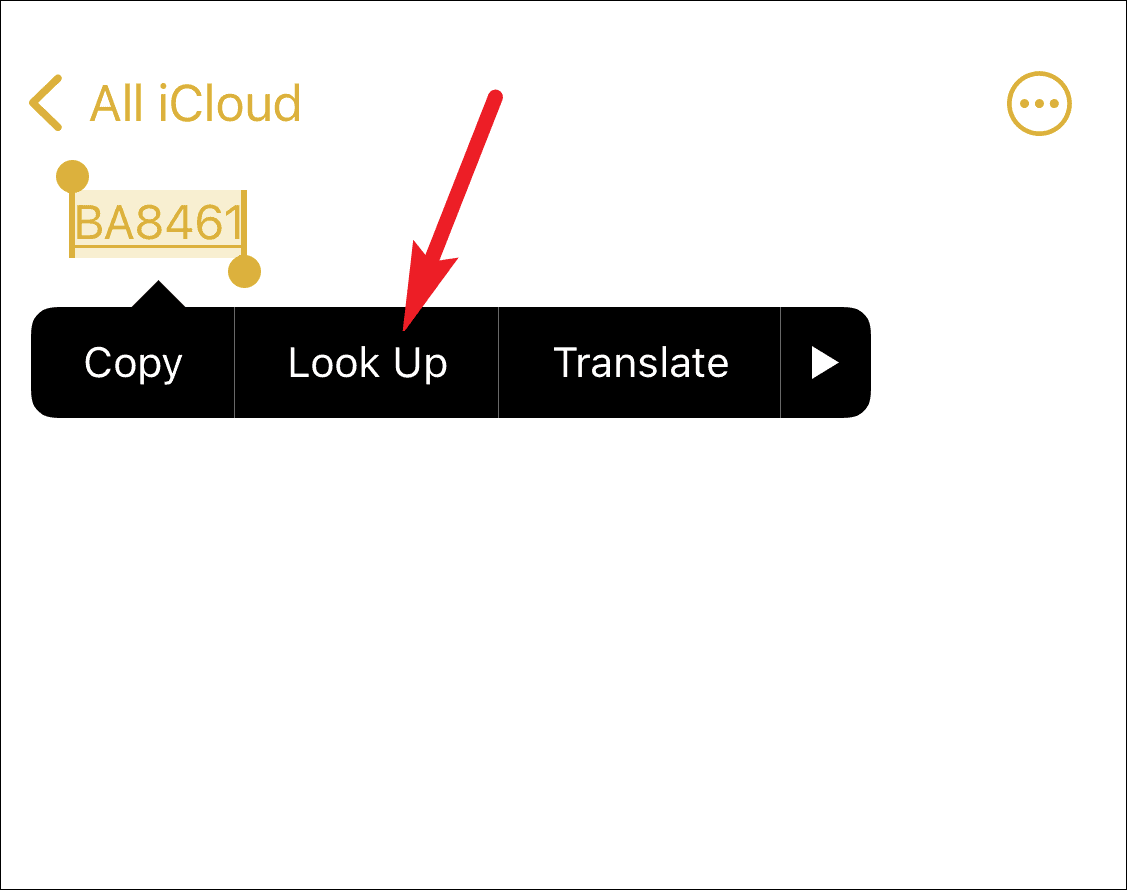
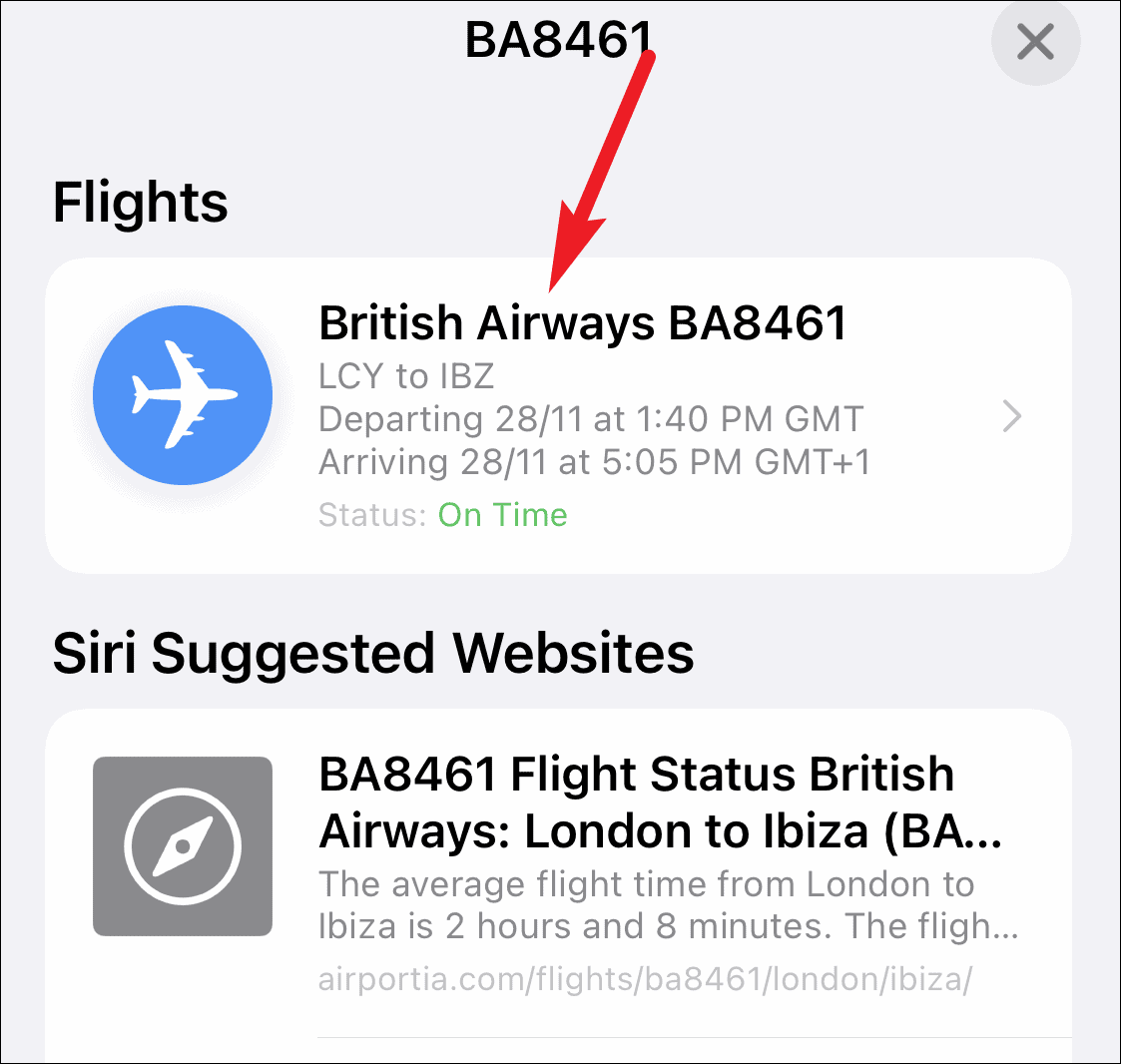
You will see the flight information, but note that the map showing the plane’s location is not interactive in this view.
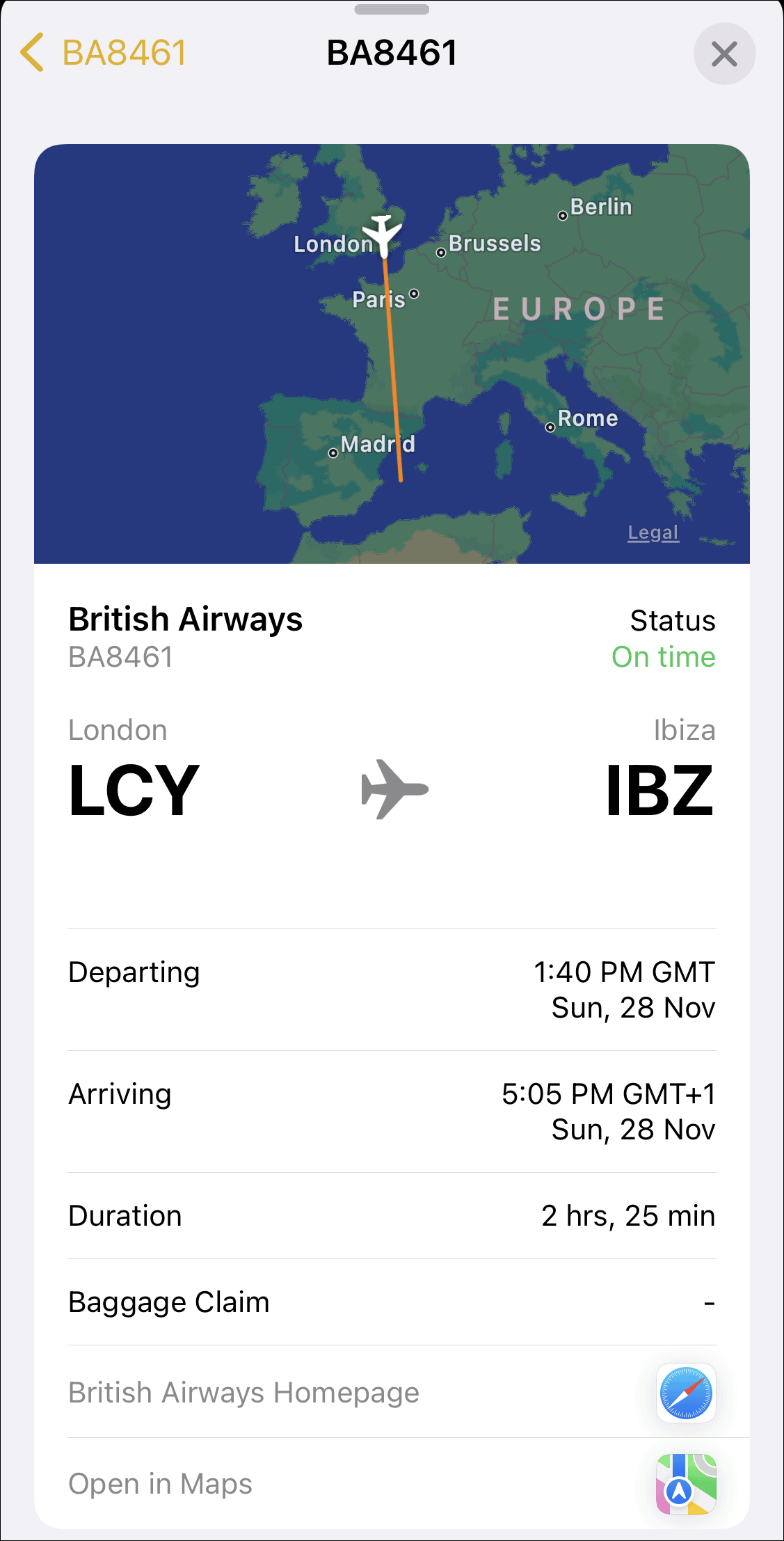
With the iPhone’s built-in flight tracker, keeping tabs on flight statuses is quick and effortless. You can access real-time flight information directly from your Messages app without needing additional apps or websites. This feature is also available on the Messages app for Mac, providing a seamless experience across your Apple devices.