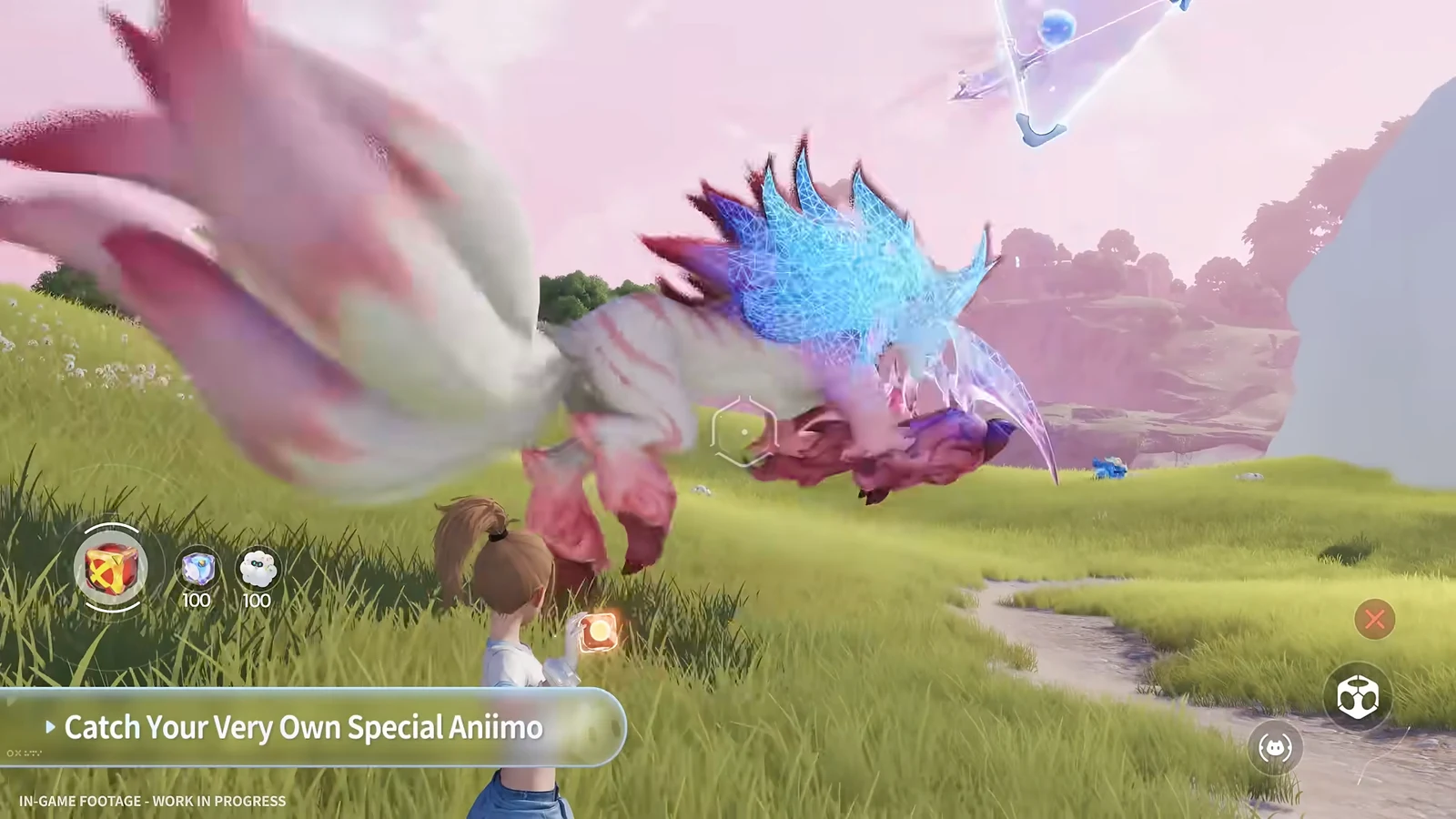
The world map in Aniimo already knows where nearly every creature lives. Open it, drill into a region’s collection panel, pick the Aniimo you want, and the map lights up the exact tiles where it spawns. From there you can drop a marker and follow a waypoint straight to it. Rare variants work a little differently, but the map still tells you what condition to meet.
Quick answer: Press M, open a region’s collection panel, select an Aniimo, switch to the Habitats tab, then click a yellow spawn tile to place a Custom Marker and confirm tracking.
Track a standard Aniimo with the Habitats tab
Most creatures have fixed spawn zones you can view and follow directly from the map. The steps below take you from an open map to a tracked waypoint.
M, then pull back to maximum zoom. The panel on the right displays regional collection badges, each indicating how much you have caught in that area.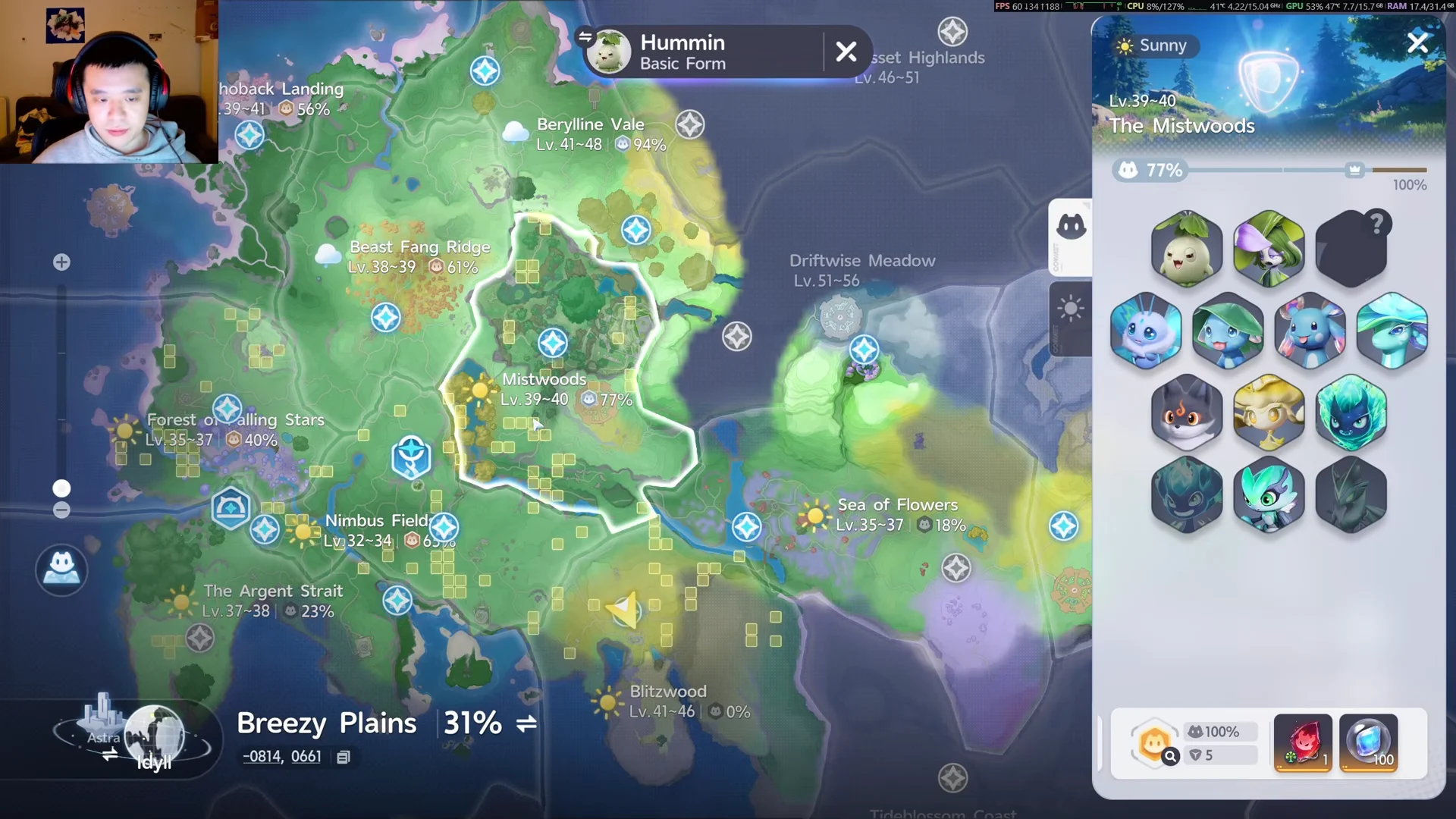
You know it worked when a white waypoint indicator shows on the overworld HUD and the dashed tracking line points toward your marker. If a creature’s entry will not open, you have not explored enough of its region yet, and its distribution stays hidden until you do.
Condition-based Aniimo that show a Requirements note
Some creatures do not display static habitat tiles. Instead, their entry lists a spawn condition under a Requirements line, and you have to meet it in the right area before they appear.
Flamerion’s Forest Form is a clear example. It lives in The Mistwoods, Beryline Vale, and Driftwise Meadow, but the panel states it only appears after you catch 15 Forest Form Sparks in a row in that area. Miss the streak and it will not spawn, so keep your catches consecutive.
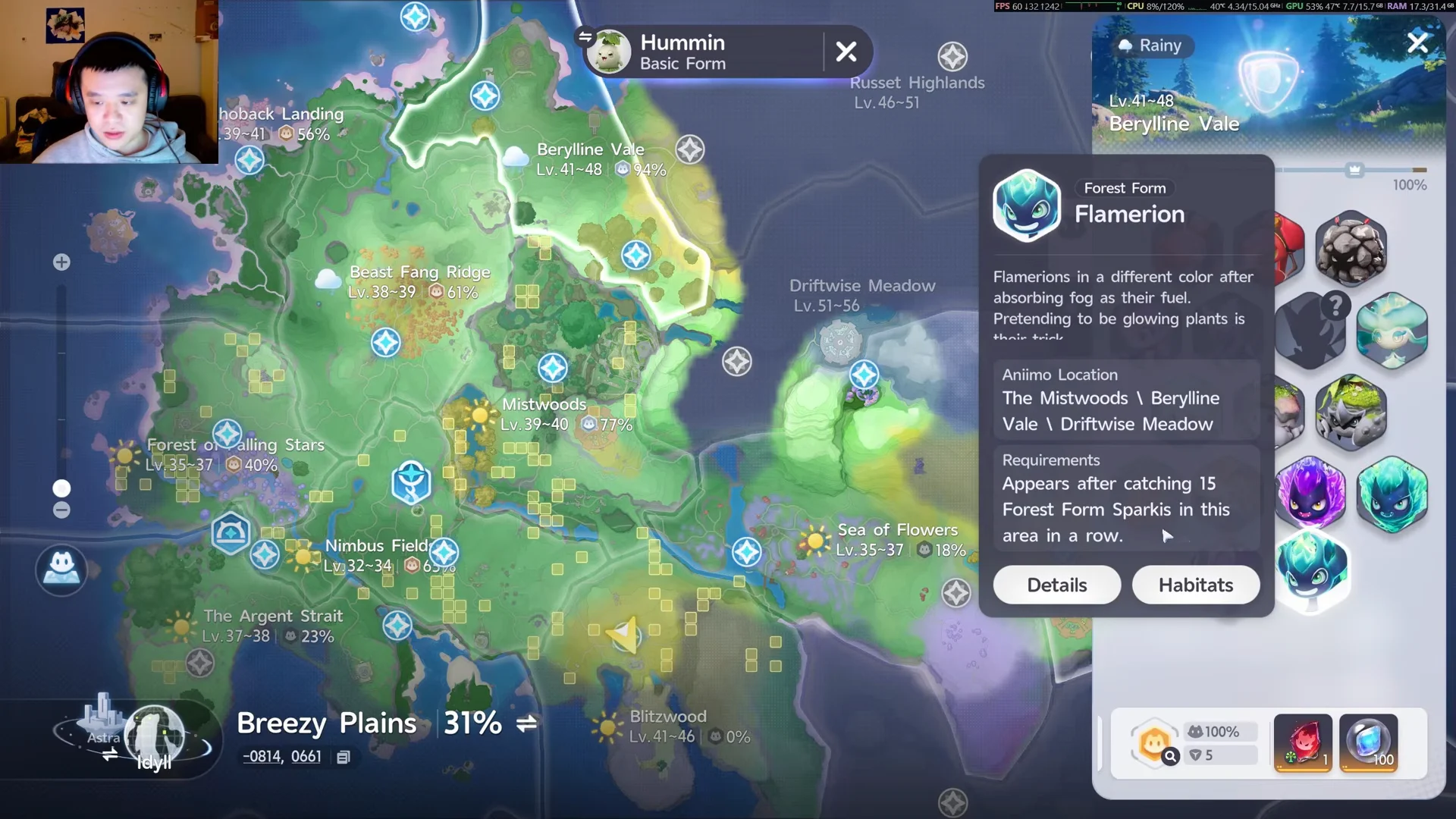
Whenever a creature refuses to reveal habitat tiles, check the Requirements text first. It names the exact trigger you need, whether that is a streak of catches, a specific time of day, or a weather state in the region.
Question-mark Aniimo and Prismanu Flows
A handful of rare Aniimo show up as question marks in the collection panel because they only appear during a regional Prismanu Flow. Their tooltips point you to a fixed spot, and some warn that only one can appear at a time and does not respawn, so note the location before your team defeats it.
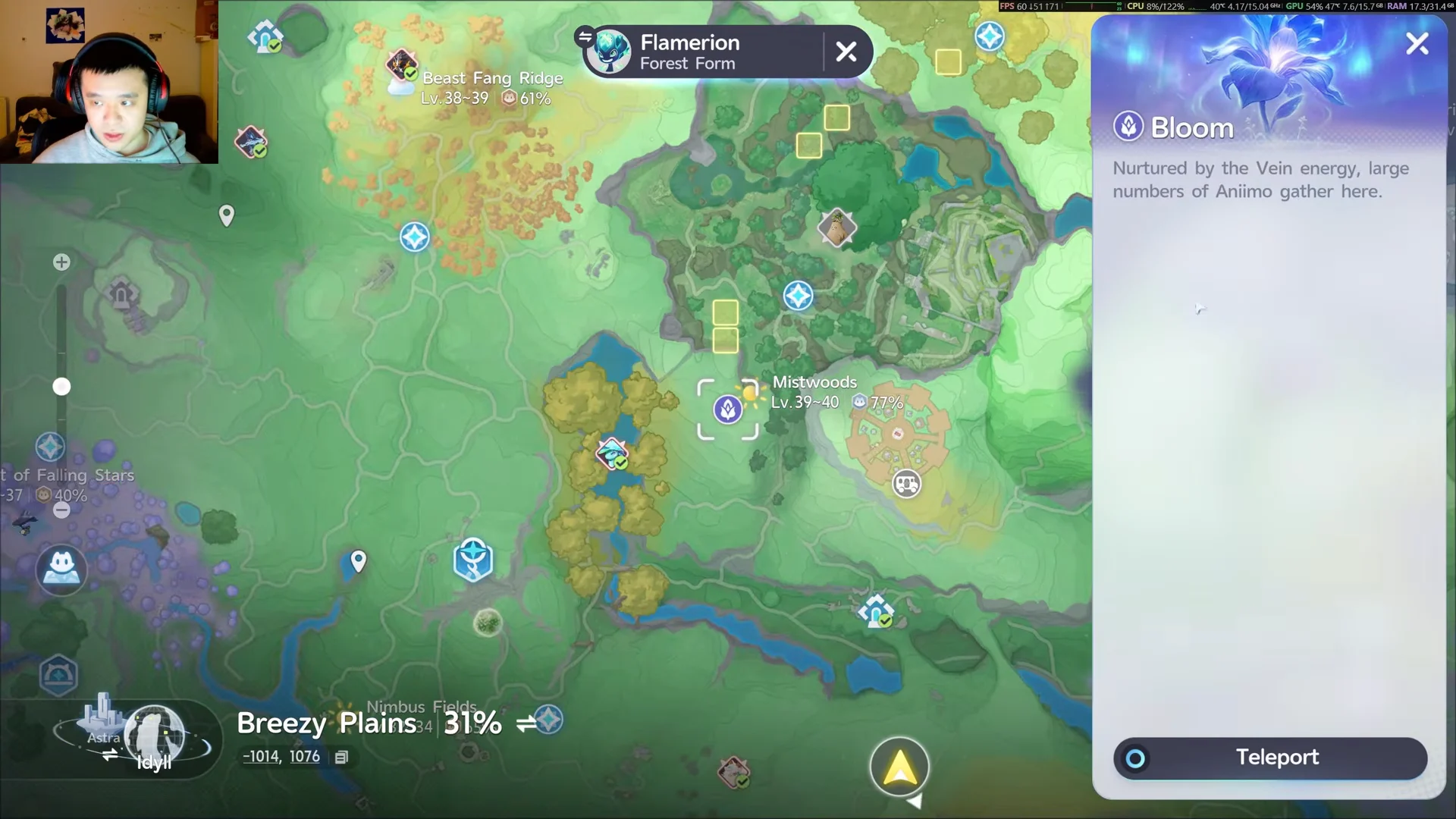
Blooms are the other landmark to watch on the map. A Bloom draws large numbers of Aniimo to it thanks to the Vein energy, and it doubles as a fast-travel point once unlocked.
Trigger a Prismanu Flow with Nurture
To make a question-mark creature spawn, you raise a region’s Prismatic Energy to full through the Nurture system.

Nurture unlocks per region only after you earn that area’s Bronze Badge. Blitzwood, for example, will not offer Nurture until you obtain its Bronze Badge.
Vein Essence is the fuel for all of this. You can obtain it from the Stamp Shop, Elite Training, Catch Completion, nurturing a Branch, and Holo-Battle Interlink, so keep a stock on hand before chasing Prismana forms.
With those three approaches, the map covers every case. Standard creatures give you yellow habitat tiles and a one-click waypoint, condition-based ones spell out their trigger under Requirements, and question-mark rarities appear once you push a region’s Prismatic Energy to full through Nurture.