
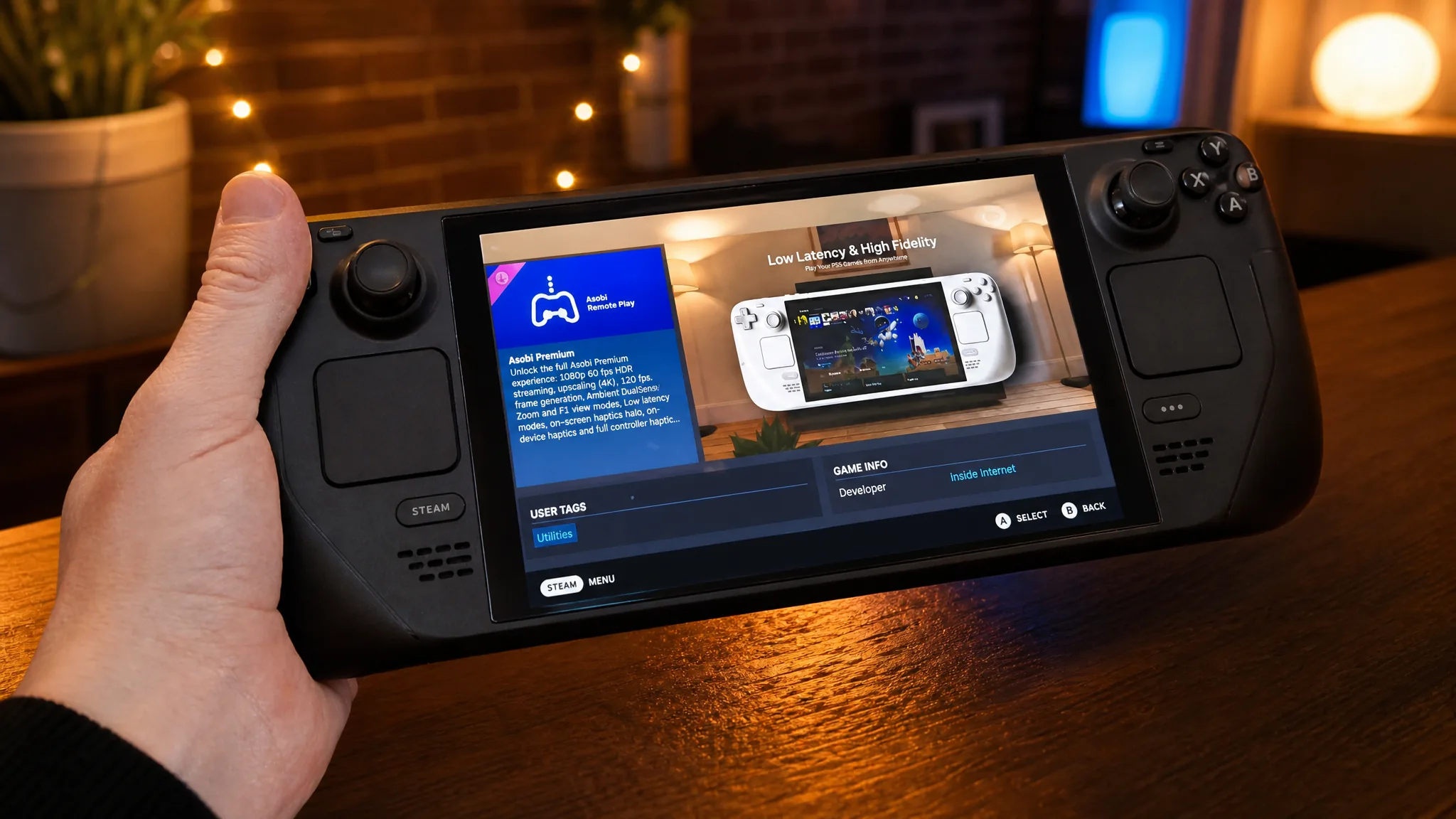
Asobi: Remote Play is a Steam Deck app that streams PlayStation games directly to Valve’s handheld. It covers Remote Play for PS4 and PS5 titles, and it also taps into PlayStation Plus Premium cloud streaming, which means you can play without a PlayStation console switched on nearby. The app is currently in a free play test, so you can try it at no cost while access is open.
Quick answer: Install Asobi: Remote Play from its Steam listing and request play-test access. The free tier streams PS4 and PS5 games up to 1080p at 30fps, while the PlayStation Plus Premium cloud catalog requires a PlayStation Network account and an active PS Plus Premium subscription.
What Asobi: Remote Play streams on Steam Deck
The app handles two separate things. First, it supports standard Remote Play, letting you stream PS4 and PS5 games from your own console over your network. Second, it connects to PlayStation Plus Premium cloud streaming, so eligible titles run from the cloud without your console being on.
The basic version streams at up to 1080p and 30fps, with automatic bitrate adjustment that responds to your internet signal strength. That keeps the picture steady when your connection weakens, at the cost of some quality.
Requirements for cloud streaming
Remote Play works with your own console, but the cloud features have extra requirements. You need a PlayStation Network account and an active PlayStation Plus Premium subscription to reach the cloud catalog. Without Premium, cloud streaming stays locked, though local Remote Play remains available.
- A Steam Deck (a Windows build for other handhelds is in development).
- A PlayStation Network account.
- A PlayStation Plus Premium subscription for cloud functionality.
Basic tier vs Asobi Premium
Asobi splits its experience into a basic tier and a paid Premium tier. Premium raises the frame rate and adds features that get closer to a native controller feel. Pricing for Asobi Premium has not been set while the play test runs, but the paid features are available to try right now.
| Feature | Basic | Asobi Premium |
|---|---|---|
| Frame rate | Up to 30fps | Up to 60fps |
| Resolution | Up to 1080p | Cleaner streaming experience |
| Bitrate | Automatic adjustment by signal | Automatic adjustment by signal |
| Controller haptics | No | Yes |
| Gyro controls | No | Yes |
| Price | Free during play test | Not yet announced |

How to join the Asobi: Remote Play play test
If cloud titles do not appear, the usual reason is a missing or lapsed PS Plus Premium subscription, or a PSN account that is not signed in. Local Remote Play sessions instead depend on your console being powered on with a stable network connection.
Support for other handhelds
Owners of Windows-based rivals such as the Asus ROG Xbox Ally and the Lenovo Legion Go are not left out for long. Developer Inside Internet has a Windows version in the works, so it is worth watching the Steam listing for updates as the play test continues.
For now, Asobi: Remote Play gives Steam Deck owners a single app that mixes local Remote Play with PlayStation Plus Premium cloud streaming, and both the free and paid features are open to test while the trial runs.