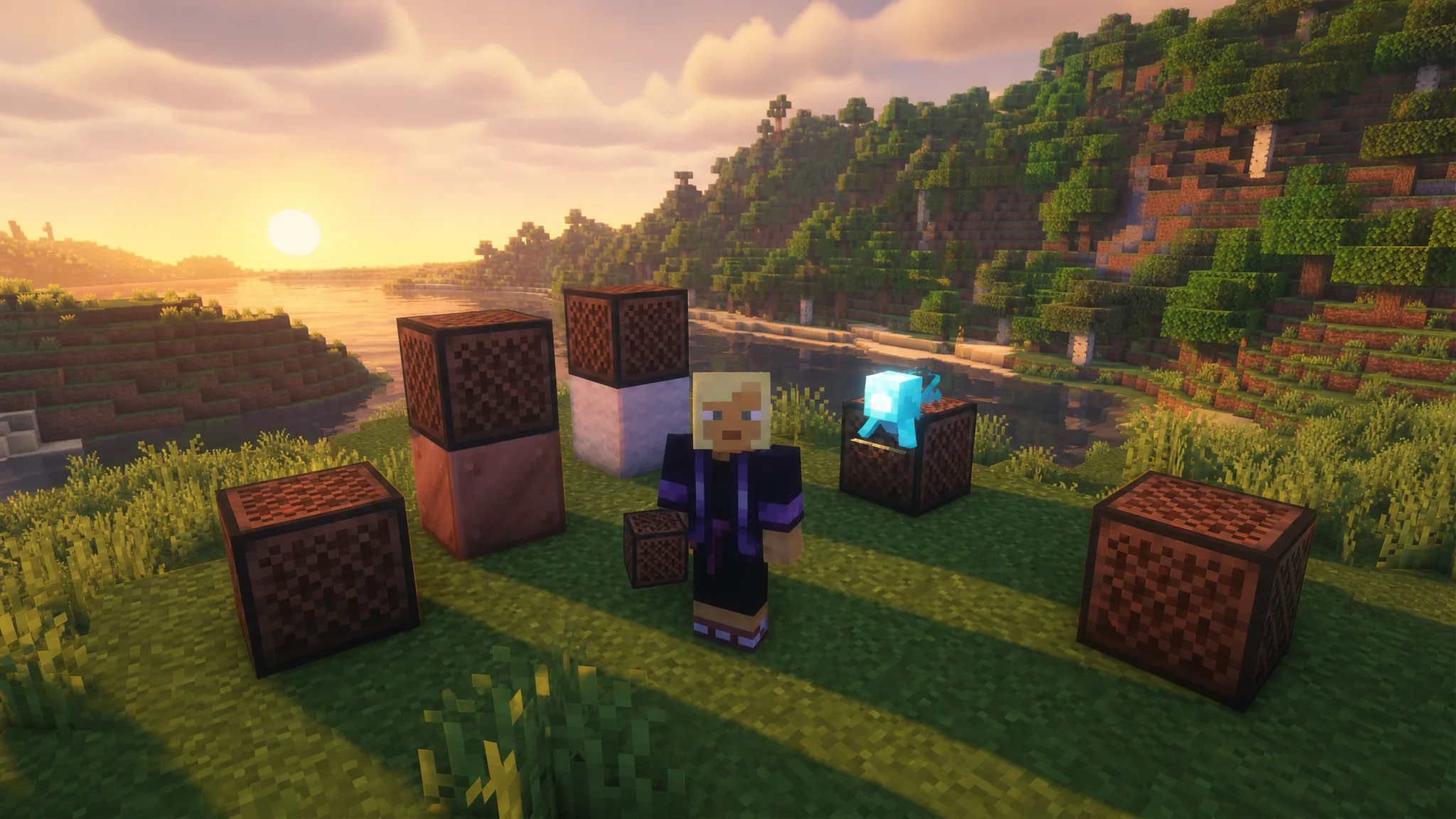
A note block turns a plain wooden cube into a one-note instrument you can play by hand, wire into redstone, or stack into full songs. It plays a single sound each time you interact with it, and you shape that sound two ways: the pitch you set by clicking, and the block you place directly underneath it.
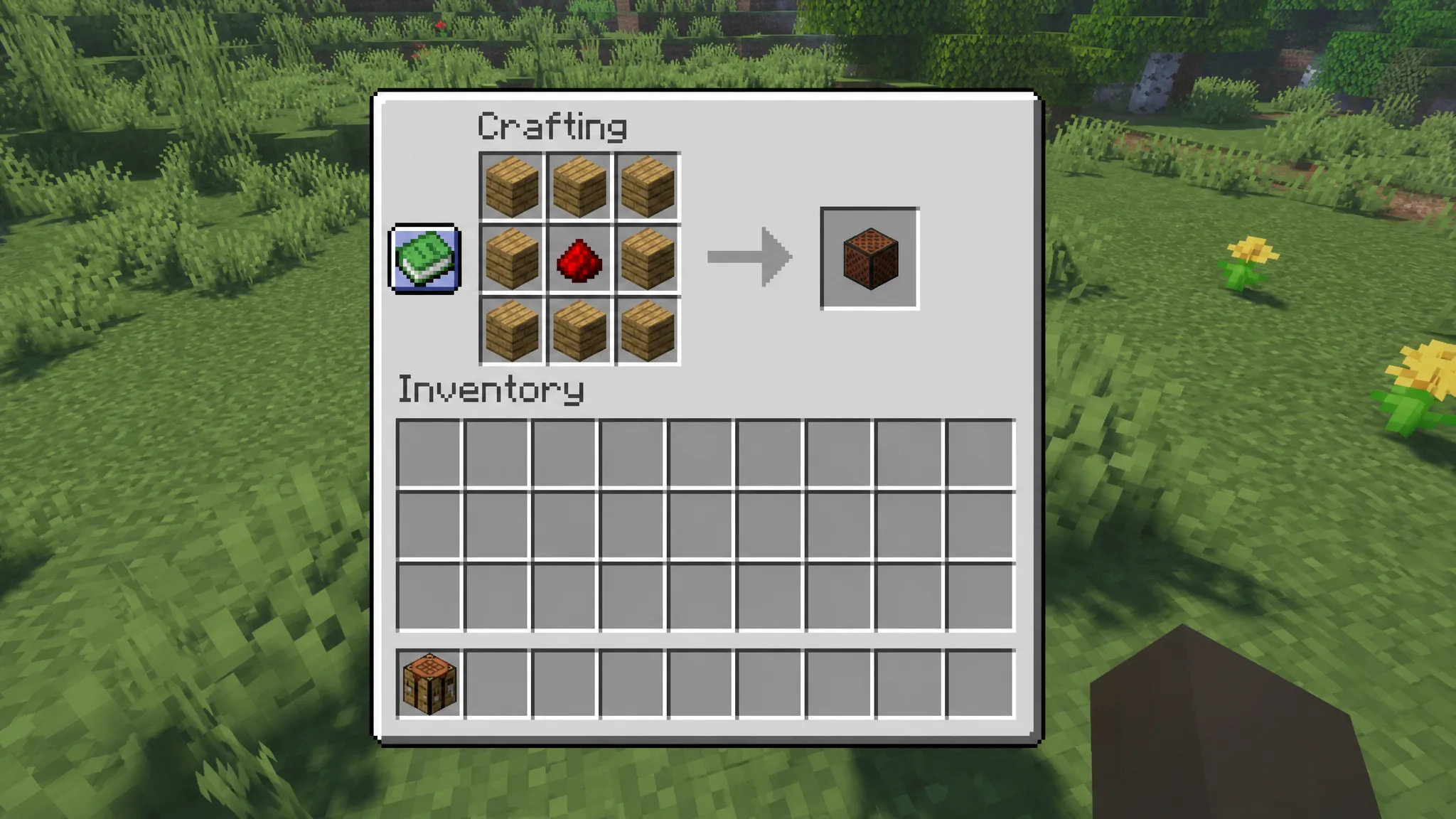
Quick answer: Craft a note block from 8 wooden planks around 1 redstone dust, place it with air above it, then right-click to raise the pitch and play the note. Change the instrument by putting a specific block underneath, such as wool for guitar or a gold block for a bell.
Craft a note block
The recipe fills a full 3×3 grid, so you need a crafting table rather than the inventory grid. You will need 8 wooden planks and 1 redstone dust. Any plank type works, including oak, spruce, birch, jungle, acacia, dark oak, crimson, warped, mangrove, bamboo, cherry, and pale oak, and you can even mix different planks in the same recipe.
You can also find note blocks already placed inside ancient cities, which generate in the Deep Dark biome. There they sit as built-in parts of the structure, not as chest loot, so mining one with an axe drops the block for you to reuse. An axe is the fastest tool, and breaking without an axe drops nothing.
Play and tune the pitch
Place the note block with an empty space (air) directly above it, or it stays silent. Right-clicking plays the note and raises the pitch by one semitone at the same time. Left-clicking (attacking) plays the current note without changing the pitch, which is useful for testing before you commit.
There are 25 pitch settings covering two full octaves, running from the lowest F♯ up to the highest F♯. After the 24th click reaches the top note, the 25th click resets it back to the bottom, and breaking the block also resets the pitch. Every time it plays, a colored eighth-note particle pops out of the top, and that color tells you roughly which pitch is set.
Tip: In Java Edition you can confirm the exact tuning on the debug screen (press F3), where it appears as “note:” followed by a number from 0 to 24. The sound carries up to 48 blocks and can be adjusted with the Jukebox/Note Blocks volume slider in audio settings.
Change the instrument with the block underneath
The instrument depends entirely on the block placed directly beneath the note block. With air, dirt, or most ordinary blocks below, you get the default harp sound. Swap the block below for something specific and the timbre changes instantly. There are 16 base instruments to work with.
| Block underneath | Instrument |
|---|---|
| Air or most blocks | Harp (default) |
| Wood | Bass |
| Stone, obsidian, brick, netherrack | Bass drum |
| Sand, gravel, concrete powder | Snare drum |
| Glass, glass panes, glowstone dust surfaces | Hat (click) |
| Wool | Guitar |
| Clay | Flute |
| Block of gold | Bell |
| Packed ice | Chime |
| Bone block | Xylophone |
| Block of iron | Iron xylophone (vibraphone) |
| Soul sand | Cow bell |
| Pumpkin | Didgeridoo |
| Block of emerald | Bit (square wave) |
| Hay bale | Banjo |
| Glowstone | Pling (electric piano) |
| Block of copper (and cut/chiseled) | Trumpet |
Copper variants shift the trumpet tone as they oxidize. Exposed copper gives a distorted trumpet, weathered copper sounds like a trombone, and oxidized copper produces a distorted trombone, so a single weathering stage changes the character of the note.
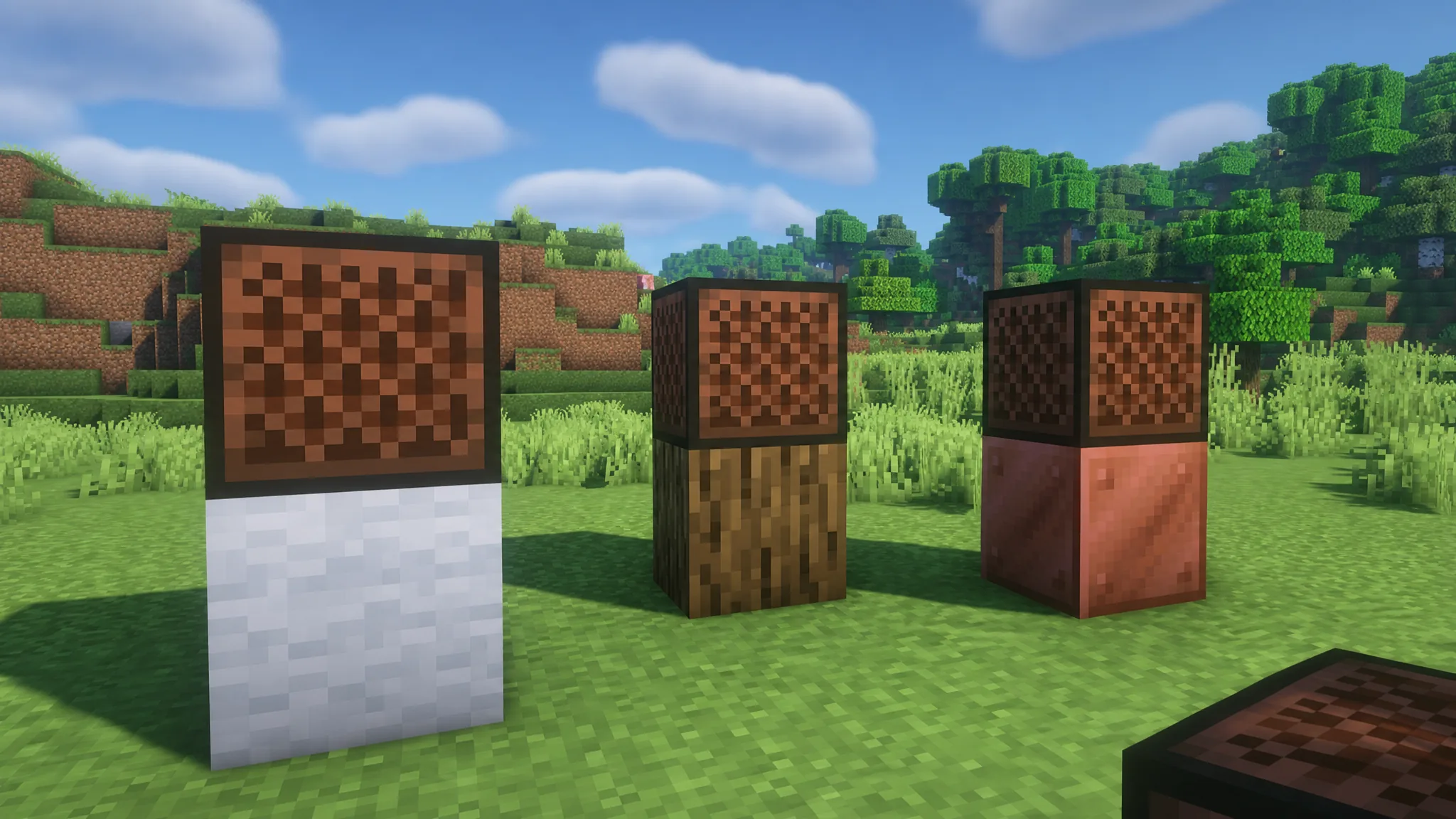
Mob heads work differently. Place one on top of the note block and it plays that mob’s sound instead of a tuned musical note, ignoring the pitch entirely. A mob head also counts as valid space above the block, so it still triggers. The heads that produce sounds are the zombie head, creeper head, skeleton skull, wither skeleton skull, piglin head, and dragon head. A player head is silent by default.
Activate note blocks with redstone
A note block plays its current note whenever it receives a redstone signal. That lets you trigger it with buttons, levers, pressure plates, or any powered component, and it responds to any non-zero signal strength, including a single short pulse from an observer or button.
To build a tune, chain several note blocks together and connect them with redstone dust and repeaters. Tune each block to the note you want first, then use the repeater delay to control the rhythm so the notes fire in sequence instead of all at once. This is how players recreate full songs inside the game.
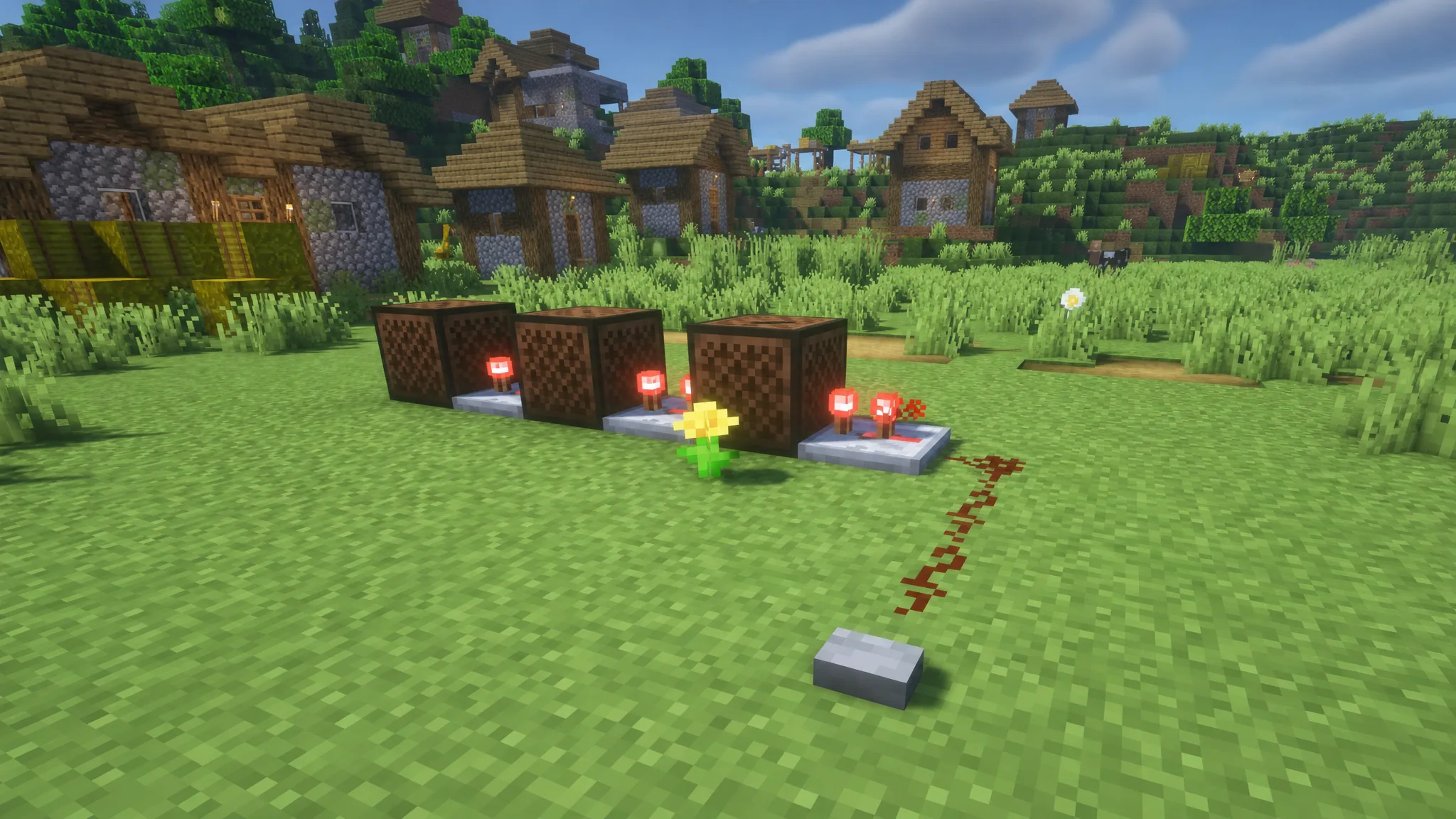
Simpler builds work too. A pressure plate or button wired to one note block makes an instant doorbell, and a set of note blocks in a control room can act as an alarm that tells you when someone trips a door or plate elsewhere on your base.
Allays and other uses
Note blocks have a special link with allays. When an allay hears a note block play within range, it treats that block as a temporary drop-off point and leaves items it has collected next to it. After the first drop, it keeps delivering matching items there for about 30 seconds instead of flying them back to you, which makes note blocks handy anchors for automatic item farms.
Beyond sound, the block’s speaker-like mesh texture makes it a decoration piece for studio builds, and it can serve as furnace fuel, though a weak one that smelts only 1.5 items per block.
How to know it is working
A correctly set up note block does two things when triggered: it plays audible sound and spits a colored note particle from the top. If you get neither, the most common cause is a blocked space above the block, since it needs air or a mob head there to make noise. A silenced block will still change pitch when you click it, but it will not show a particle or play sound until the space above is cleared. Once the tune and rhythm sound right, tuning is saved to each block until you break it, so your melody stays intact between visits.