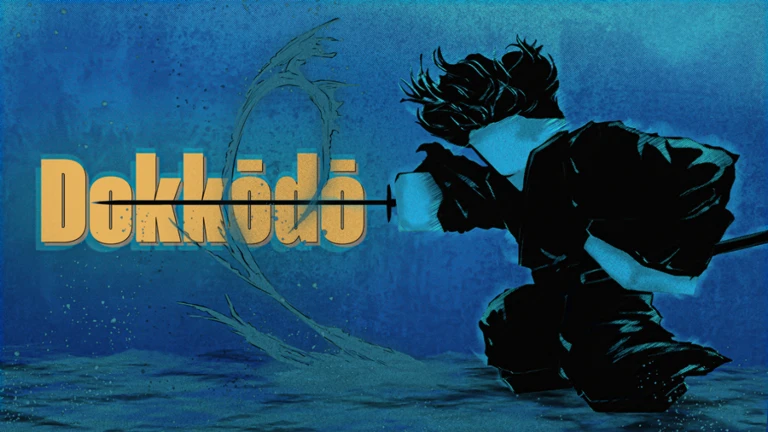
Dokkōdō is a third-person samurai melee-action game built around katana combat and fluid traversal. Its fights demand precise timing — attacks, feints, deflects, and chambers all hinge on reading your opponent and acting within narrow windows. Movement chains like wall runs and rolls are equally input-dependent. Knowing exactly what each binding does, and when to press it, is the foundation of playing the game well.
Keyboard & Mouse Controls
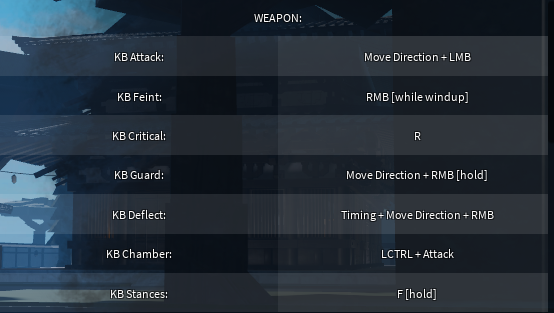
Weapon / Combat
| Action | Default Binding |
|---|---|
| Attack | Move Direction + LMB |
| Feint | RMB [while windup] |
| Critical | R |
| Guard | Move Direction + RMB [hold] |
| Deflect | Timing + Move Direction + RMB |
| Chamber | LCTRL + Attack |
| Stances | F [hold] |
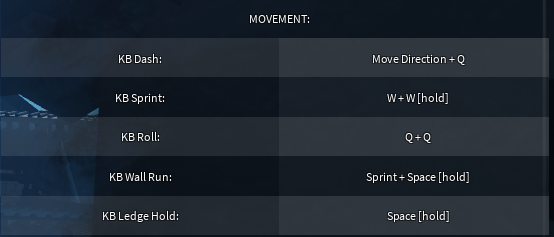
Movement
| Action | Default Binding |
|---|---|
| Dash | Move Direction + Q |
| Sprint | W + W [hold] |
| Roll | Q + Q |
| Wall Run | Sprint + Space [hold] |
| Ledge Hold | Space [hold] |
Miscellaneous
| Action | Default Binding |
|---|---|
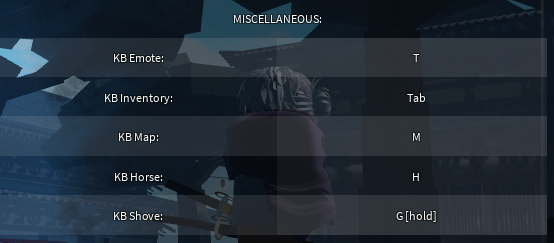
| Emote | T |
| Inventory | Tab |
| Map | M |
| Horse | H |
| Shove | G [hold] |
Controller Controls
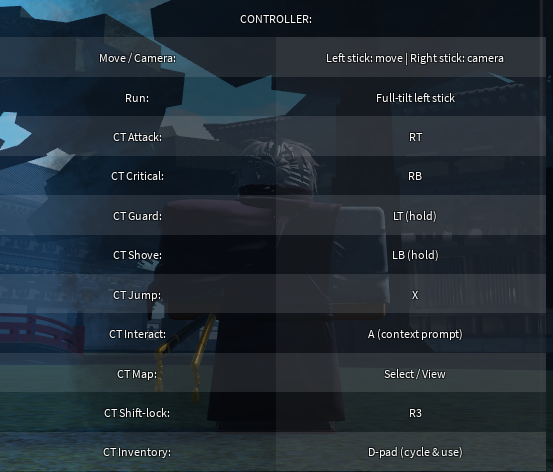
The gamepad layout follows a standard Xbox-style configuration. On controller, the dedicated keyboard bindings for Feint, Deflect, Chamber, and Stances do not have separate mapped buttons — that layer of combat depth is accessed through timing with Attack (RT) and Guard (LT).
| Action | Default Binding |
|---|---|
| Move / Camera | Left stick (move) / Right stick (camera) |
| Run | Full-tilt left stick |
| Attack | RT |
| Critical | RB |
| Guard | LT [hold] |
| Shove | LB [hold] |
| Jump | X |
| Interact | A (context prompt) |
| Map | Select / View |
| Shift-lock | R3 |
| Inventory | D-pad (cycle & use) |
How the combat controls fit together
Attacks in Dokkōdō are directional — you hold a movement key and press LMB to determine the angle of your strike. This means your positioning relative to an opponent directly shapes which attack comes out, giving you control over the angle of pressure you apply.
The Feint is pressed with RMB during the windup phase of an attack, before the strike lands. It cancels the swing and can bait an opponent into committing to a Guard or Deflect at the wrong moment. Because Feint and Guard share the same button (RMB), the difference comes entirely from timing — Feint fires during your own windup, while Guard is held in anticipation of an incoming hit.
Deflect is the most timing-sensitive defensive option. Rather than holding to block, you press RMB with a directional input at the moment an attack arrives. A successful Deflect turns the opponent’s momentum against them and creates an opening. Guard, by contrast, is a sustained hold that absorbs pressure but does not punish the attacker in the same way.
Chamber (LCTRL + Attack) matches your attack input to an incoming strike to neutralize it. It requires reading what your opponent is doing and mirroring their attack angle. When it connects correctly, it stops the incoming hit and keeps your own offensive flow going.
Critical (R on keyboard, RB on controller) is a distinct offensive tool separate from the standard attack chain. Stances (F [hold] on keyboard) let you shift your combat posture, which affects how your attacks and defenses behave — experimenting with them in lower-stakes encounters is the fastest way to understand what each one offers.
On controller, the absence of dedicated Feint, Deflect, Chamber, and Stance buttons means the timing demands around RT and LT become the primary expression of that combat depth. The inputs are fewer, but the reads required are the same.
Traversal chains follow clear dependencies. Sprint activates by double-tapping and holding W — without it, Wall Run (Sprint + Space [hold]) cannot trigger. Dash (Move Direction + Q) and Roll (Q + Q) are separate actions: Dash is a single quick burst in a direction, while Roll is a double-tap of Q. Ledge Hold (Space [hold]) lets you catch and hang from edges, which pairs naturally with wall runs and elevated terrain. These movement tools work together to let you close distance, escape pressure, or reposition mid-fight.
These bindings reflect the official layout published by the developers on the Dokkodo Trello board at trello.com/c/UkpUjrvW. Controls may be updated as the game continues development, so checking that board directly is the most reliable way to confirm any changes.