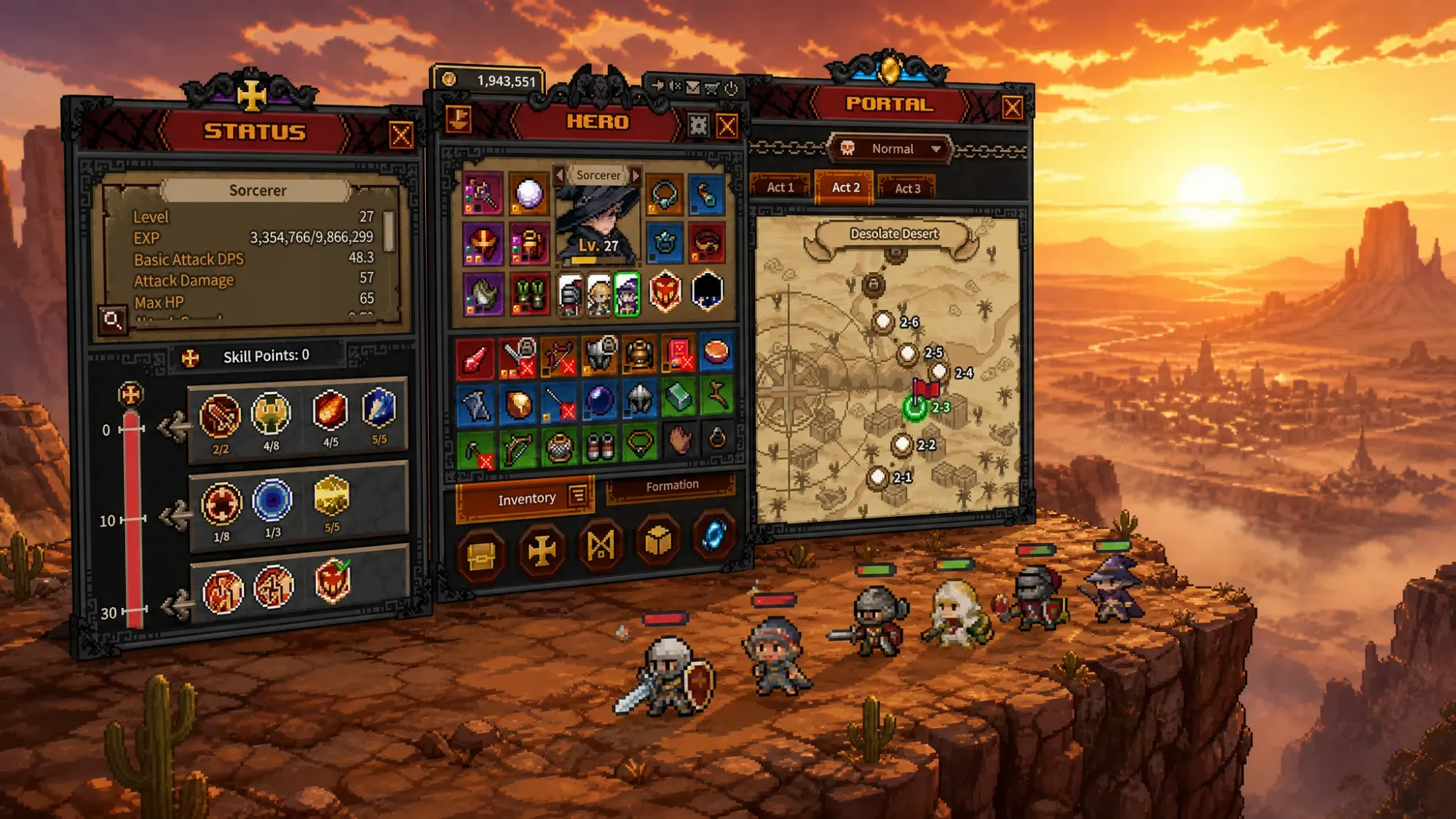
TBH: Task Bar Hero starts you with a single deployable hero, even though the Formation screen clearly shows two empty slots sitting behind that first character. Those slots are not tied to a story unlock or a stage clear. They open through the Rune section, and you pay for them with in-game Gold.
Where Hero Slots are unlocked in TBH: Task Bar Hero
The party can grow from one hero up to three total. Both additional slots are purchased inside the Rune section, which is a node tree that applies upgrades to your whole team. Every node costs Gold, and the prices climb steeply as you move deeper into the tree.
Because the upgrades share one currency, you are choosing between raw stat and economy boosts and the slot unlocks themselves. That trade-off matters most for the third slot, which is one of the more expensive purchases available early on.
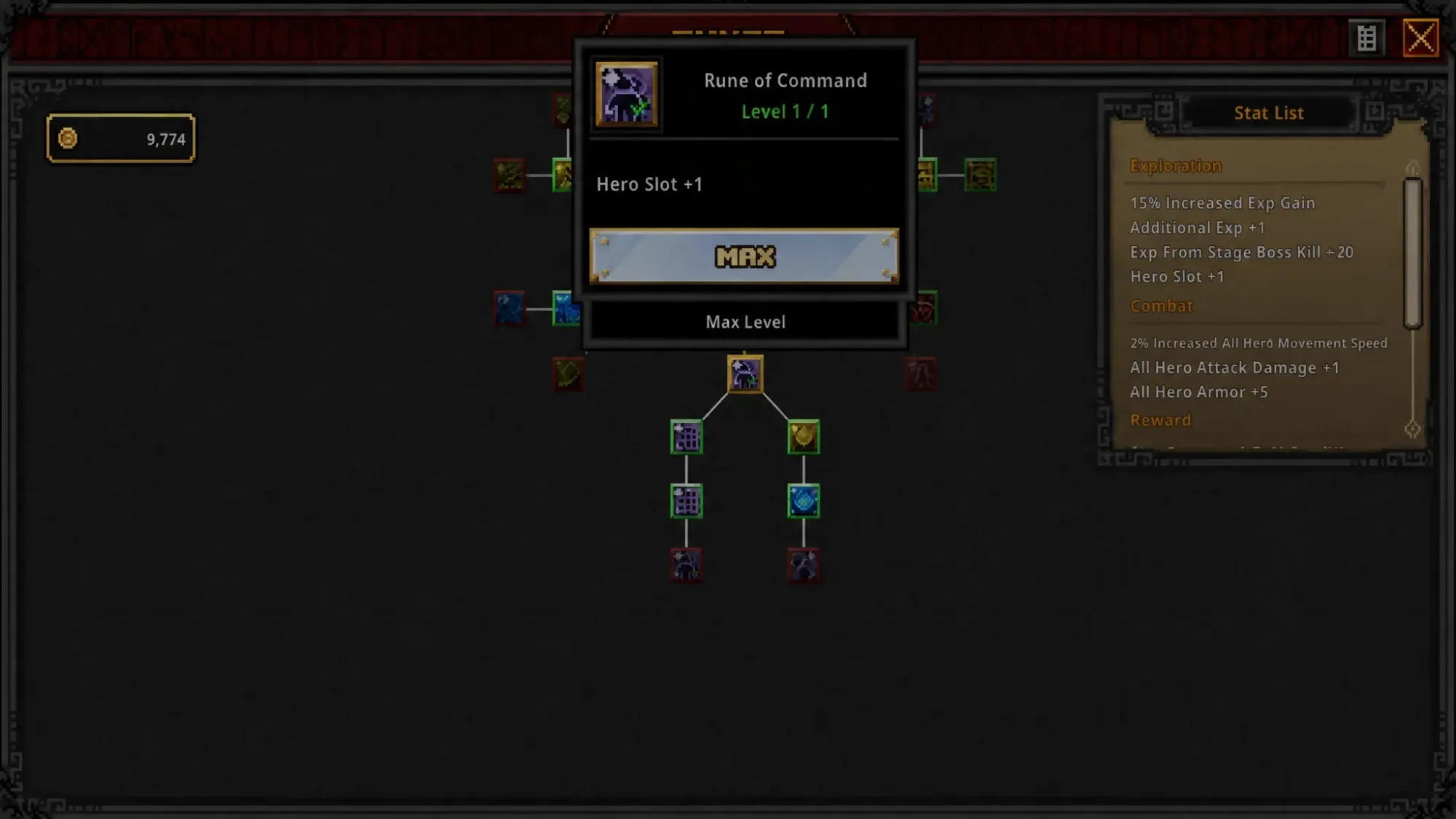
Unlock the second Hero Slot
Unlock the third Hero Slot (third class)
The third slot is gated behind a side branch and a much larger Gold cost.
Slot unlock reference
| Slot | Location in Rune tree | Cost |
|---|---|---|
| Second Hero Slot | Two nodes down from the start, below the Rune of Growth | Cheap (early purchase) |
| Third Hero Slot | Left branch from the first slot, past two Rune of Expansion nodes | 150,000 Gold |
How to confirm the slots are active
After buying a slot node, return to the Hero Menu and open the Formation tab. The previously locked slot becomes selectable, and you can choose any available class, then click Deploy and assign it to the open position. Note that DLC characters cannot be picked during initial character creation, so they are added here through the Formation tab once a slot is free.
Each new hero can have its gear and skills customized after it levels up enough to meet the relevant requirements. Running a full three-hero party speeds up farming considerably compared to a single character, which is why opening both slots is one of the higher-priority early goals.