Car gifting in Forza Horizon 6 does not work the way most players expect. There is an official Gift Drop feature, but it never lets you pick a named recipient. If your goal is to put a specific car into a specific friend’s garage, you need a different method entirely.
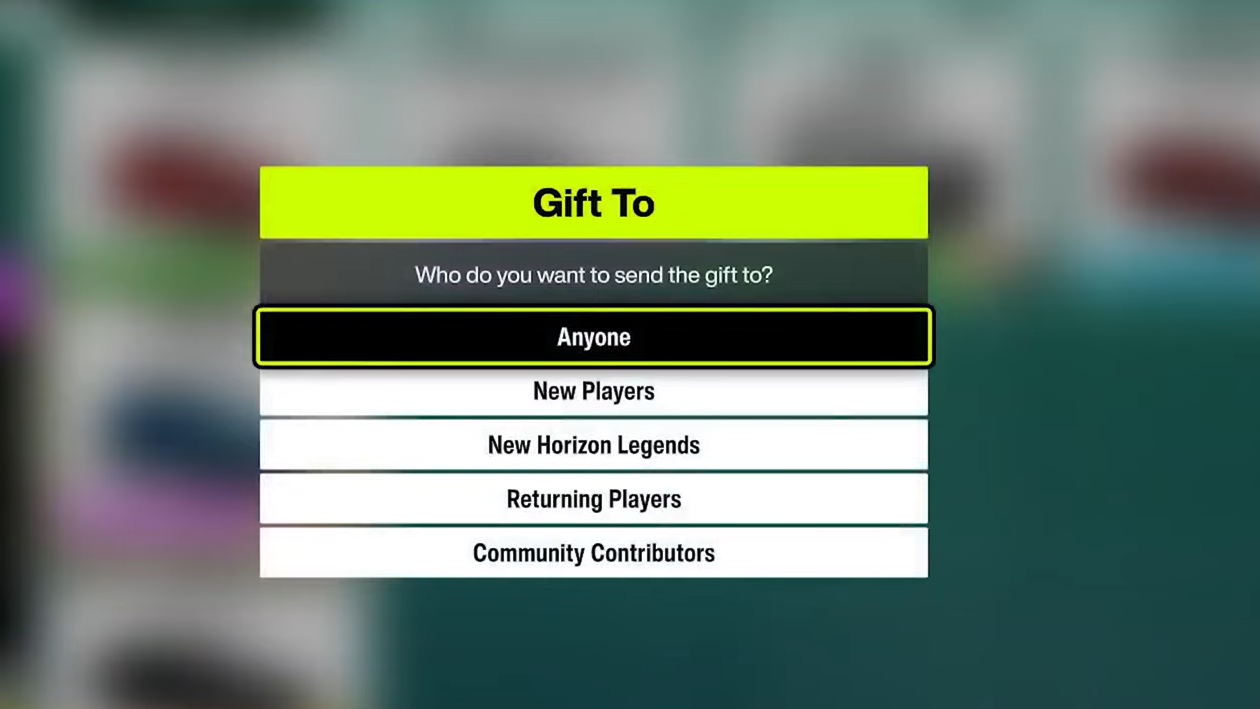
How Gift Drop works in Forza Horizon 6
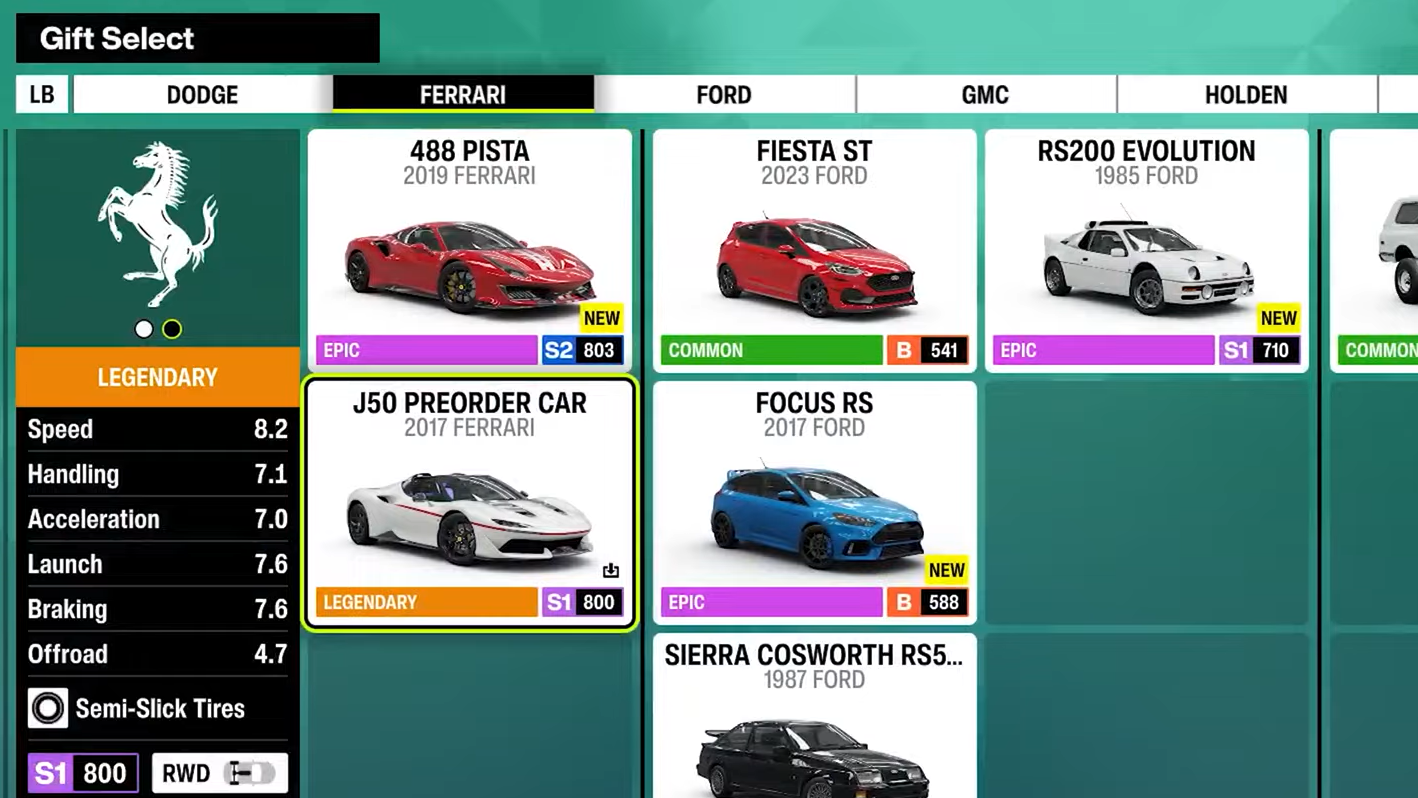
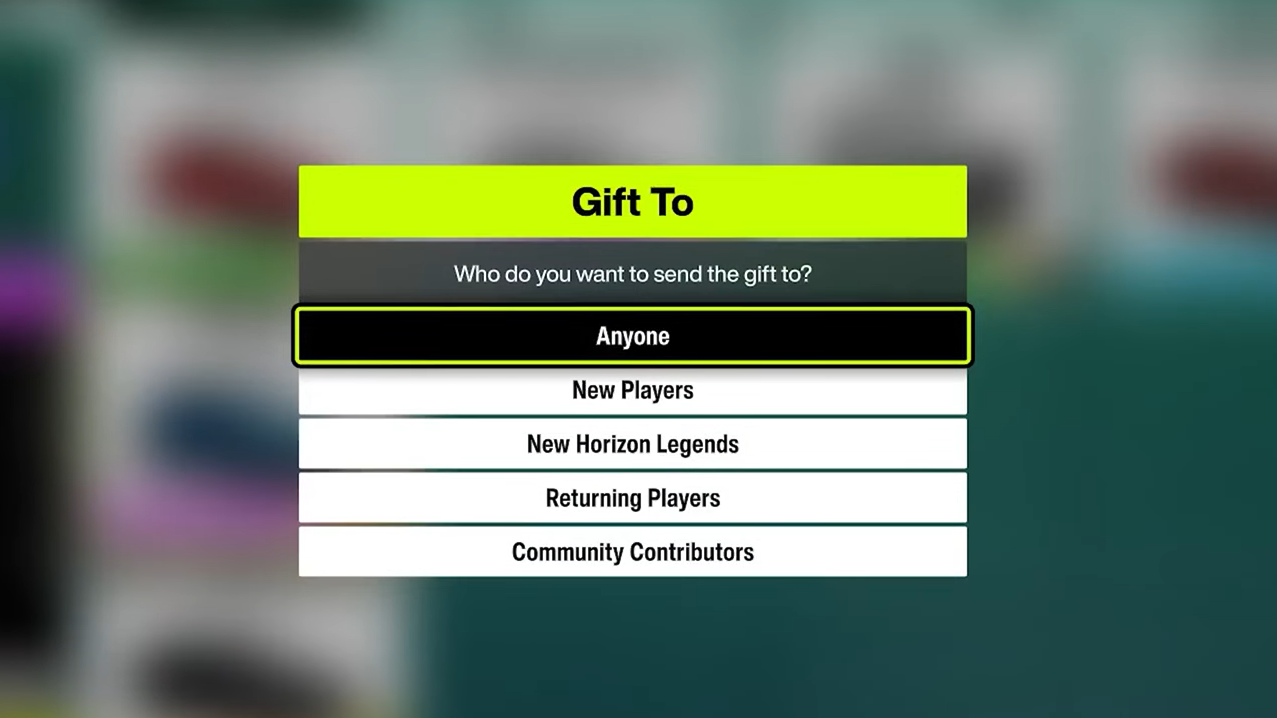
Gift Drop is the game’s built-in gifting system. When you use it, the car leaves your garage and goes to a randomly selected player from a category you pick. You never see who receives it, and you cannot target a friend by name or gamertag. The same system also works in reverse, so another player’s gift can land in your garage.
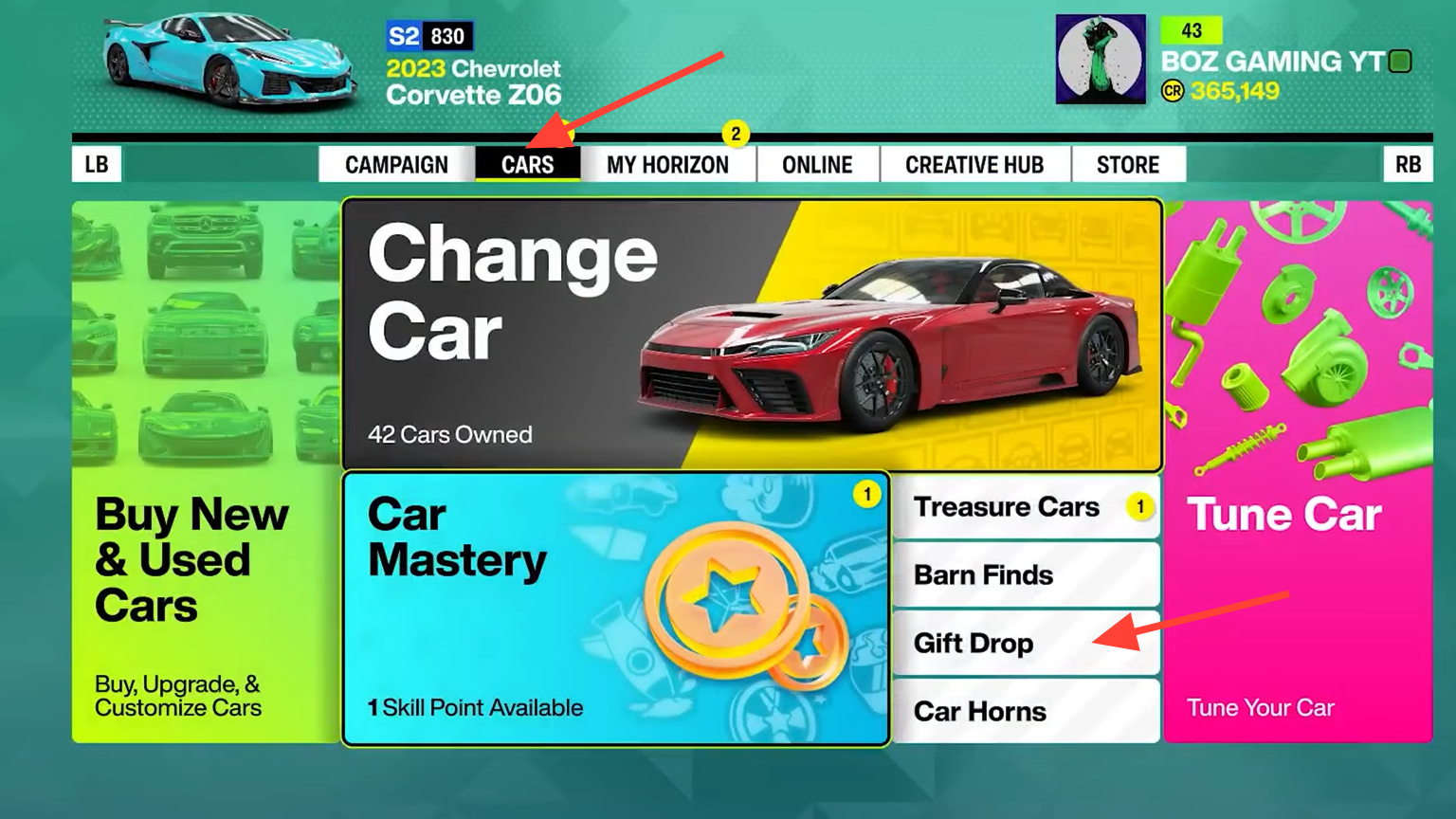
There are two ways to open the Gift Drop menu. The first is through the Pause Menu under the Cars tab. The second is at any Barn Find location on the map, where the option becomes available once you are back outside in your car and press the action button when prompted.
How to send a specific car to a specific friend
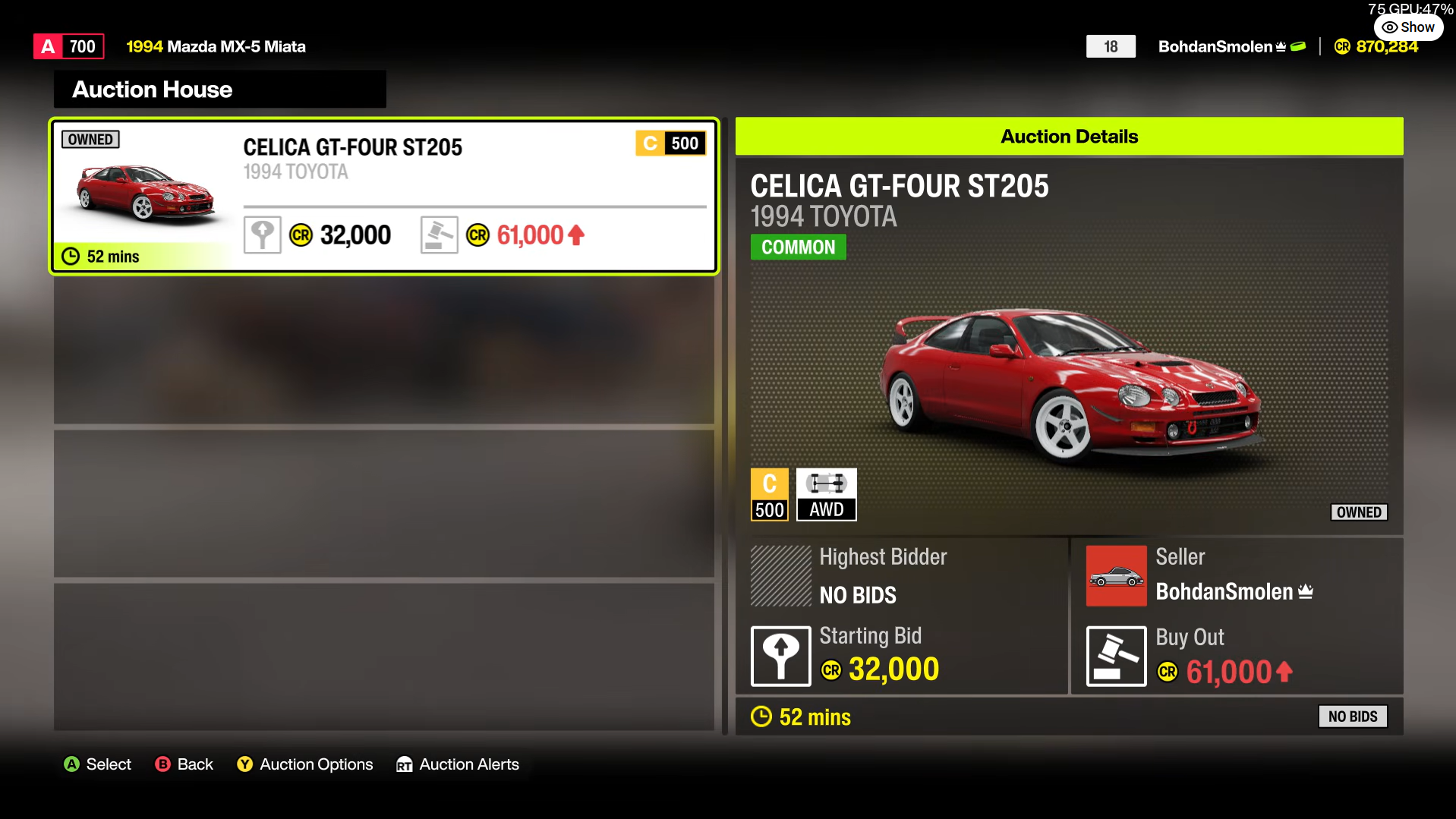
Because Gift Drop randomizes the recipient, the Auction House is the only practical route to a chosen friend. It is not an official gifting tool. It is a tightly timed sale where you list the car at an agreed buyout price, and your friend buys it out before anyone else can. Both of you should be ready at the same time, ideally on a call, because any player browsing the Auction House can snipe the listing.
Agree on the buyout price beforehand. Set it too low, and strangers will grab the bargain. Set it too high and your friend cannot afford it. Make sure your friend has the credits ready before you start.
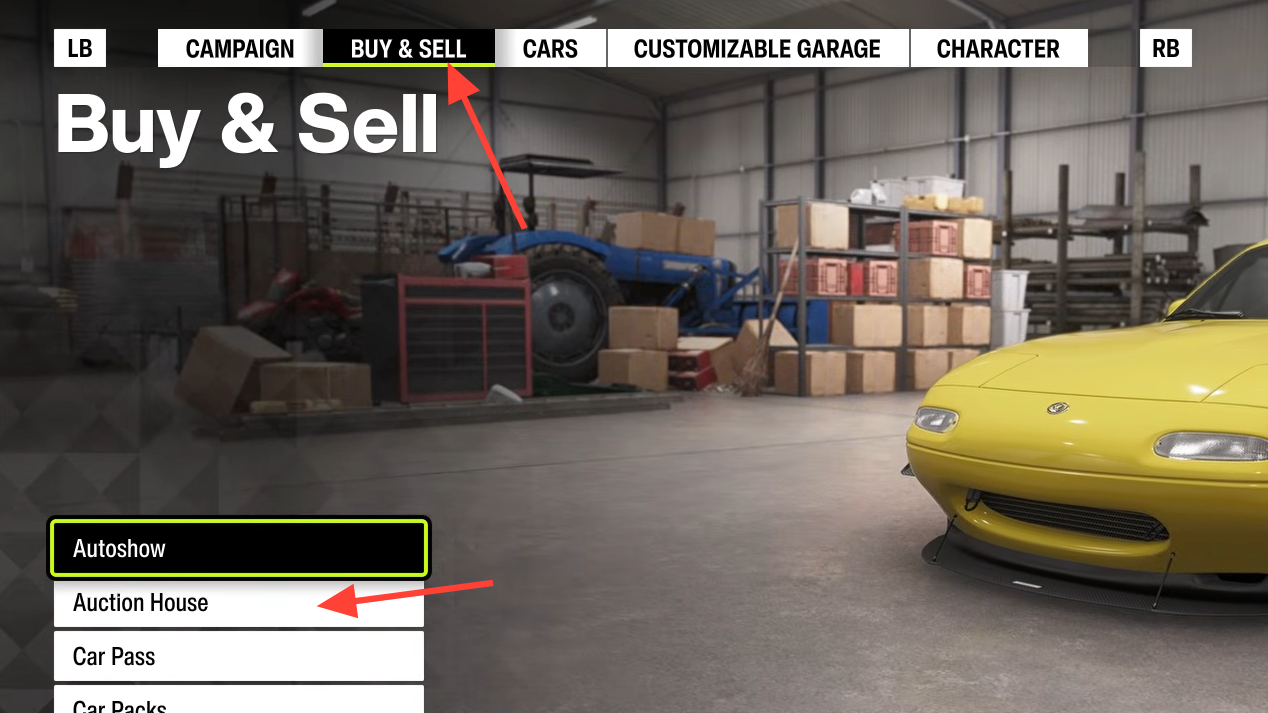
Step 4 (friend’s side): Before entering the Auction House, your friend should buy the base Peel P50 from the Autoshow if they do not own one and set it as their active car. It loads the Auction House faster because of its small file size.
Step 5 (friend’s side): From the Auction House, go to Search Auctions and use the Filter options to narrow down to the exact car being listed. Keep the search ready to fire on the countdown.
Step 6 (friend’s side): When the listing appears, identify it by your seller name, press the buyout button, select Buyout, and confirm immediately. Success is confirmed when the car appears in your friend’s garage, and your listing closes as sold.
Gift Drop vs Auction House: which method to use
| Method | Who receives the car | Coordination needed | Reaches a chosen friend |
|---|---|---|---|
| Gift Drop | Random player from your selected category | None | No |
| Auction House | Specific friend who buys out the listing | Yes, in real time | Not guaranteed, but manageable with good timing |
Use Gift Drop when you simply want to pass a car to the wider community or hand something to a newer player without caring who gets it. Use the Auction House when the destination matters, and you and your friend can be online together.
Common questions about car gifting
There is no direct, player-to-player car transfer in Forza Horizon 6, unlike the named gifting options some past Forza Horizon games offered. Gift Drop is the closest official feature, and it always picks the recipient for you. The Auction House workaround is the only way to aim a car at one person.
You cannot choose a friend as a Gift Drop recipient. The category list is limited to Anyone, New Players, New Horizon Legends, Returning Players, and Community Contributors, with no field to enter a specific name. The Auction House sale carries the risk that someone else buys the car first, but a sensible buyout price plus tight timing keeps that risk low for rare and high-value vehicles alike.
For now, treat Gift Drop as community sharing and the Auction House as your friend-to-friend channel. If direct gifting is ever added, the Pause Menu Cars tab is where it would most likely appear, so it is worth checking after major updates.