The Conductor of the “Ya-ho” is a 4-star companion gadget that drops into your in-game inbox during the Version 7.1 sixth-anniversary celebration in Genshin Impact. It is a tiny Jack Frost wearing a Transport Bureau hat, driving its own mini train, and once equipped it floats along beside your active character in the overworld.
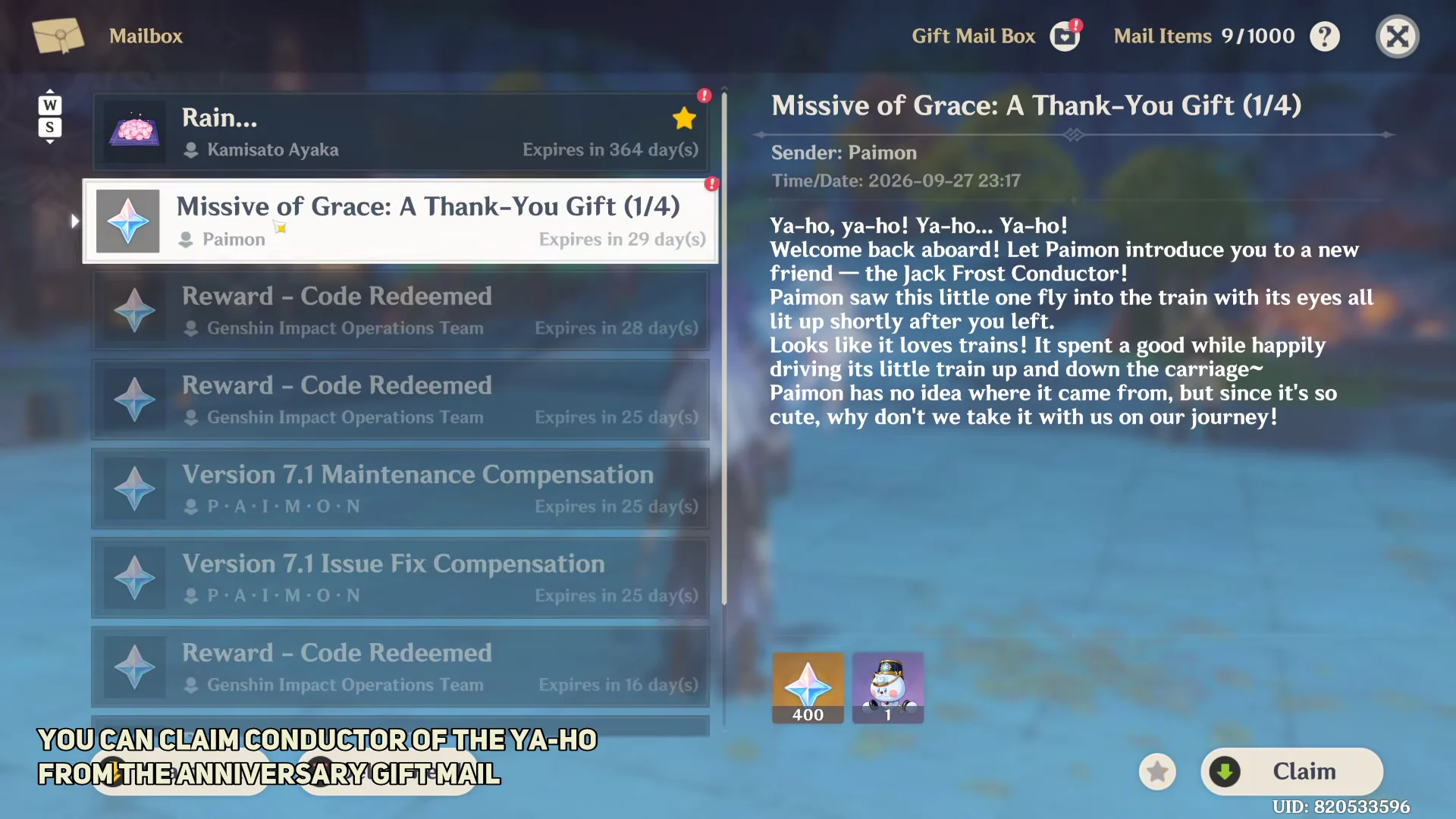
Quick answer: Go to Mail in-game and collect Paimon’s letter, Missive of Grace: A Thank-You Gift. Then equip the Conductor of the “Ya-ho” from the Gadget tab in your Inventory.
Where the Conductor of the “Ya-ho” comes from
The companion is tied to the Rainbow’s End: Resplendent Starlight anniversary event and is handed out through in-game mail rather than a shop or crafting menu. The letter that carries it also comes with an attachment of 400 Primogems, so claiming the mail rewards both at once.
| Detail | Value |
|---|---|
| Item type | Gadget (companion) |
| Rarity | 4-star |
| Mail title | Missive of Grace: A Thank-You Gift |
| Sender | Paimon |
| Bundled reward | 400 Primogems |
| Version | 7.1 |
The mail has a limited validity window and shows an expiry countdown when you open it. Claim the attachments instead of leaving the letter sitting in your inbox, or you will lose both the Primogems and the gadget when it expires.
Claim the anniversary mail
Equip the companion from the Gadget tab
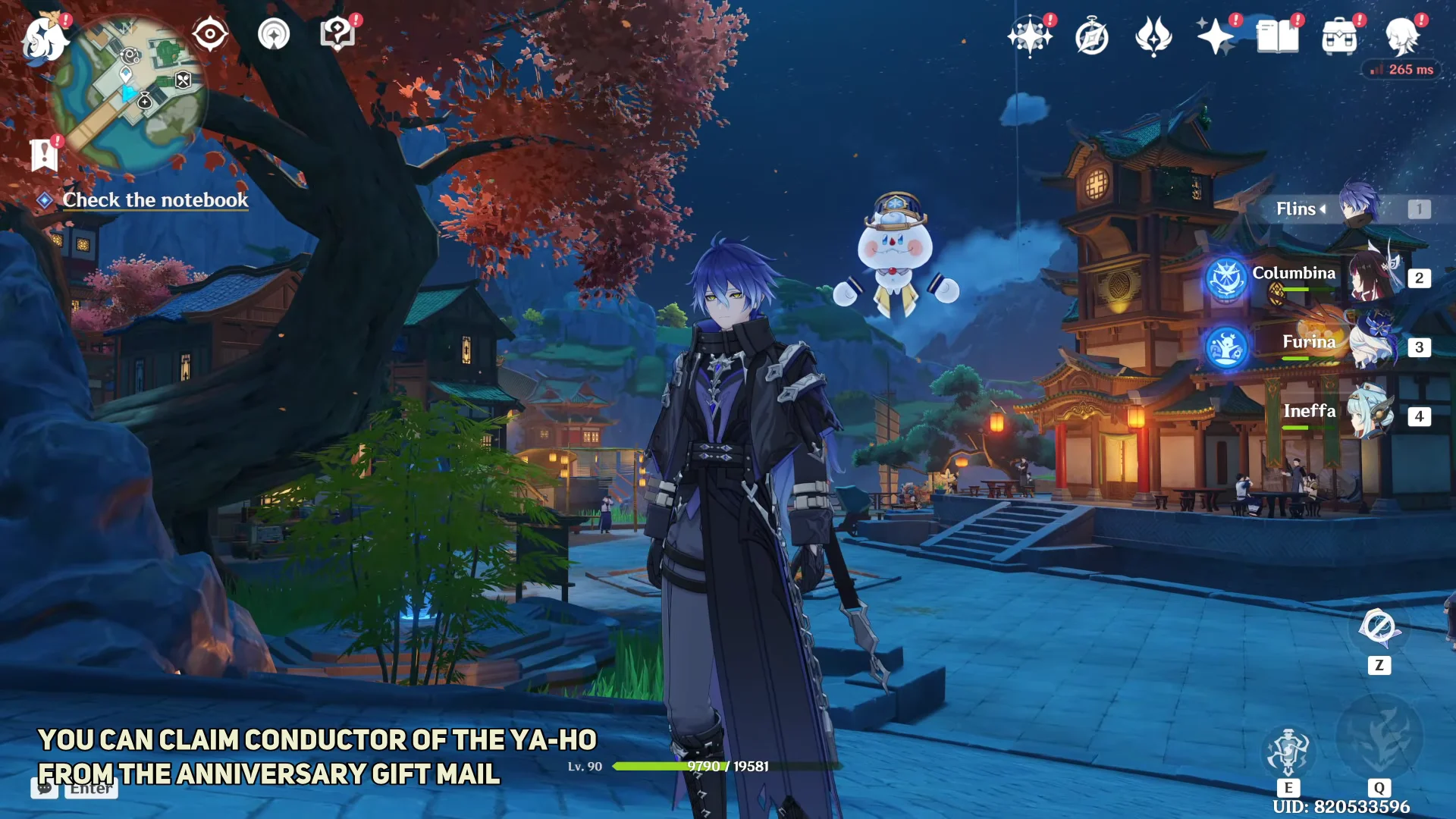
You know it worked when the companion spawns next to your character and stays with you as you move. If the mail is claimed but the pet is not visible, open the Gadget tab and confirm you pressed Switch rather than just viewing the item.
How the companion behaves
The Conductor of the “Ya-ho” is a toggle-only companion, not a functional gadget, so your regular gadgets keep working as normal while it is active. It temporarily vanishes during combat and while you are underwater, then reappears afterward.
- It cannot be active at the same time as another “Equipment” type gadget.
- It idles with small animations, such as looking around, driving its train, and playing with a snowball.
- It performs a cheer after you open a chest, use Original Resin, or unlock a Teleport Waypoint.
The companion arrives as part of the wider sixth-anniversary reward package for Version 7.1, which HoYoverse detailed alongside its other login and mail gifts.
Because the pet is reusable and counts as a memento, once you have claimed and equipped it you can toggle it on or off from the Gadget tab at any time, keeping the little train conductor around long after the anniversary window closes.