Grand Theft Auto VI lets you save the clothes you’re wearing as an outfit at any wardrobe. You can then put up to five outfits in your car’s trunk, so you can change without going home. Save an outfit and add it to the trunk in the WARDROBE menu, on the OUTFITS tab.
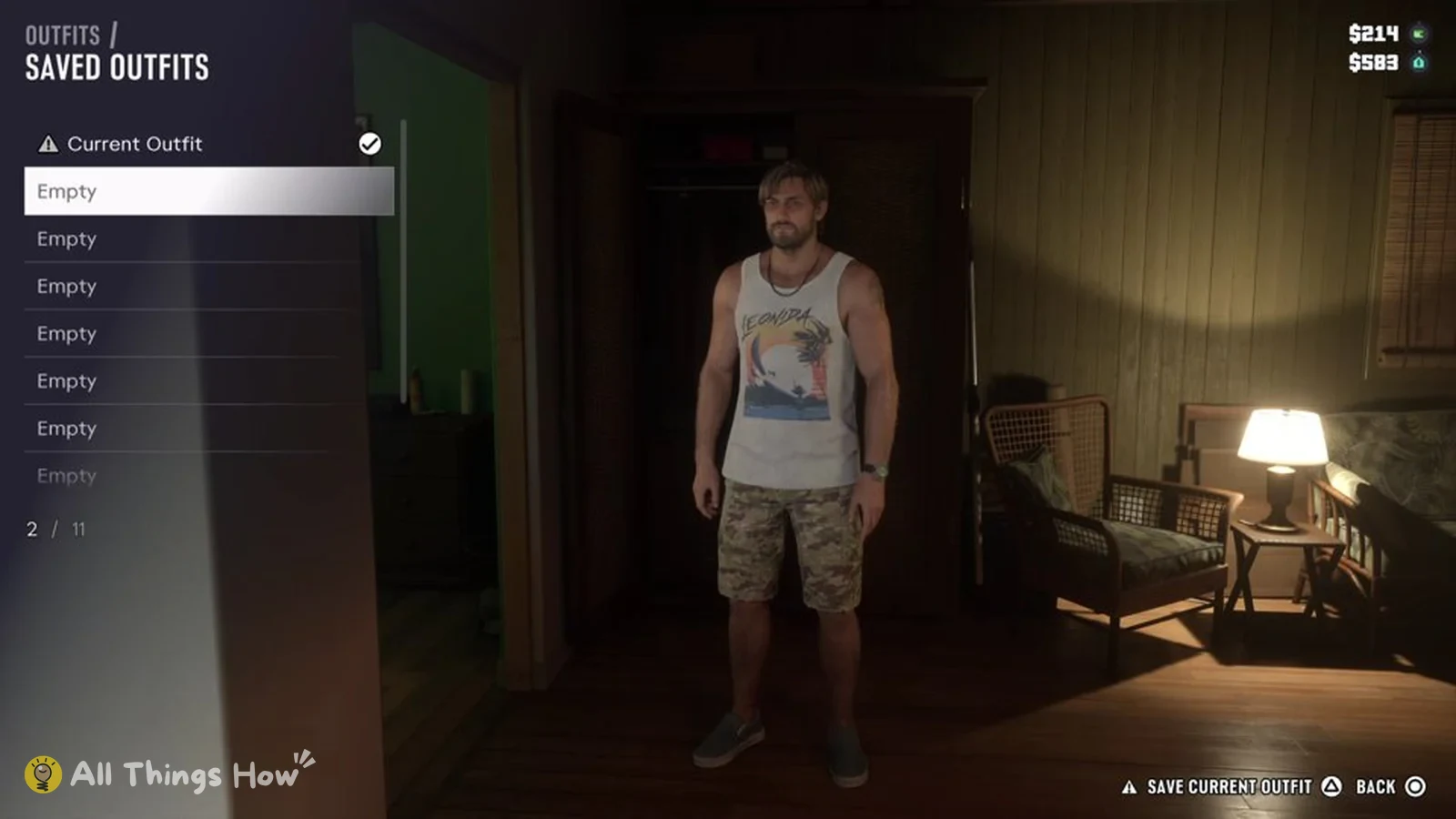
Quick answer: At a wardrobe, press Triangle, open “Saved Outfits”, highlight an “Empty” slot and press Triangle to save. Then highlight that outfit and press Square to add it to the trunk.
How to open the wardrobe in GTA 6
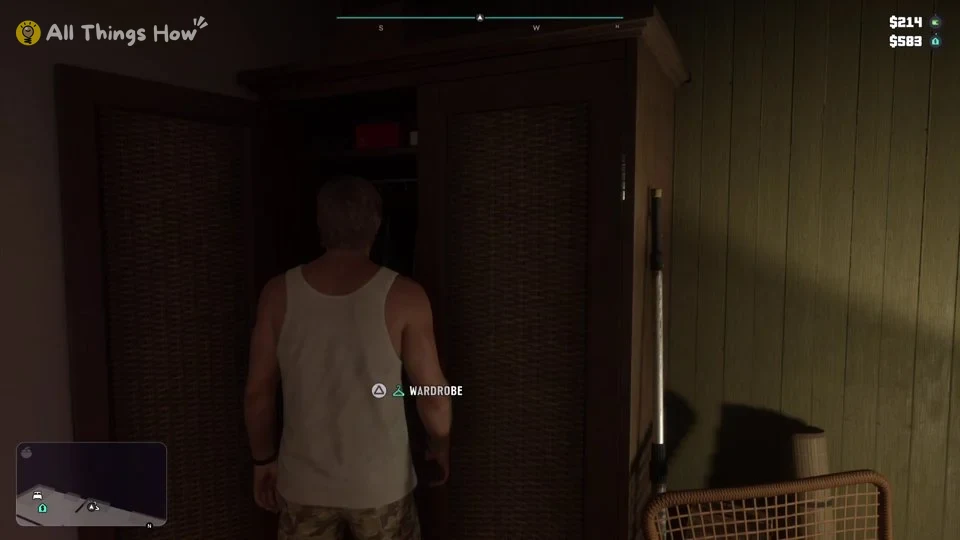
At home, the wardrobe is a tall cabinet. Walk up to it until the “WARDROBE” prompt shows with the Triangle button, then press Triangle to open the menu.
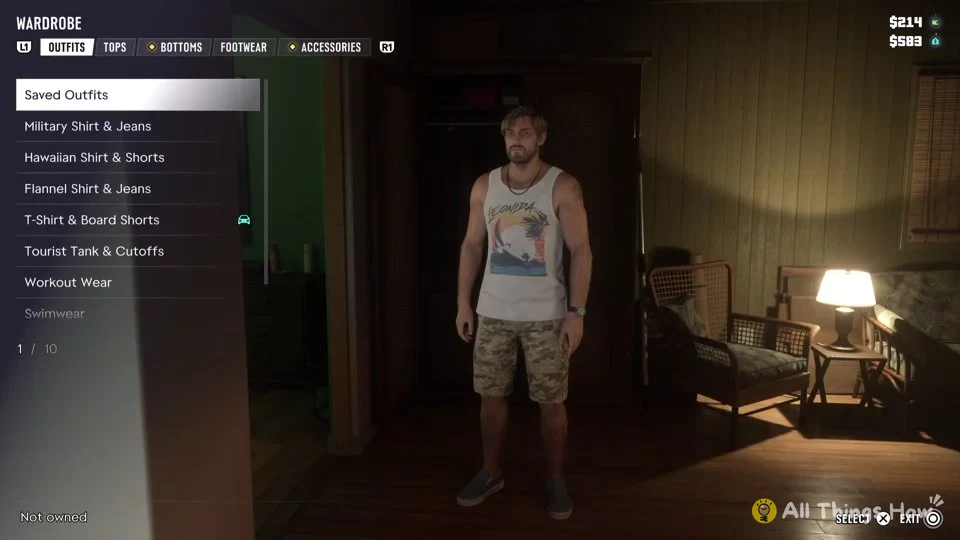
The wardrobe has five tabs, arranged as OUTFITS, TOPS, BOTTOMS, FOOTWEAR and ACCESSORIES. Use L1 or R1 to switch tabs, Cross to select and Circle to exit. “Saved Outfits” is at the top of OUTFITS, followed by the preset choices, starting with Military Shirt & Jeans. An outfit with a little car icon next to it is already in your trunk.
How to save an outfit
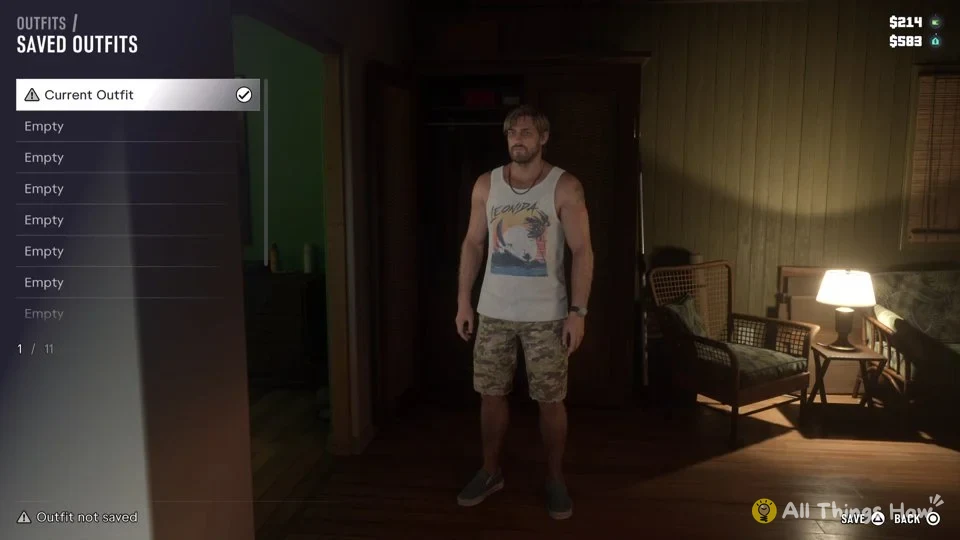
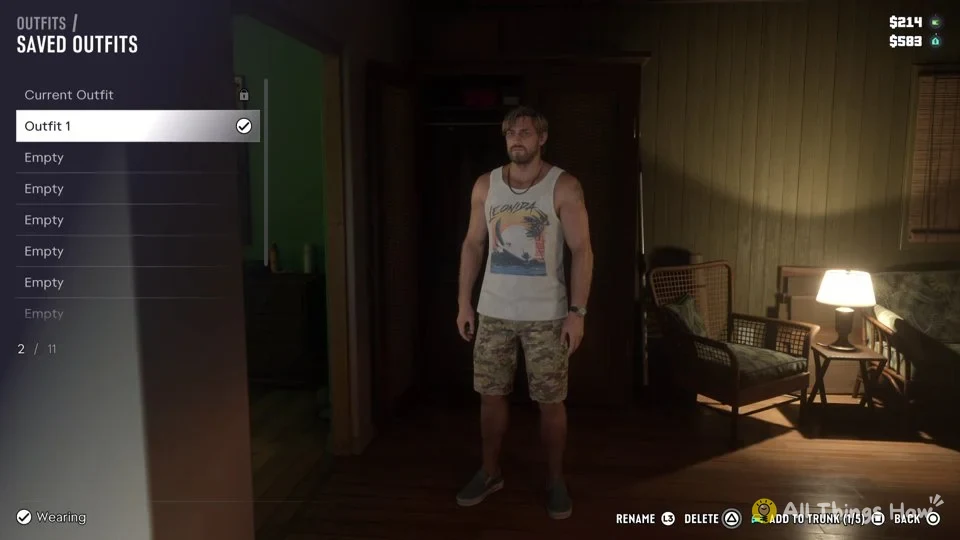
The counter under the list counts out of 11, for example 2 / 11. That’s the “Current Outfit” row plus ten slots for saved outfits.
How to store outfits in your car’s trunk
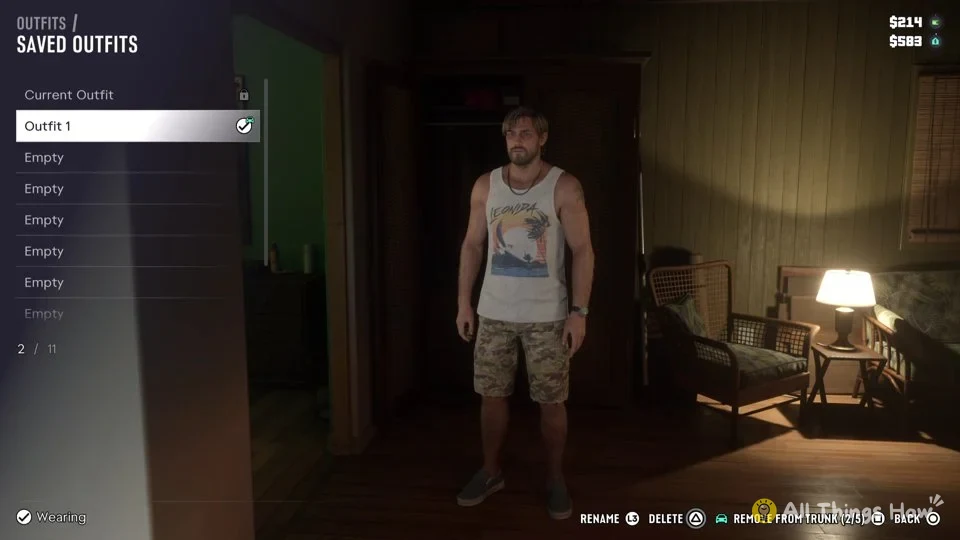
The trunk holds five outfits. To take one out, highlight it and press Square again, since the prompt on that outfit is now REMOVE FROM TRUNK.
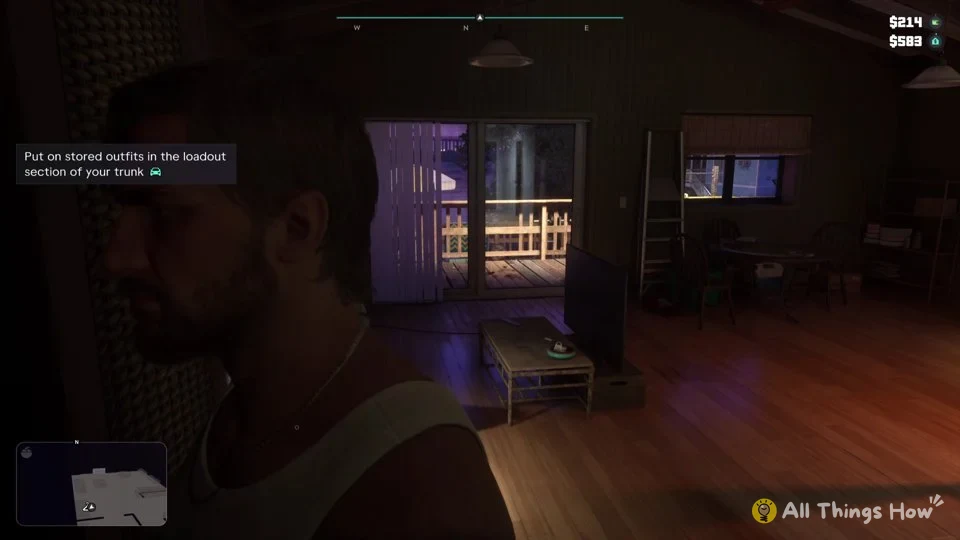
After you leave the wardrobe, the game shows this tip: “Put on stored outfits in the loadout section of your trunk”.
Saved Outfits buttons in GTA 6
| Button | Action | When it shows |
|---|---|---|
| Triangle | SAVE CURRENT OUTFIT | On an “Empty” slot |
| Triangle | DELETE | On a saved outfit |
| L3 | RENAME | On a saved outfit |
| Square | ADD TO TRUNK / REMOVE FROM TRUNK | On a saved outfit |
| Circle | BACK | Anywhere in the list |
Triangle saves on an “Empty” slot but deletes on a saved outfit, so check which row you have highlighted before you press it.