Fortnite’s Chapter 7 Season 4, branded Override, leans hard into gaming crossovers, and one of its stranger flexes lets you drop your normal skin and become a falling Tetris piece right in the lobby. It works through the season’s new Lobby Hack feature, and it only takes a short code to trigger.
Quick answer: Open the admin panel in the Fortnite lobby, type LetsBlockAndRoll or DontBlockMe, and press Submit to turn your character into a Tetris block.
The two Tetris block codes in Fortnite Chapter 7 Season 4
Only two Lobby Hack codes trigger the transformation, and both do the same thing. Tetris is one of the few games crossing into Override without a skin, so this cosmetic effect is how it shows up.
| Code | Effect |
|---|---|
| LetsBlockAndRoll | Turns your character into a Tetris block |
| DontBlockMe | Turns your character into a Tetris block |
The tetromino you become is not fixed. Entering the same code repeatedly can produce different pieces, including a red block, a purple T-shape, a yellow block, and a cyan straight piece. There is no confirmed link between a specific code and a specific block color or shape.
How to enter the codes in the admin panel
All Lobby Hack codes are redeemed from the pre-game lobby, before you board the Battle Bus. You do not enter them mid-match.
…/ admin panel. This opens a text box for Lobby Hack codes.LetsBlockAndRoll or DontBlockMe into the box and press Submit. Case does not need to match exactly.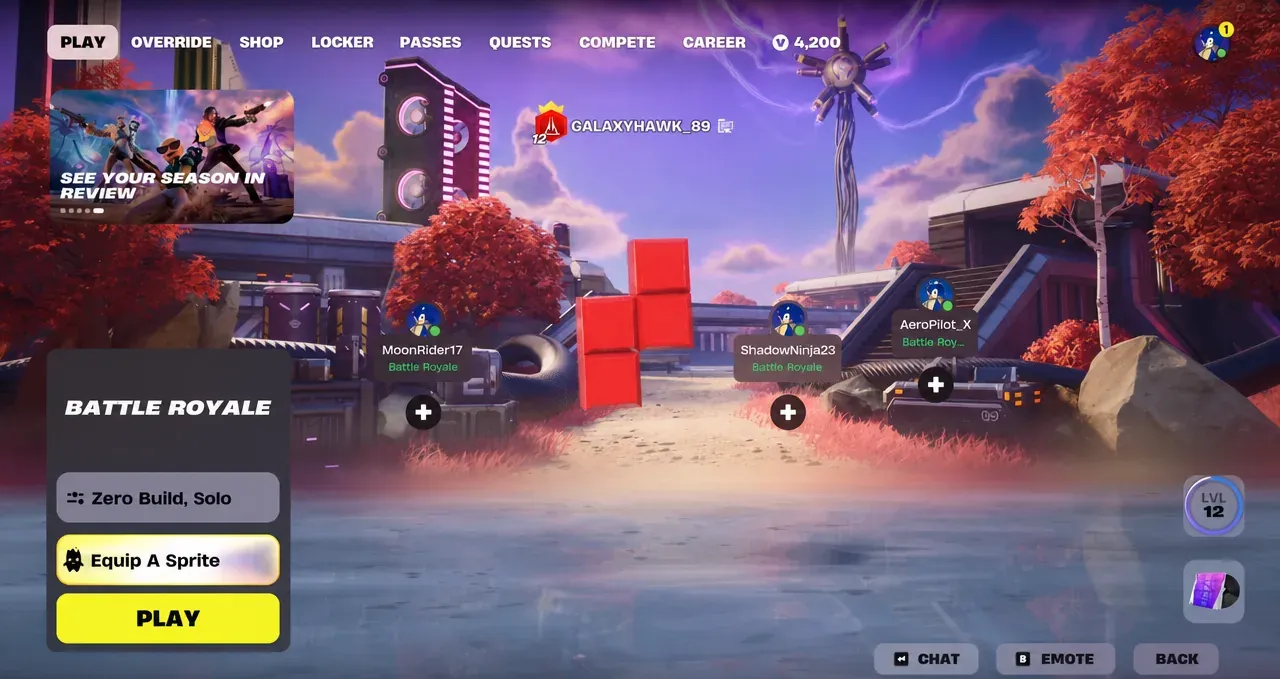
How to know it worked, and why it may not fire again
You know the code landed when your character visibly changes into a Tetris piece on the lobby platform. The effect is temporary and swaps you back to your usual appearance after a short moment.
The transformation is purely cosmetic and is limited to the lobby, so you cannot carry the block form into standard combat. If a code stops giving rewards, it is because Lobby Hack codes are a one-time redemption per account. Once you have claimed a code, re-entering it will not grant it again, though the visual toggle for the Tetris effect still plays.
Epic has said the Lobby Hack feature is expected to run for the whole season, so these codes should stay usable while Override is live. No official end date has been confirmed.
If you want to keep the theme going, the admin panel accepts plenty of other Override codes for XP, Sprite Dust, and Cheat Master Sprites, all entered the same way from that top-right tab. The Tetris look is one of the few effects that changes your character directly, which makes LetsBlockAndRoll and DontBlockMe the ones to try first if you just want a quick lobby gimmick.