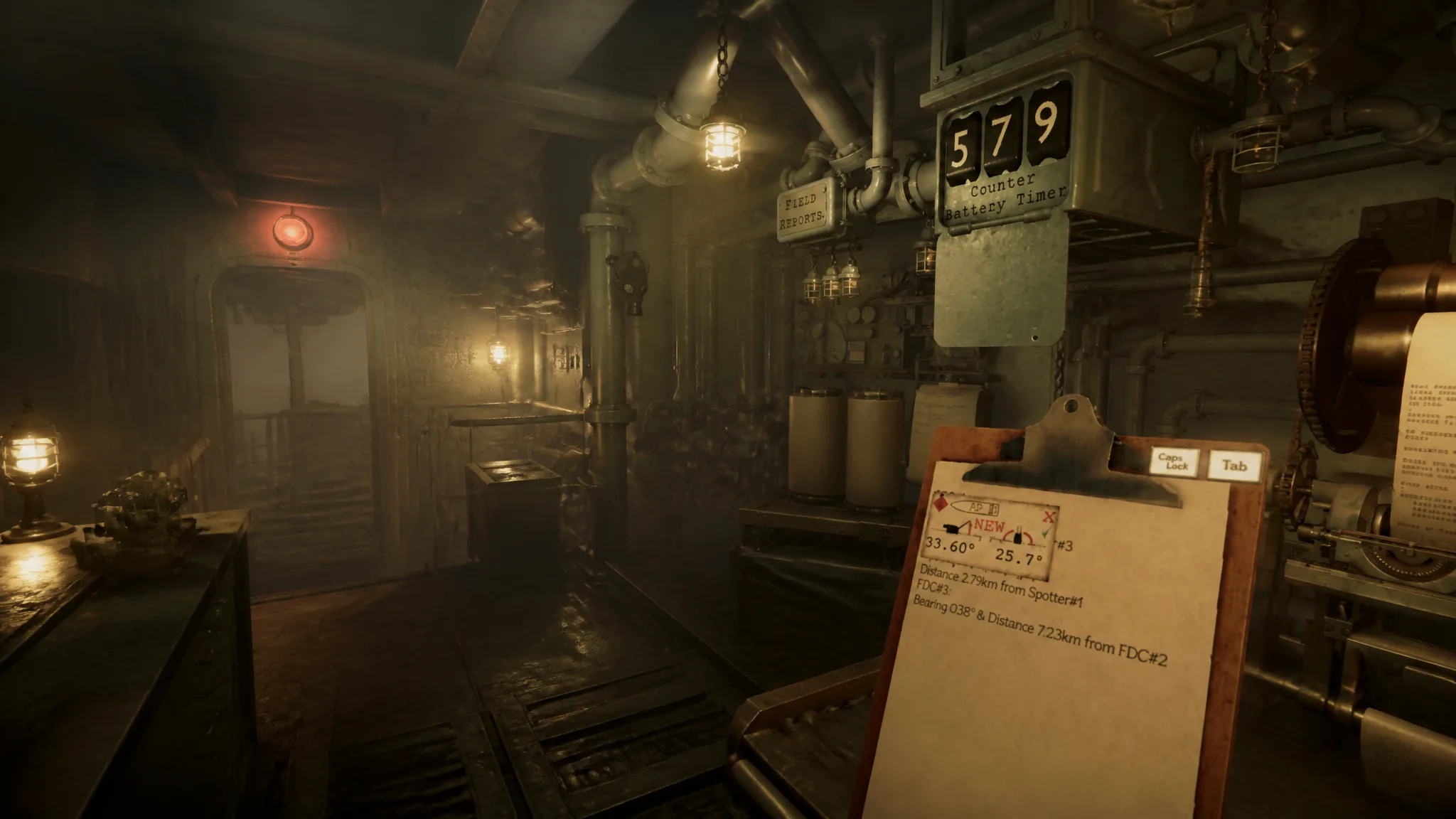
The Iron Nest is a brutally powerful weapon, but enemy artillery can fight back. As soon as you fire your first shell on a mission that contains enemy artillery, those units begin hunting for your position so they can destroy you. This is Counter-Battery Fire, and the threat plays out through a visible countdown you have to manage.
Quick answer: Destroy enemy artillery to add 30 seconds each to the Counter-Battery Timer, destroy a Fire Direction Center to pause it until your next shot, or buy an Emergency Move at the requisition station to relocate, add 120 seconds, and pause the timer. Wiping out every artillery unit stops the timer permanently.
What Counter-Battery Fire does in Iron Nest
Counter-Battery Fire is the enemy’s direct answer to your bombardment. If artillery units are placed somewhere on the map, the moment you launch your first shell they start triangulating your location with the goal of neutralizing the Iron Nest. The good news is that this response is not instant, which gives you a window to act.
When the threat becomes active, the game makes it impossible to miss. Sirens sound, red lights flash, and the Counter-Battery Timer begins ticking down from a fixed value such as 300 or 600 seconds. You will find the timer just to the left of the High Command typewriter.
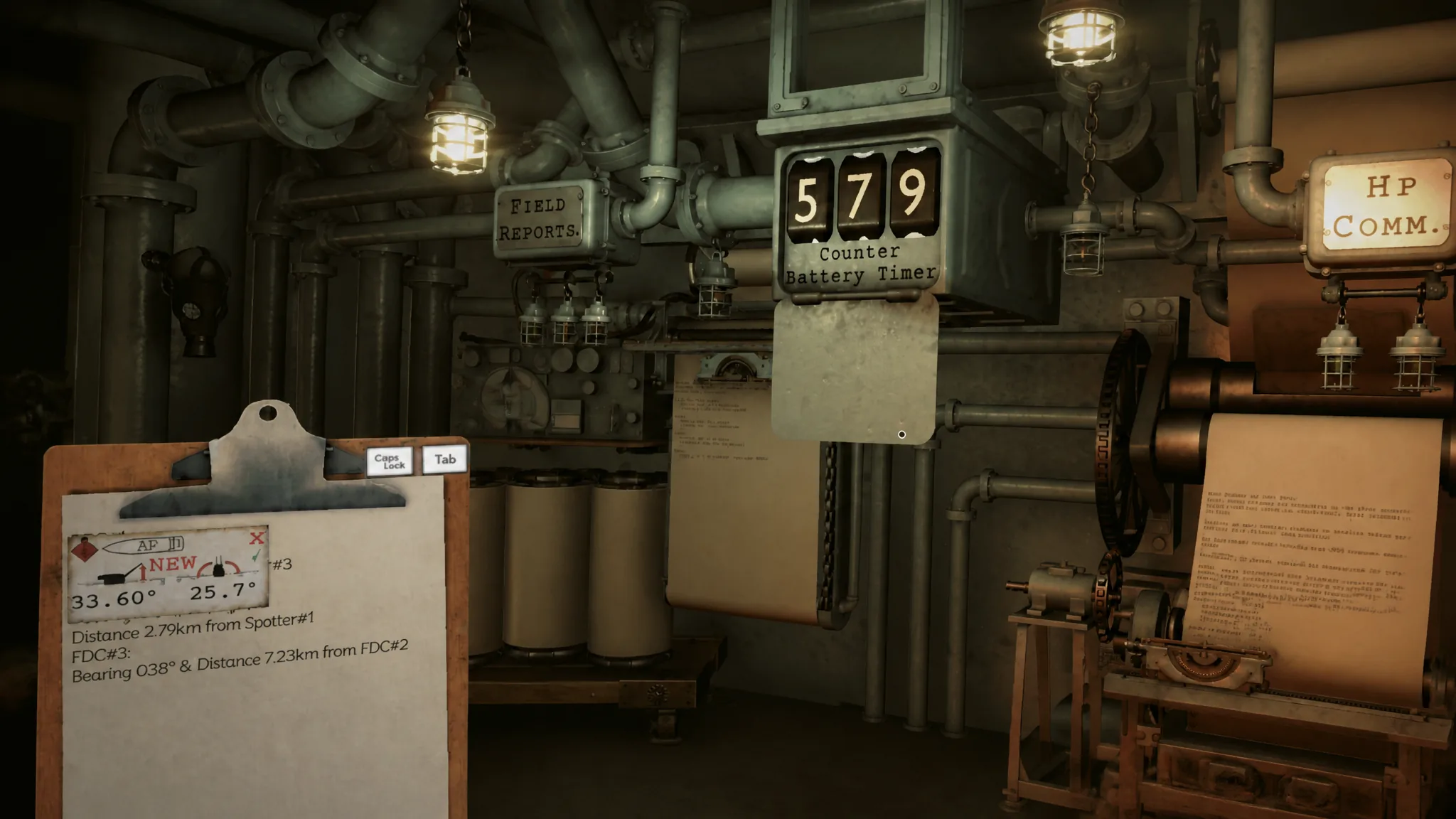
When the timer reaches zero, enemy artillery lands its fire on you. In practice that ends the mission, because the Iron Nest is destroyed and the mission counts as failed.
Prepare before you fire the first shell
Because the countdown only starts after your first shot, the smartest approach is to do as much work as possible before you fire. If you know a mission contains artillery, treat your opening shell as a commitment and plan around it.
Mark every known variable on the Tactical Map first. Place your spotters and reference points, run the measurements needed to locate as many targets as you can, and calculate the elevations for those targets in advance. Doing this front-loaded work means that once the timer begins, you spend the remaining seconds firing rather than plotting.
How to stop or extend the Counter-Battery Timer
Surviving means finishing the mission before the timer hits zero. You do that by choosing your targets and their order carefully, and by using three specific actions that affect the countdown.
| Action | Effect on the timer |
|---|---|
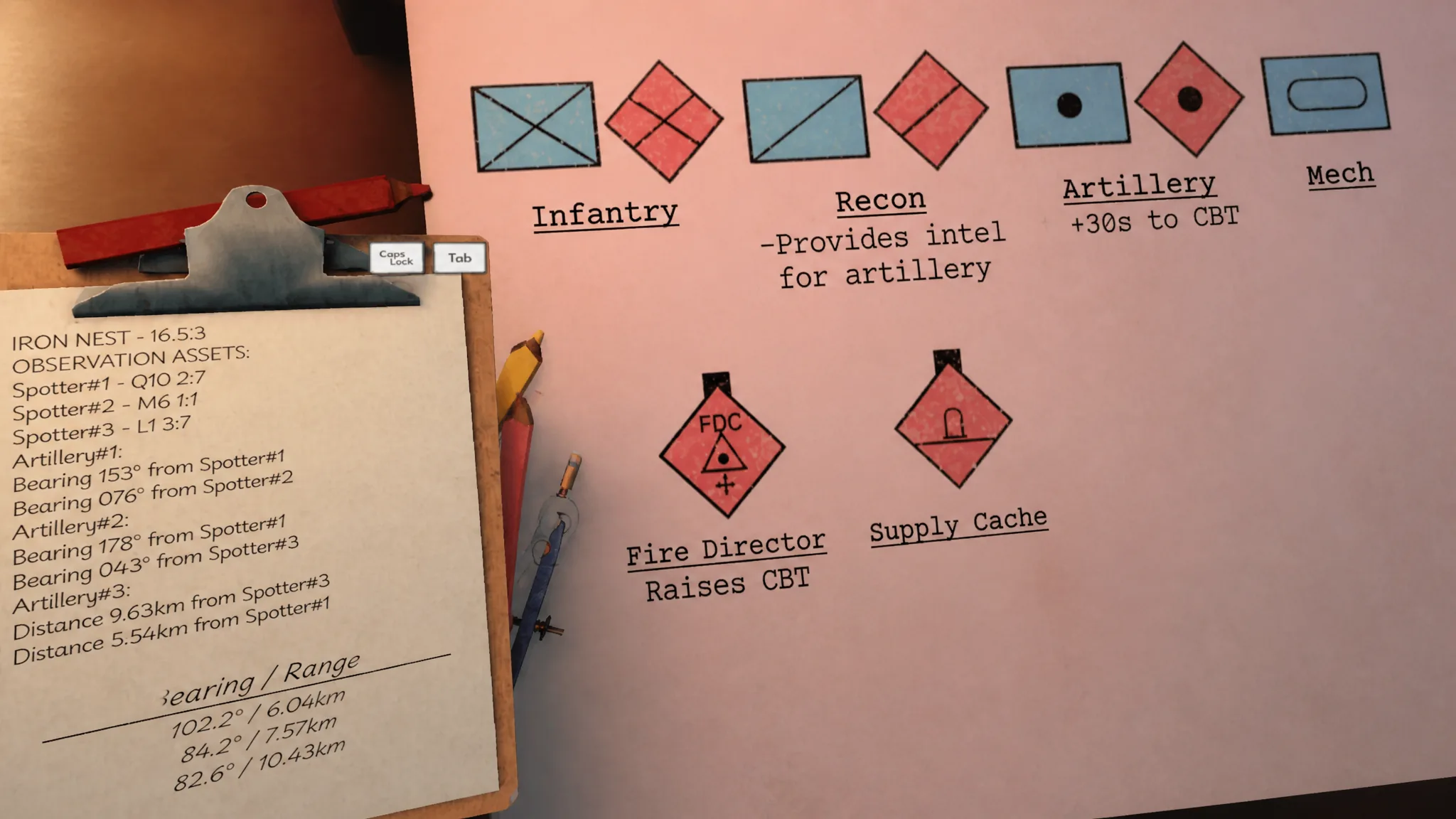
| Destroy an artillery unit | Adds 30 seconds each hit; destroying all artillery stops the timer permanently |
| Destroy a Fire Direction Center | Fully pauses the timer until you fire your next shell |
| Request Emergency Move | Relocates the Iron Nest to an unknown position, adds 120 seconds, and pauses the timer until you fire again |
Destroy enemy artillery units
Every successful hit on an enemy artillery target buys you 30 more seconds. If you take out every artillery unit on the map, the Counter-Battery Timer stops for good and you are no longer in any danger from counterfire. This is the only way to remove the threat permanently in a standard mission.
Destroy a Fire Direction Center
Destroying a Fire Direction Center completely halts the timer. It stays on hold until you fire your next shell, which gives you breathing room to line up additional shots without losing time.
Request an Emergency Move
At the requisition station you can buy the Emergency Move action. It instantly relocates the Iron Nest to an unknown position, adds 120 seconds to the timer, and pauses the countdown until you fire your next shell. It is the strongest single reset available when the clock is running low.
Counter-battery in the challenge mode
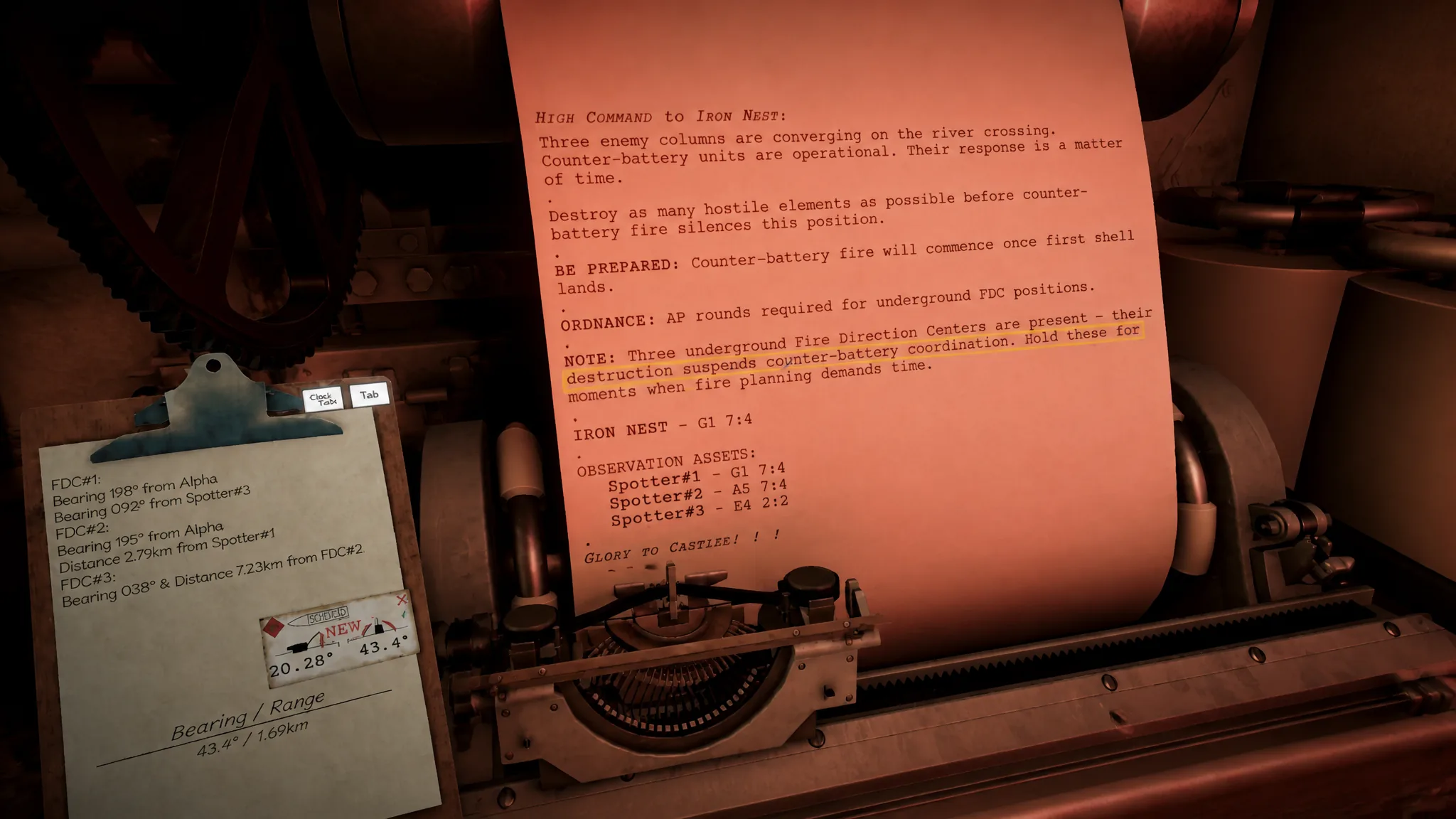
The challenge plays differently. You cannot destroy all the artillery units, so being overrun by Counter-Battery Fire is inevitable. The goal becomes destroying as many enemy targets as possible before that happens.
In this mode, prioritize the three Fire Direction Centers. Each one pauses the timer until your next attack on a non-FDC unit, so spacing those kills out stretches your run and lets you rack up a higher count before the end.
Counter-Battery Fire quick reference
| Question | Answer |
|---|---|
| What is CBT? | The Counter-Battery Timer, a countdown that starts after your first shell on missions with enemy artillery |
| What happens at zero? | Enemy artillery hits the Iron Nest, which usually fails the mission |
| How to pause or extend it? | Hit an artillery unit (+30s), destroy a Fire Direction Center (pauses until next shot), or use Emergency Move (pauses and +120s) |
| Can it be stopped for good? | Yes, by destroying every enemy artillery unit on the map |
Manage the countdown the same way every time and enemy artillery stops being a death sentence. Plot your targets before firing, lean on Fire Direction Centers and the Emergency Move to buy time, and clear every artillery piece when the mission allows it to shut the threat down completely.