Mojave Valley is a Roblox driving and roleplay game set across a California-inspired landscape modeled on the Mojave Desert. Players cruise realistic vehicles through city streets and open desert roads, earn money, buy homes, and build out a virtual life with friends. Codes provide free cash, letting you skip some of the early grind and get to the parts that make the game worth playing — fast cars, premium properties, and a fully lived-in roleplay world.
Working Mojave Valley Codes
One code is currently active in Mojave Valley. Redeem it as soon as possible, since codes can expire without warning.
GRLFROMBROOKLYNTANKED— Cash NEW
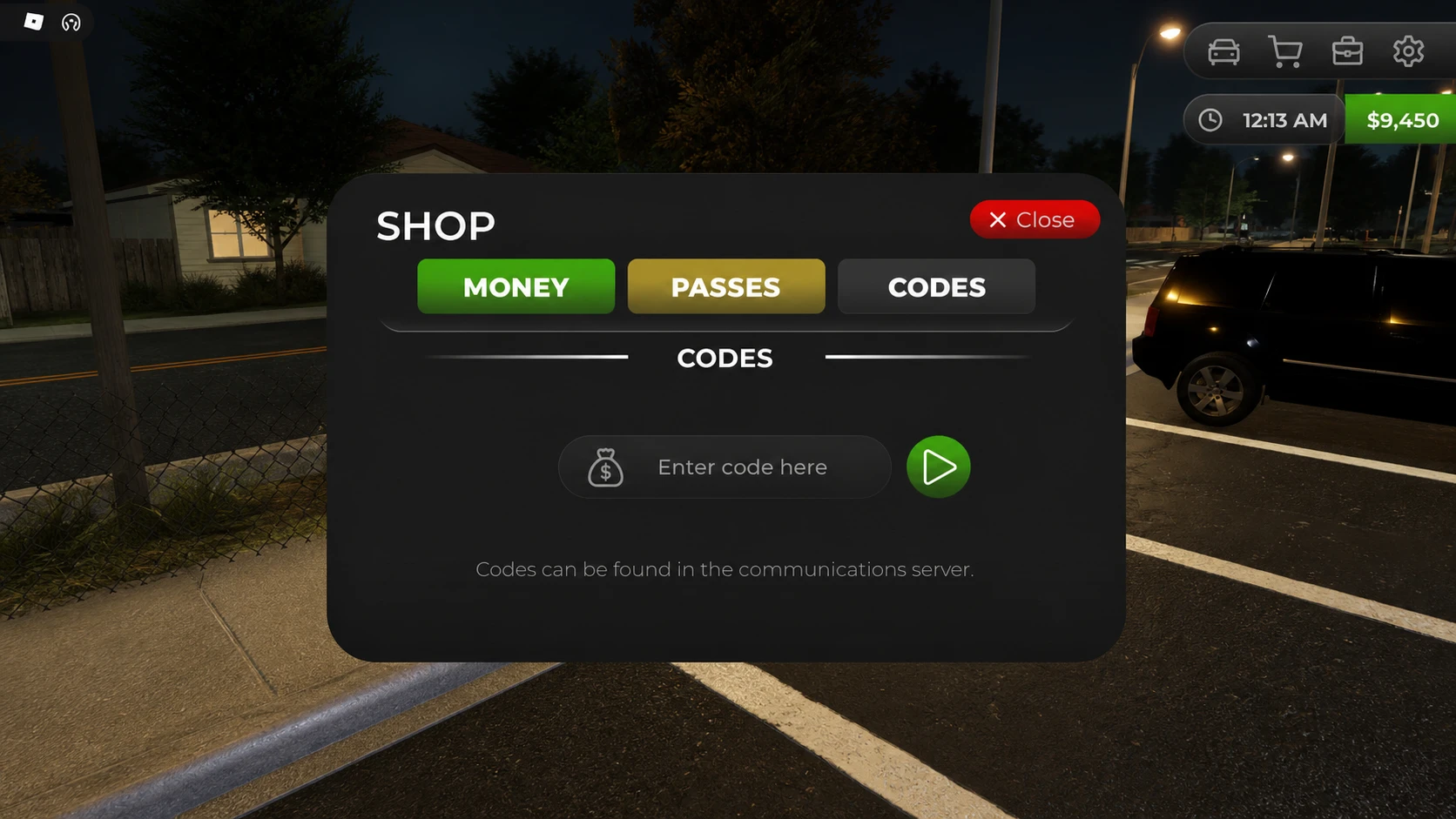
How to Redeem Mojave Valley Codes
Expired Mojave Valley Codes
The codes below are no longer active and cannot be redeemed for rewards.
TWENTYFIVETWENTYTHREEMEMORIALDAYEXPANSIONUPDATEJDMIMPORTSAPRILFOOLSELEVENMILLIONTENMILLIONLAAATEEEEELUNARYEARBUGFIXPRESSPRESSDELAYEDNEWYEARSHYDROLOCKEDMOJAVERETURNSSTREAMPF2MIYLOTANKEDLIKES150HALLOWEENLASTWORDTANKLATER
Where to Find More Mojave Valley Codes
New codes tend to surface around game updates, community milestones, and seasonal events. The Mojave Valley Discord server is the fastest place to spot them — the news and announcements channels are where the developers post codes first. The Mojave Valley Roblox group is also worth following for official communications. There is currently no Wiki or Trello board for the game, making the Discord server the central hub for player support and developer updates. Bookmarking this page is the most straightforward way to check the latest working codes without digging through every channel yourself.