
Paralives ships with a built-in cheat console that handles money requests directly, no mods required. The household balance can be topped up by a fixed amount, set to an exact value, randomized, or wiped clean of bills, all through short text commands typed into an overlay.
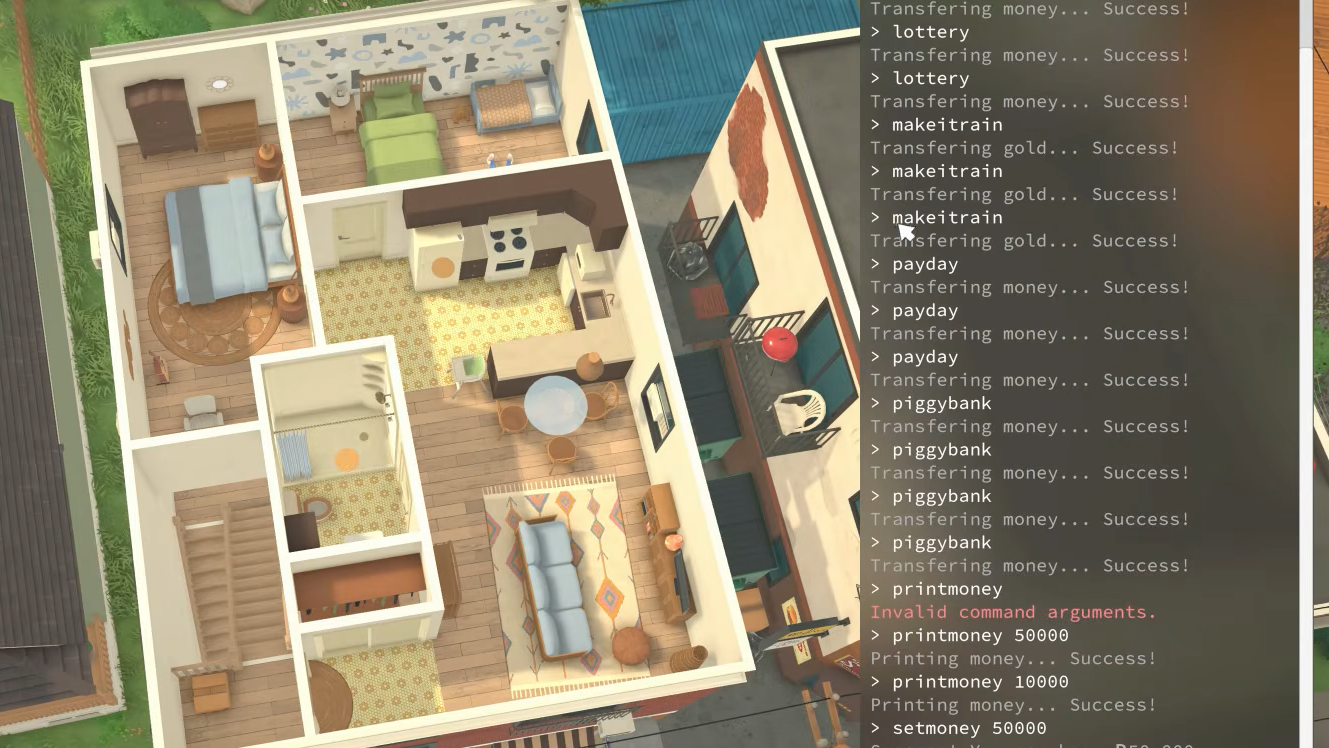
Open the cheat console
The console is available from the moment a save loads. There is no setup step, no testing mode to enable, and commands are not case-sensitive.
Ctrl + F1 on Windows, or use Ctrl + Shift + C as an alternative. On macOS, use Command + Fn/Globe + F1. The cheat overlay appears on the right side of the screen.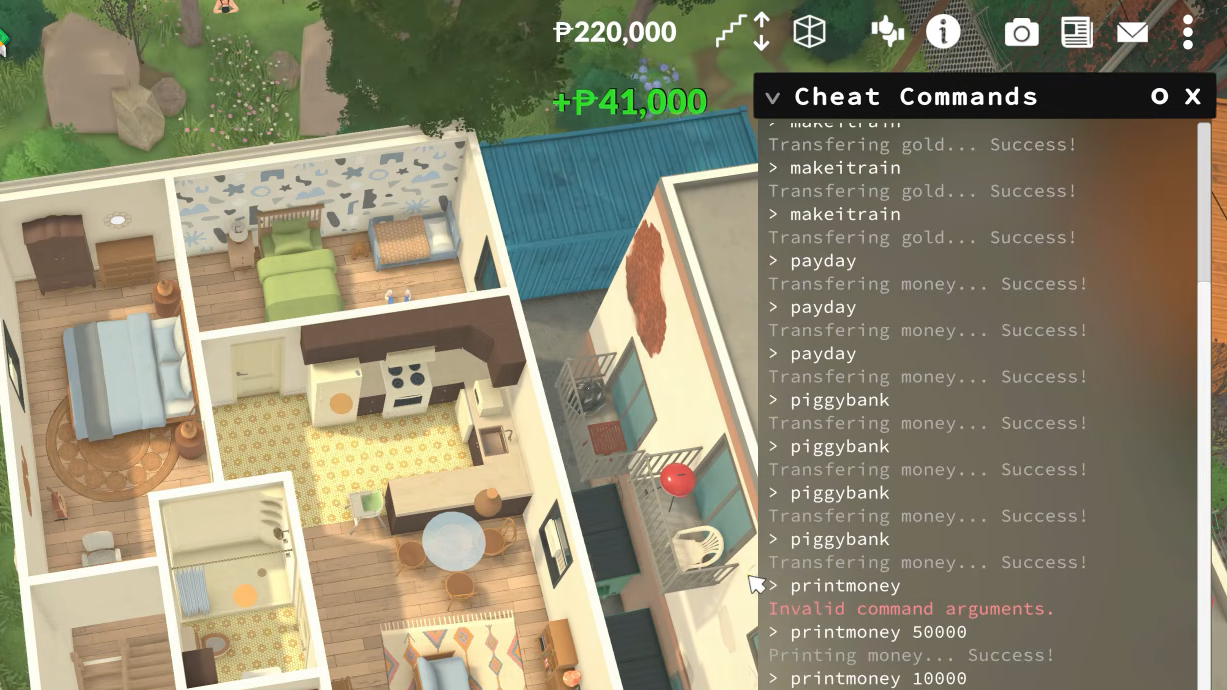
Money commands and payouts
Paralives money is called Paradimes. Some commands pay out a fixed amount, others take a number as an argument, and a couple deal with bills or salary instead of raw cash.
| Command | Effect |
|---|---|
PIGGYBANK | Adds 1,000 Paradimes to the household. |
MAKEITRAIN | Adds 10,000 Paradimes. |
JACKPOT | Adds 50,000 Paradimes. |
LOTTERY | Adds a random amount between 1 and 100,000 Paradimes. |
PAYDAY | Pays out an amount equal to the selected Para’s salary. |
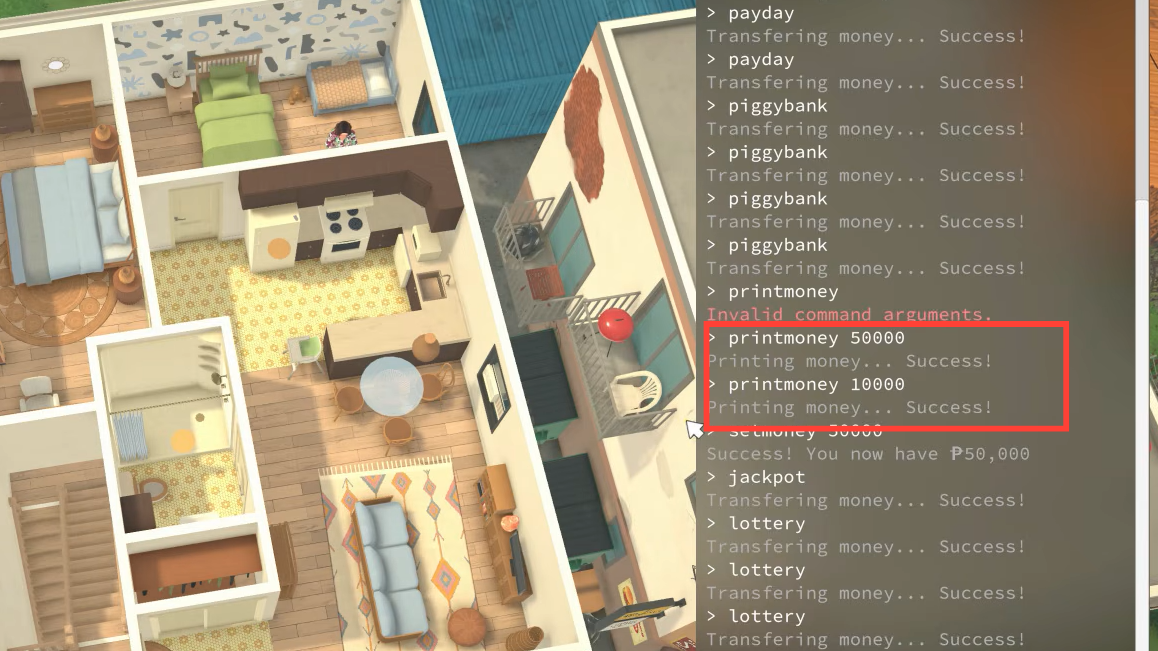
PRINTMONEY [amount] | Adds the specified amount to the current balance. |
SETMONEY [amount] | Replaces the household balance with the exact amount entered. |
PRINTHOUSEHOLDFUNDS | Displays current money balances. |
CLEARBILLS | Deletes all pending household bills. |
CLEARSELECTEDCHARACTERSBILLS | Clears bills tied to the selected Para only. |
GENERATEBILL | Sends an updated bank statement to the mailbox. |
PRINTMONEY vs SETMONEY
These two commands look similar but behave differently, and mixing them up is the most common reason a money cheat does not give the expected balance.
PRINTMONEY adds to whatever the household already has. Running PRINTMONEY 5000 on a household with 2,000 Paradimes ends with 7,000 Paradimes.
SETMONEY overwrites the balance entirely. Running SETMONEY 5000 on the same household ends with exactly 5,000 Paradimes, regardless of what was there before. It can also be used to lower funds, not just raise them.
Always include a space between the command and the number. SETMONEY500000 will not work; SETMONEY 500000 will.
When the cheat does not work
If the household balance does not change after entering a money command, the cause is almost always one of these:
- No number was passed to
PRINTMONEYorSETMONEY. Both require an amount. - The space between the command and the number is missing.
- A Para is selected from a different household than the one you intended to fund. Money commands act on the active household, so switching to the right family first is required.
PAYDAYwas used on a Para with no current job, in which case, there is no salary to pay.
Alternatives to cheating money
When starting a fresh save, the Storyteller options at household creation let you pick a custom starting balance without ever touching the console. That is the cleanest way to begin a story with a specific amount of funds rather than topping up later.
For a one-off boost on a Para who already holds down a job, ENDWORKDAY pays out their salary, and any earned upgrade points, without skipping the rest of the in-game day. It is the closest thing to a “legit” payout the cheat console offers.

Things worth knowing
Paralives is in Early Access, and commands can change between updates. Typing HELP in the console, print the current full list categorized by type, which is the most reliable way to confirm a money cheat still exists after a patch.
Cheat commands run instantly and do not require saving to take effect, but the change persists once the save is written. If a money cheat produces an unexpected result, SETMONEY to the previous value will restore the balance exactly.