Poly Loot is an action RPG on Roblox built around one repeating loop: kill monsters, pick up their drops, equip anything better, and spend the points you earn on stats. The systems that decide how fast you move through that loop are not hidden, but they are spread across five or six different stations and menus, and new players routinely leave the most valuable ones untouched for hours.
Quick answer: Put early stat points into Damage, dismantle spare gear at the Crafting station for upgrade shards, spend those shards on your equipped weapon, and reroll gear tiers with scrolls at the Tiers station.
Why Damage is the first stat to raise
Every level-up hands you a choice between +1 Damage, +1 Health, and +1 Defense. Damage is the pick that compounds. Enemies in the Grasslands and the areas after it die to a fixed number of swings, so each point shaves attacks off every fight, which shortens the window in which anything can hit you back. Health and Defense only pay off once an area outruns your gear.
Stat allocation is also visible in the Stats menu alongside your equipment’s damage value, so you can check the weapon and the stat contribution side by side before deciding whether the next problem is your build or your gear.
If clear speed is fine but you keep dying to a specific enemy or boss, that is the moment to bank a point into Health or Defense instead of pushing Damage further.
Reroll gear quality with tier scrolls at the Tiers station
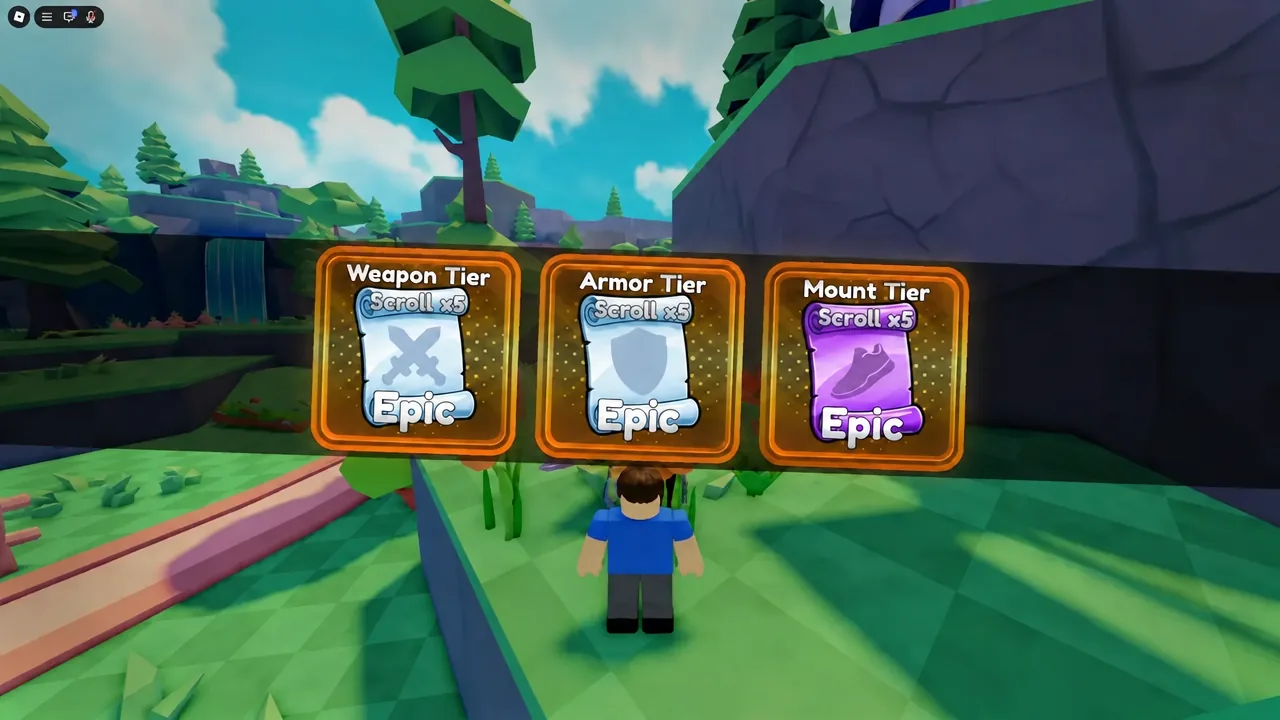
Weapons, armor, and mounts all carry a tier grade on top of their base rarity, running from F- up to Z+. The grade is rerolled, not earned, and the reroll happens at the Tiers station using the matching scroll type. A high-tier common item can outperform a low-tier rare one, which is why scrolls are worth spending on whatever you actually have equipped rather than saving indefinitely.
| Scroll | Rerolls | Used at |
|---|---|---|
| Weapon Tier Scroll | Weapon tier grade | Tiers station |
| Armor Tier Scroll | Armor tier grade | Tiers station |
| Mount Tier Scroll | Mount tier grade | Tiers station |
Rerolls are random, so a scroll can move a grade down as easily as up. The safest habit is to roll on a piece you intend to keep for a while, and to stop once you land a grade you are happy with instead of chasing a perfect result.
Free coins, daily rewards, and totems
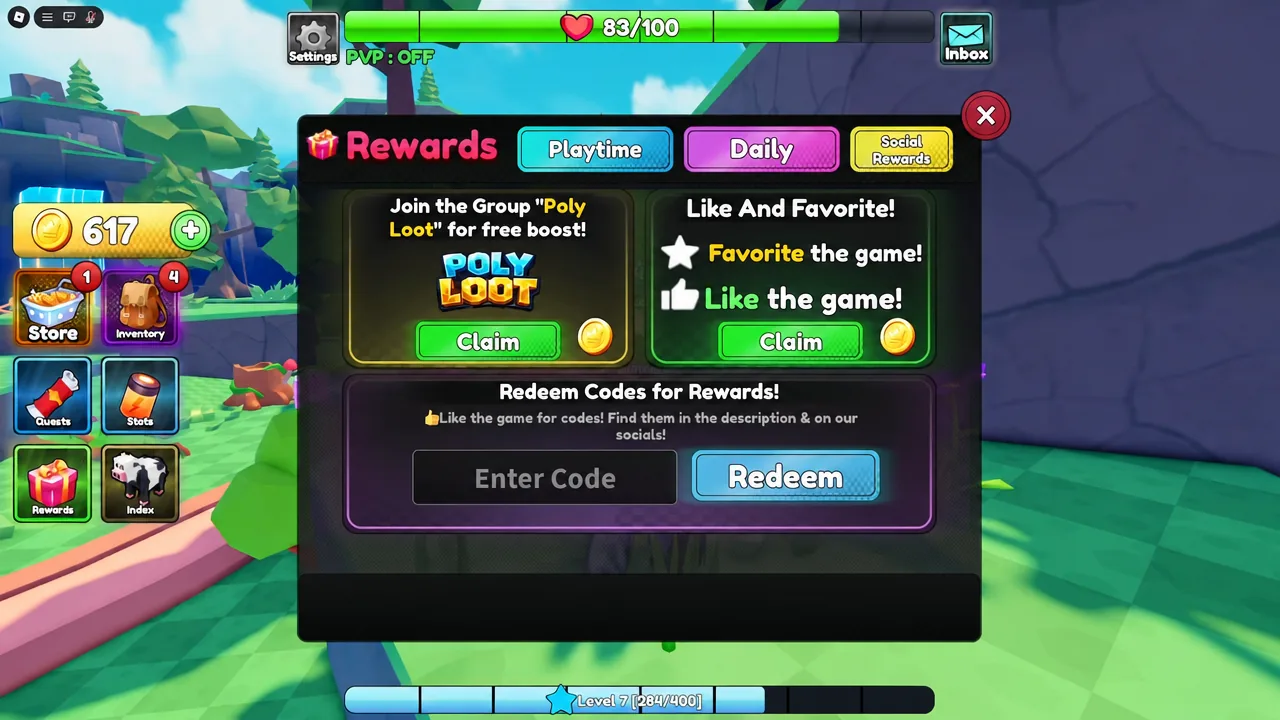
Coins pay for gear upgrades, so the income sources you can claim for nothing are worth collecting before any grinding session. The Forever Pack in the in-game shop hands out coins every day once claimed, the Rewards screen holds playtime and daily-streak payouts, and joining the game’s Roblox community plus liking and favoriting the experience adds a permanent coin boost.
| Source | Reward | Cost |
|---|---|---|
| Forever Pack (Shop) | 2,500 coins daily | Free |
| Group, like, favorite | 10% coin boost | Free |
| Playtime Rewards | 500 coins | Free |
| Daily streak | Health Potions, Item Crates | Free |
| XP Totem (Merchant) | +50% XP in radius | 1,000 coins |
The XP Totem is the single best coin sink early on. Buy one from the Merchant for 1,000 coins, place it in the world, and every player standing inside its radius gains 50% more XP, including you. Dropping it in a busy grinding spot means other players will often place their own totems nearby. The Merchant also stocks a Luck Totem for drop-rate pressure when you are farming a specific item.
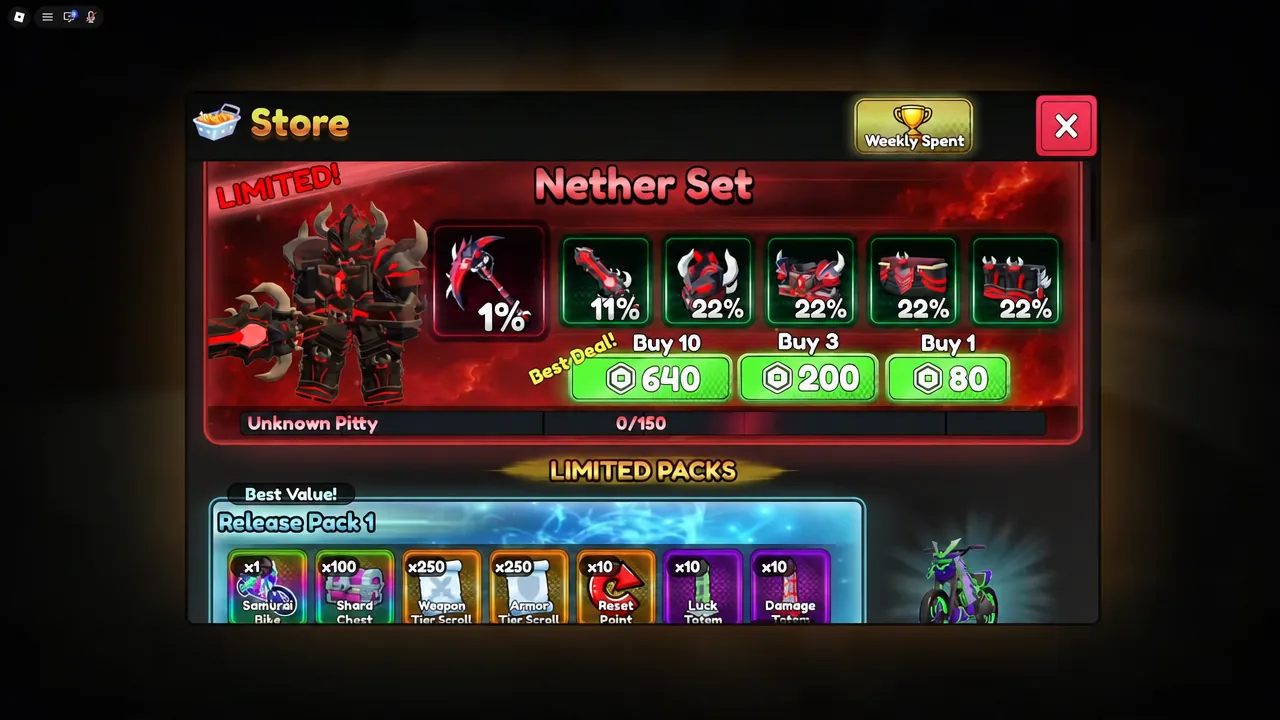
The Store itself is separate from those free claims and sells limited sets such as the Nether Set, gamepasses, subscriptions, and coin bundles, alongside a weekly spending leaderboard. None of it is required to progress through the early areas.
Check drop rates in the Index before farming
The Index tracks every enemy you have defeated, every piece of equipment you have unlocked, and the exact percentage chance of each drop. It is the only place that tells you whether a farm is realistic. The Cobra Twinblade Axe, for example, drops from the Triple Head Cobra at a 1% rate, which is a very different commitment from an item that drops one time in five.
The Index also pays you for filling it in. Hitting a kill threshold on an enemy unlocks a claimable reward on that entry, so it is worth reopening the menu after any long farming trip rather than only when you are hunting a specific weapon.
Collect quests before you start grinding
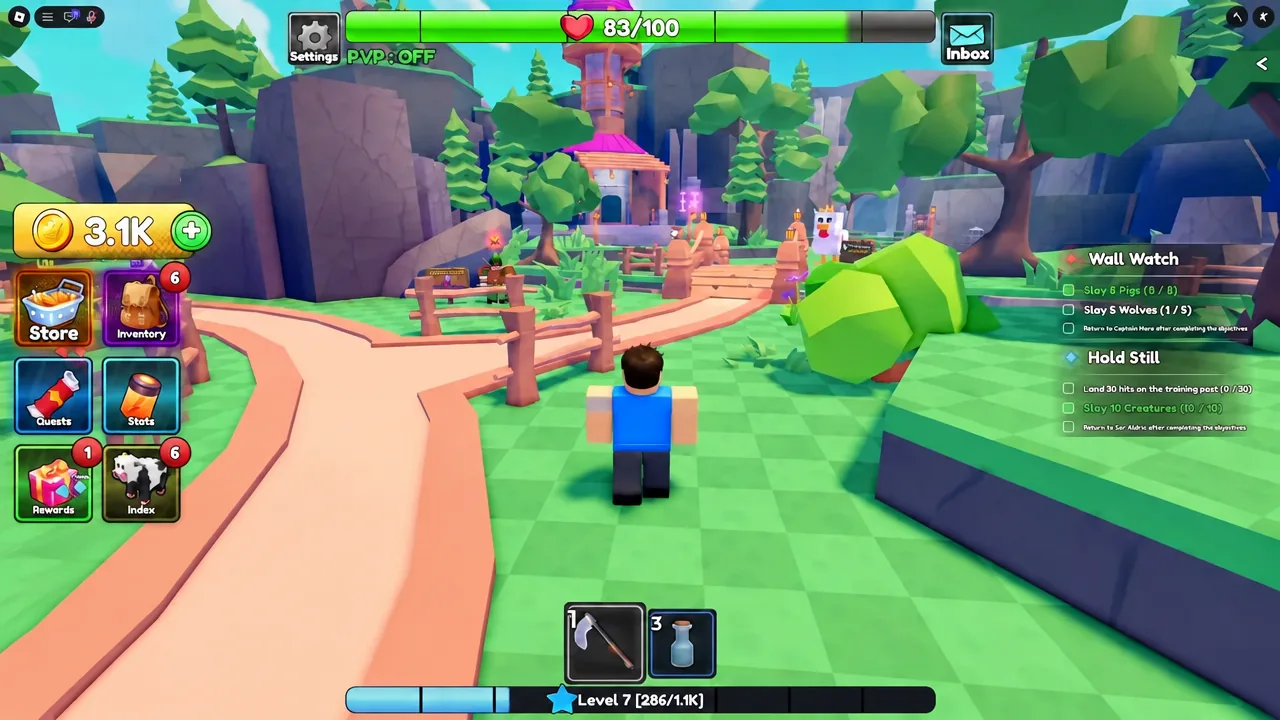
You can hold several quests at once, and their objectives overlap heavily in the starting areas. Killing the same chickens or wolves can feed two or three quest counters at the same time, so sweeping every quest-giver first turns one farming trip into several completions. Grinding before you have accepted the relevant quest earns no credit and forces a repeat trip.
- Talk to every NPC with a quest marker around the starting settlement, including indoor NPCs and the Mayor.
- Captain Mara starts the opening chain and sends you to Ser Aldric for your first sword.
- Head into the nearby cave and check each branch — more quest-givers wait inside, including one that introduces abilities.
- Take the gold mine quest when it appears; it keeps generating gold while you work on other objectives.
- Miner Tom, deeper in the cave chain, hands out the pickaxe quest that opens mining progression.
The early chain pushes you from chickens toward bones and skeletons. If those enemies feel slow, the answer is usually a weapon upgrade or a tier reroll rather than more grinding at the same power level. A hard fight is also not a wall — skipping it and returning after two or three upgrades is faster than forcing it.
Dismantle spare gear and upgrade what you use
Duplicate drops such as the Basic Dagger are raw material, not clutter. The Crafting and Upgrade stations convert them into real power on the gear you actually wear.
Abilities unlock at level 30
Active abilities are gated behind level 30 and are slotted using Ability Runes. Berserk, Cannon, and Ground Slam are among the options, and they change how boss fights play out more than any single stat point does. The cave quest that introduces the system can be a sharp difficulty spike well before you can use it, so there is no penalty in leaving it and coming back once your weapon is upgraded.
The King Chicken is the first real boss check. It hits hard enough that standing still is punished, so the fight rewards moving between attack windows rather than trading blows. Bring health potions from your daily streak claims, and treat a failed attempt as a signal to add Damage and upgrade shards before the next try.
Codes
Working codes: MINING, UPDATE1.5, SPARK, and LEV. There is also a per-account Discord verification code that grants a permanent +10% Damage and +10% Luck, obtained by pasting your in-game code into the bot commands channel of the Poly Loot Discord server and entering the reply back in game.
To redeem, open Rewards on the left of the screen, select Social Rewards in the top right, scroll to the code field, paste a code, and press Redeem — the rewards land in your inventory straight away.