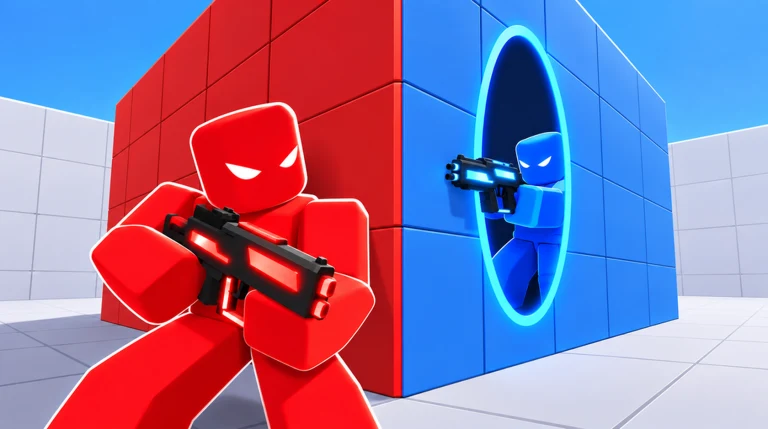
Gadgets are the active abilities you trigger during a match in PORTALS, and almost every one is a one-time purchase made from the lobby. You start with a single gadget unlocked, then spend Coins or Robux to add more. The same two currencies also unlock primary weapons in the Arsenal and apply skins pulled from a free crate, so getting your full loadout ready takes a few quick menu visits before you press Find Match.
Quick answer: Open the Gadgets menu from the lobby, pick a gadget, buy it with Coins or Robux, then press Equip. Every player already owns Stim, and you press F in a match to use any equipped gadget.
Coins and Robux: the two currencies
Coins are the free currency. You earn them by playing matches and finishing the tutorial, and they fund your early gadget, weapon, and crate purchases without spending real money. The same matches award XP, which fills your level bar from Lv. 1 toward Lv. 2 at 1,000 XP.
Robux serves as the premium currency. Every weapon and most gadgets display a Robux cost alongside the Coin cost, giving you a way to pay rather than grind. Some items, including the largest weapons and the Psycho gadget, can only be bought with Robux.
On your first launch, you may see a time-limited Starter Bundle offer: a Green Pistol and 400 Coins for the reduced price of 25 Robux. The offer is optional, and skipping it won’t prevent you from accessing anything described below.
How to buy and equip a gadget
Find the Gadgets button on the lobby’s bottom bar to open the gadget menu. The menu explains the permanent purchase with the words “Buy it once, keep it forever.”
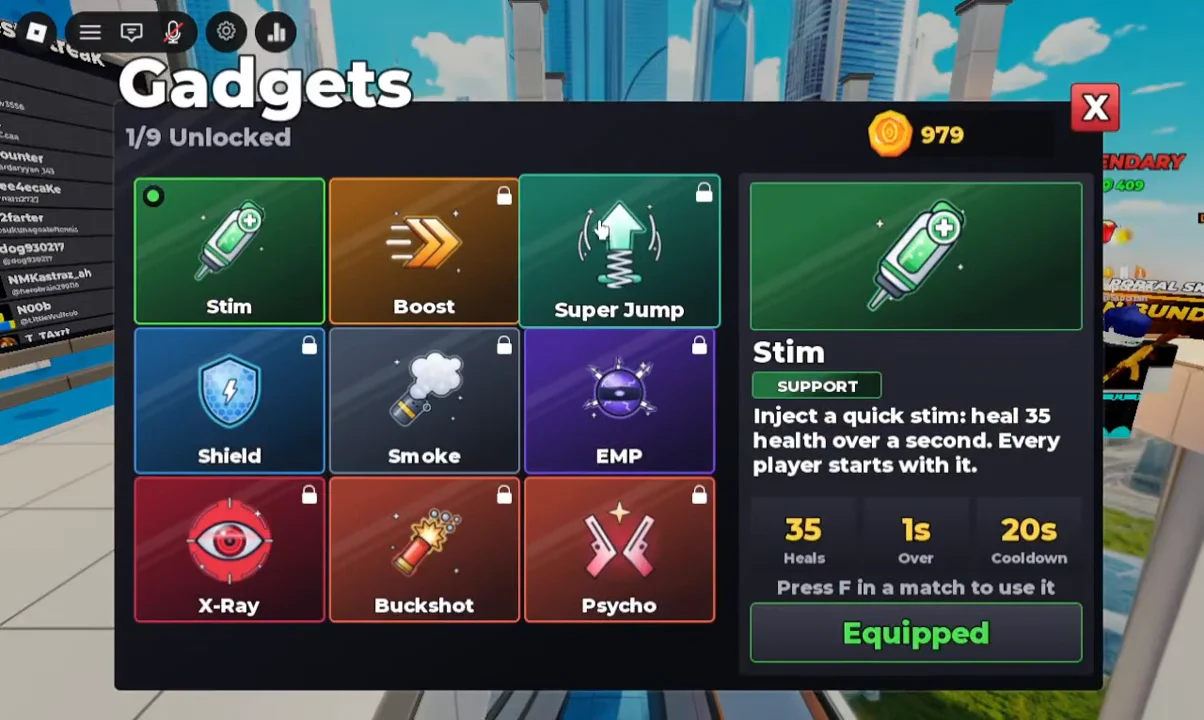
In a match, press F to fire the equipped gadget. Each one runs on its own cooldown before it can be used again.
Every gadget and its cost
| Gadget | Type | Coins | Robux |
|---|---|---|---|
| Stim | Support | Starter (free) | — |
| Boost | Mobility | 750 | 39 |
| Super Jump | Air | 750 | 39 |
| Smoke | Cover | 1,750 | 89 |
| Buckshot | Offense | 4,000 | 199 |
| Psycho | Offense | — | 149 |
| Shield | — | Locked | Locked |
| EMP | — | Locked | Locked |
| X-Ray | — | Locked | Locked |
Stim heals 35 health over one second and sits on a 20-second cooldown, and it stays equipped by default. Boost raises your speed by 74 percent for three seconds, also on a 20-second cooldown. Super Jump launches you high into the air and floats you back down, with a 15-second cooldown.
Smoke is readied, then fired as a canister that produces a thick 10-second cloud with an 18-stud radius, hiding everything inside even through walls, on a 30-second cooldown. Buckshot fires 10 pellets at once for a one-kill 160 damage at point blank, dropping off up to 60 range. Psycho pulls a second gun for five seconds, doubling your fire rate and adding 30 percent speed.
Unlock weapons in the Arsenal
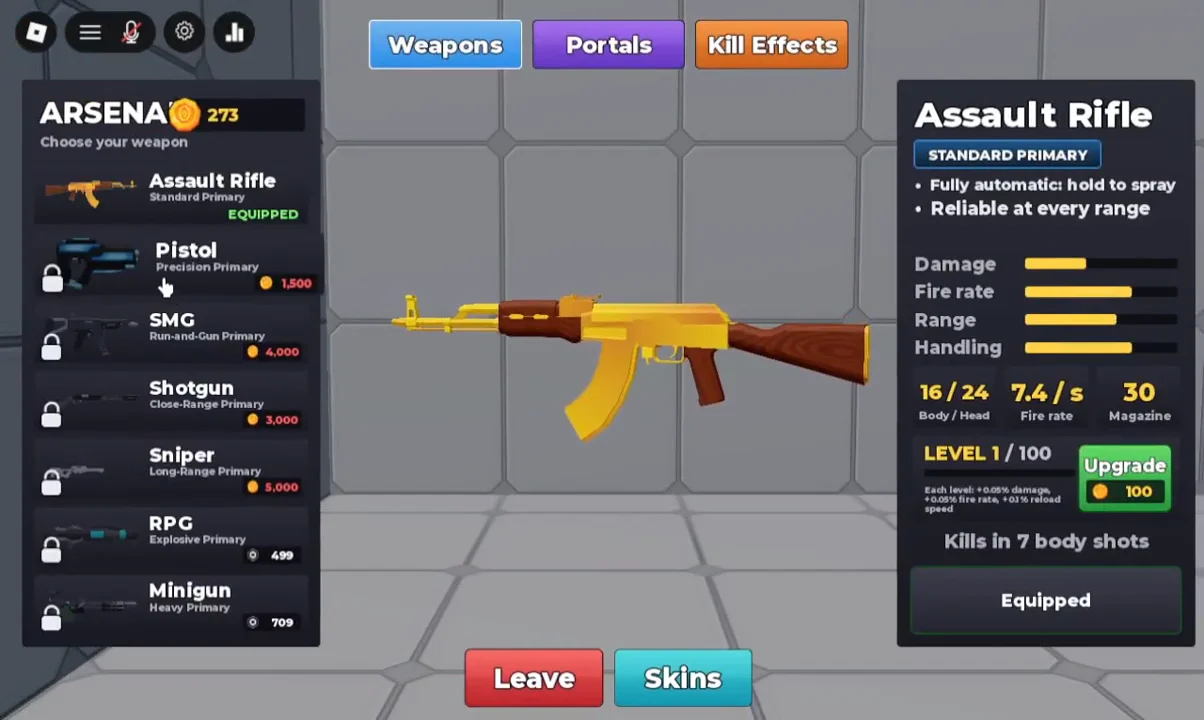
At the lobby, open Arsenal to view each primary weapon and its cost. The fully automatic Assault Rifle is a versatile choice you receive at no charge when you start. Every other weapon requires Coins or Robux to unlock; after you buy one, its cost is removed and it appears as owned.
| Weapon | Role | Coins | Robux |
|---|---|---|---|
| Assault Rifle | Standard | Equipped (free) | — |
| Pistol | Precision | 1,500 | 79 |
| SMG | Run-and-gun | 2,000 | 99 |
| Shotgun | Close-range | 3,000 | 149 |
| Sniper | Long-range | 5,000 | 249 |
| RPG | Explosive | — | 499 |
| Minigun | Heavy | — | 709 |
The RPG and Minigun carry no Coin price, so those two require Robux. For the rest, banking Coins from matches is the no-spend route to unlocking them.
Get a skin from the free Starter Crate
Weapon skins are available in Shop crates, and the Starter Crate gives you one free opening. The random draw can award a skin of any rarity, including Epic options such as the Lightning Pistol Skin.
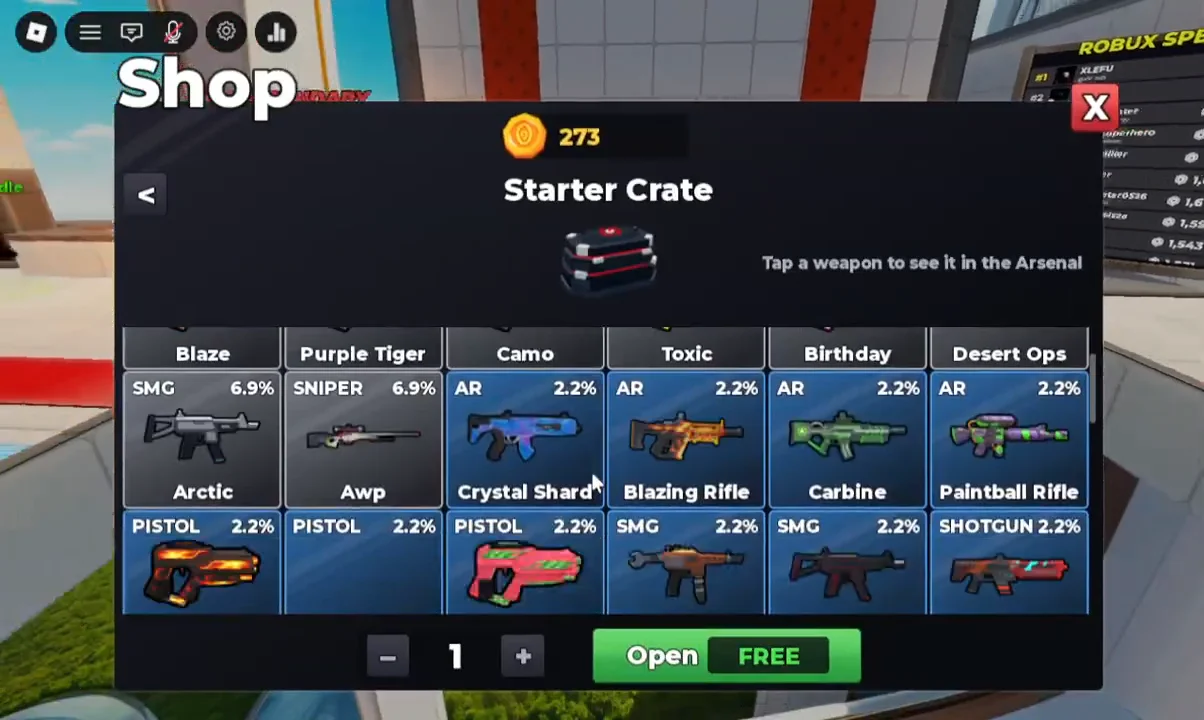
Each skin has a fixed drop chance, listed below.
| Skin | Weapon | Chance |
|---|---|---|
| Blaze | Pistol | 6.9% |
| Purple Tiger | Pistol | 6.9% |
| Camo | Pistol | 6.9% |
| Toxic | Pistol | 6.9% |
| Birthday | AR | 6.9% |
| Desert Ops | AR | 6.9% |
| Arctic | SMG | 2.2% |
| AWP | Sniper | 2.2% |
| Crystal Shard | AR | 2.2% |
| Blazing Rifle | AR | 2.2% |
| Carbine | SMG | 2.2% |
| Paintball Rifle | Shotgun | 2.2% |
| Lava | Shotgun | 2.2% |
| Frost | Sniper | 2.2% |
| Watermelon | Sniper | 2.2% |
| Scrapper | AR | 0.9% |
| Carbon | AR | 0.9% |
| Crimson Breacher | AR | 0.9% |
If you selected Done, go to the relevant weapon in Arsenal and open its Skins tab to apply a skin you own. The weapon’s preview updates to show the equipped skin.
Confirm your loadout before you queue
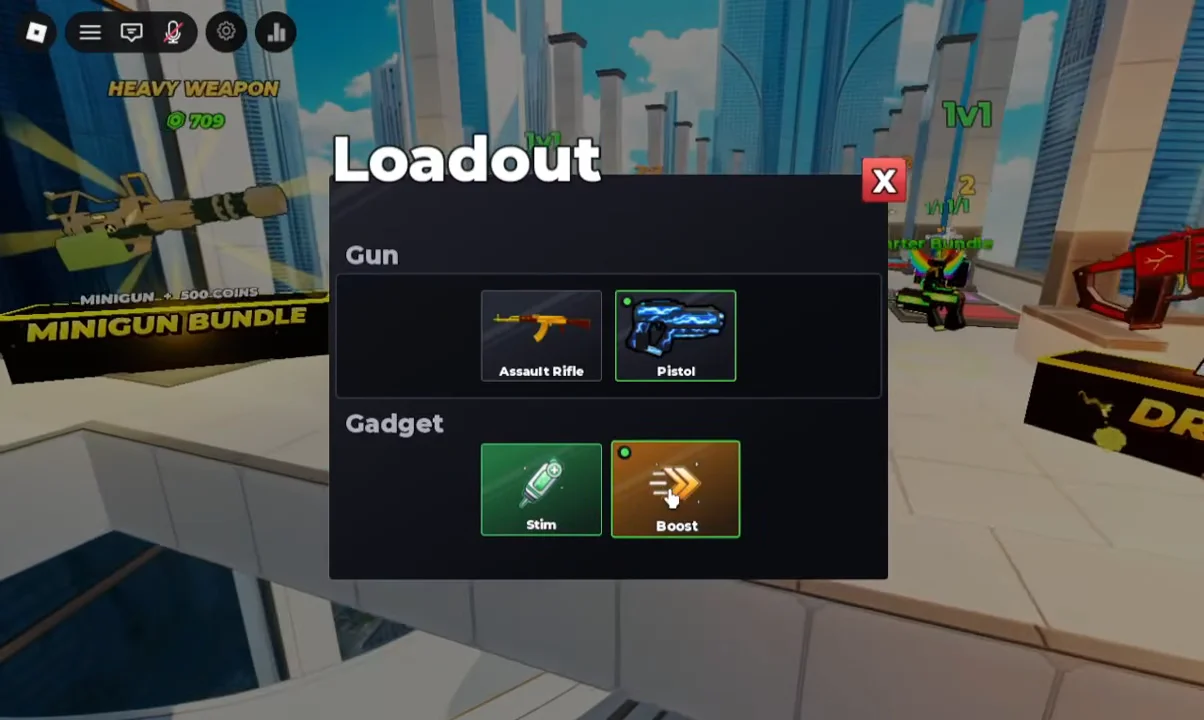
Select Loadout on the bottom HUD to view your two equipped guns and gadget together. A typical setup includes the Assault Rifle, Pistol, and Stim. Any purchased or crate-won gear should appear here after you equip it; seeing it in this menu confirms the purchase and equip were successful.
From the Play menu, pick a mode and press Find Match to queue. The available modes are 1v1 Duels, 2v2 Duos, 3v3 Trios, 1v1v1v1 Deathmatch, and FFA. Once a lobby fills, a Match Found screen lists your team and the opponents, reserves a server, and drops you in. Winning and playing more matches feeds Coins back into your balance, which is how you fund the next weapon, skin crate, or gadget without ever spending Robux.